
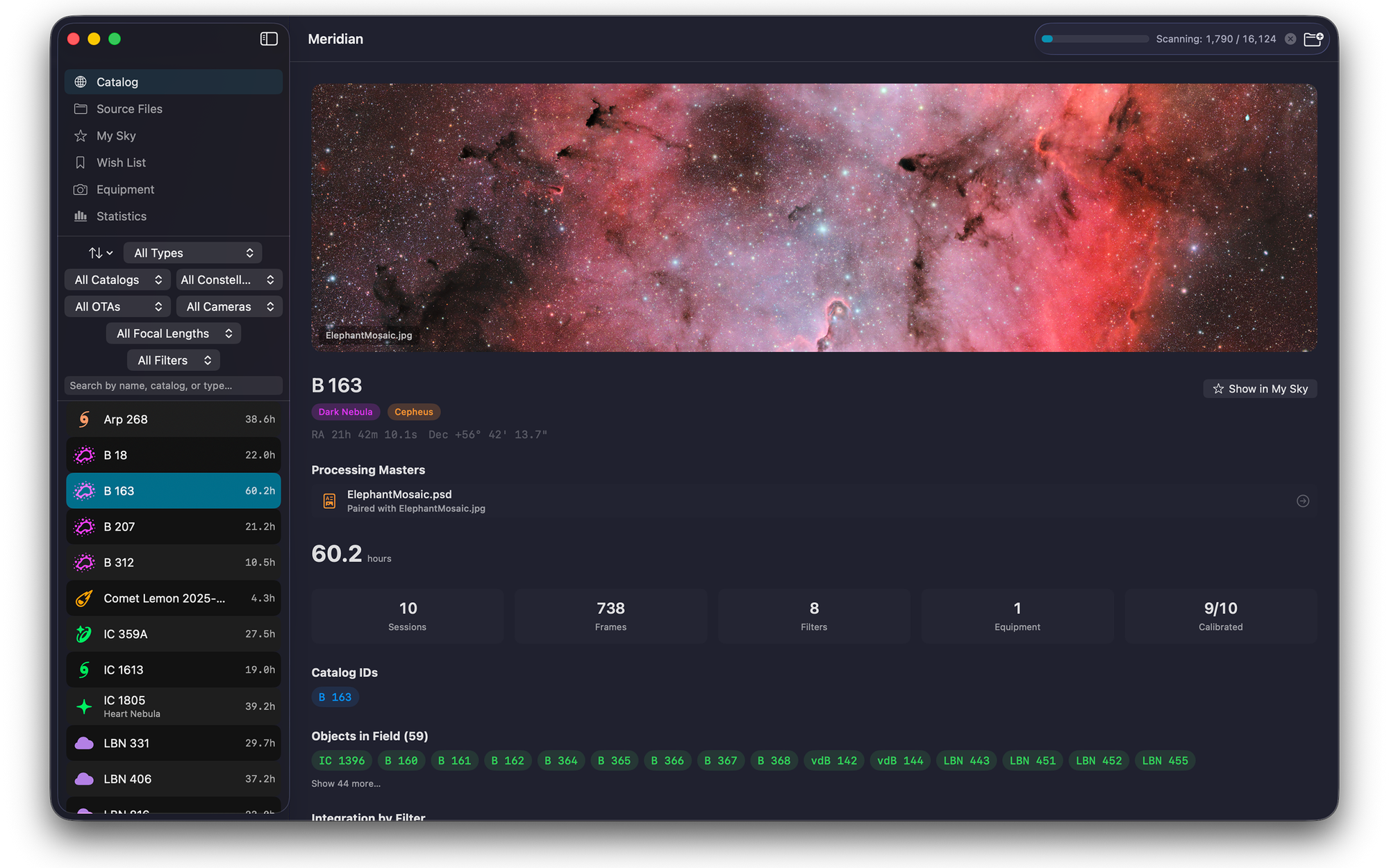
Meridian 1.0 is on the Mac App Store. It is a native macOS archive manager for deep sky astrophotographers: you point it at the folders where your FITS and XISF files already live, and it reads every header, works out which object each frame was aimed at from the coordinates rather than the file name, groups those frames into targets and sessions, and builds a searchable visual catalog of everything you have ever shot. It is $34.99, a one-time purchase, and it needs macOS 14 or later.
It is also out of beta, which means the TestFlight builds are going away. More on that at the end, because the middle of this post belongs to the people who got it here.
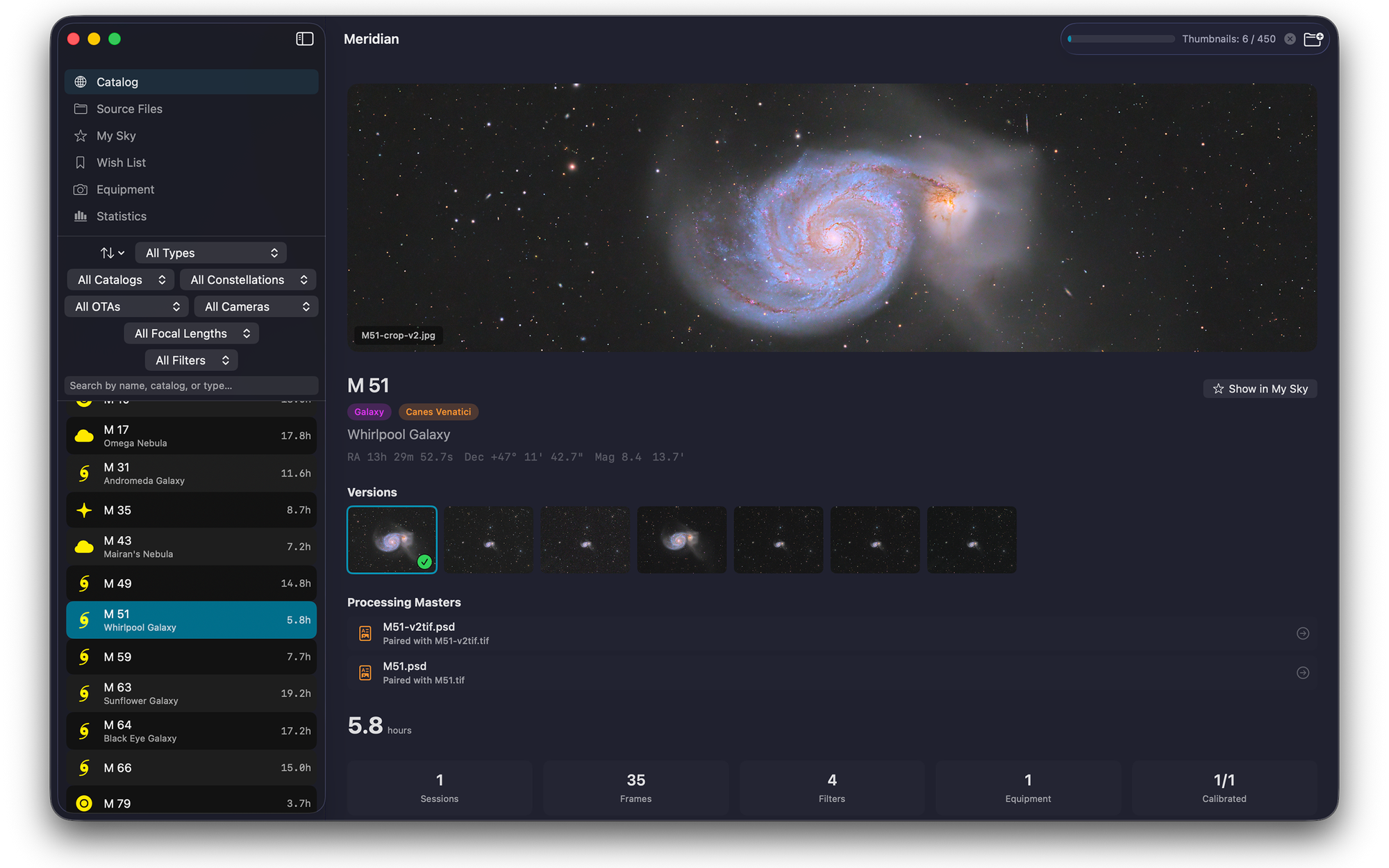
What does Meridian actually do?
Most of us have the same archive problem. The data is spread over three drives, the naming convention changed twice, and the answer to "how many hours do I have on the Rosette" involves opening folders and counting. If you image with a Seestar or a DWARF, the problem arrives faster, because a smart telescope can fill a drive in one season and leave behind folders that tell you almost nothing about what is in them.
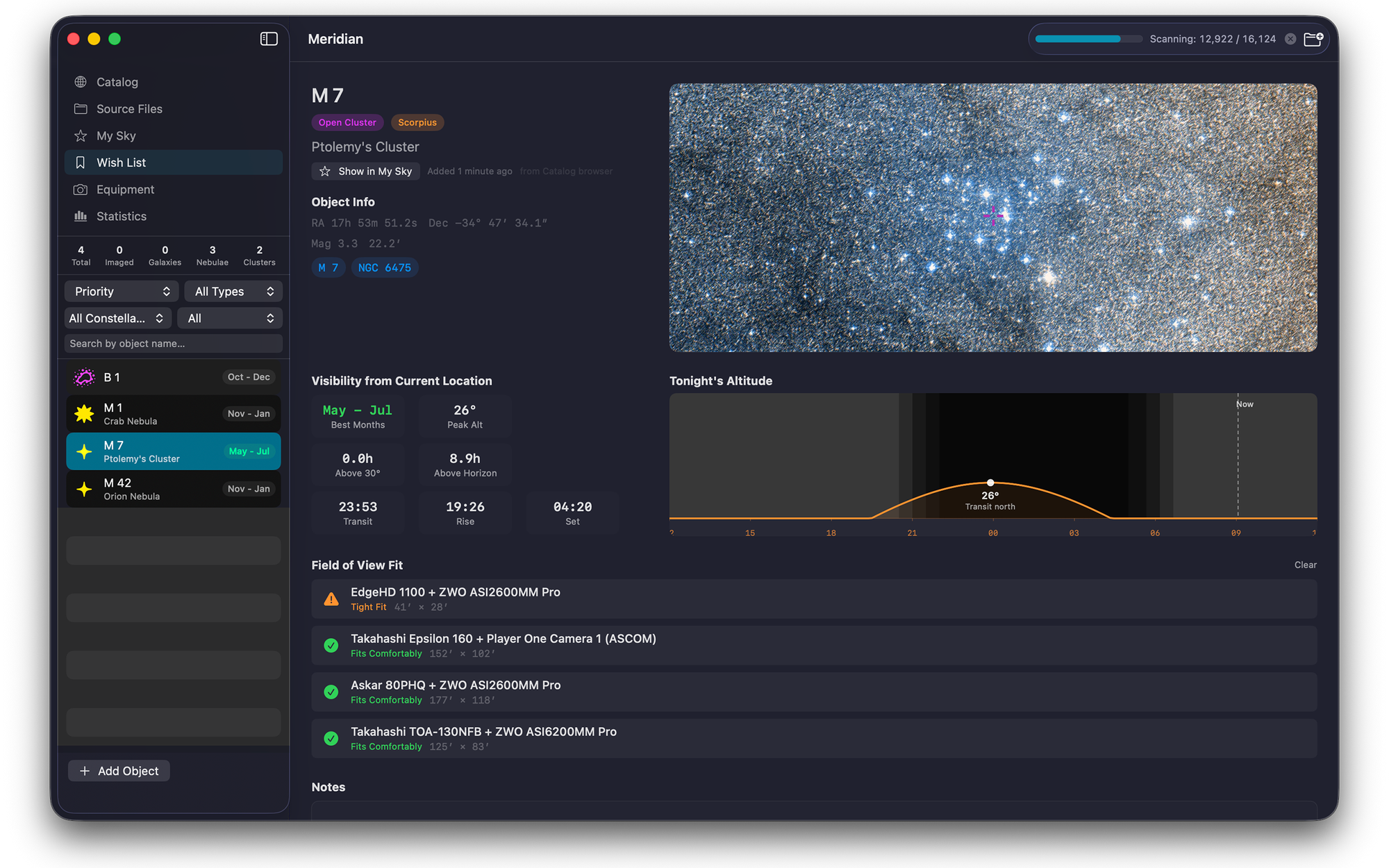
Meridian reads the archive you already have. It identifies targets from the pointing coordinates in your headers, so it finds the right object even when the OBJECT keyword is blank or wrong or full of somebody else's shorthand. It knows that M42, NGC 1976, Sh2-281, and LBN 974 are the same thing, and it groups your data accordingly. It builds your equipment list out of what your capture software wrote into the headers, with no setup screen to fill in. It stretches every thumbnail so you see your data instead of black rectangles. And it never writes to your files: no moving, no renaming, no rewriting headers, not once.
The full feature breakdown, the compatibility list, and the FAQ all live on the Meridian product page. If your archive is currently a mess and you want to think about structure before you scan anything, my guide to organizing an astrophotography data library is the better place to start.
What did the beta actually look like?
I want to be specific about this, because "thanks to our beta testers" is easy to say and means nothing without numbers behind it.
The Meridian Beta, by the Numbers
Every report went into a tracked ledger with a priority, a root cause, and a resolution. Nothing was closed by ignoring it.
Which features came from testers?
Here are six, spread across the whole beta. In every case what shipped is better than what I would have built alone, because the report arrived attached to a real archive that broke in a way I could not have invented.
It crashed on the first real archive it ever saw
The very first bug report of the beta was a crash. A tester pointed Meridian at 79,000 image files and the scanner fell over, because it was walking into macOS package directories it had no business opening. That was report number one out of ninety-three, and it set the tone for the whole project: my own archive was never going to be big enough or strange enough to find this stuff. The same round brought twenty more issues, including blurry previews on one-shot colour data, sky map zoom that fought the cursor, and no way to get from the Catalog back to the files that fed it.
Meridian will not drag 100 GB down from iCloud behind your back
If your archive lives in iCloud Drive, macOS may have offloaded most of it to save space. Reading a file's header is enough to make the system fetch the whole thing back. A tester with an offloaded library watched Meridian start pulling down more than a hundred gigabytes of data purely to look at headers. That is the kind of bug that costs somebody real money on a metered connection, and I would not have found it, because my own data sits on local drives. Meridian now recognises offloaded files and leaves them alone rather than triggering the download.
Pressing space on a FITS file actually shows you the frame
Quick Look took four rounds to get right, and every failure came from a tester's machine rather than mine. One-shot colour frames previewed with a green cast and a vertical flip. Previews fell back to a generic metadata card for anyone who was not running the command line diagnostic as root, which turned out to be a missing file-read entitlement on the preview extension. And on machines with Siril installed, .fit files lost their previews and Finder thumbnails entirely, because both apps were claiming the same file type. All of that is why the spacebar now works on a FITS or XISF file whether or not Meridian is running.
One rig stays one rig
Equipment tracking was the single most reported area of the app. Sessions showed "Unknown Telescope" even when the mount was clearly named. An ASIAIR was writing mount names into the telescope field. Smart telescope data split one instrument into several. And a setup reporting 754 mm one night and 756 mm the next fragmented into separate profiles, which quietly ruins any attempt to filter by gear. Meridian now substitutes focal length where the header is unhelpful, matches equipment with a tolerance you set yourself, and lets you drag one profile onto another to merge them, or use a context menu if dragging is not your thing.
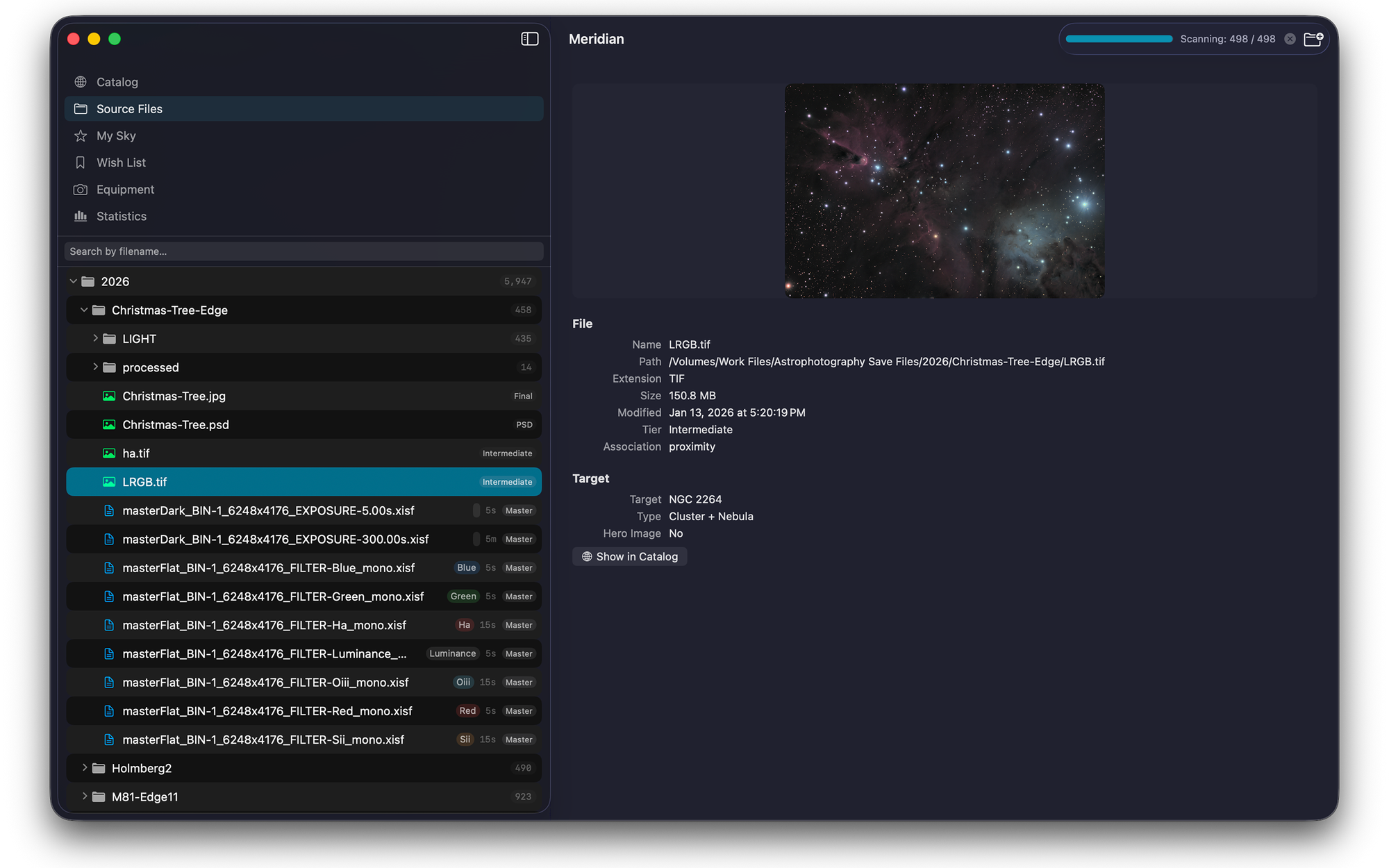
Every file now tells you why it was skipped
One tester shoots with a DSLR and converts those RAW files to FITS before stacking. Meridian saw the processing-software stamp the converted files carry, decided they were intermediates rather than real light frames, and quietly skipped all 2,581 of them. The catalog came up nearly empty and the app never said why. That report turned into the Source Files triage workbench: every file on disk now carries a disposition badge, skipped files state their reason on the row, and you can overrule the parser with a right-click, per file or per folder, with the override surviving a full rebuild. The heuristics will still be wrong sometimes. Now being wrong is visible, and it is a two-click fix.
A decimal comma
Meridian asks for your observing location so it can work out when a target transits and how long it stays up. It rejected coordinates typed with a decimal comma, which is to say it rejected the way most of Europe writes a number. Every visibility calculation in the app was unreachable for those users, and the failure looked like their fault rather than mine. This one is my favourite entry in the whole ledger, because it is exactly the class of bug that a developer testing his own software in his own country never sees.
There were plenty more. Removing a watched folder used to leave its objects behind in the catalog. Import errors vanished on restart. Messier objects sorted lexically, so M100 came before M2. Searching for M16 landed you on a different nebula in the same field, because Meridian was listing 438 objects as being "in frame." Finished TIFFs nested in a session subfolder never made it onto the target they belonged to. Adding a folder sat silent through discovery, which on a large archive is a long time to wonder whether the app has died. And when an import could not identify a target, Meridian used to leave it sitting there named after its folder without ever mentioning that plate solving would fix it.
One last note from App Review
Worth telling, because it is a problem specific to this kind of app. I submitted 1.0 in the middle of July and it came back rejected. Not for a bug: the reviewer opened a fresh install on a Mac with no astrophotography archive on it, and Meridian did what it is designed to do, which is show you your archive. There wasn't one. Six empty views.
Fair enough. I built a small sample archive of three real objects, actual FITS and XISF frames with finished images alongside them, hosted it, and wrote the reviewer instructions for loading it. Same binary, resubmitted, approved on July 27. Meridian 1.0.1 went out the next day with a fix for image-only folders that now become proper targets.
Thank you
Ten people put their own archives in front of an unfinished app and told me the truth about what happened. Some of those archives ran to hundreds of thousands of files. Several of the reports were better than anything I would have written myself, with logs attached and steps to reproduce and, in a few cases, sample files so I could see the exact header that was confusing the parser. One tester hit a limitation, wrote a Python script to work around it, and sent me the script so I could pass it on to anyone else with the same camera. That is not beta testing. That is just generosity.
They signed up to test an app, not to be written about, so I am not going to name them here. They know who they are and they know what they fixed. If you use Meridian and something about it works properly, there is a decent chance it works because one of them made me fix it. Thank you, all ten of you.
What Meridian does not do
Meridian is a librarian, not a darkroom. It does no stacking, no calibration, and no editing, and it is not a capture tool or a planetarium. It reads FITS, XISF, TIFF, JPEG, PNG, and PSD, but it does not read camera RAW files, so DSLR and mirrorless shooters need to convert to FITS first. There is no free trial, which is a limitation of how I sell on the App Store rather than a choice I love. And while Meridian ships as a universal binary that runs on Intel, it is built and tuned on Apple Silicon, and I have not done a full test pass on Intel hardware.
The beta is closing
If you have been running Meridian through TestFlight, that build stops working in 65 days. There is no way to carry a TestFlight install over to a purchased one, so continuing past then means buying it on the Mac App Store.
Your catalog is safe either way. Meridian has never touched your imaging files, and the App Store version reads the same watched folders and rebuilds from the same data on disk. Nothing you shot is inside the app, which was the whole point of building it read-only.
To everyone who tested: check your email. I have not forgotten who did the work.
Your archive, cataloged.
Meridian 1.0.1 is on the Mac App Store. One purchase, every feature, no subscription. Requires macOS 14 or later.
Get Meridian on the Mac App StoreOr read the full Meridian product page first.
If you buy it and something goes wrong, email me at support@macobservatory.com. That address reaches one person, and this post is a reasonable indication of what happens next.
Andrew