
Transit
Astronomical events in your Mac's menu bar
Know when to look up.
Is it clear tonight? When does Saturn climb high enough? Is the ISS about to cross the Moon? Transit answers from your menu bar, hour by hour, and only taps you on the shoulder when the sky is worth it.
Weather hour by hour, the planets, satellites, the Sun, the Moon and the events worth catching, on one timeline from sunset to sunrise.
Before you set up
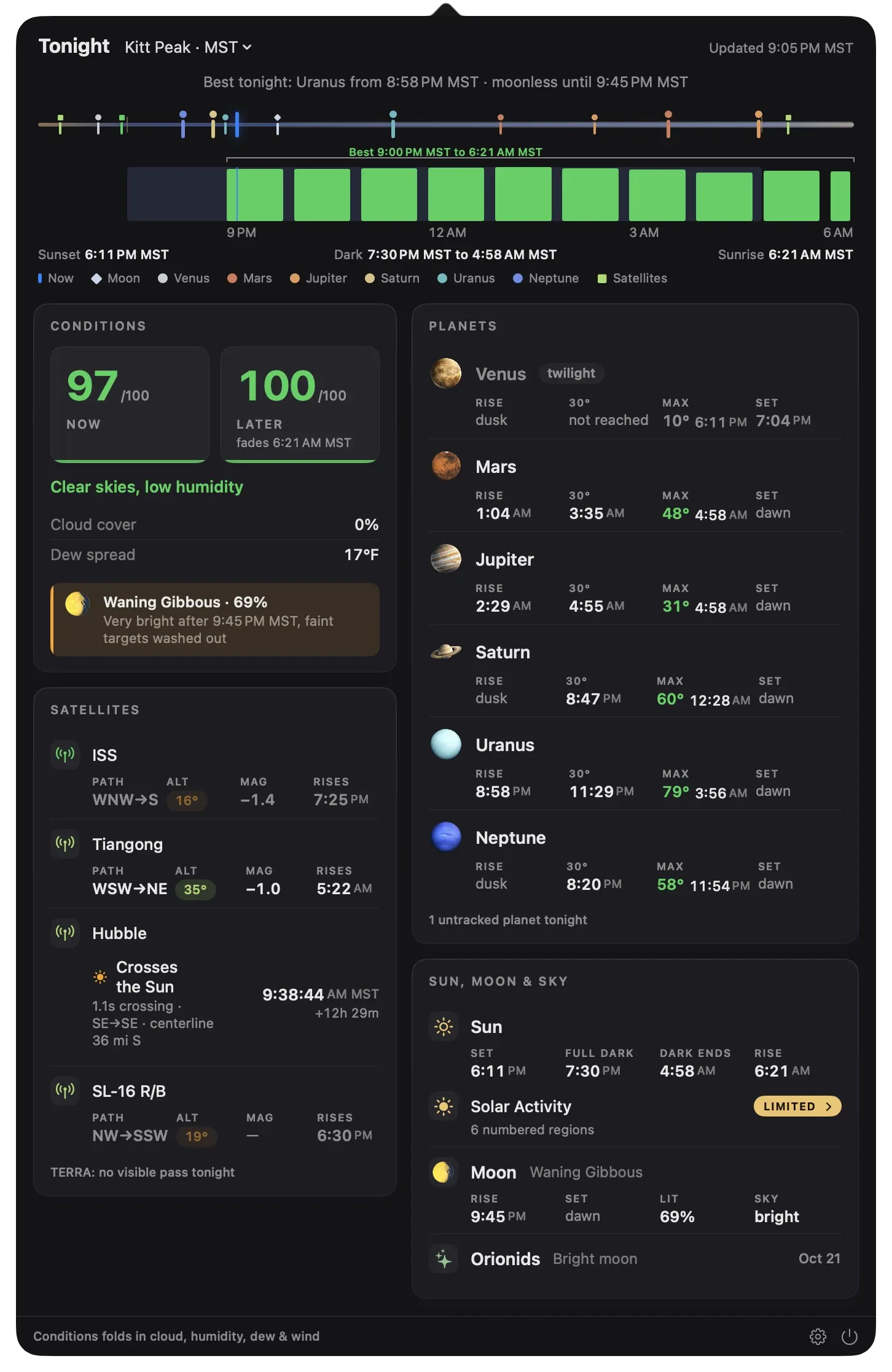
Is tonight worth it? Transit already knows.
A single weather score from 0 to 100, for now and for every hour of the night, built from Apple Weather's forecast. Transit finds the best window, so you know whether to set up at dusk, nap until 3 AM, or stay in.
- What goes into it. Cloud at low, middle and high altitude, humidity, dew spread and wind. Solid overcast scores zero, however calm the air.
- The best window, named. The longest stretch near the night's peak, shown on the timeline and in the menu bar.
- The Moon, on its own line. A bright Moon doesn't lower the score. Transit tells you separately when it will wash out the sky.
From a real forecast for Pearland, Texas, on September 27, 2026: overcast all afternoon, clearing after midnight.
Your menu bar, your way.
Show the score with a strip of the night ahead, the score alone, a simple colored glyph, or just the graph. Use one icon for everything, or separate icons for conditions, planets, the Sun and Moon, and satellites.
Planets
When the planets are worth the wait.
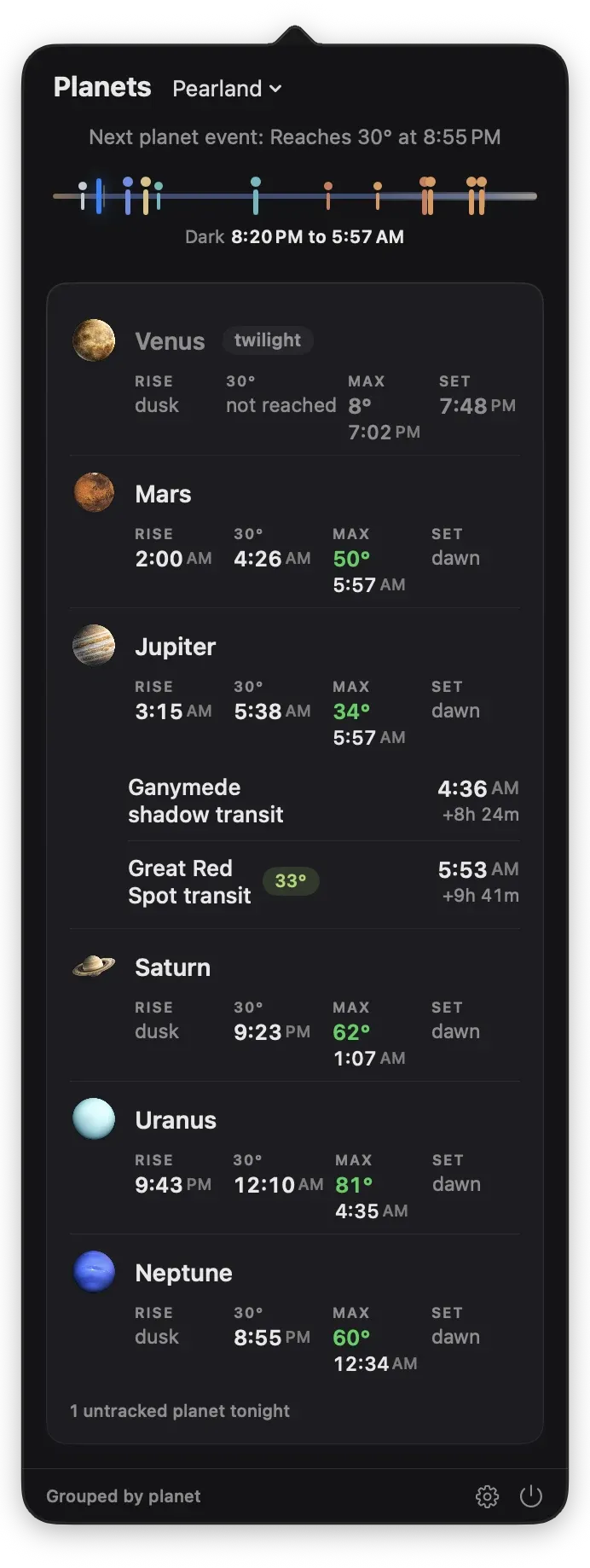
For every planet tonight: when it rises, when it clears your altitude floor, how high it gets and when, and when it sets. Transit marks each one well placed, marginal or not visible, so you know which to wait up for.
- Jupiter's moons. Transits, shadow transits, occultations and eclipses of Io, Europa, Ganymede and Callisto.
- The Great Red Spot. When it crosses the center of Jupiter's disc, with a longitude you can update yourself.
- Close encounters. Oppositions, conjunctions within 3°, and the Moon passing in front of a planet.
Satellites
One second across the Sun.
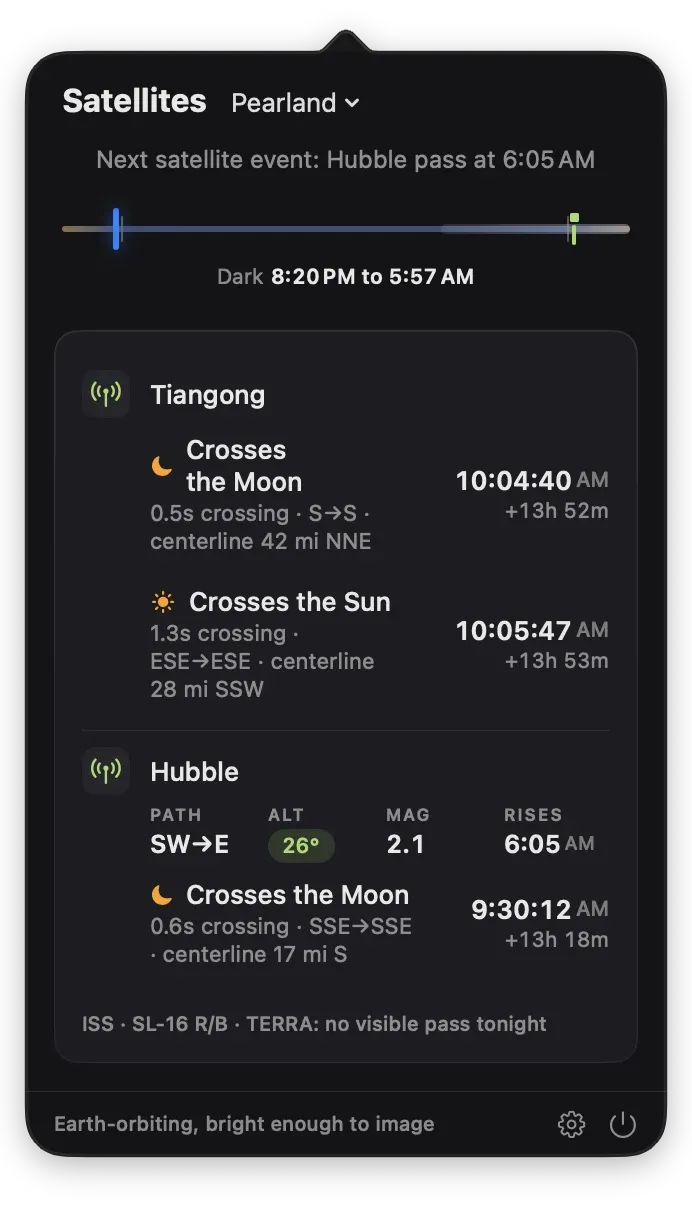
A space station crossing the face of the Moon or the Sun is over in a blink, and only visible from a narrow strip of ground. Transit predicts each crossing to the second, with its direction and how far the centerline passes from you, so you can drive to catch it.
- Only passes you can see. ISS, Tiangong and Hubble by default, listed when they're sunlit against a dark sky, with path, height and brightness.
- Nearby crossings, too. Crossings whose centerline passes within 50 miles, or whatever distance you choose, so you know when a short drive puts you on the line.
- Any satellite you like. Choose from a list of favorites or add any object by its catalog number.
Sun, Moon and sky
Day or night, what's up there right now.
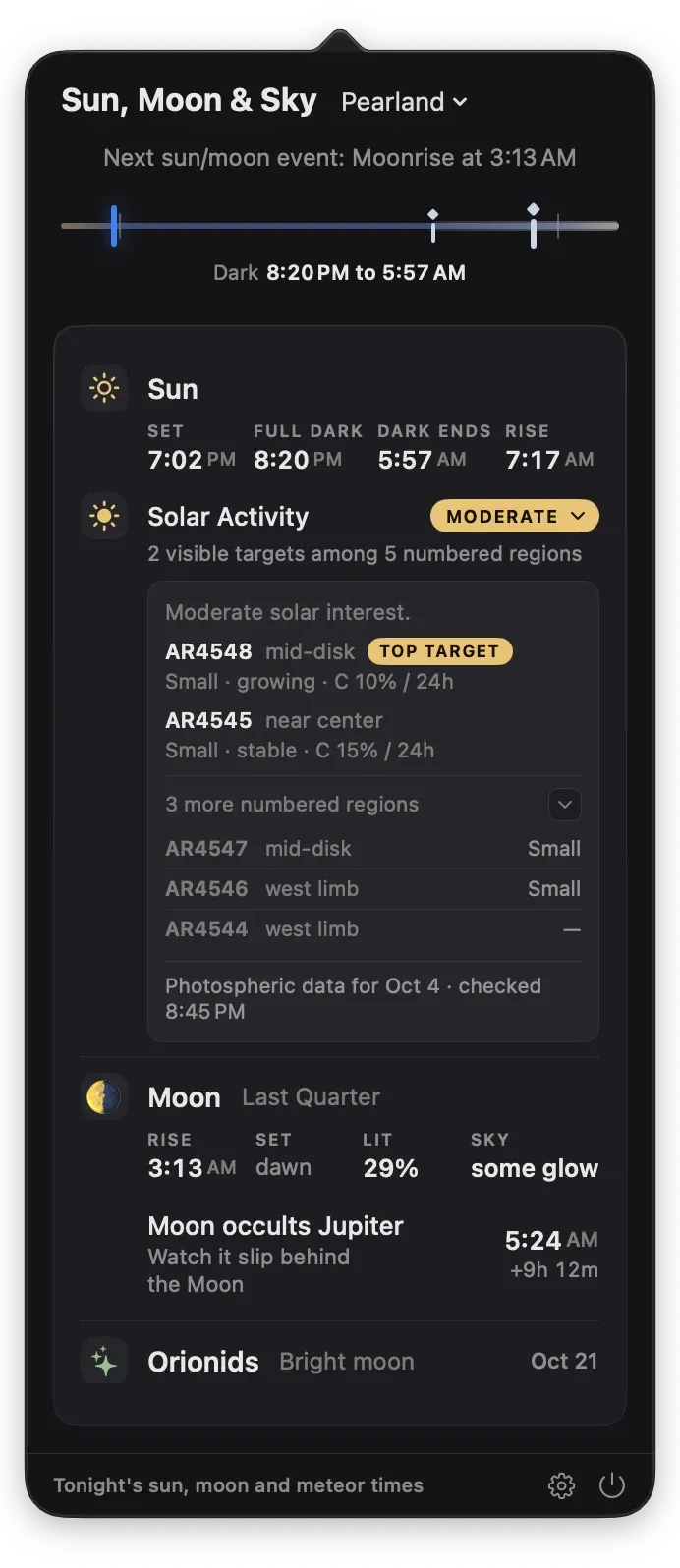
The Sun's active regions ranked as imaging targets, the Moon's phase and brightness, tonight's aurora chances, and the meteor showers and eclipses you can actually see from where you are.
- Solar targets. Active regions from NOAA's Space Weather Prediction Center, with the best ones picked out and their odds of a flare.
- Aurora, for your latitude. The planetary Kp forecast, translated for your own site.
- Nine major meteor showers. Rates scaled to your sky, and how much the Moon will spoil them.
- Eclipses from your site. How much of the Sun is covered where you stand and when, and the full timing of lunar eclipses.
Never look at the Sun without a certified solar filter or a dedicated solar telescope.
Notifications
Alerts that check the sky first.
A Great Red Spot transit is no use under solid cloud. When the sky is overcast, Transit holds its notifications and picks them up again when it clears. Events too low to see stay quiet, too.
- Your timing, per event. At the moment, 15 minutes, an hour or a day before, a badge only, or off.
- Straight to the detail. Click a notification and Transit opens at that event.
- Mute a planet. Keep it on the timeline without hearing about it.
Illustration. Toggle the sky to see alerts pause.
Widgets
Tonight, on your desktop.
Next Up counts down to the next thing worth seeing, with a note when clouds or daylight will get in the way. Solar shows today's Sun from NASA's Solar Dynamics Observatory with the activity verdict. Both keep working with Transit closed.
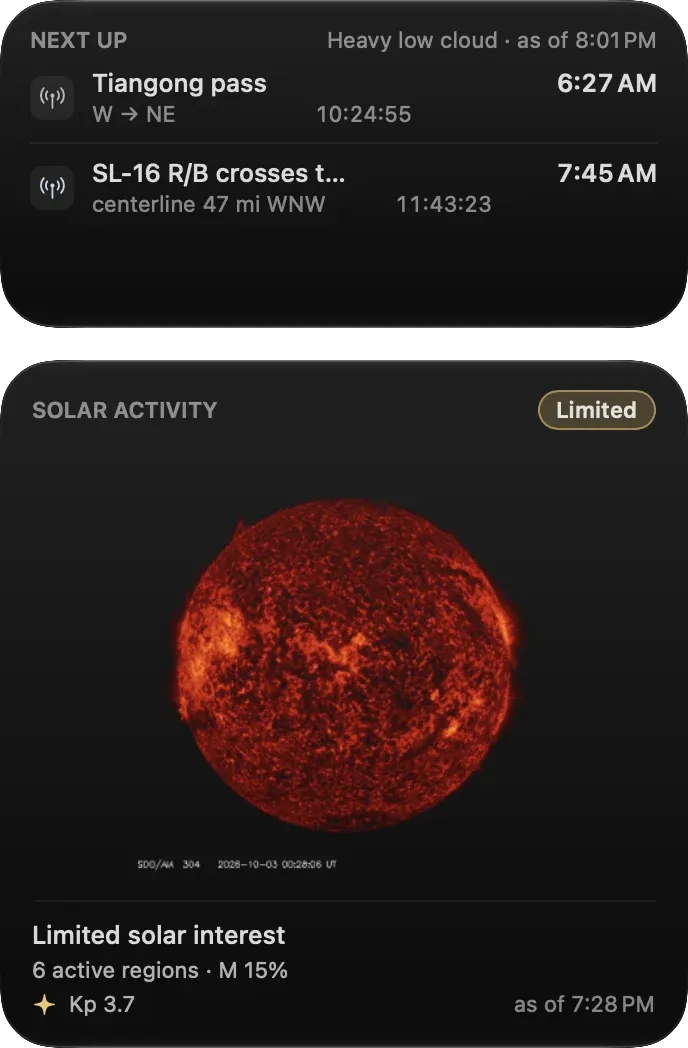
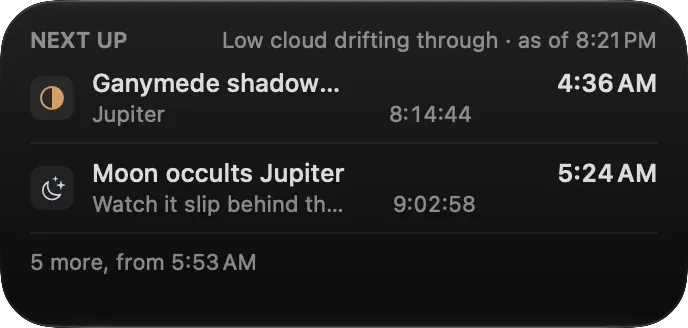
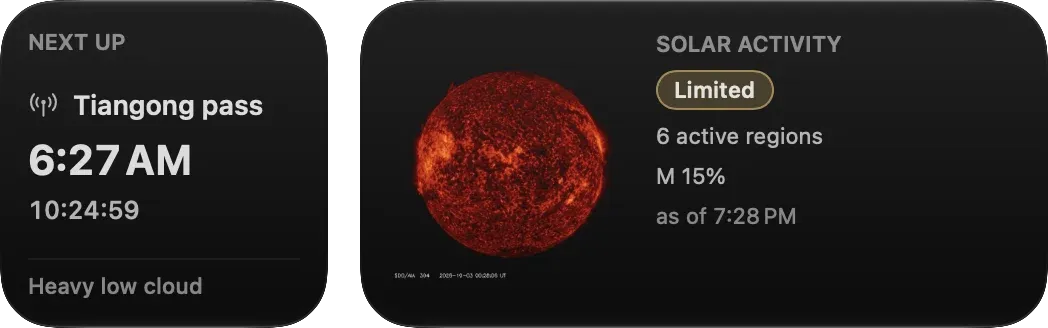
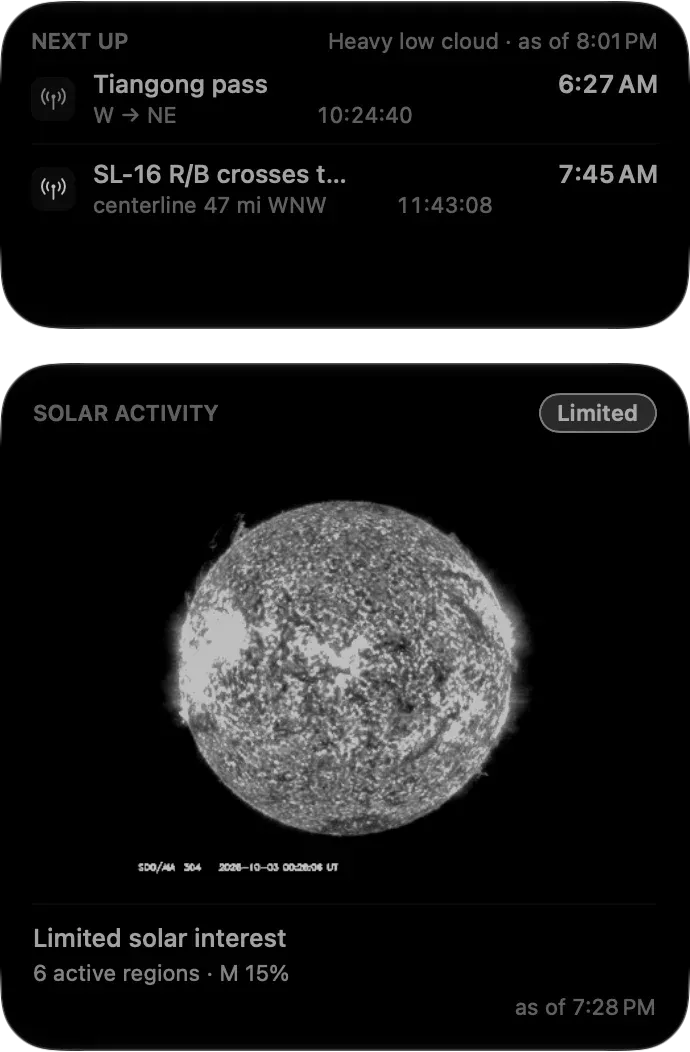
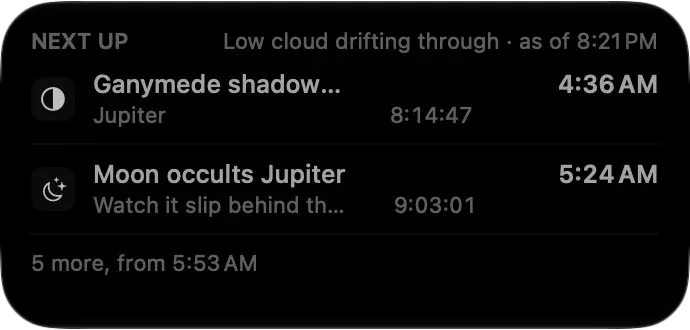
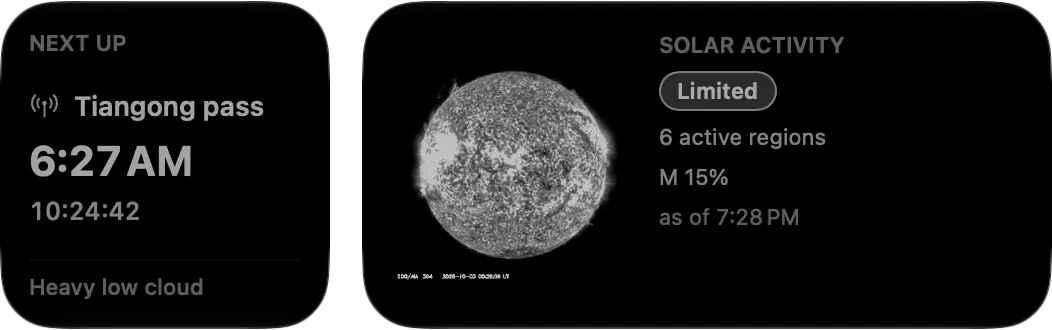
Next Up comes in small and medium sizes, Solar in medium and large, on the desktop and in Notification Center.
Planetarium apps show you where. Transit tells you when.
Keep your favorite sky chart for finding things. Transit is the quiet companion that watches the clock, the weather and the sky for you, whether you image, observe, or just like to step outside at the right moment.
Checked against the observatories
Transit's rise, set and event times were validated against the U.S. Naval Observatory and NASA JPL's Horizons system. The almanac runs entirely on your Mac.
Every site you use
Automatic location, typed coordinates, or saved sites, in each site's own time zone.
Works offline
Events are computed locally; the last forecast is kept with its time.
Six languages
English, German, Italian, French, Spanish and Brazilian Portuguese.
Private
No account and no tracking. Your location stays on your Mac.
VoiceOver
Labels and actions throughout, and shapes as well as color on the timeline.
Always there
Launches at login and lives in the menu bar, out of your way.
Never miss another clear night.
$9.99One-time purchase on the Mac App Store. No subscription, no in-app purchases.
“One click on the menu bar tells me when Jupiter will rise, how high Saturn will climb. Fast, practical, and delightfully uncomplicated.”
Questions, answered.
What goes into the weather score?
Cloud at low, middle and high altitude, humidity, dew spread and wind, from Apple Weather's hourly forecast. Heavy cloud caps the score, and solid overcast sets it to zero. The Moon is shown separately rather than lowering the score.
Does Transit forecast seeing or transparency?
No. Transit's forecast covers cloud, humidity, dew and wind hour by hour. It doesn't predict atmospheric seeing or transparency.
Will it flood me with notifications?
No. You choose which events notify you and when, from a day ahead to the moment it happens. Alerts pause when it's overcast, and events too low to see stay quiet.
Which satellites does it track?
The ISS, Tiangong and Hubble by default. You can add others from a list of favorites or by catalog number. Orbital data comes from CelesTrak and refreshes daily.
Does it warn me about satellite crossings of the Sun and Moon?
Transit shows each crossing to the second, with its direction and distance from you, and can notify you of crossings visible from where you are. Nearby crossings a short drive away are shown in the panel.
Does it need an internet connection?
Only for the weather forecast, satellite orbits and solar data. Planets, moons, meteor showers and eclipses are all computed on your Mac.
How is it different from SkySafari or Stellarium?
Planetarium apps help you find things. Transit tells you when things happen and whether the sky will cooperate, from your menu bar.
Do I need Laminar?
No. Transit stands on its own. If you image the planets, Laminar uses the same weather scoring at the telescope.
Is there a subscription?
No. Transit is a one-time $9.99 purchase, and it's included free in the $99 Mac Observatory Field Kit.