
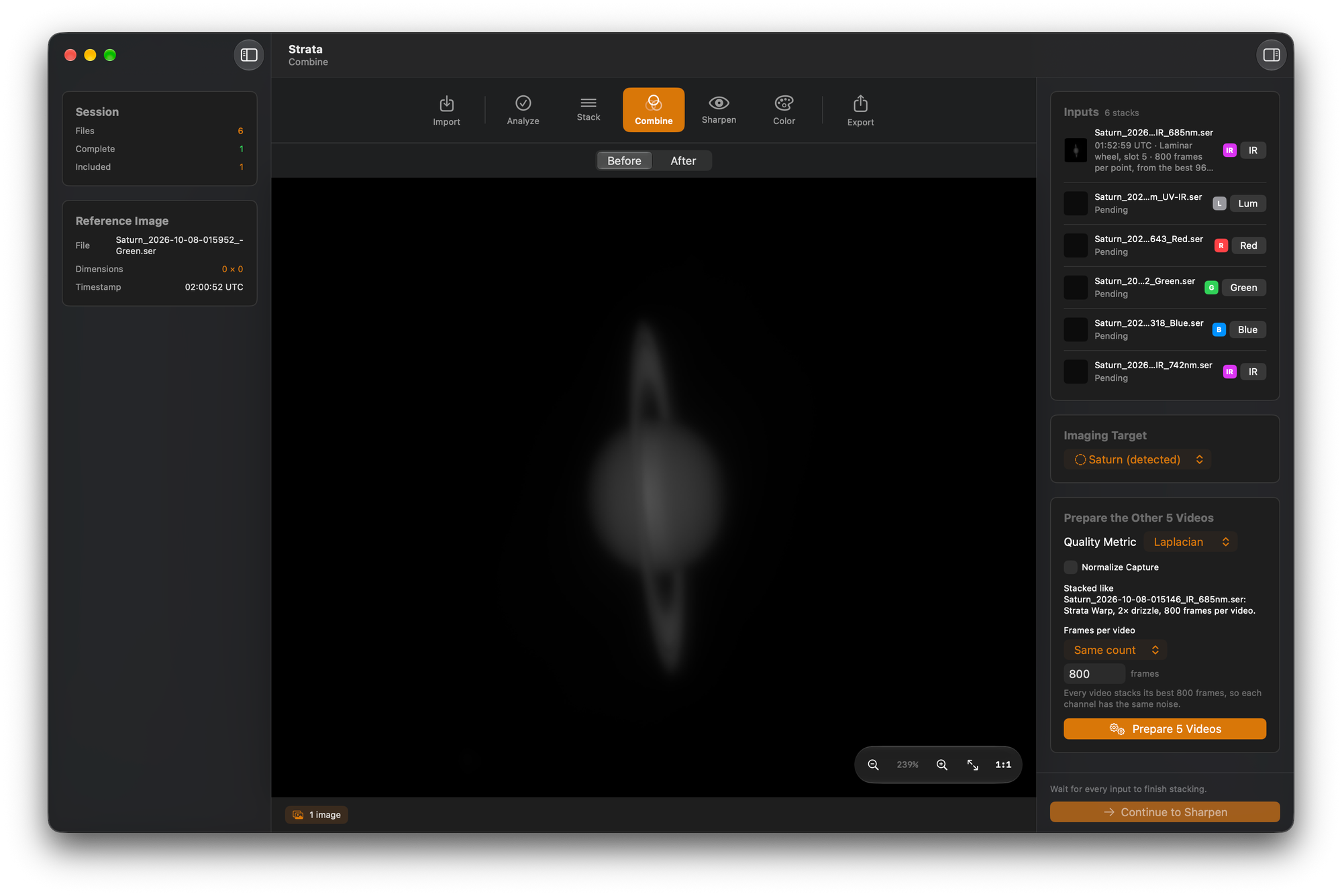
Strata 2.0 is on the Mac App Store. Its main new feature is Combine, which turns a mono filter set (IR, luminance, red, green, blue, or any mix) into one RGB or LRGB image, derotating Jupiter, Saturn or Mars so every channel shows the planet at the same moment. Combine replaces the Derotate phase. Strata 2.0 also adds Correct Telescope Blur, a switch that deconvolves the stack with a point spread function calculated from your equipment profile, and deconvolution, wavelets and Solar Tone can now run together in one sharpening chain.
Strata is Mac Observatory's native macOS app for planetary, lunar and solar processing. It handles frame scoring, stacking, combining, sharpening, color and export in one window, with processing on the GPU. 2.0 is a free update for existing owners.
- New: Combine, Correct Telescope Blur, one sharpening chain
- Platform: macOS 14.6 or later, Apple Silicon and Intel
- Languages: English, German, French, Italian, Spanish, Brazilian Portuguese
- Update: Free for existing owners
- Developer: Mac Observatory
Why does a mono filter set need derotation?
A mono camera records every filter at the sensor's full resolution, so many planetary imagers use one. A full set means recording through three to five filters in a row while the planet rotates. Jupiter rotates once in under ten hours, so during the ten or fifteen minutes a filter set takes, features near the center of the disc move far enough to blur when the channels are stacked together without derotation.
On Windows, imagers derotate with WinJUPOS, a separate program in which you measure each image before derotating it. Strata could already derotate color sessions but couldn't combine mono channels into color. Strata 2.0 does both in the Combine phase.
How does Combine work?
Add the recordings or stacked stills from one session. For SER recordings, Prepare Files first stacks each one with your current Stack settings, and Prepare Again restacks them if you change those settings. Stacked stills are used as they are.
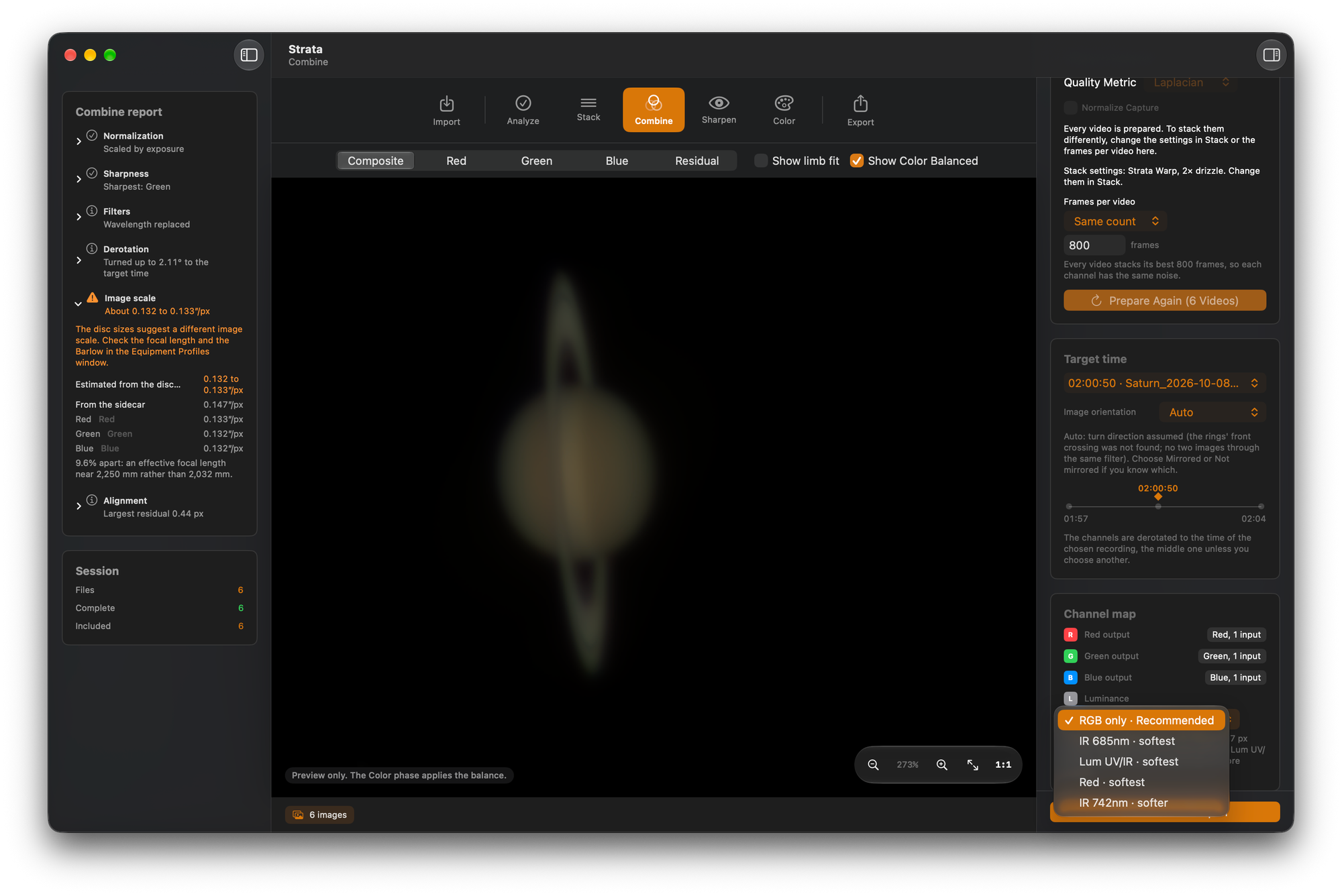
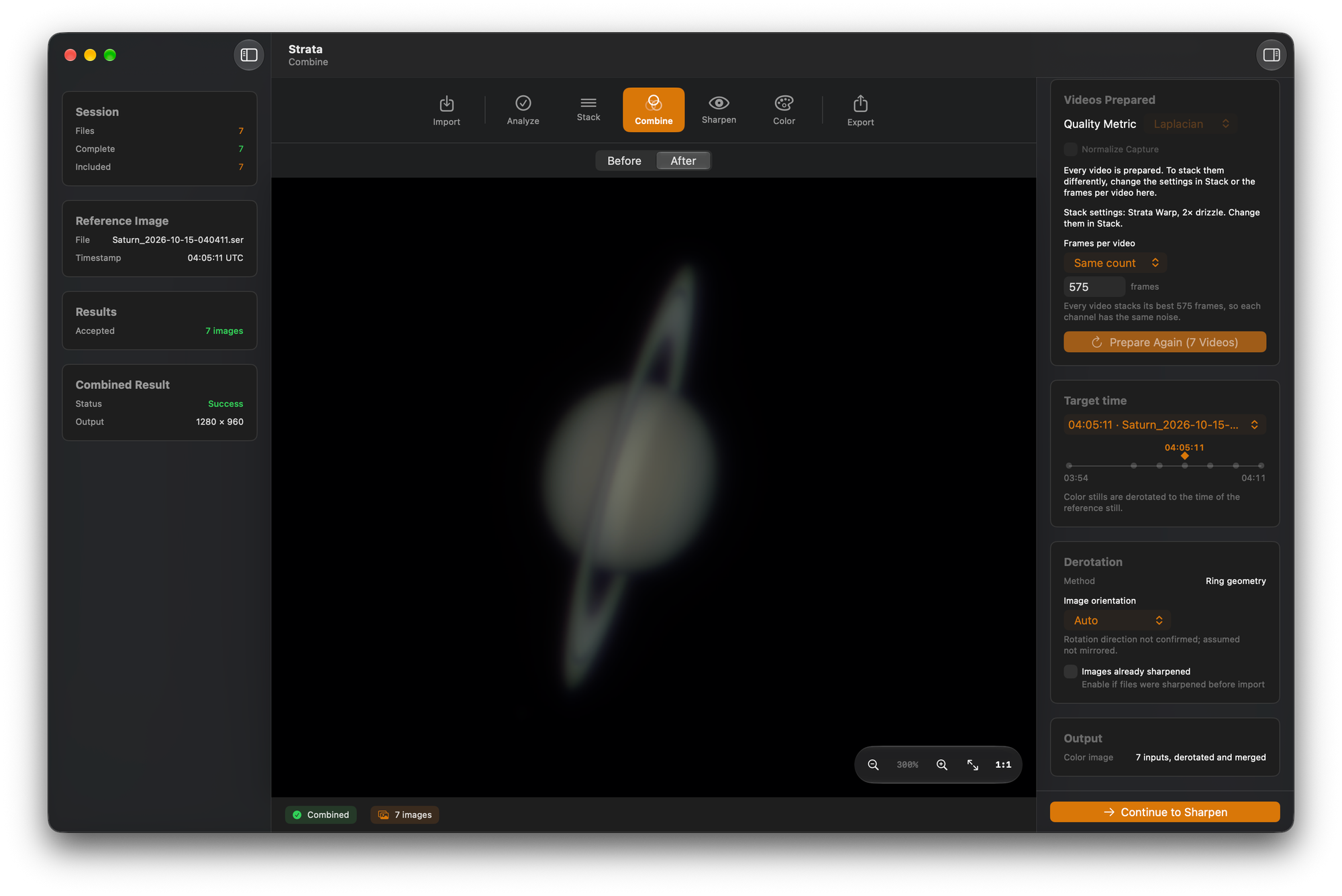
Strata registers each image by fitting the planet's limb, including when the planet is cropped by the frame edge or the limb is phase-shaded. It then reprojects each globe for the planet's rotation so every image shows Jupiter, Saturn or Mars at the same moment, the target time.
In the Channel map, each image is assigned to red, green, blue or luminance. An IR image can take the luminance channel. IR is less affected by seeing than visible light, so on an unsteady night an IR image can be sharper than a luminance image of the same planet. The Luminance menu lists candidates ranked by sharpness, and RGB only leaves luminance out. Changing the luminance image or the Color blur recombines the result automatically. Show Color Balanced previews the color balance that a mono combine passes to the Color phase.
Strata 2.0 has no per-channel color assignment for other filters, such as methane or Venus UV. That's coming in 2.1.
Derotation also needs the planet's direction of rotation in your image, which depends on whether your optical train mirrors it. On Saturn, Strata determines the direction from where the rings cross in front of the globe. Auto checks it when two images through the same filter were taken minutes apart. Without such a pair, Strata assumes the image isn't mirrored and says so. On Jupiter and Mars, if the images don't show the direction, Strata asks once.
Every combine writes a report with the alignment residuals, the image scale of each input, the rotation applied and the target time. A mono combine also writes the target time into its file name and capture stamp.
One-shot color recordings and stills also use the Combine phase and are derotated by the same engine as in 1.4.
Laminar 1.9.0 captures LRGB sequences through a filter wheel automatically, and Strata reads which filter slot each Laminar capture used.
I tested Combine most on Saturn, because Saturn is what I've captured through my own telescope. Jupiter and Mars sets from other imagers will show me problems my own data doesn't, so I can fix them. Sets that include IR, come through a mirrored optical train, or have the planet cropped by the frame edge are especially useful. If a combine doesn't align, include its report. Email support@macobservatory.com.
What does Correct Telescope Blur do?
Correct Telescope Blur is a switch in Strata 2.0's Sharpen phase that deconvolves a stacked planetary, lunar or solar image with a point spread function calculated from your equipment profile.
A telescope images a point of light as a bright core surrounded by faint rings. That pattern is the point spread function, or PSF, and its size depends on aperture and wavelength. A central obstruction, the secondary mirror in a Schmidt-Cassegrain, Maksutov or Newtonian, moves light from the core into the rings. This diffraction blur is in every frame regardless of seeing.
Deconvolution reduces blur when it uses the right PSF. With the radius set by hand, too small a value does little and too large a value causes ringing at edges.
The switch is at the top of both the Wavelet and Deconvolution controls. When it's on, Strata calculates the PSF from your profile's aperture, focal length, Barlow or reducer, camera and filter wavelength, and sizes it in the stacked image's pixels, which accounts for drizzle. If the profile includes a central obstruction, the PSF models it, which moves the first dark ring slightly inward and puts more light in the rings. The note under the Telescope picker, the export's processing record and the run log all state which PSF was used. Without a usable equipment profile, the switch is grayed out and links to Equipment Profiles.
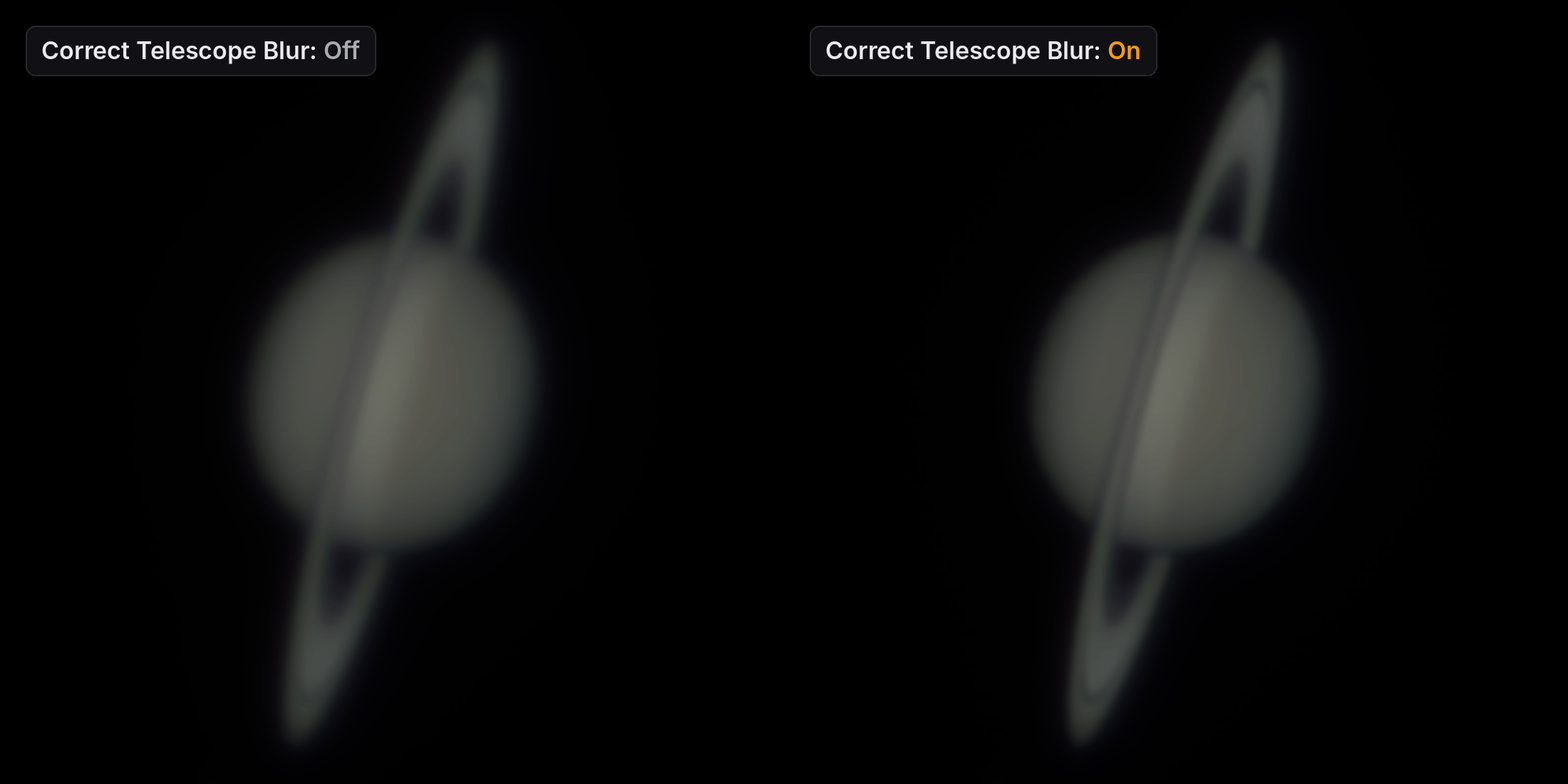
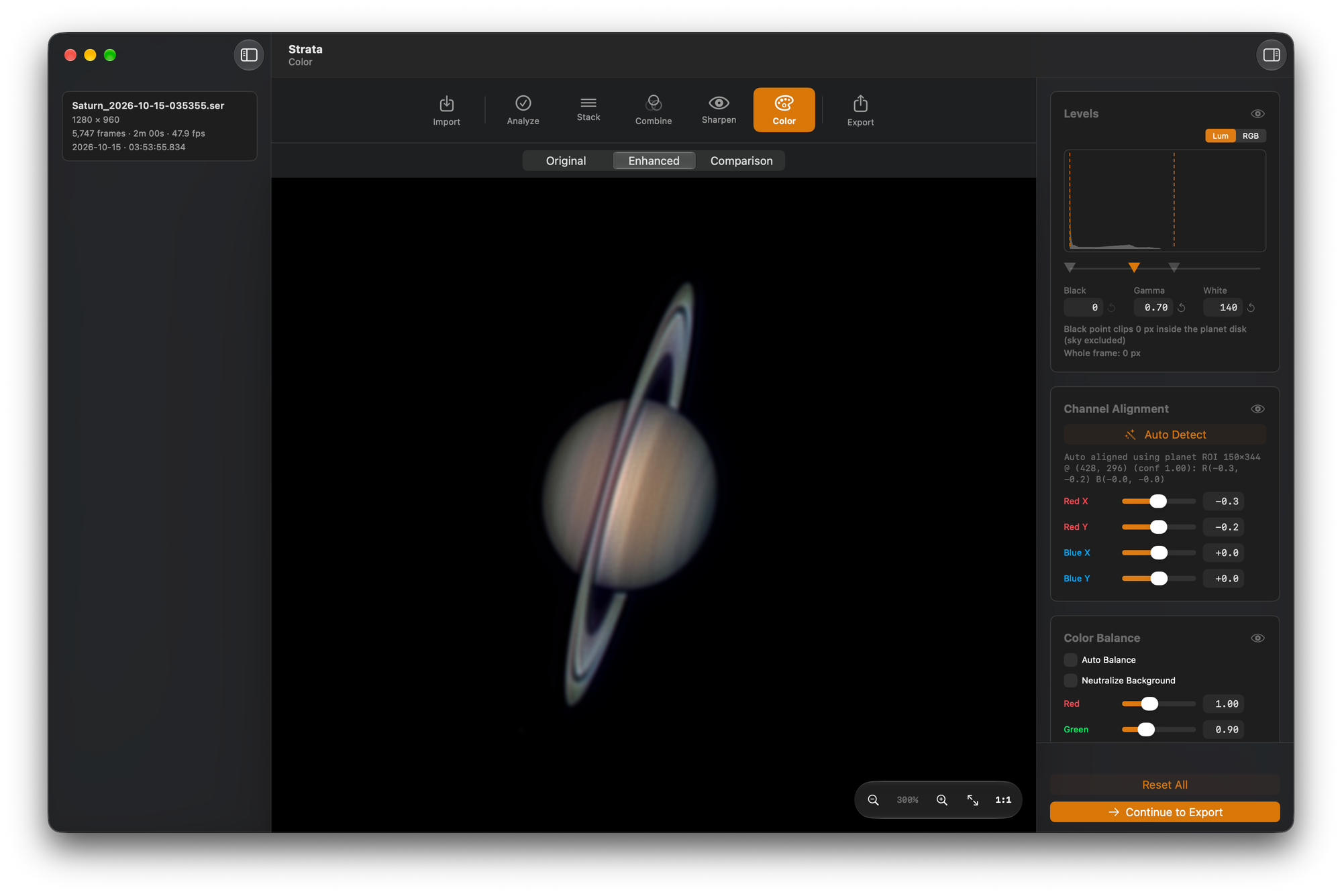
I measured the obstruction model before adding it. At a 34% central obstruction, typical of a Schmidt-Cassegrain, the calculated first dark ring falls at 0.895 of the unobstructed radius, and the core holds 64.5% of the light against 83.8% for an unobstructed aperture. On synthetic tests, the obstructed kernel recovered the true image about 12% more closely than the unobstructed one. On three of my own EdgeHD stacks, the obstructed version looked sharper in a side-by-side Saturn comparison.
Where does the equipment profile come from?
You can create one in the Equipment Profiles window (View › Equipment Profiles, ⇧⌘E). A profile holds the telescope, Barlow or reducer, camera, and filter slots with their wavelengths. The central obstruction field is part of the telescope entry and isn't shown for refractors.
Import from Laminar copies your Laminar profiles into Strata. In 2.0 it includes the central obstruction from the latest Laminar, and Strata shows Laminar's assigned devices, image orientation, mount type and last collimation check as read-only fields.
Once a capture is loaded, an Equipment card on every phase after Import shows its telescope, camera, Barlow or reducer, focal length, image scale and filter. The Equipment Profiles window marks the loaded capture's profile beside its name.
Can you use deconvolution and wavelets together?
Yes, as of 2.0. Before, deconvolution was an alternative to wavelets. Now they run in a fixed order: deconvolution first, to correct the telescope's blur, then wavelets for the remaining blur, mostly from seeing, then Solar Tone on solar captures. Deconvolution runs first because its PSF describes the stack before any other sharpening.
The engine picker now only chooses which controls are shown. Editing any deconvolution setting turns Correct Telescope Blur on, and Reset on its tab turns it off. Passes, Noise Regularization and Mix are now in a collapsed Advanced section.
Profiles saved before 2.0 process as they did until you turn the switch on. Batch processing uses the same chain, and the export's processing record and the run log list it.
The deconvolution kernel is rebuilt. It no longer darkens the east and west limbs of a full solar disc, and it's smaller and faster. Sharpening strength at a given setting is unchanged.
Also in 2.0
- The Help Book is rewritten as 19 pages: getting started, four walkthroughs including a mono filter set, each phase in detail with differences by target, batch analysis and batch processing, shortcuts, and troubleshooting. Its diagrams have light and dark mode versions.
- Stack's memory warning now measures memory the way Activity Monitor does, including memory used by other apps, so it may appear more often on a busy Mac. Continue still stacks.
- When a few frames measure a smaller disc, none near the frame edge and no more than 5% excluded, Analyze shows a collapsed note instead of a warning.
- Solar targets now read Sun (H-alpha), Sun (Ca-K) and Sun (White Light).
- Process Image Folder is now Option-Command-B.
- About 40 messages and tooltips are reworded. Translations follow a new glossary built from astronomy forums and software in each language, and German uses du throughout.