
Strata
Planetary, lunar and solar stacking for Mac
Thousands of frames. One perfect planet.
No single frame from last night is sharp. Graded, aligned patch by patch and stacked, together they can be. Strata takes you from a folder of captures to a finished planet, Moon or Sun, in one window, on your Mac.
The whole workflow
Seven steps. One window. No Windows.
Planetary processing used to mean a relay of Windows programs, one for each step, often inside a virtual machine. Strata puts the whole chain in order, left to right, and keeps every step's work so you can go back and change your mind.
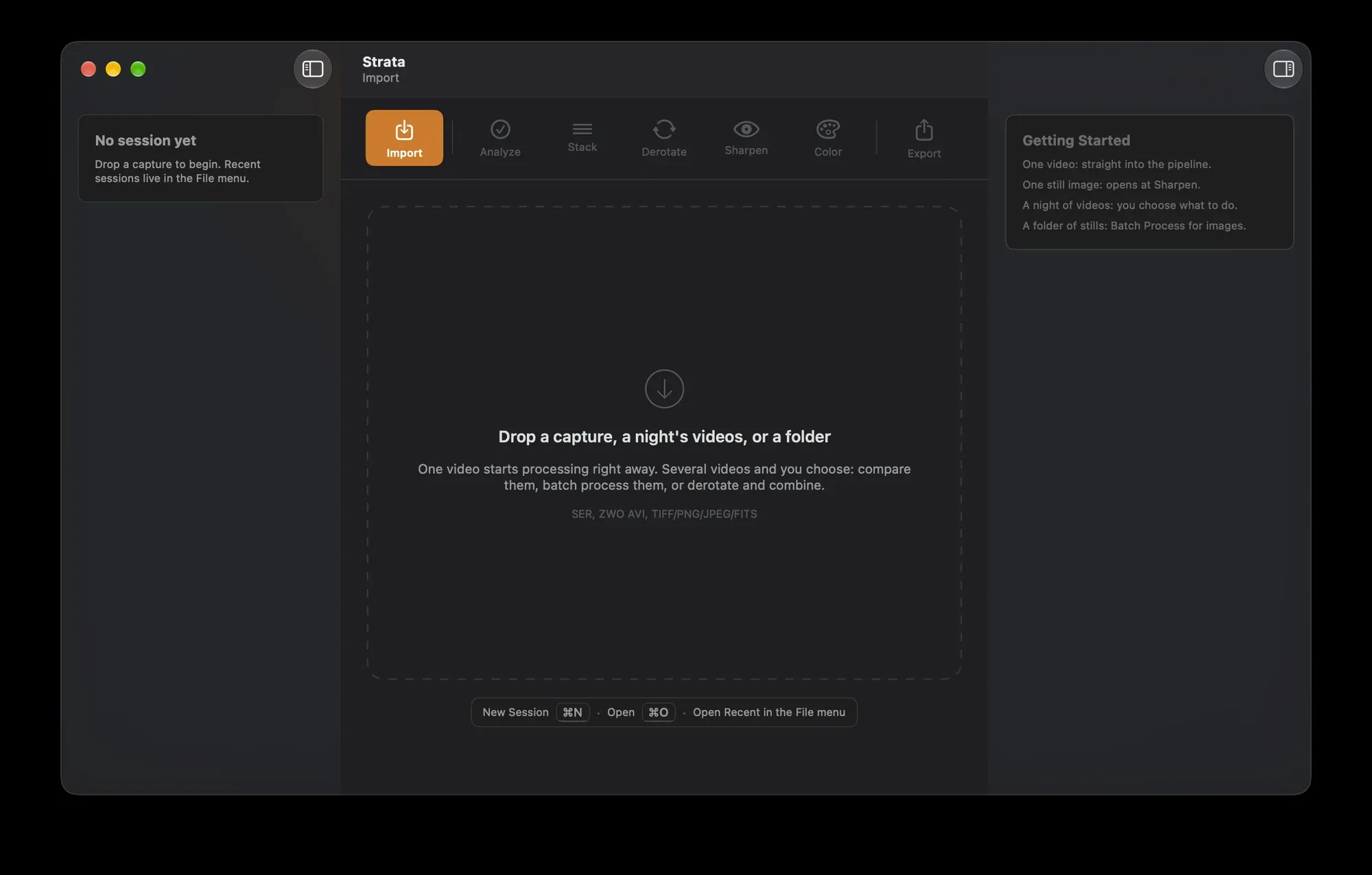
Drop in one capture, a whole night's videos, or a folder. One video goes straight into the pipeline, a still opens at Sharpen, and a night of videos lets you choose: compare them, process them all, or derotate and combine. SER from Laminar, FireCapture or SharpCap, and AVI from the ASIAIR and ASICap.
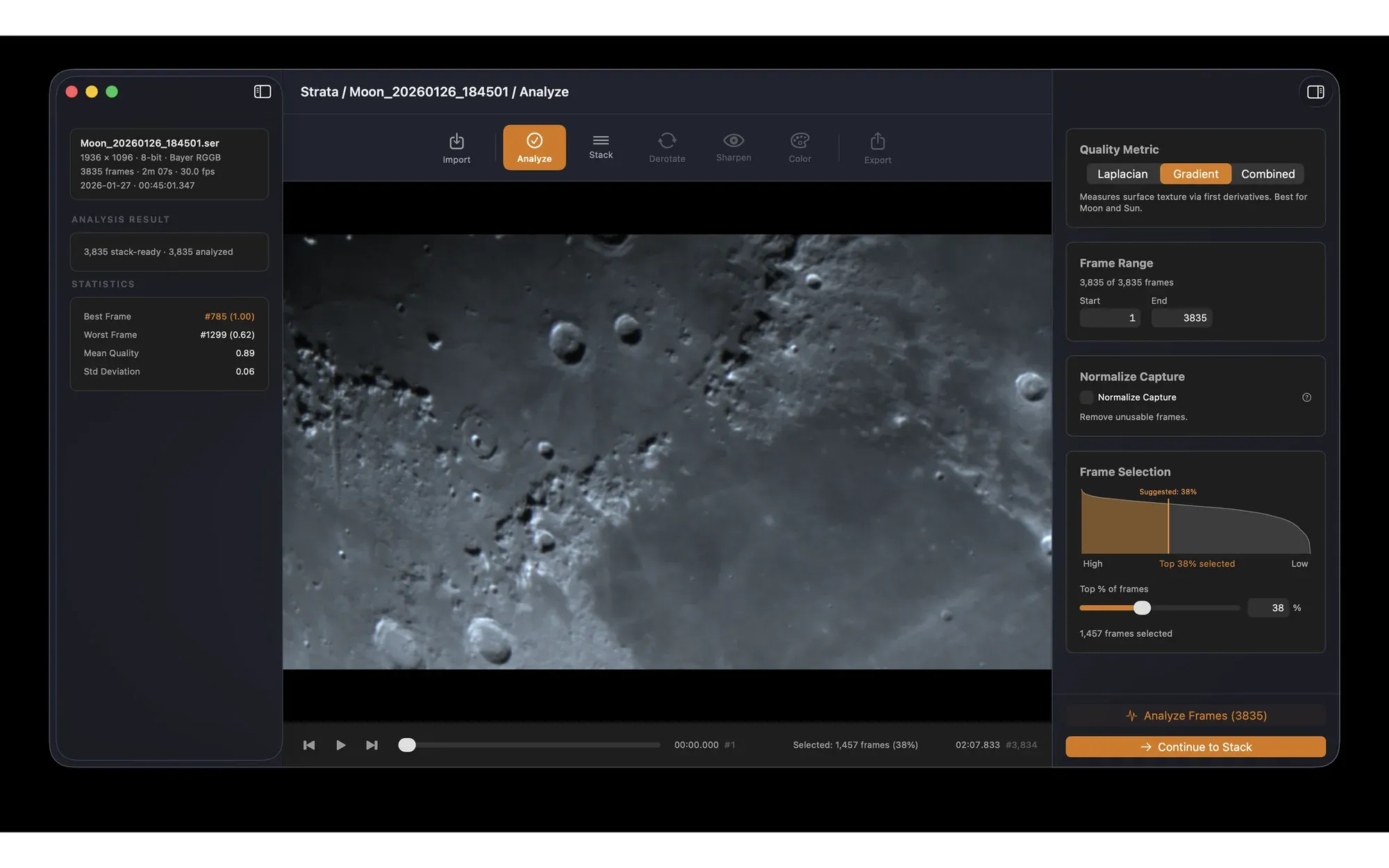
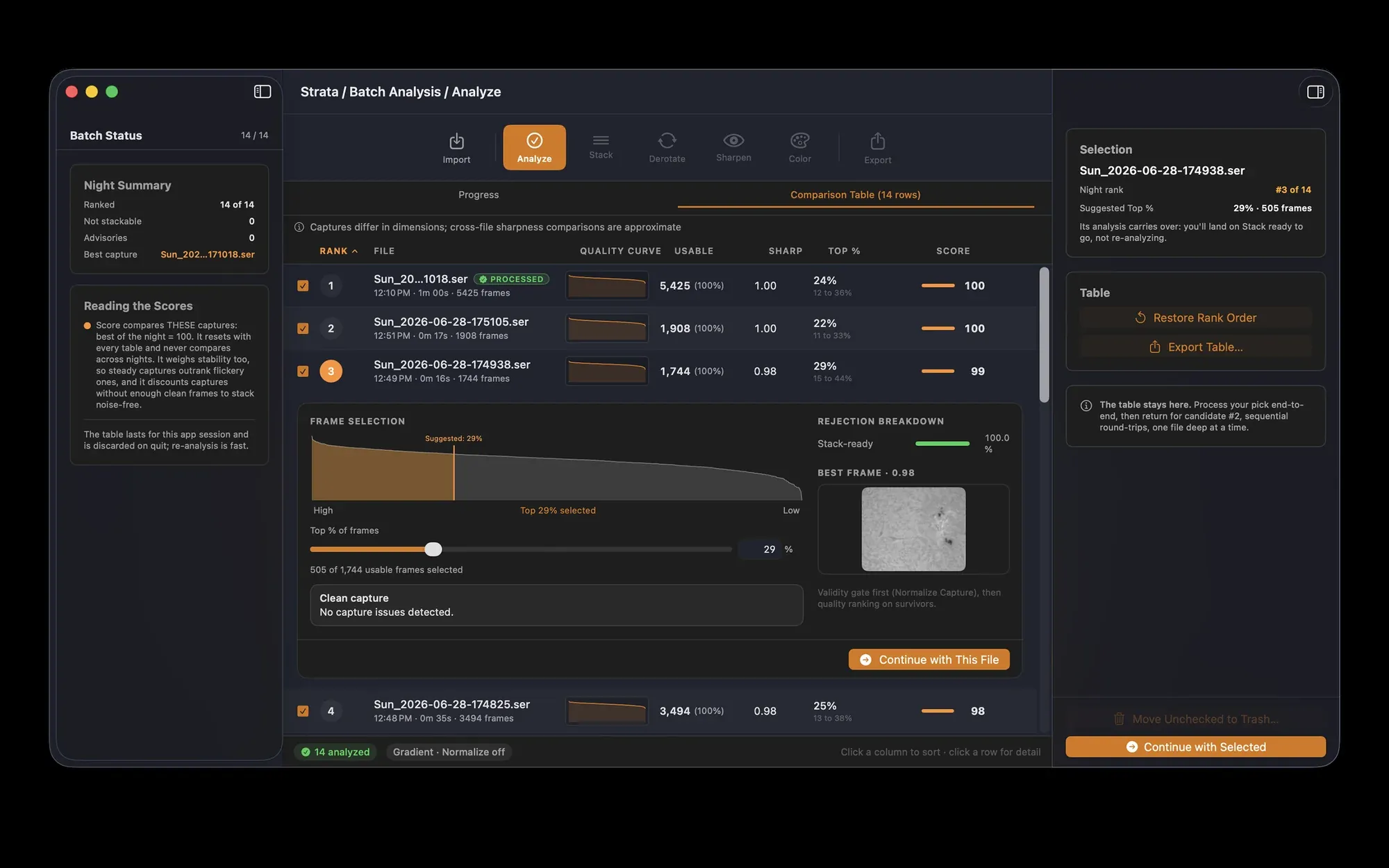
Every frame is scored on the planet, Moon or Sun itself, not the empty sky around it. You see the whole capture as a quality curve, and Strata suggests how many frames to keep as a starting point.
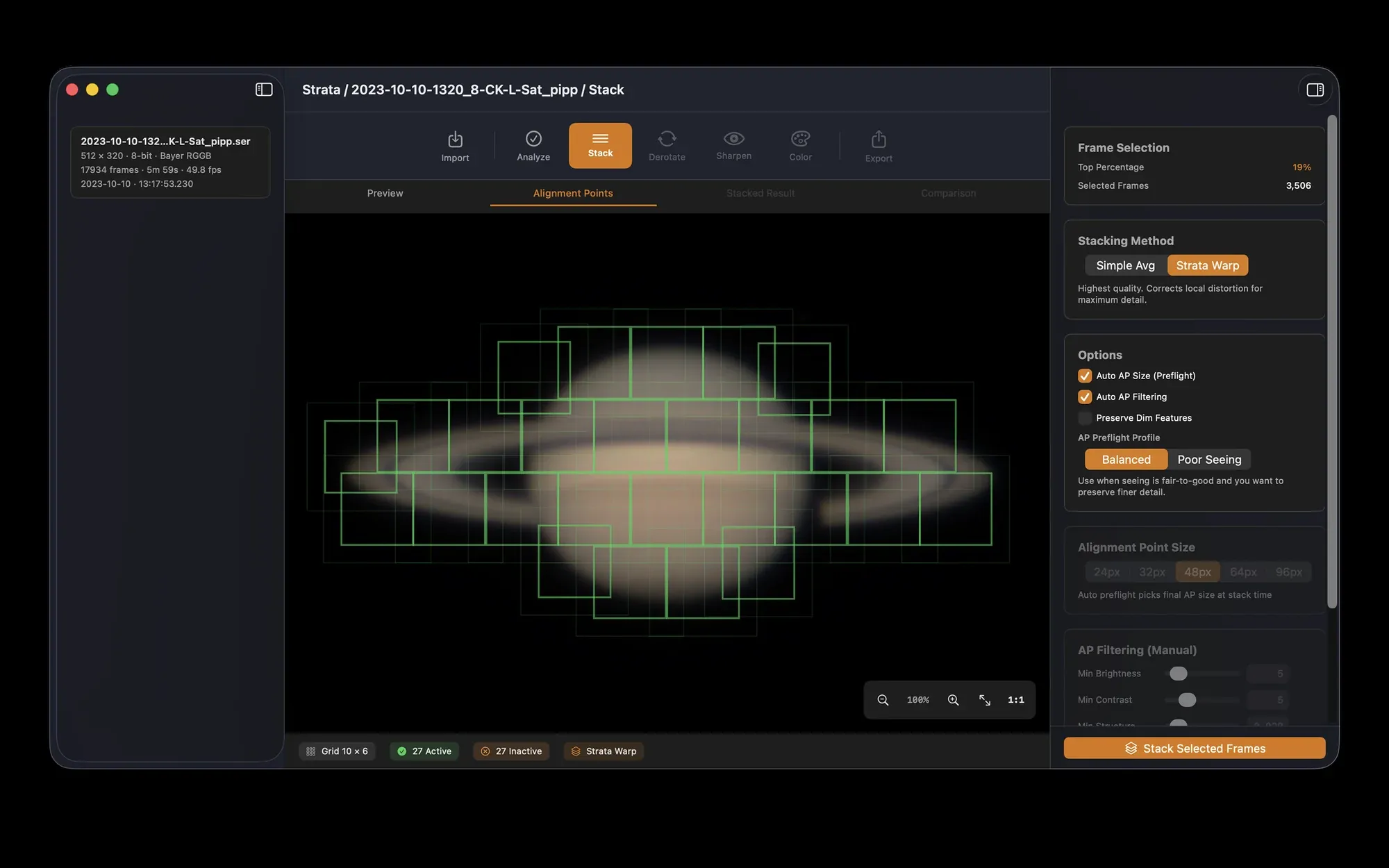
A grid of alignment points lets each small patch of the image line up on its own, because the air never distorts the whole disc the same way.
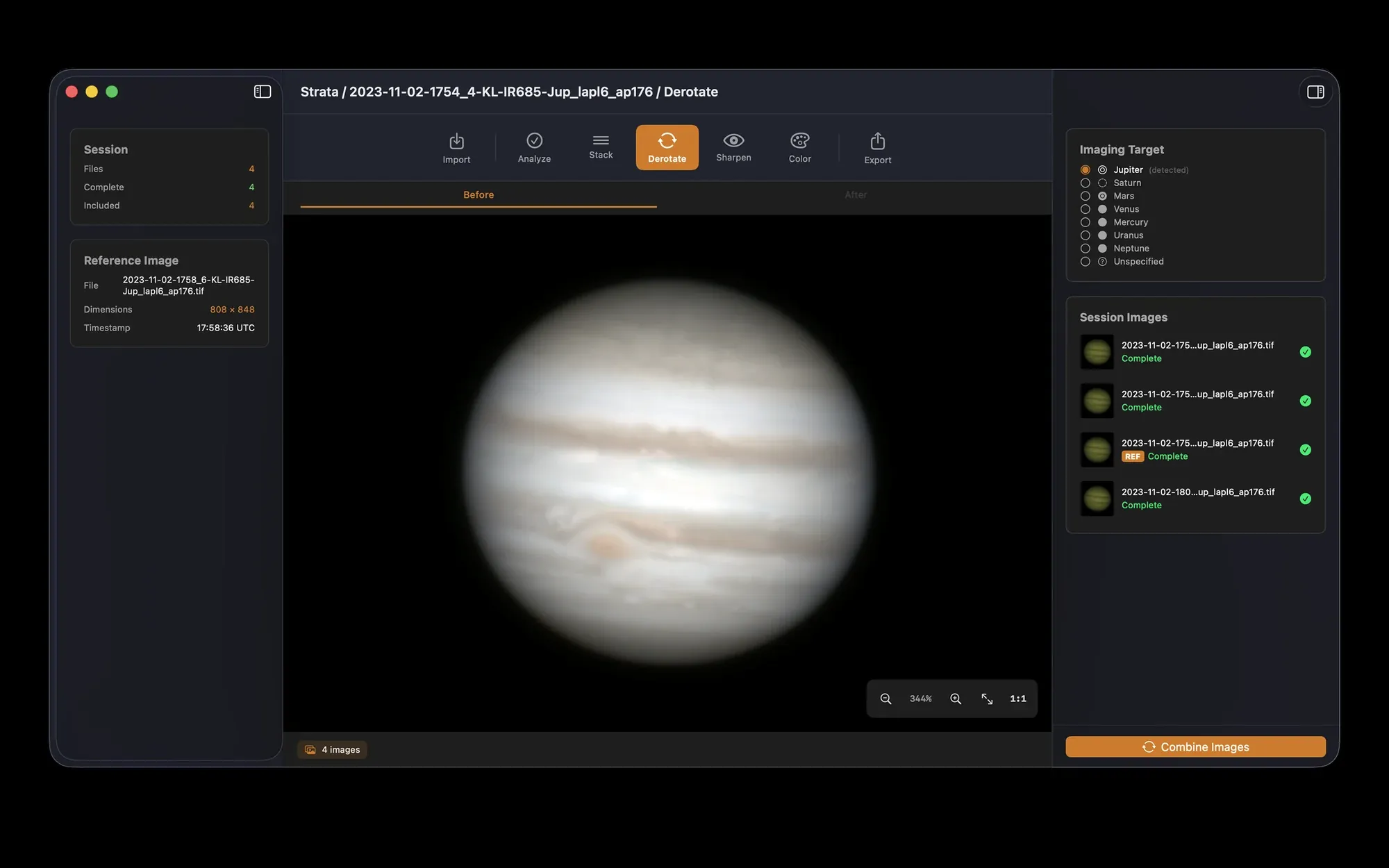
Combine several stacked captures of a spinning planet into one, with the rotation between them taken out.
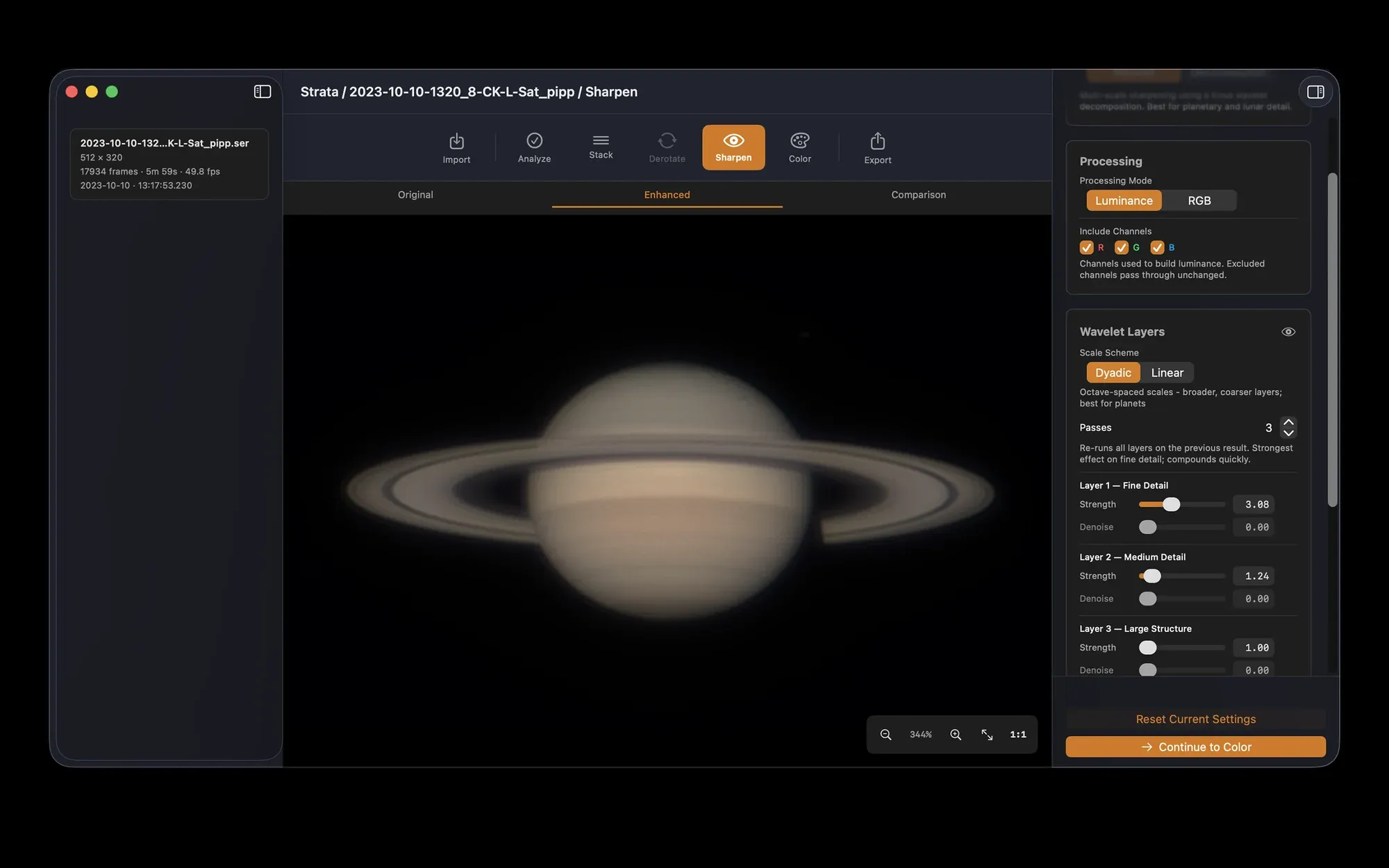
Wavelets, deconvolution, Solar Tone and Micro Contrast, all previewed live on the GPU as you move a slider.
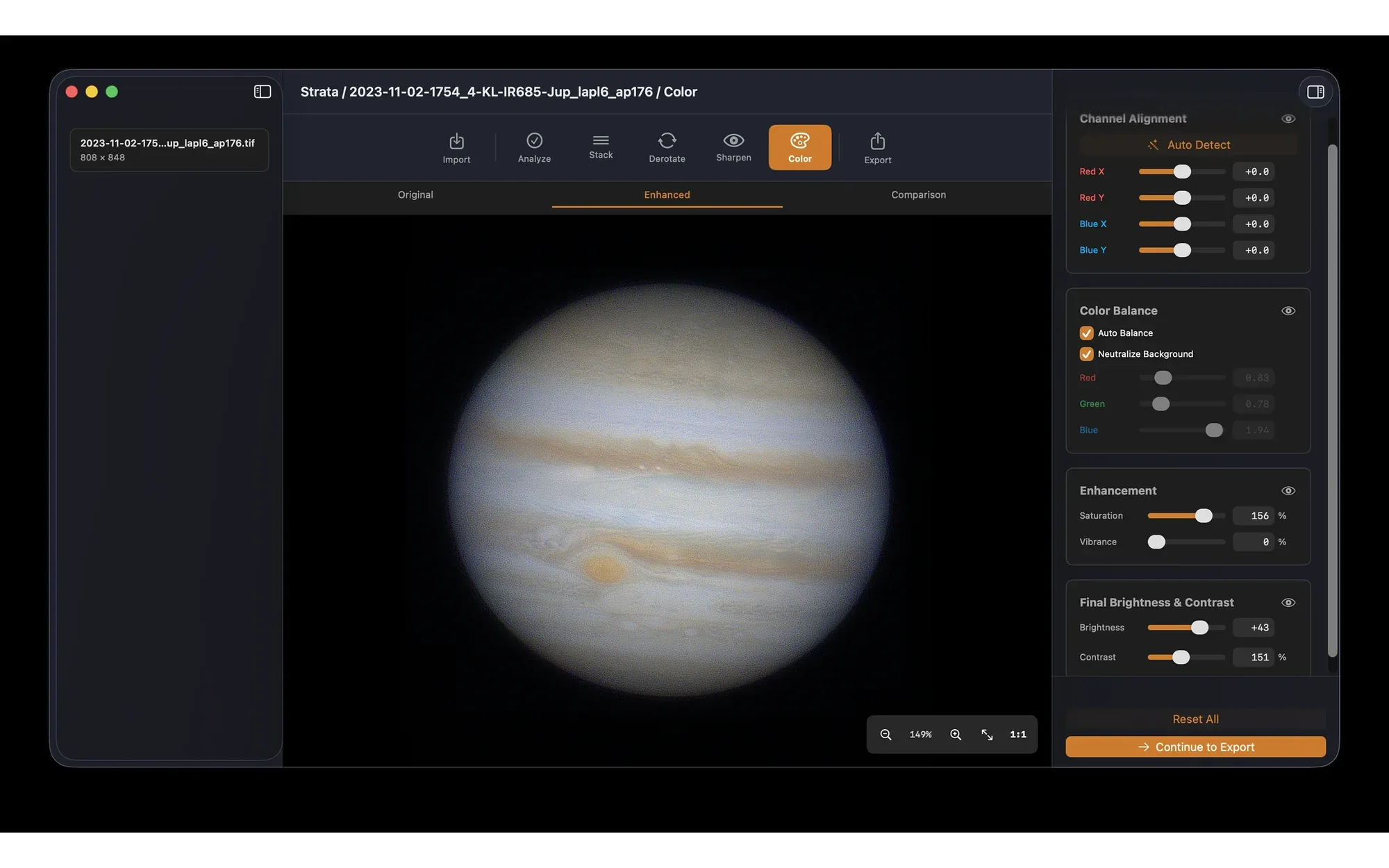
Line up the red, green and blue channels, balance the color, and bring out the Moon's minerals or the Sun's texture.
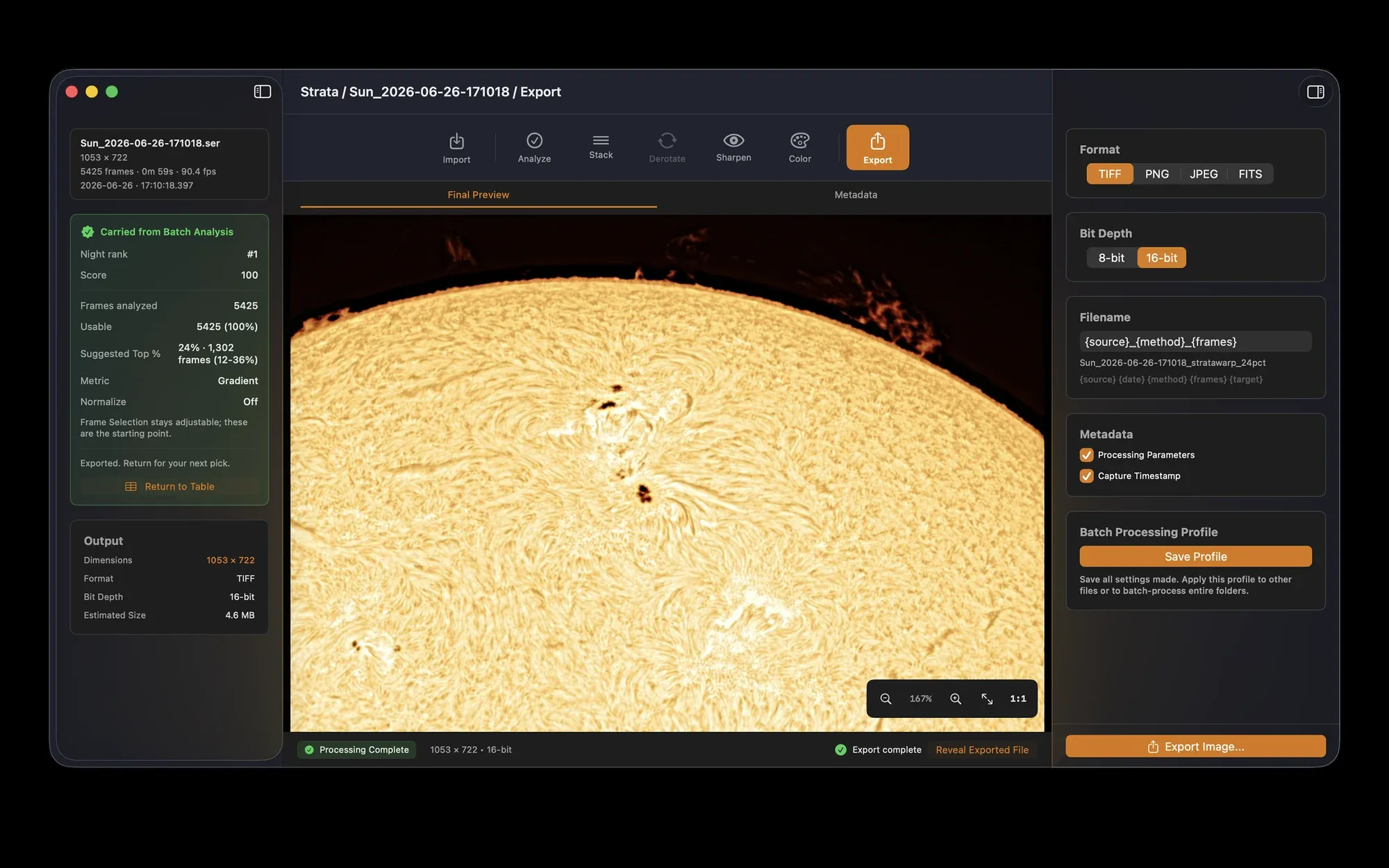
Save TIFF, PNG, JPEG or FITS, named your way, with the capture time and processing written into the file.
Analyze
Which capture was the good one?
You recorded twenty clips while the seeing came and went. Strata grades every frame of every clip and ranks the night, best first.
- Graded on the subject. Strata measures sharpness on the planet, Moon or Sun itself, with the sky subtracted, so a dark background can't flatter a soft frame.
- The best captures of the night, first. Batch Analysis ranks every capture against the night's best, so you process the keepers and move the rest to the Trash in one click.
- You decide how many frames. Take Strata's suggestion as a starting point, or choose a percentage or an exact frame count.
Frame Selection
- Frames kept
- 3,587
- Of
- 17,934
- Weakest kept
- 71%
Frame count from a real 17,934-frame Saturn capture at 49.8 fps; the quality curve is an illustration. Drag to choose what you keep.
From a single video to a scientific program
Two thousand solar videos. One day of sun. One Mac.
Strata handles anything from one video of Jupiter to the most demanding scientific workflows. Sven Kohle, a solar imager in Germany, records calcium K all day, every day, and processed it for years in Planetary System Stacker. He sent us a day of captures, and his logs helped make Strata four times faster.
“I am so impressed. Real time DAS processing with max Warp-Speed, GPU could do even more with faster disks. This is fantastic.”
A Mac Studio with Apple's 2022 M1 Ultra and a direct-attached drive array, on Strata 1.2.1. The full run took 4 hours 59 minutes, and reading the data from disk accounted for about 4.2 of them, so today's Apple silicon and faster storage have room to go further still. Read the whole story
Stack
The air bends every patch differently. Strata aligns every patch.
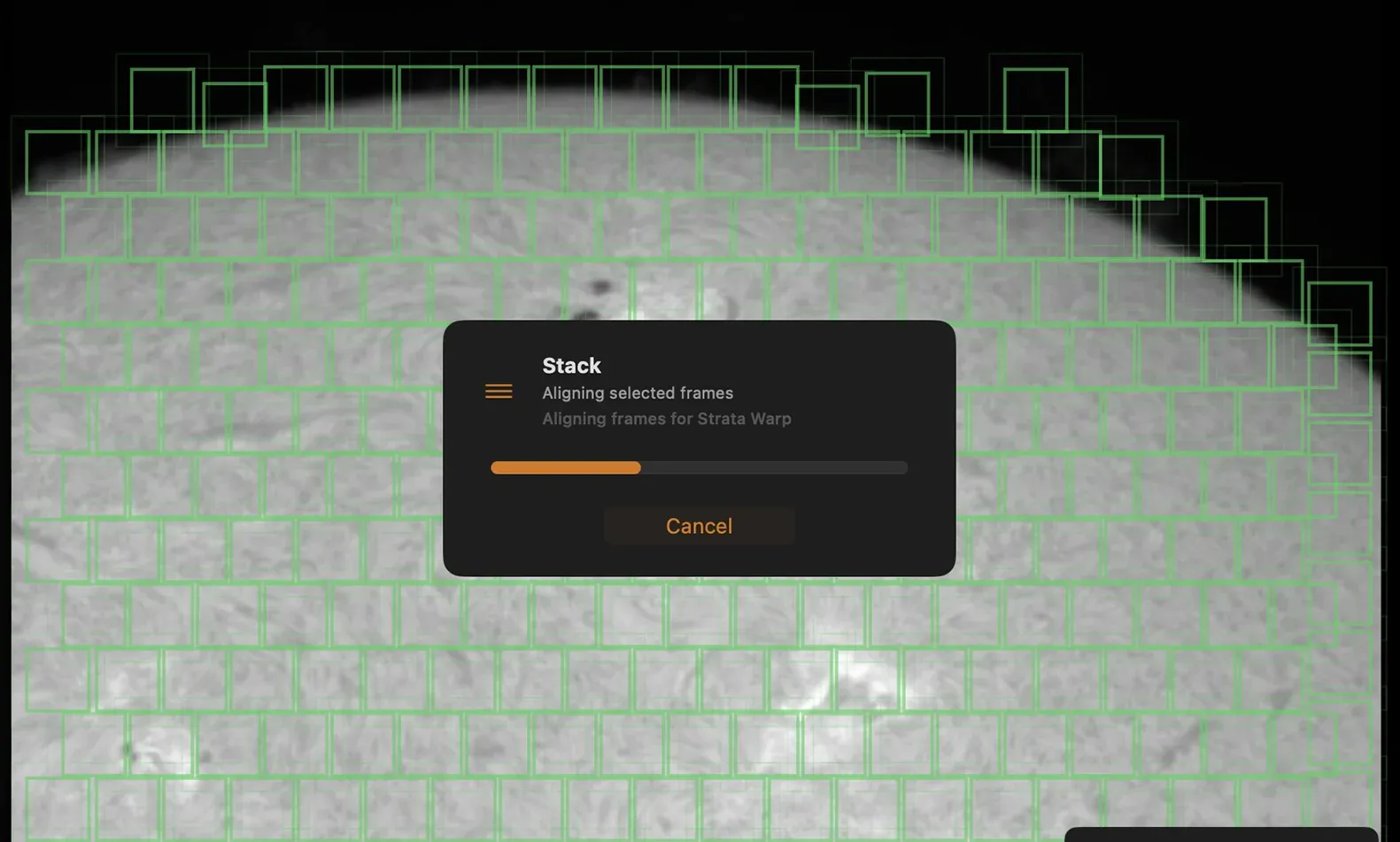
Turbulence doesn't just shift the planet, it warps it, a little differently in each corner of every frame. Strata lays a grid of alignment points over the target and lines each one up on its own before anything is added together.
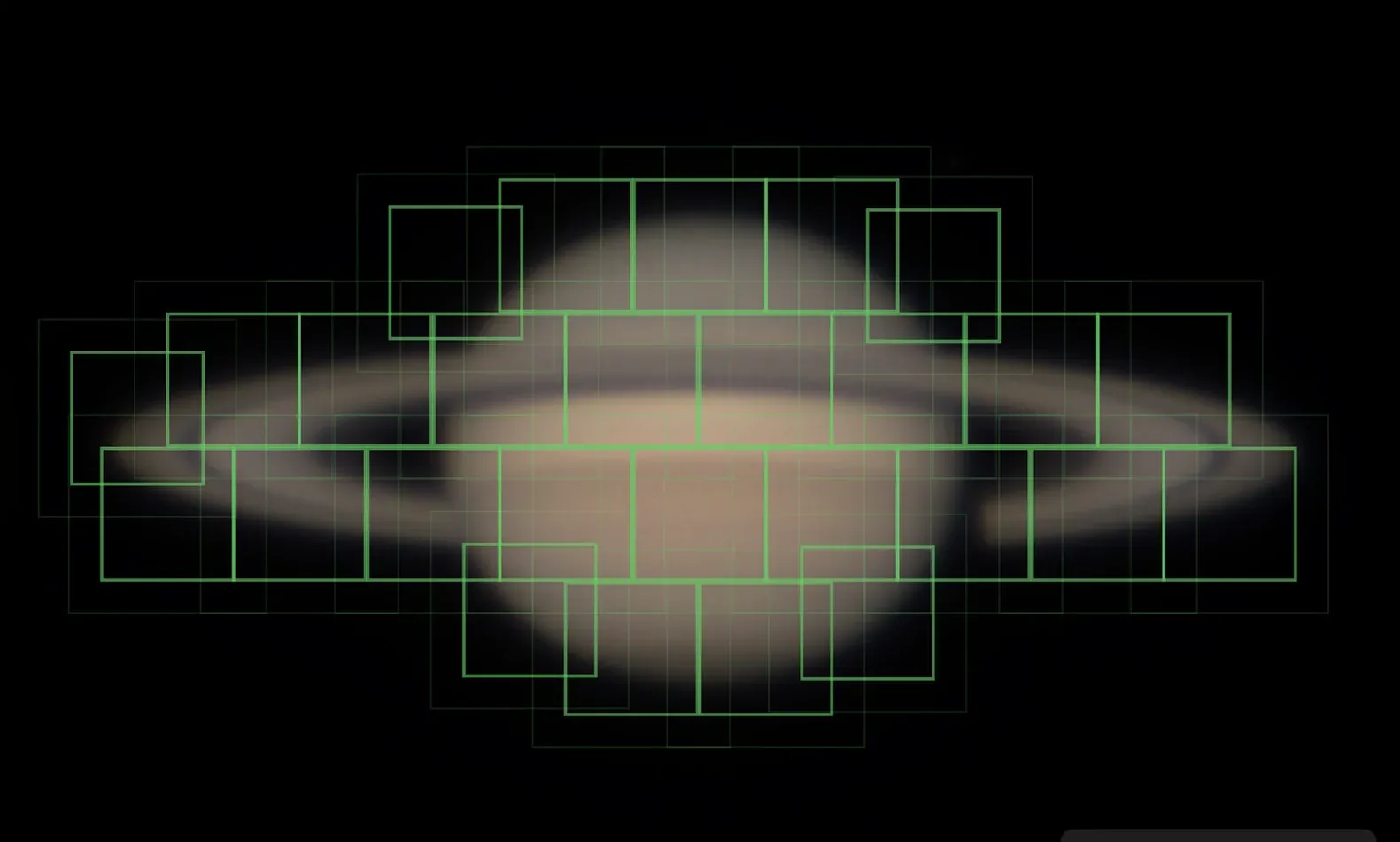
Simple Average
A quick baseline
Shifts each frame as a whole and averages. Fast, and useful to compare against.
Strata Warp
The default
Every alignment point is matched frame by frame. Planets are stacked patch by patch with soft blending; the Moon and Sun are gently warped into place, one smooth correction per frame.
Strata Warp+
When you want every last detail
Chooses the sharpest frames for each patch separately, because the steadiest moment for one crater isn't always the steadiest for the next. A little more fine detail, for a few times the processing time.
It sizes the grid for you
Automatic alignment point sizing picks a size for the target and the night, with a Poor Seeing profile for rough air.
Real drizzle
1.5×, 2× and 3× drizzle that places every pixel where it landed, not an upscale. With your telescope described, Strata tells you whether your image is undersampled and suggests a factor.
A capture that drifted
Normalize Capture throws out frames where the target clipped the edge, drifted, blew out or went black, and follows a target that wandered across an untracked field.
Sharpen
Drag across the Moon.
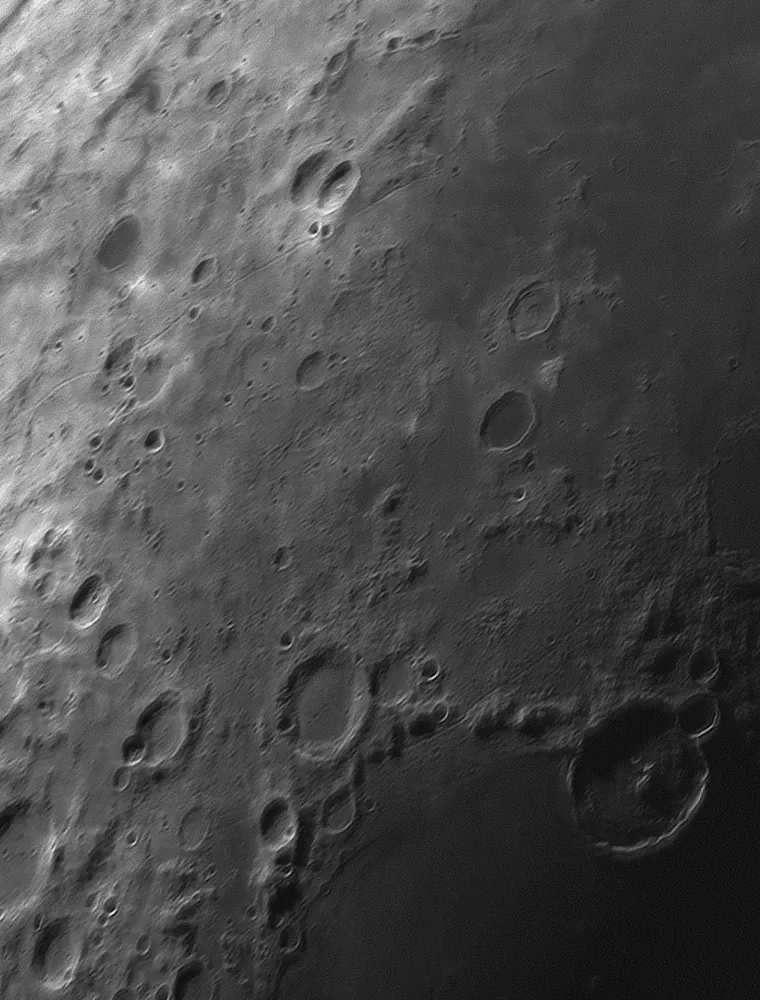
A good stack is soft by nature. Sharpening brings back what the stack gathered. Strata previews every change live, so you stop exactly where detail ends and artifacts begin.
Wavelets
Six layers from finest detail to broad structure, each with its own strength and noise control.
Deconvolution
Reverses the blur your optics add. Strata calculates the blur from your telescope, camera and filter, so it restores what was lost, right up to your equipment's limit, without inventing anything.
Solar Tone
Made for hydrogen-alpha and calcium K, lifting faint structure without losing the prominences.
Micro Contrast
A last finishing pass that recovers the smallest detail after everything else.
 Stacked
Sharpened
Stacked
Sharpened
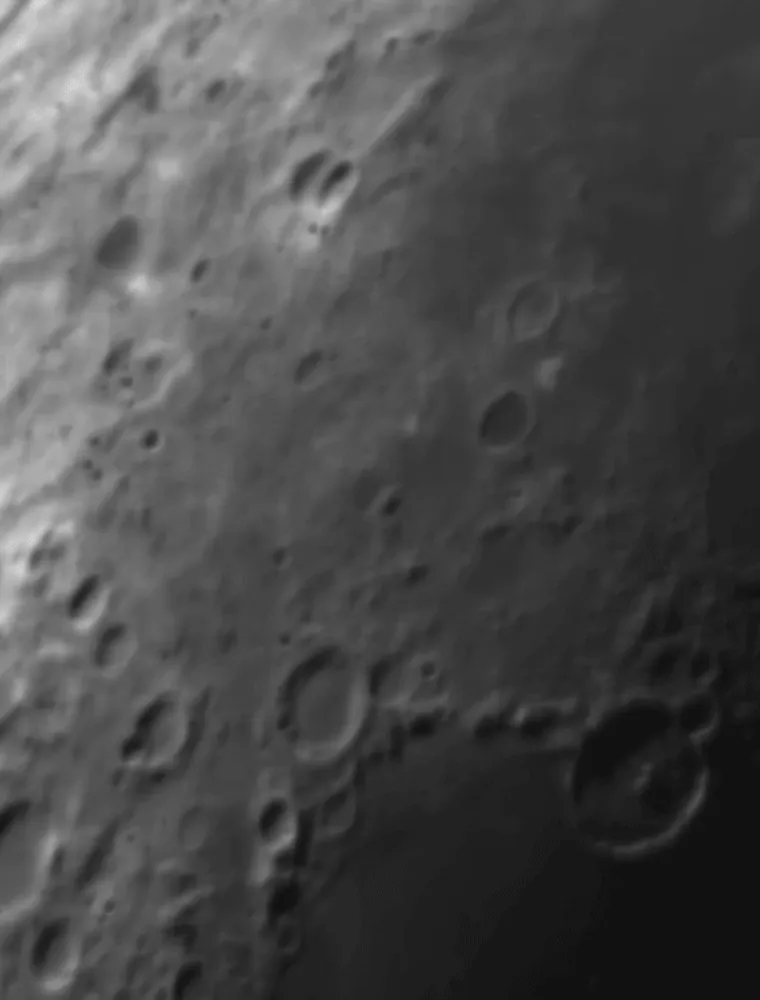
Lunar craters, before and after wavelet sharpening in Strata.
Derotate
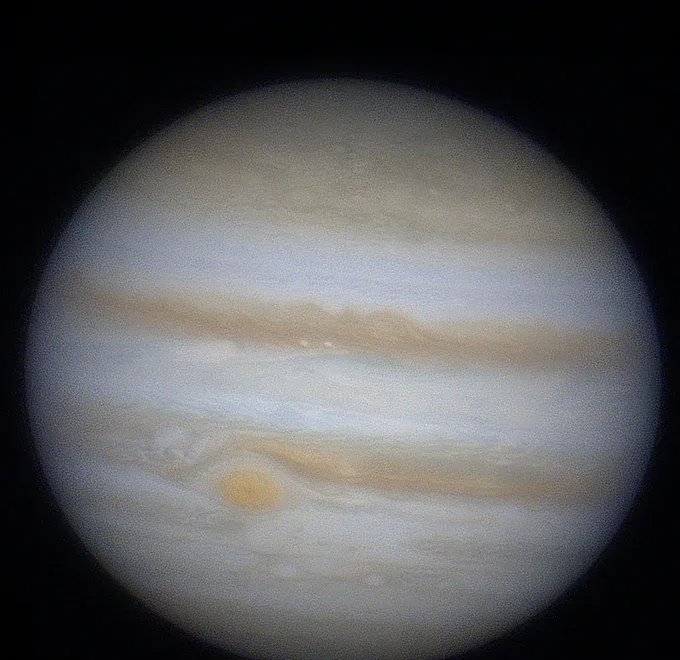
Jupiter won't hold still. Combine it anyway.
Each capture has to be short, because the planet is turning. Stack several of them, and Strata merges the stacks into one image with the rotation taken out, for more signal than any single capture could give.
- Two to ten stacks at once. Drop in stacked images of the same session, even at different sizes.
- Time from the files. Capture times come from SER recordings, from Strata's own exports, or from FireCapture, SharpCap and AutoStakkert! file names.
- Saturn, rings and all. Strata measures the rings' tilt and the globe's shape, and turns the planet beneath rings that stay put.
Color
Finish every target the way it deserves.
Planets, the Moon and the Sun each need something different at the end. Strata's Color step knows which one you're working on.
Line up the colors the air split apart.
Near the horizon the atmosphere acts like a weak prism and separates red from blue. Strata detects the offset to a fraction of a pixel and puts the channels back, then balances the color, sets the levels and adds saturation to taste.
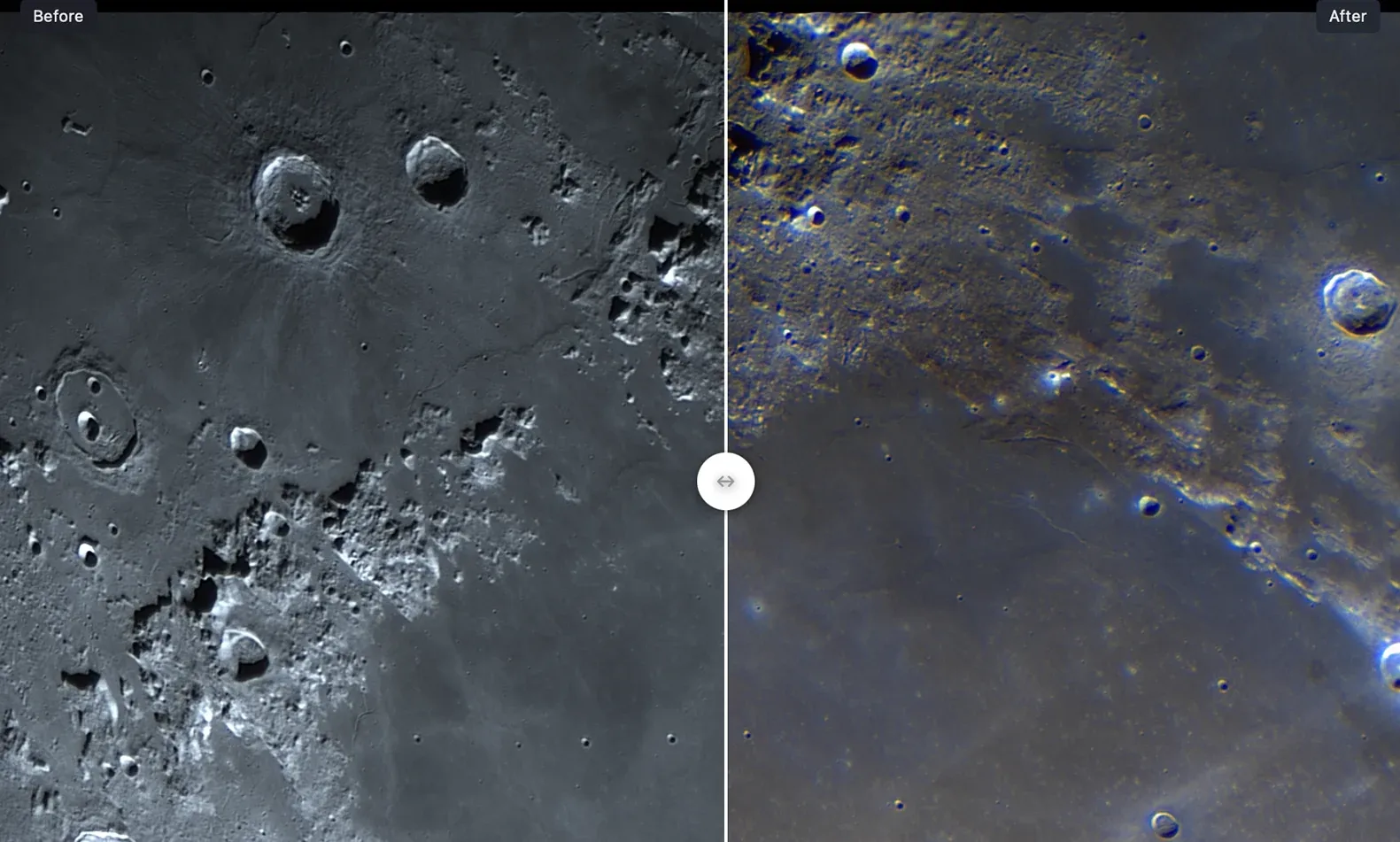
Bring out the Moon's minerals.
Mineral Enhancement exaggerates the Moon's faint natural colors, the blues of titanium-rich seas and the browns of the highlands, with highlight protection so the bright craters don't blow out.
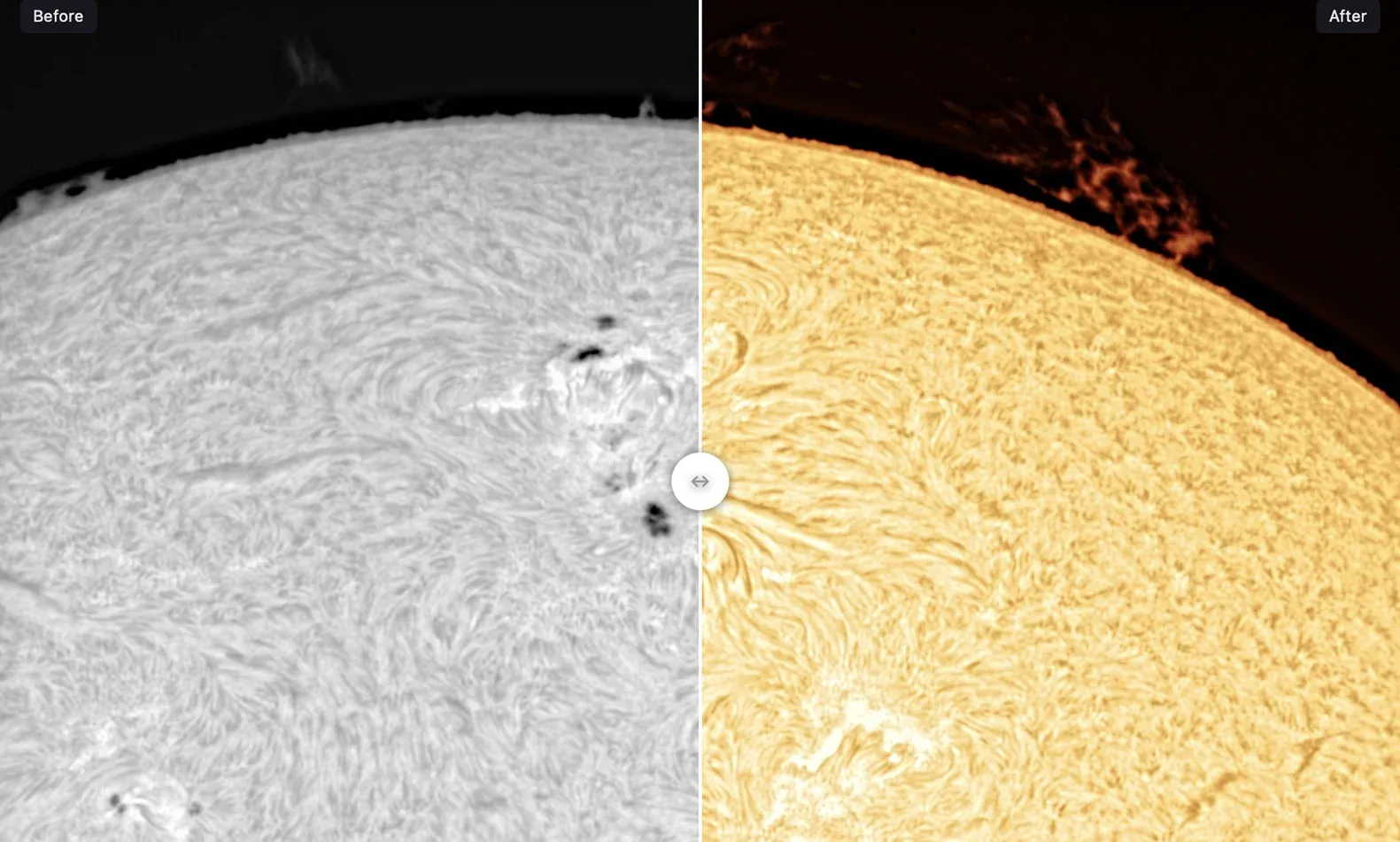
Give a monochrome Sun its color.
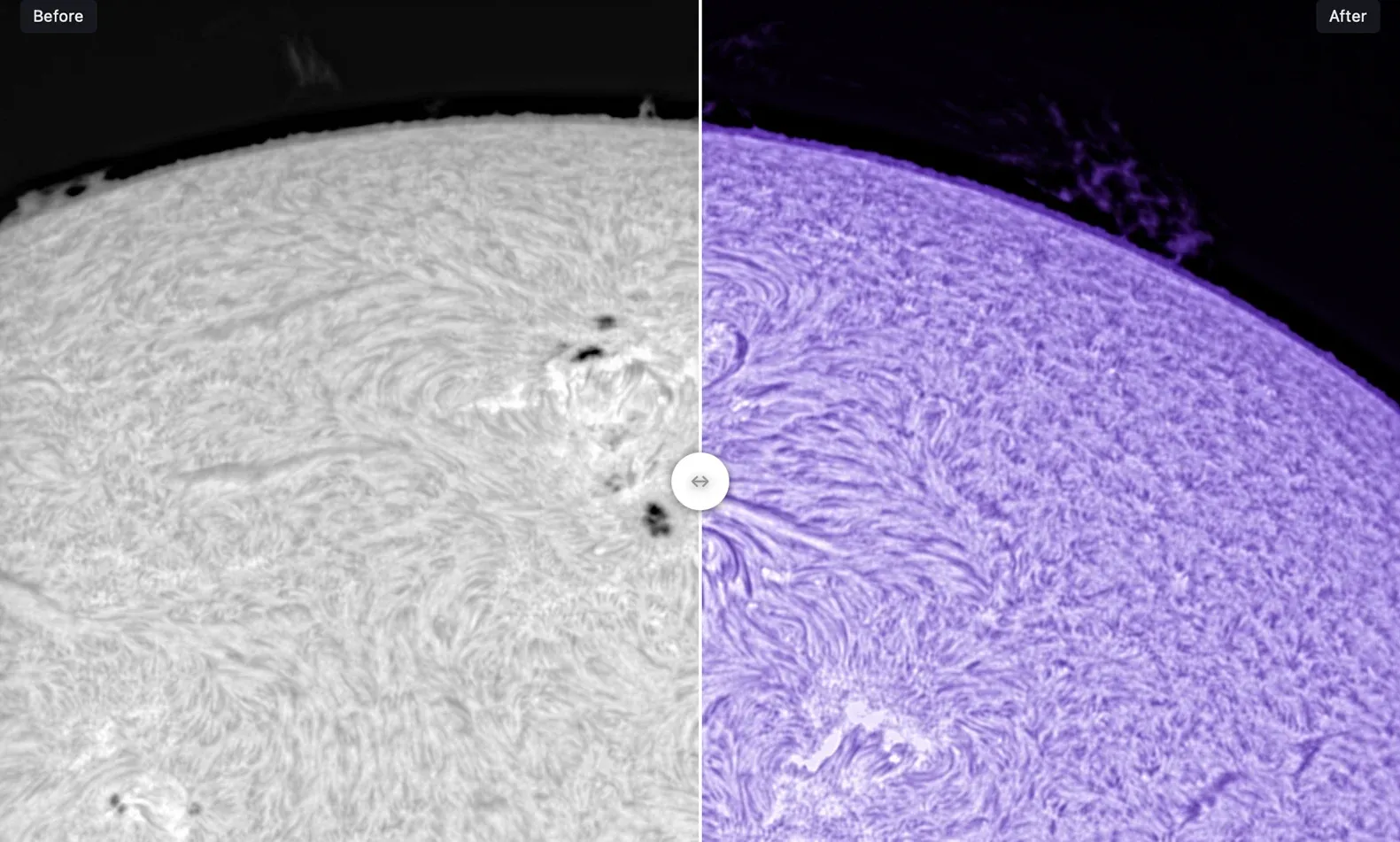
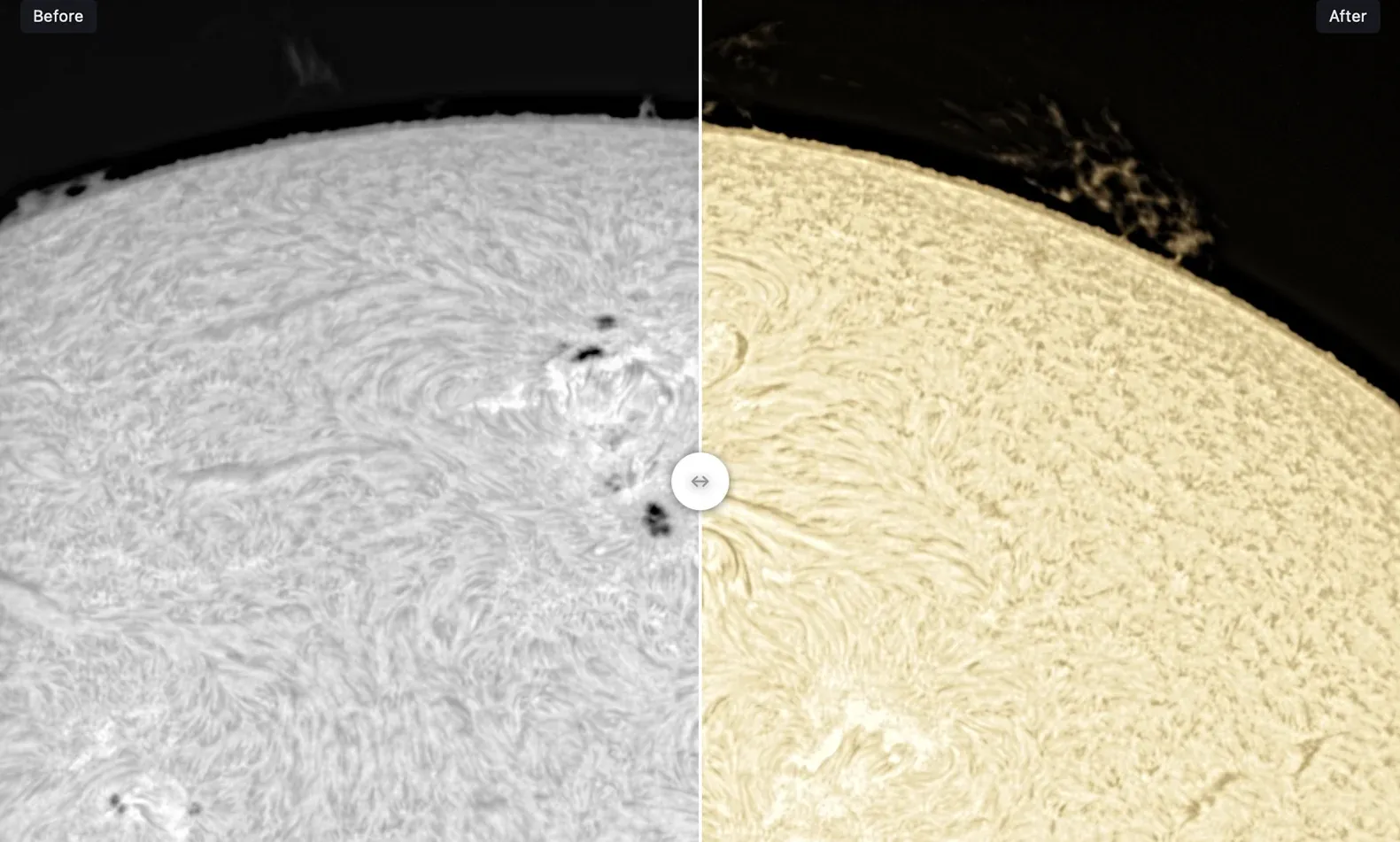
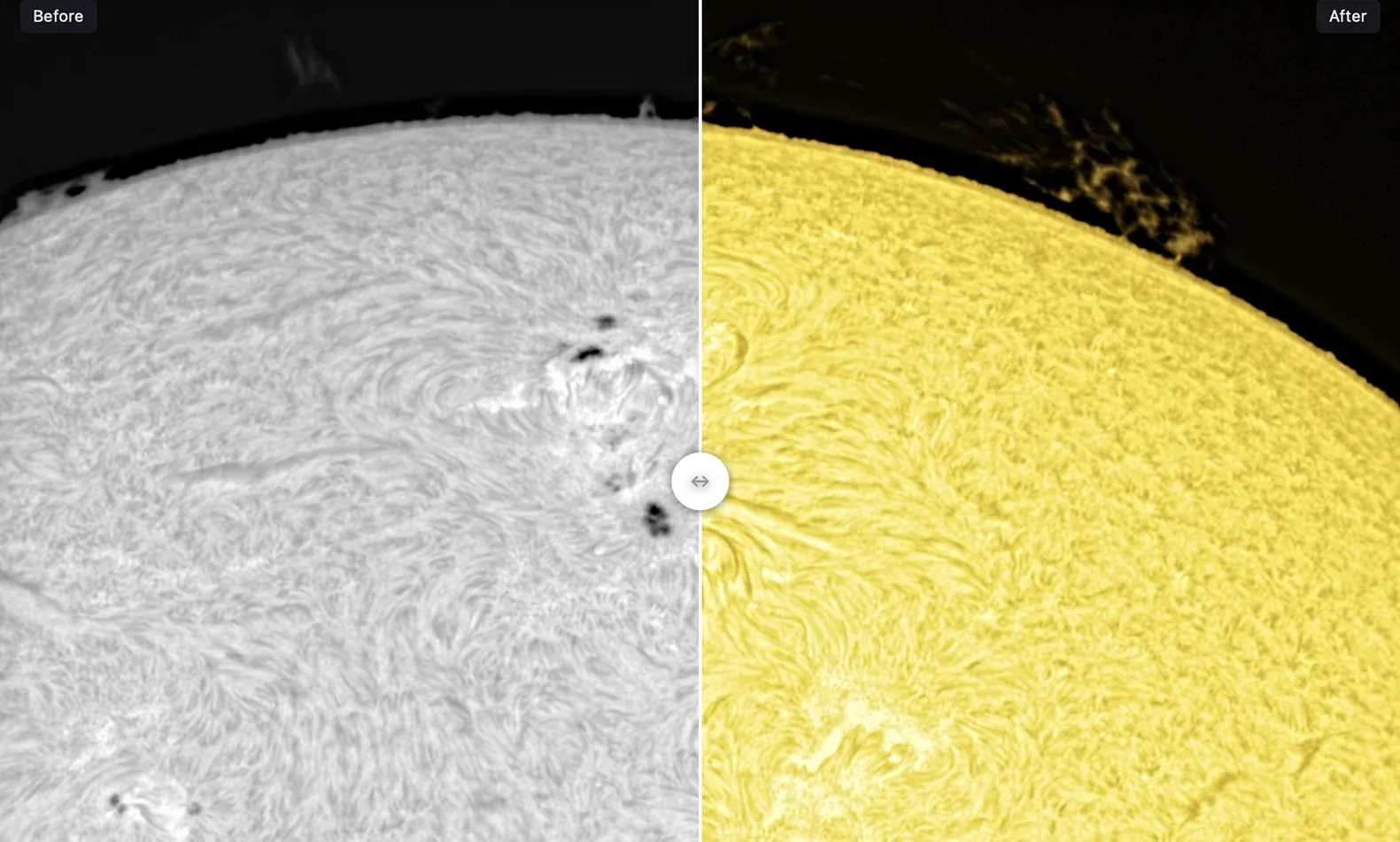
Solar cameras record in gray. Choose from ten solar palettes, from classic hydrogen-alpha and calcium K to false color, or duplicate one and edit its color stops.
Better with Laminar
Strata already knows how you captured it.
Laminar writes a small record beside every capture. Strata reads it on import, so the details you'd otherwise type in are already there, and they change how Strata processes the image.
 Laminar CaptureWritten by Laminar beside every capture
- Target
- Sun, hydrogen-alpha
- Camera
- Player One Apollo-M MINI
- Frames
- 7,046 written, 0 dropped
- Telescope
- From your equipment profile
- Filter
- Name, wavelength and wheel slot
- Conditions
- 60, dew spread 10 °C
What Strata does with it
- Picks the target and the solar wavelength, ahead of any guess from the file name.
- Attaches your equipment, or creates a profile from what Laminar recorded.
- Tunes the drizzle advice and the deconvolution blur to your optics and wavelength.
- Shows the filter and wheel slot on the capture card.
Strata works with captures from any SER-writing app. The Laminar record is a bonus, not a requirement. About Laminar
Solar and lunar
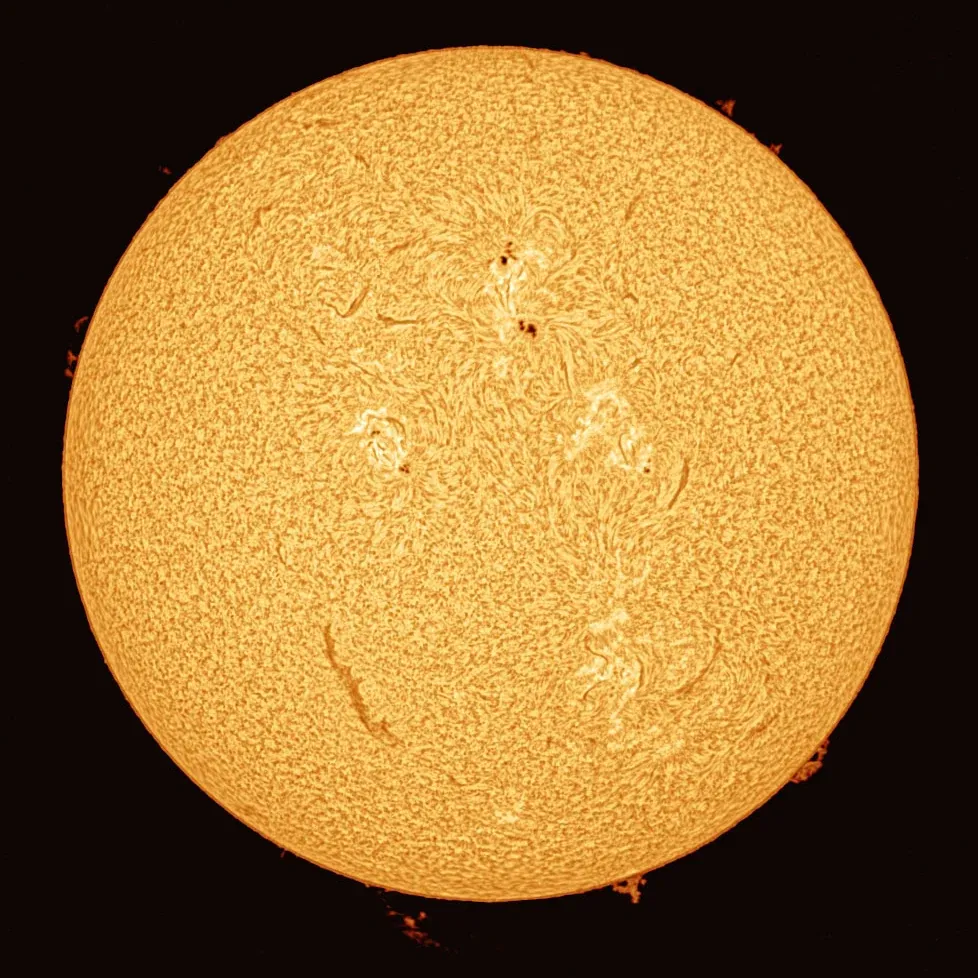
From a gray disc to the Sun you saw.
Solar and lunar captures fill the frame, carry texture everywhere and often drift. Strata treats them as surfaces, not discs: a smooth correction across the whole field, sharpening tuned for fine texture, and color that looks like the Sun you saw.
Every solar filter
Hydrogen-alpha, calcium K and white light each get their own defaults, from how frames are scored to how they're sharpened.
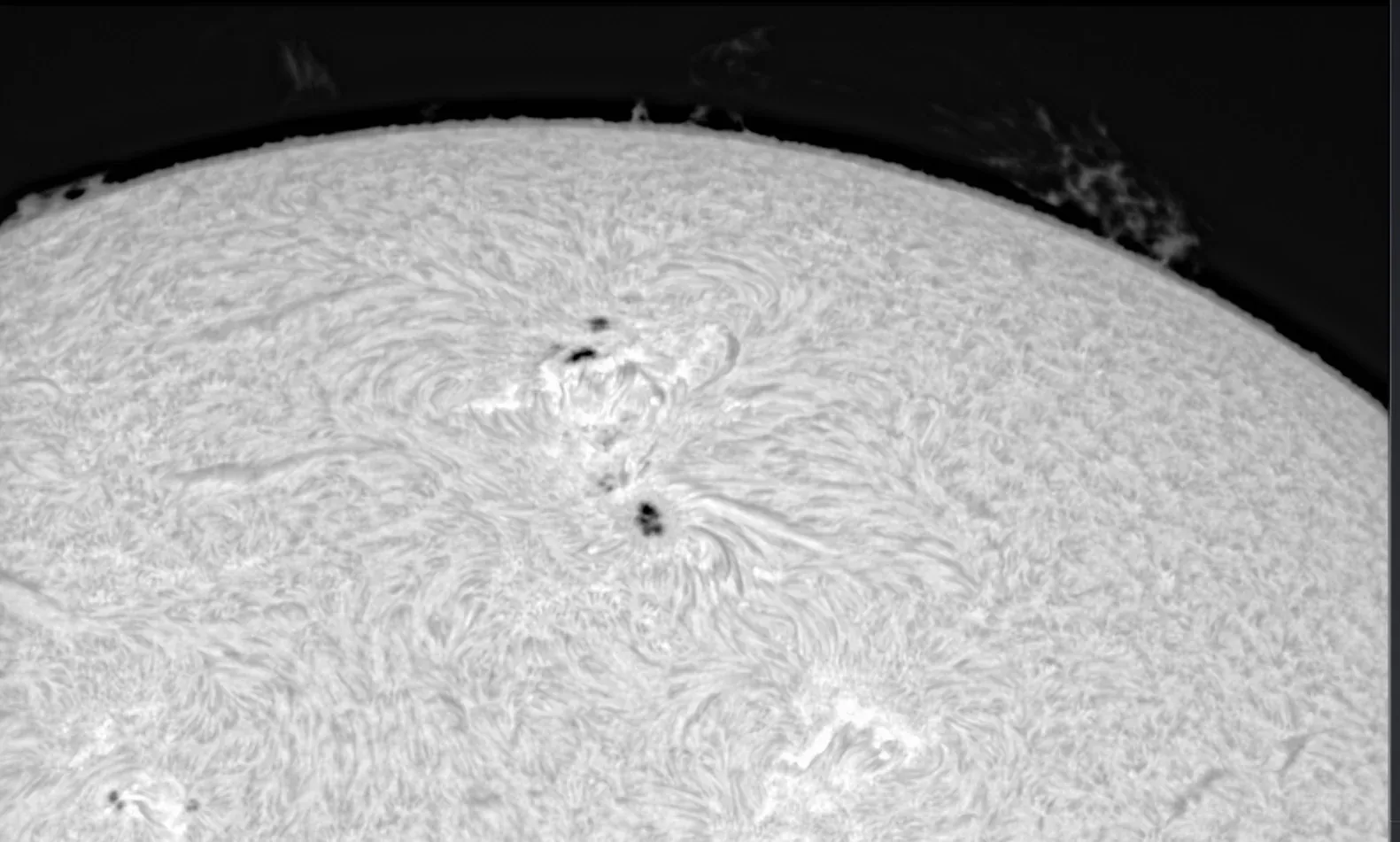
Prominences protected
Solar Tone lifts the disc's faint structure while Background Protection keeps prominences at the limb intact.
A sharper, truer Moon
Wavelets tuned for lunar detail, then Mineral Enhancement for color, with every step undoable.
Mac astronomers, finally at home.
“What used to take me entire evenings is now done in minutes.”
“Very fast processing times compared to other options, a more intuitive interface, and superior results.”
“Finally I can process my planetary and solar pictures on a Mac in way I was always hoping for.”
The details
Everything else you'll ask about.
Record once, replay all night
Every setting from Analyze to Export saves as a processing profile. Drop up to ten captures on Import, or point Strata at a whole folder of videos or images and let it work through thousands of files unattended, each processed exactly as you set it up.
Rescue a broken capture
The SER Utility diagnoses a damaged file and writes a repaired copy, leaving the original untouched.
Quick Look for SER
Press Space on a capture in the Finder to see a frame and its details, in color for color cameras.
Equipment that does the math
Describe your telescope, Barlow, camera and filters once. Strata works out focal length, f-ratio and image scale, the right drizzle factor, and the exact deconvolution blur for your optics.
Exports that remember
TIFF, PNG, JPEG or FITS, with the capture time and every processing setting stored in the file.
Compare as you go
Original, Enhanced and Comparison views in every step, and a bypass switch on every control.
No AI
Nothing is invented. Every pixel of detail comes from your own frames.
Built for the Mac, all the way down
Metal on the GPU for every heavy step, Apple Silicon and Intel, and the look of macOS 27. In English, German, French, Italian, Spanish and Brazilian Portuguese.
Compatibility
Strata opens what your camera app saves.
SER video
Versions 2 and 3, 8 and 16-bit, mono, color and RGB, from Laminar, FireCapture, SharpCap and others.
AVI video
Uncompressed 8-bit AVI from ZWO's ASIAIR and ASICap.
Still images
TIFF, PNG, JPEG and single-image FITS, straight into Sharpen or Derotate.
Your Mac
macOS 14.6 or later on Apple Silicon or Intel, with a Metal graphics processor.
Compressed video (MP4, MOV, MJPEG), FITS cubes and captures from CMYG color sensors aren't supported. Mosaics and deep-sky images are outside what Strata is for.
Turn last night into your best image yet.
$34.99One-time purchase on the Mac App Store. No subscription, no in-app purchases.
Questions, answered.
Can Strata replace AutoStakkert! and RegiStax?
For most planetary, lunar and solar work, yes. Strata grades and stacks captures with alignment points, like AutoStakkert!, and sharpens with wavelets and aligns color channels, like RegiStax, in one app on your Mac. It doesn't let you place alignment points by hand yet.
Is it a replacement for WinJUPOS?
Partly. Strata combines two to ten stacked images of a rotating planet into one, measuring the rotation from the images themselves and the capture times in the files. It doesn't do WinJUPOS's measurements, map projections or derotation of whole videos.
What's the difference between Strata Warp and Strata Warp+?
Strata Warp, the default, aligns each patch of the image on its own. Strata Warp+ goes further and picks the sharpest frames for each patch separately, for a little more fine detail at a few times the processing time.
Do I need Laminar?
No. Strata reads SER files from any capture app, and AVI files from the ASIAIR and ASICap. If you capture with Laminar, Strata also reads its capture records and fills in your target, filter and equipment for you.
What can I process?
Jupiter, Saturn, Mars, Venus, Mercury, Uranus and Neptune, the Moon, and the Sun in hydrogen-alpha, calcium K and white light.
Does Strata use AI?
No. Every step is conventional image processing on your own frames, so no detail is invented.
Can it fix a damaged SER file?
Often. File > Inspect SER File reports what's wrong and can save a repaired copy, for example when the frame count or time stamps are broken. Your original is never changed.
Can I process several captures the same way?
Yes. Save your settings as a processing profile, then drop up to ten captures on Import, or choose File > Process Video Folder (or Process Image Folder) to run a whole folder unattended. Sven Kohle processed 1,999 solar videos in one run.
Does it work on Intel Macs?
Yes. Strata runs on Apple Silicon and Intel Macs with macOS 14.6 or later and a Metal graphics processor. It's fastest on Apple Silicon.
Does it work offline?
Yes. Everything happens on your Mac.
Is there a trial or subscription?
There's no subscription: Strata is a one-time $34.99 purchase on the Mac App Store, or part of the $99 Mac Observatory Field Kit.