
Laminar
Planetary, lunar and solar capture for Mac
Catch the steady seconds.
The air above your telescope settles for a moment, then boils again. Laminar is planetary, lunar and solar capture made for the Mac, built so you are recording at full speed, collimated, in focus, with the colors lined up and the right filter in place, when that moment comes.
Capture speed
Smaller frame. Faster camera. More lucky frames.
Seeing sharpens for a few milliseconds at a time. Every extra frame you record is another chance to catch one of those instants.
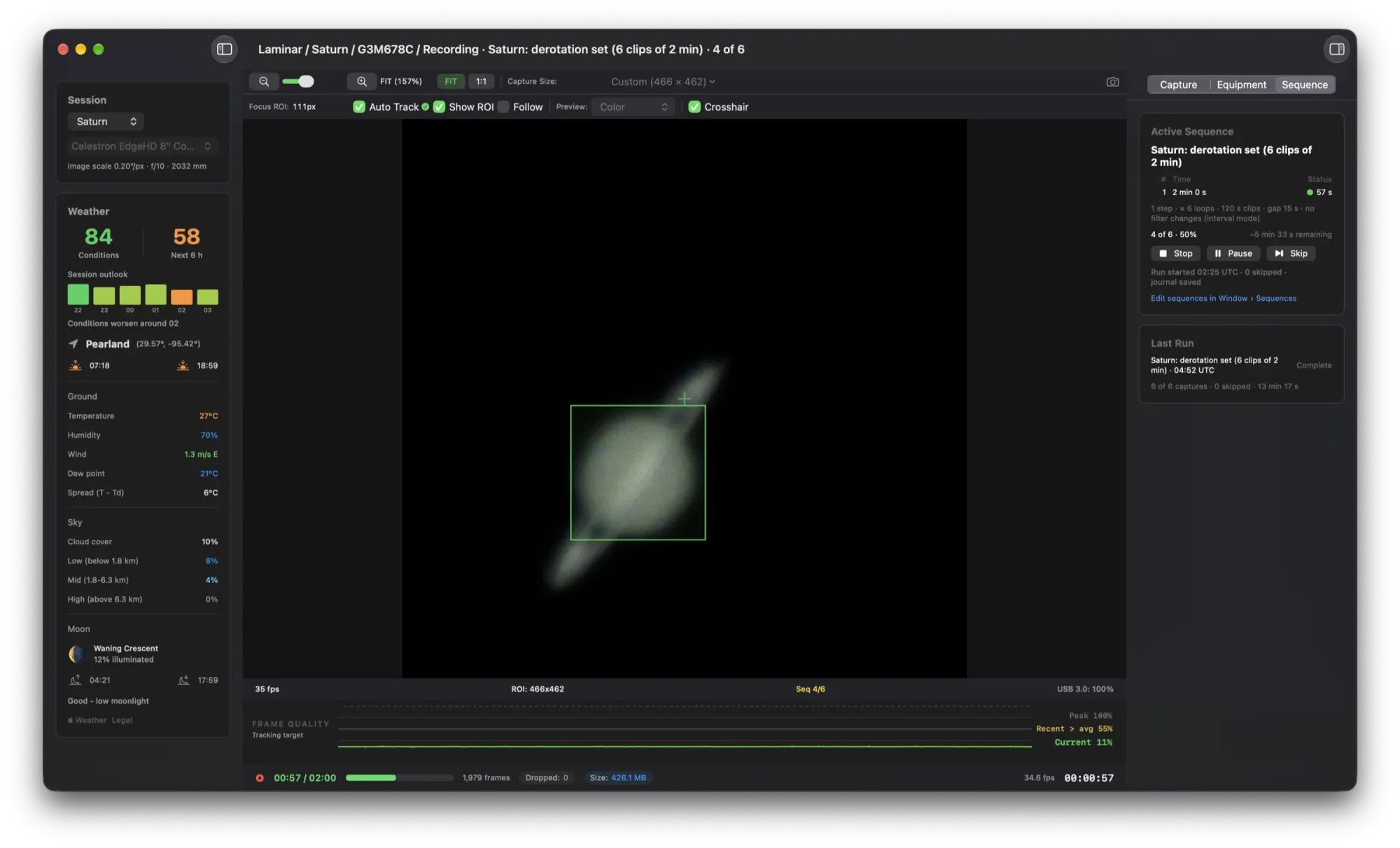
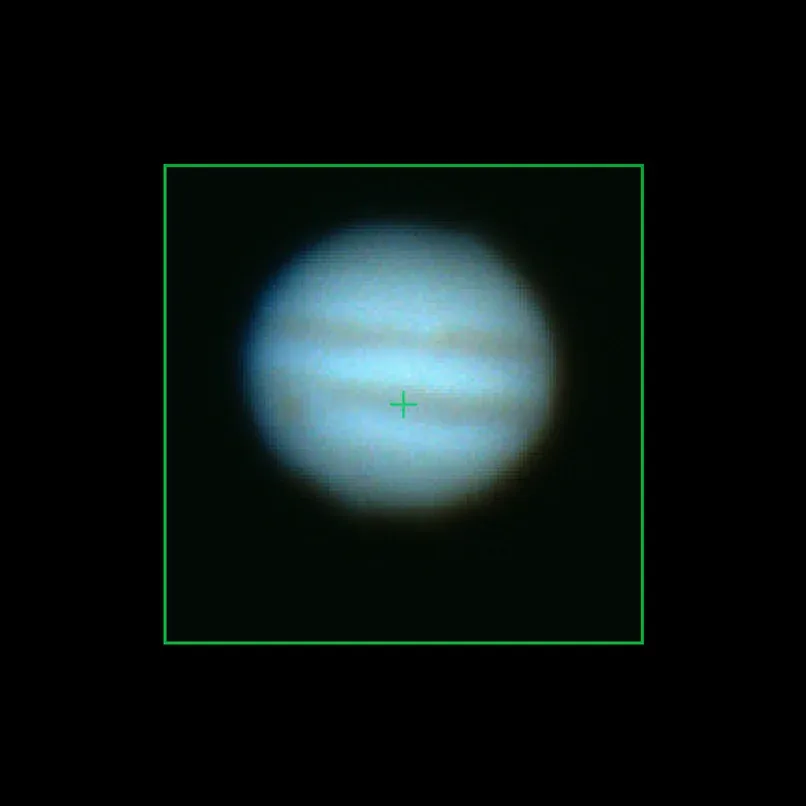
Draw a region around the planet and Laminar hands the camera a smaller window to read, so the frame rate climbs. There is no cap in the app: the ceiling is your camera. Recording runs apart from the preview, so a busy screen never costs you a frame.
On our bench: a ToupTek G3M678C recorded about 385 fps at 320 × 240 with zero dropped frames, and a QHY5III ran at 94.8 fps with a region against 42 fps full frame.
- Pixels per frame
- 8.29 M
- Data per frame, RAW8
- 8.3 MB
- Share of the sensor read
- 100%
The planet is turning while you record. Laminar keeps time.
Jupiter spins once every ten hours, so detail smears after about a minute. Pick Jupiter, Saturn or Mars and the capture clock shows the recommended limit, then warns you as you pass it.
Disk safety
Laminar does the disk math before your drive runs out of breath.
A fast planetary camera can write faster than a USB stick or a tired external drive can keep up. Laminar tells you before you press record, not afterwards.
- Learns each drive's real speed. No benchmark to run. Every big capture teaches Laminar what that particular disk sustains.
- Warns you in plain words. "Will buffer about 2 GB", or "exceeds free space", with the fix one click away.
- Never loses a frame silently. If the disk still falls behind, Laminar writes at the disk's pace and counts every skipped frame, in the app and in the capture's record.
Capture Session
Macintosh HD sustains this rate comfortably.
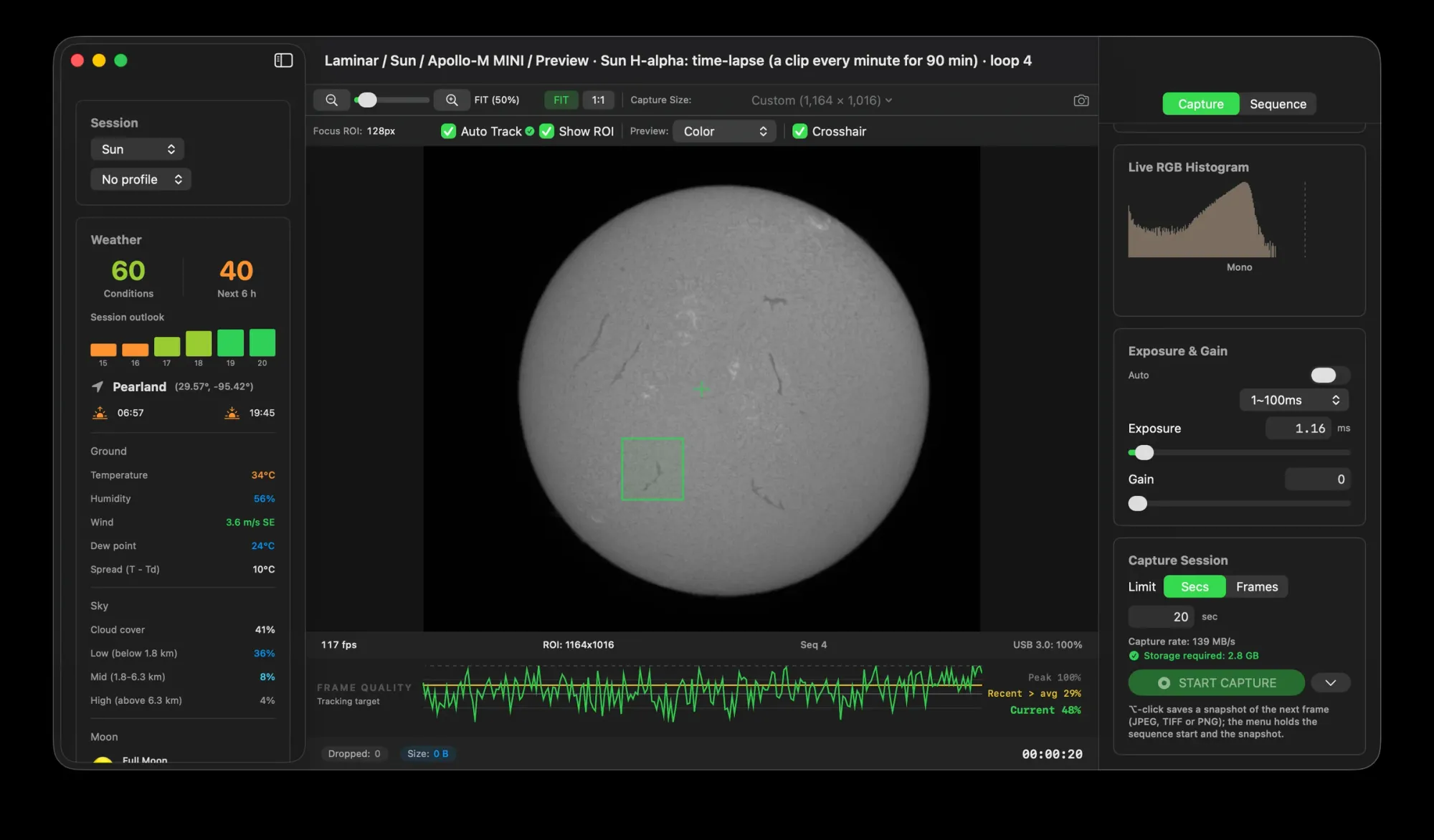
Rates from a real 117 fps solar session at 1164 × 1016. Drive speeds are examples.
Real-world performance
Apple's most affordable laptop. Zero dropped frames.
You don't need a Mac Studio in the back garden. We took a MacBook Neo out for an afternoon of hydrogen-alpha solar imaging with a Player One Apollo-M MINI, and let Laminar's own capture records keep score.
Ten captures on 30 August 2026, including one unbroken 90-second clip of 10,568 frames, at 1164 × 1016 RAW8. Figures from the capture records Laminar wrote alongside each file.
Collimation Aid
Collimate on a star. By the numbers.
A Schmidt-Cassegrain a little out of collimation never quite sharpens up. Laminar measures the coma in a defocused star, in waves, and tells you which of the three screws to turn, which way and roughly how far. It learns from every turn you make.
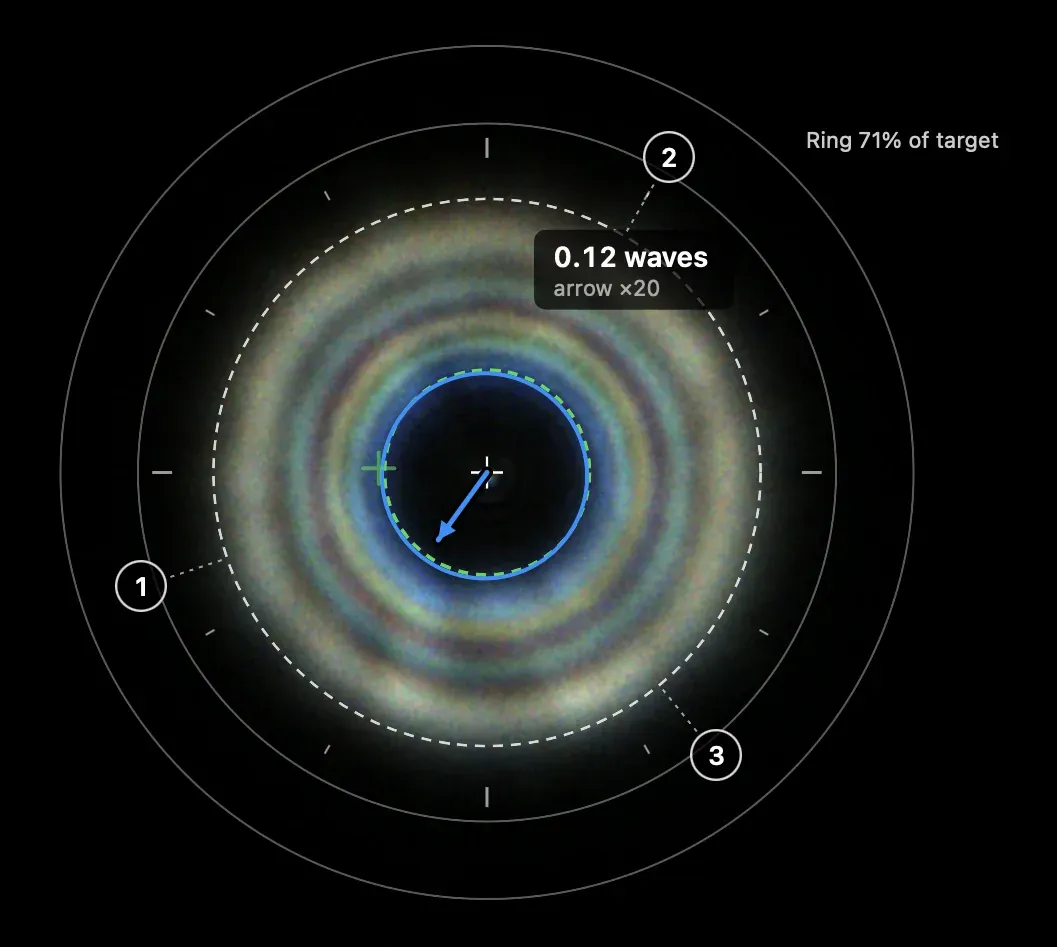
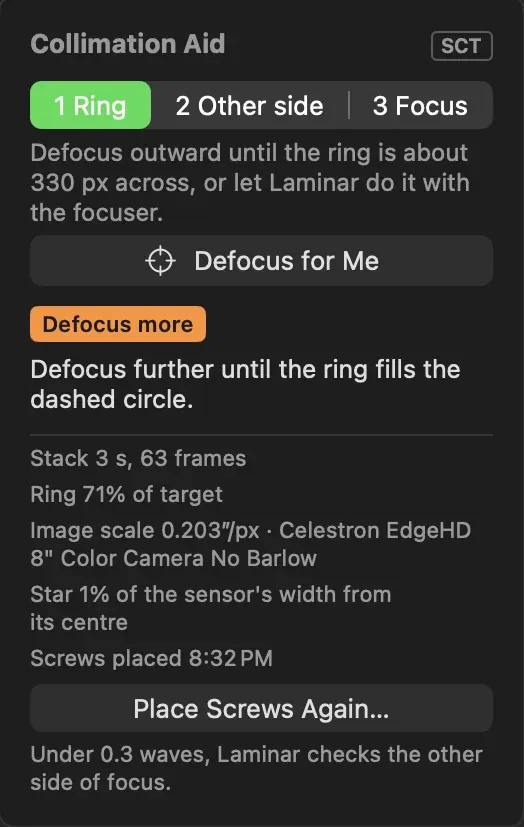
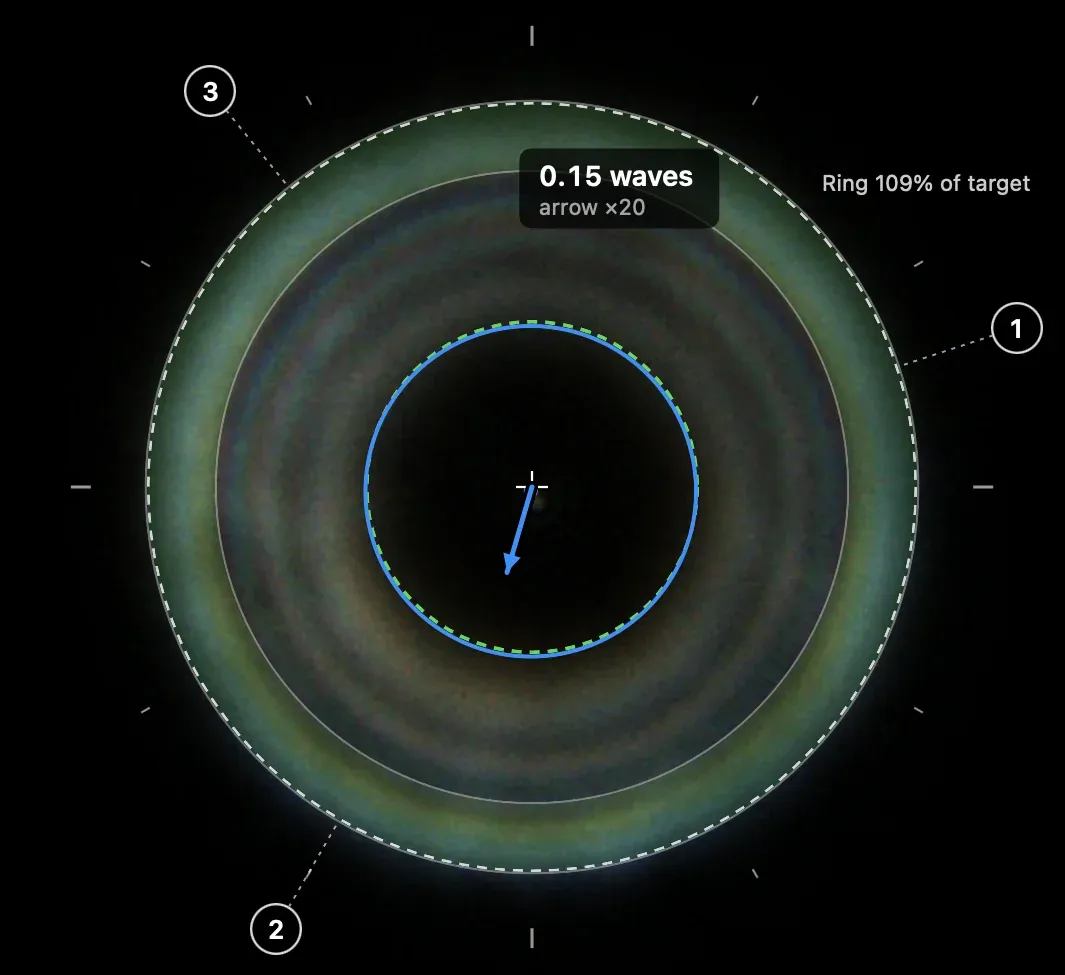
Defocus until the ring fills the dashed circle, or click Defocus for Me and Laminar drives the focuser. The numbered markers are your secondary's three screws.
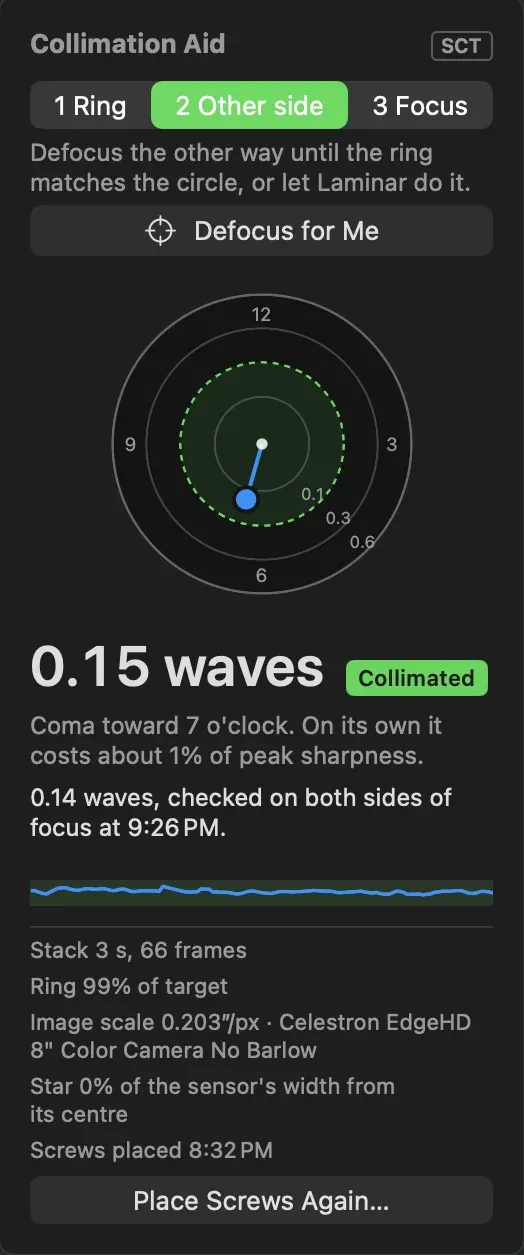
Under 0.3 waves, Laminar checks the other side of focus. Averaging both sides separates real coma from a secondary sitting slightly off-center, then it saves the result to your profile.
Defocus to a ring
Point at a bright star near the middle of the sensor. Laminar sets the exposure while you set up and tells you when the ring is the right size.
Show it the screws
Hold a fingertip over each screw in turn. Its shadow shows in the ring, so Laminar learns where the screws are and remembers them.
Turn the screw it names
Make the turn, click I Turned It, and Laminar measures again and says better or worse. Each turn teaches it what that screw does.
Check both sides
Under 0.3 waves, defocus the other way to confirm. An optional in-focus check looks at the first diffraction ring on steady nights.
For Schmidt-Cassegrains, Celestron or Meade, standard or EdgeHD, with any camera. A focuser is optional. A first collimation takes about twenty minutes; a check on a later night, two or three. Screenshots from a Celestron EdgeHD 8 and a ToupTek G3M678C, 13 October 2026.
Focus aids
Focus by the numbers, not by squinting.
At high magnification a shimmering planet never looks sharp to the eye. Laminar measures fine detail in every frame it analyzes and draws it live, so you can see the best focus instead of guessing at it.
Three lines, one answer
Green is each frame. Yellow is the three-second average, the line you focus on. Gray dashes mark the best focus of the session.
It stays on the target
Planets are found and followed automatically. On the Moon or the Sun, click a crater or sunspot and the measuring box stays on it, so a nudge of the mount or SCT mirror flop doesn't send the graph to zero.
Honest about the whole run
"Recent above average" shows how much of the last minute and a half beat your running average, a quick read on whether the seeing is getting better or worse.
Auto Focus
Or let Laminar find focus for you.
Deep-sky autofocus builds a curve from stars. Laminar does the same on a planet, the Moon or the Sun. Focus roughly by eye, click Auto Focus, and it sweeps the focuser through focus and back, measuring the sharpest frames at every stop.
- No range to enter. It steps outward until the image clearly softens, so it learns how many focuser steps matter on your telescope.
- Two passes, one answer. A wide sweep inward, then a denser one outward around the best point. It fits a curve to each and finishes from the same side, so backlash can't shift the result.
- Tells you when it can't. If noise hides the change or the seeing won't settle, the focuser goes back where it started and Laminar says what to change.
Needs a motorized focuser that moves to absolute positions. A run takes three to six minutes. It works with SHG mode on a spectroheliograph too.
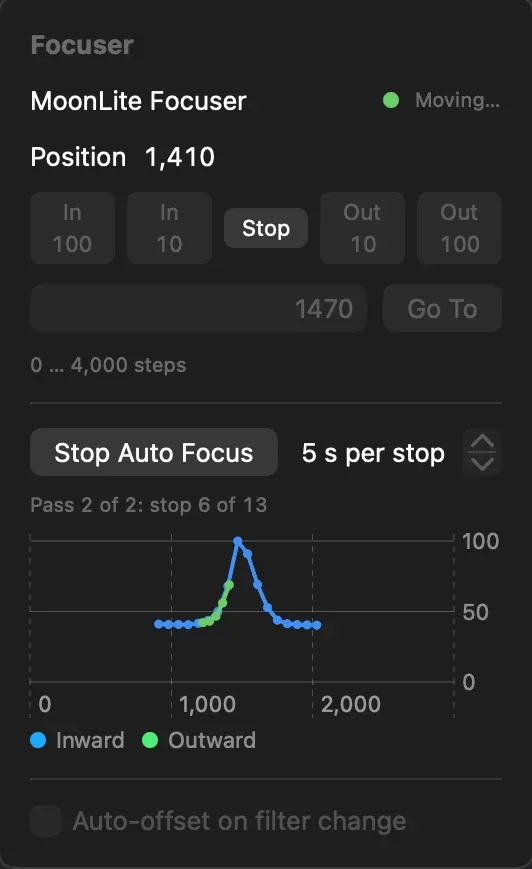
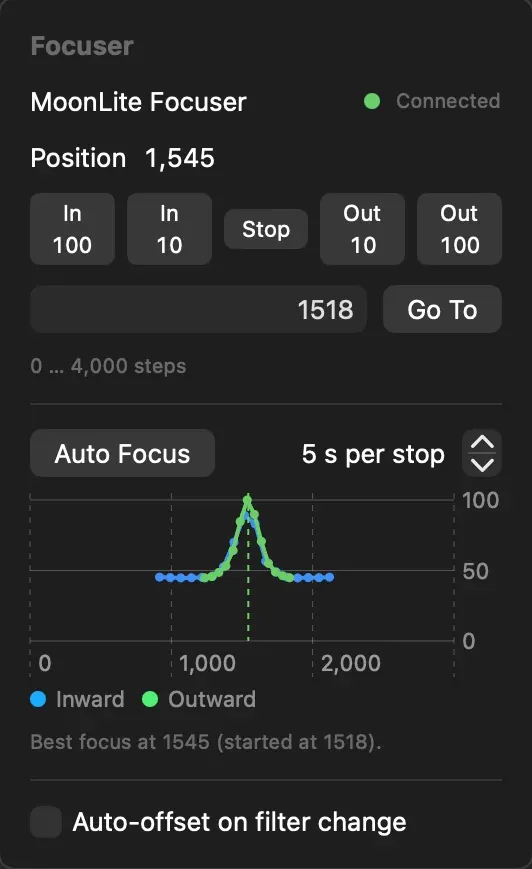
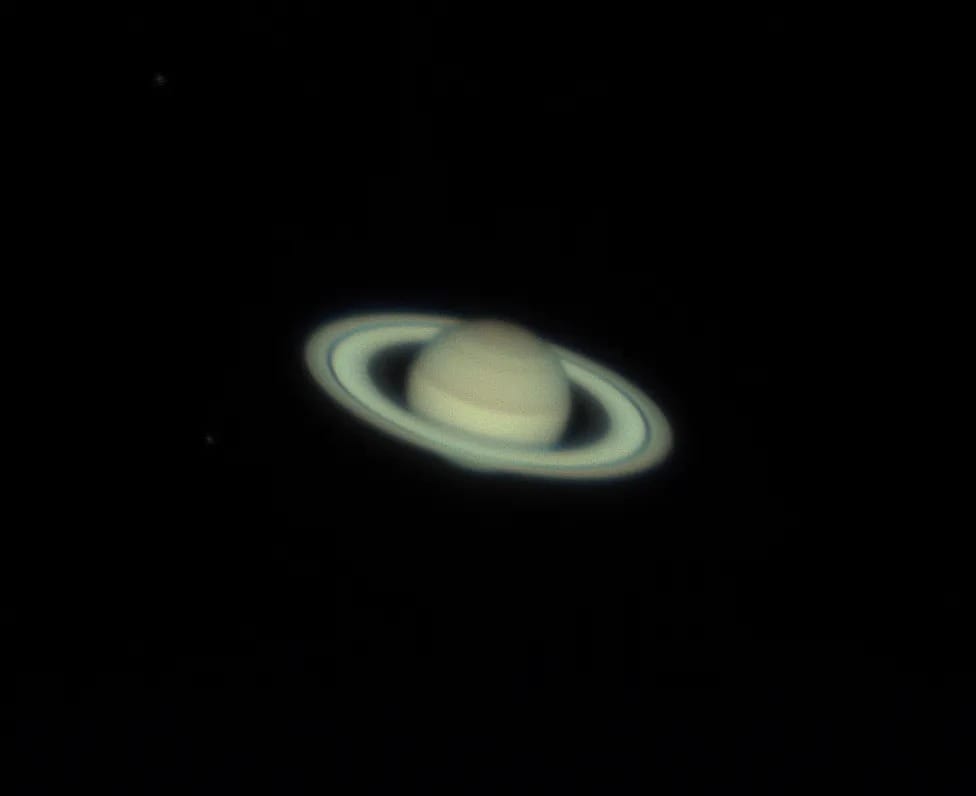
Saturn, 11 October 2026, with a MoonLite focuser.
ADC Assist
Low in the sky. Sharp anyway.
Low in the sky, the atmosphere acts as a weak prism. Blue lifts toward the zenith, red sinks toward the horizon, and fine detail smears. An ADC undoes it, if you can tell how far to spread its levers. Laminar can.
- Measured in arcseconds. Laminar compares a color camera's red and blue pixels on the planet twice a second and shows how far apart they sit, and which way.
- Told in plain words. Spread both levers, close them a little, or leave them alone and start capturing.
- Level it from the planet. With the levers at neutral, the split points straight at the zenith, so the ADC's bubble level is optional.
- Keeps up on an equatorial mount. Laminar follows the vertical as it turns through the night, says when to re-level, and spots a meridian flip.
Works with any manual ADC; Laminar never moves it. Needs a color camera with a UV/IR-cut filter. Set the ADC with the color camera, then swap to mono without touching it.
ADC
Saturn · 32.6°Spread both levers by the same amount.
Full dispersion at 32.6° is 1.14″. The ADC is removing 0%.
An illustration of the ADC card. The dial uses a square-root scale with rings at 0.1, 0.25 and 0.5 arcseconds; the green ring is the goal.
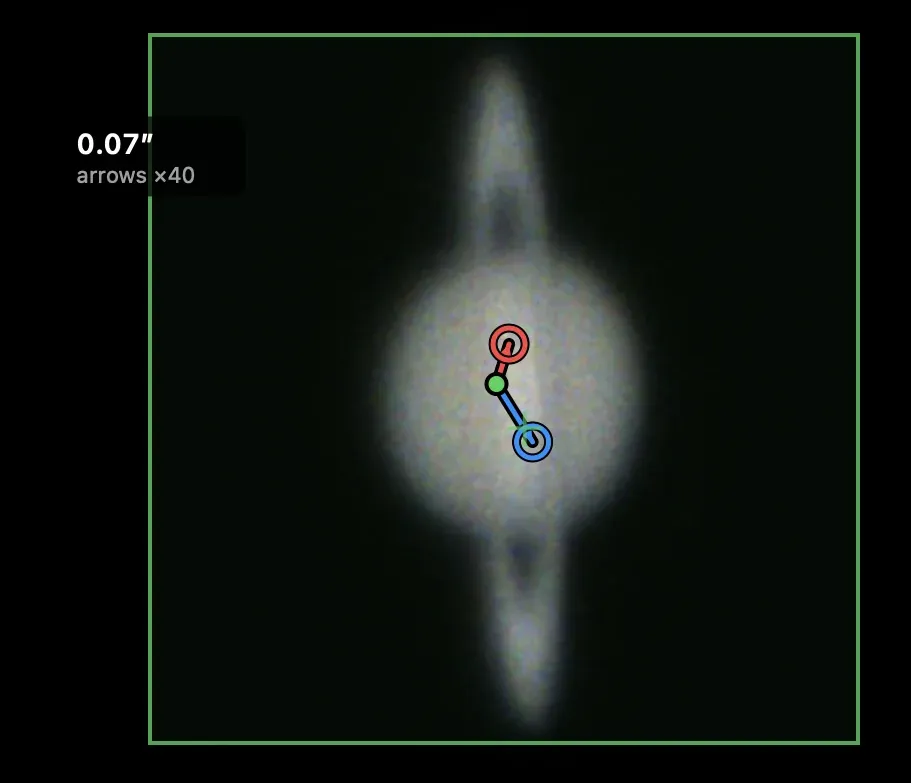
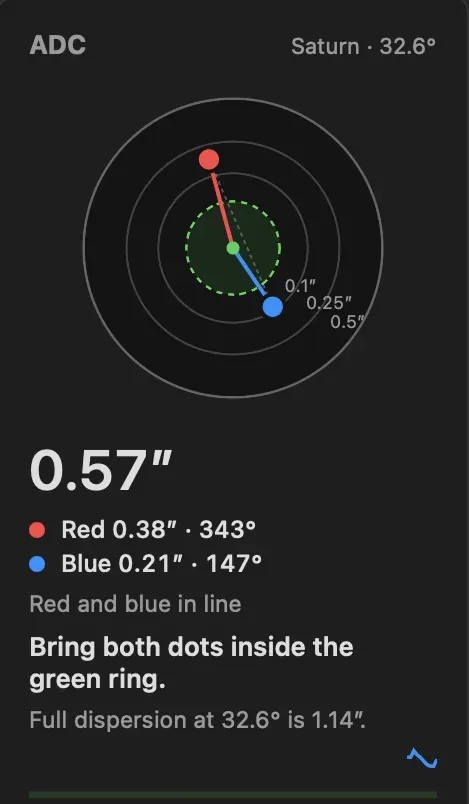
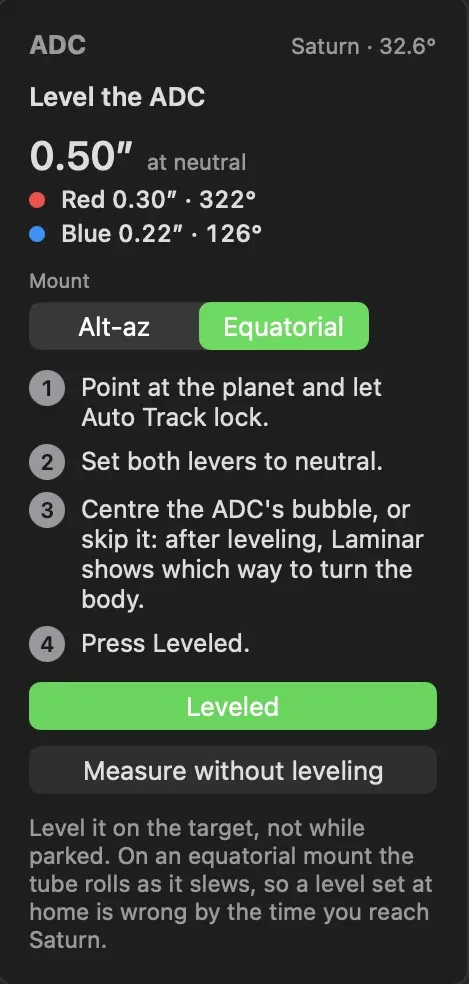
Live view from Saturn on 11 October 2026; the two cards from playback of a recorded Saturn clip. ADC Assist works on SER recordings too, and it never slows the preview or the recording.
Filter wheels and focusers
Change filters. Keep focus.
Red, green, blue and methane filters don't focus at the same point. Laminar remembers the difference for each one and moves the focuser for you when the wheel turns.
- Per-filter focus offsets. Focus on each filter and click Set Focus Position. Laminar saves its distance from your master filter's focus and follows drift through the night.
- Per-filter camera settings and flats. Exposure, gain and white balance come back with each filter, and the matching flat is applied.
- Hands on the keyboard. Keys 1 to 9 choose a slot, the arrow keys step the focuser, and Stop is always one shortcut away.
- No server to install. Wheel and focuser drivers are built into Laminar. Plug in over USB, choose Connect All Devices, and start.
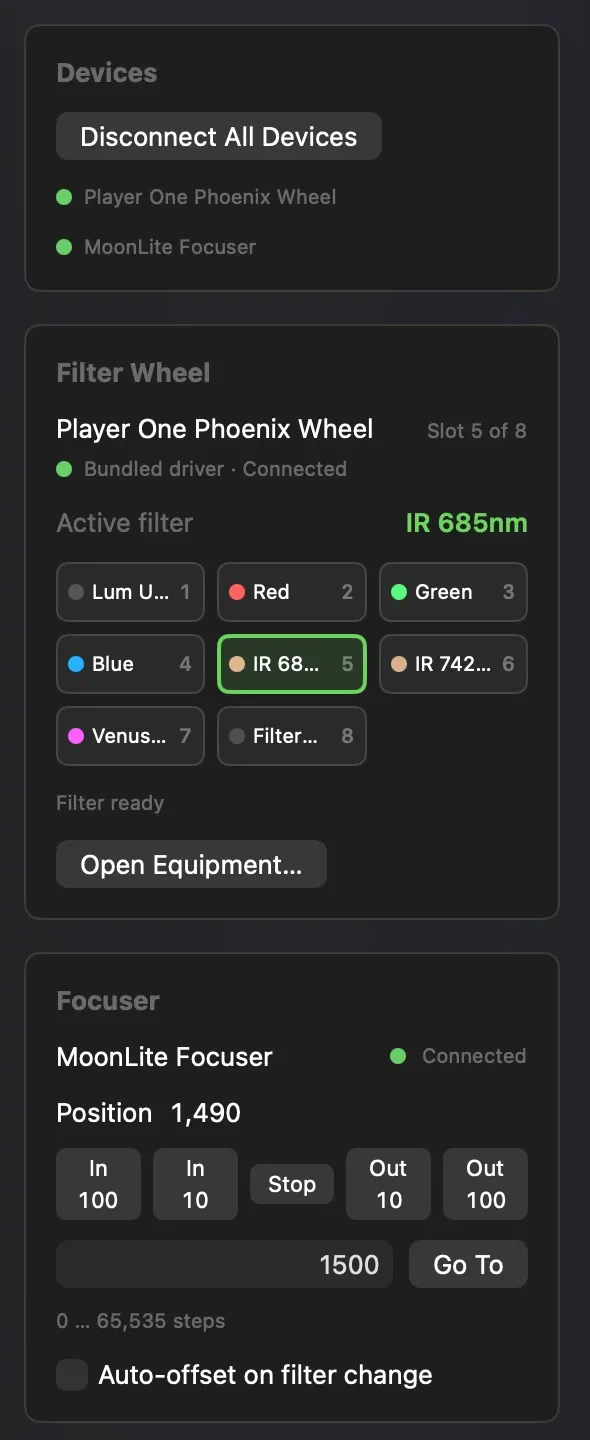
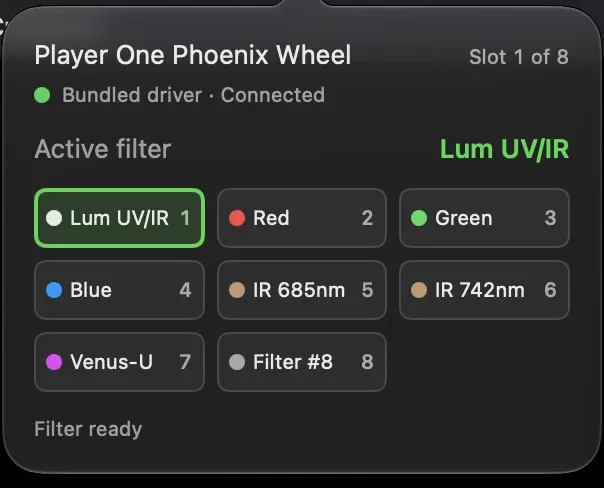
Screenshots from a night on Saturn and Neptune, 7 October 2026, with a Player One Uranus-M.
Sequences
A full color set before the planet turns.
Build a sequence once, or start from the Jupiter, Saturn and Mars templates. Laminar turns the wheel, applies each filter's focus offset, waits for things to settle, restores that filter's settings and records, then does it all again for the next color.
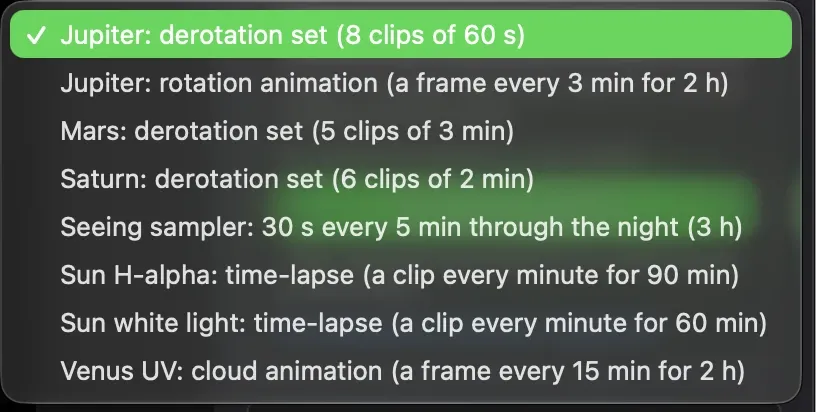
Jupiter LRGB
Clip lengths are Laminar's built-in LRGB templates. Sequences can also repeat for a set count, until a time, or for a total duration, and resume after a restart.
More than color sets.
Start from an example and make it yours: derotation sets that split a long session into clips the planet won't smear, rotation and cloud animations, a seeing sampler that runs through the night, and solar time-lapses.
One night on Saturn
Collimated. Dispersion corrected. Then sequenced.
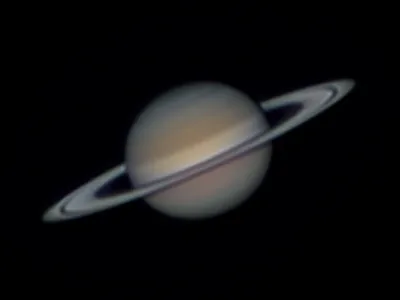
- Collimation AidThe SCT collimated on a star.
- ADC AssistThe ADC set until red and blue lined up.
- SequenceSix 2-minute SER clips, one after another.
 StrataStacked and derotated into one image.
Capture records
Every Laminar clip remembers exactly how it was made.
Next to each SER file, Laminar writes a small record of the session: the camera, exposure, gain and region, frames written and dropped, the weather, and, with a wheel and focuser, the filter's name, wavelength and slot, the focuser position and the offset it applied. With ADC Assist on, it notes how much dispersion was left; with a collimation result in your profile, how well collimated the scope was. Strata reads it, so your processing starts with the facts instead of a guess.
{
  "capture": {
    "target": "Sun",
    "frames_written": 7046,
    "frames_dropped": 0,
    "stop_reason": "time_limit",
    "midpoint_at": "2026-08-30T19:19:15.828Z"
  },
  "camera": {
    "vendor": "playerOne",
    "model": "Apollo-M MINI",
    "pixel_size_um": 4.5,
    "bit_depth": 12
  },
  "capture_settings": {
    "exposure_ms": 1.156,
    "gain": 0,
    "roi": { "width": 1164, "height": 1016 },
    "sensor_temperature_c": 44.3
  },
  "weather": {
    "conditions_score": 60,
    "dew_spread_c": 10.0,
    "source": "Apple Weather"
  }
}
- Target
- Sun
- Camera
- Player One Apollo-M MINI
- Frames
- 7,046 written, 0 dropped
- Exposure and gain
- 1.16 ms, gain 0
- Region
- 1164 × 1016
- Conditions
- 60, dew spread 10 °C
- Filter
- Name, wavelength and slot, with a wheel
Excerpt from a real capture record, 30 August 2026. Files are SER, so they also open in AutoStakkert!, PIPP, RegiStax and Siril, and names can follow WinJUPOS time conventions.
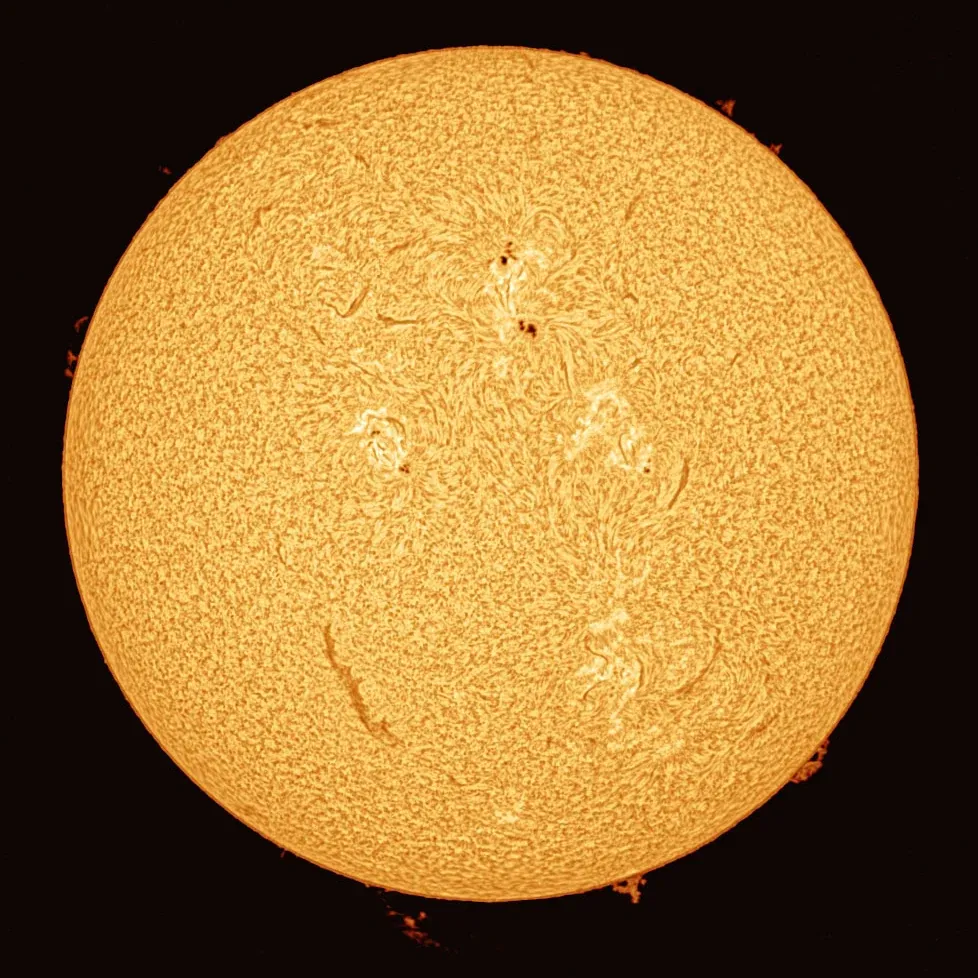
Solar imaging
By day, a solar observatory.
The Sun asks for the same things as the planets, only more of them: very short exposures, high frame rates, a feature that won't sit still, and optics that leave uneven light across the field. Laminar handles each one.
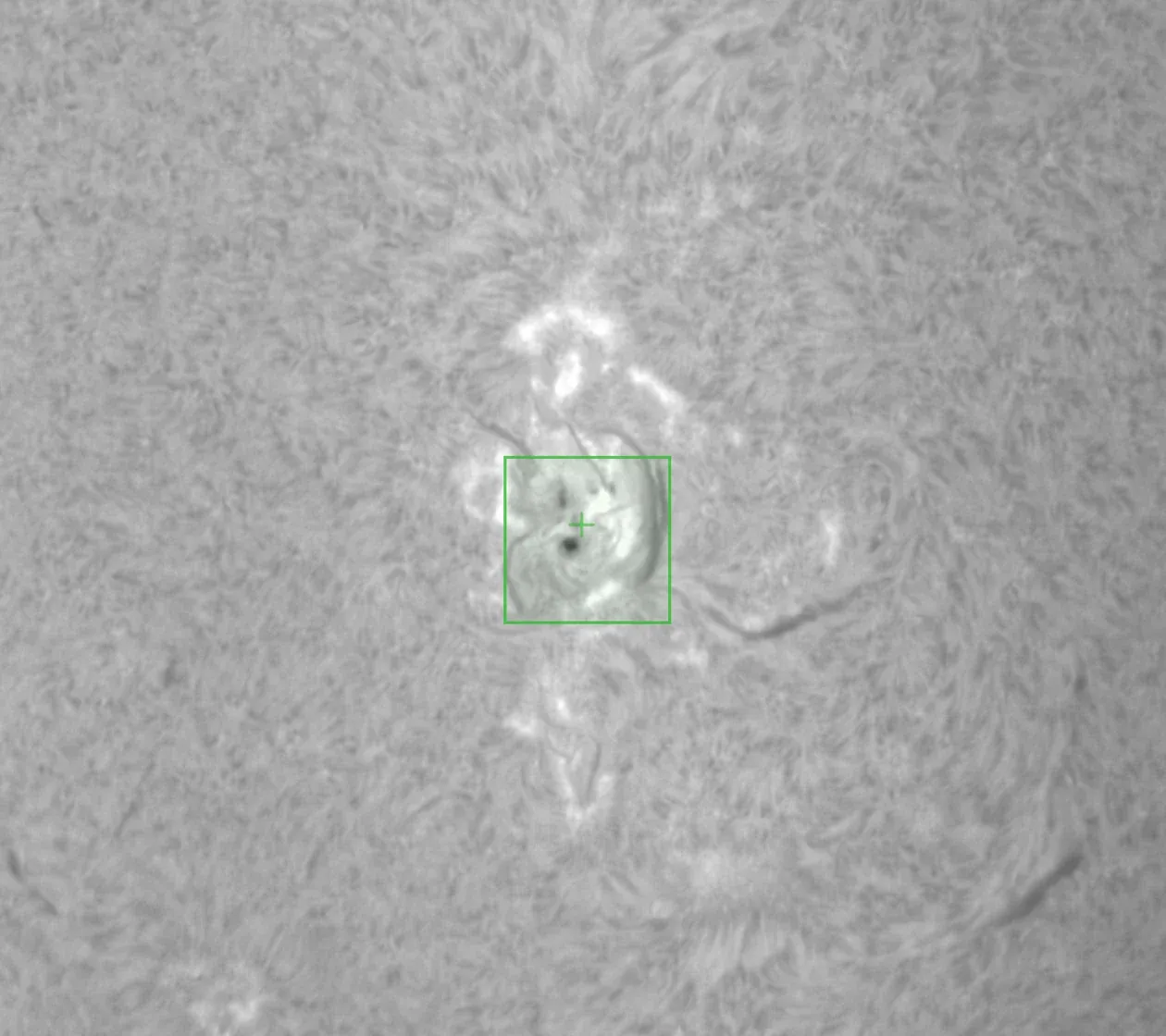
Follow the active region
Click a sunspot or filament and surface tracking holds it while the quality graph measures focus right there.
Flatten the etalon's gradient
Record a flat in the built-in wizard and Laminar corrects uneven illumination live, in the preview, and in the file if you choose.
Time-lapse a flare as it happens
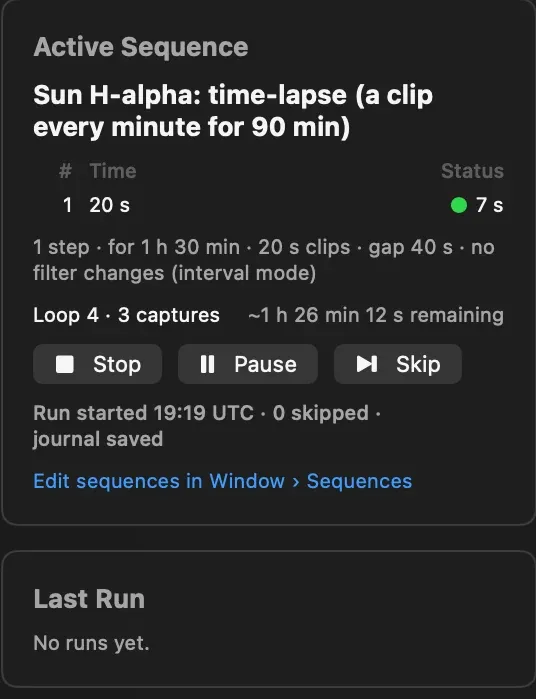
A sequence can record a short clip every minute for ninety minutes, then pause, skip or resume without losing its place.
Spectroheliographs
Draw a strip on the spectrum.
With a Sol'Ex or another spectroheliograph, the image you need is one thin line of the spectrum, read as fast as possible while the Sun drifts across the slit. Drag a strip right onto the absorption line in the live preview, fine-tune it with handles or exact numbers, and save it as a preset.
Check SHG and the focus graph measures the detail along the slit instead of the sharp spectral lines, so focus finally shows a clear peak. Auto Focus works the same way.
Laminar snaps every preset to what each camera can actually read, so a strip set up on one camera works unchanged on the next. Filter records carry H-alpha, calcium K and H, sodium and helium lines with their wavelengths.
The details
Everything else a planetary imager asks about.
Live calibration
Darks, flats and hot pixels corrected in the preview as you frame, and in the recording if you want. Guided wizards build the masters, and a library picks the right one by gain, exposure, temperature, filter and region. Bring your FireCapture and SharpCap masters with you.
Weather before you set up
Laminar scores tonight's conditions from Apple Weather and shows the next six hours, so you know whether to set up now, wait an hour or stay in. Cloud at low, mid and high altitude, a warning before dew forms, and the Moon's phase, rise and set.
SER, RAW8 or RAW16
Standard files for Strata, AutoStakkert!, PIPP, RegiStax and Siril.
WinJUPOS-ready names
Files can be named by the capture's UTC midpoint, ready for derotation.
Quick Look for SER
Press Space on a capture in the Finder to see what's inside.
Snapshots
Save the next frame as JPEG, 16-bit TIFF or PNG for a quick share.
Every bright target
The Sun, the Moon, and Mercury through Neptune, each remembering its own settings.
Six languages
English, German, French, Italian, Spanish and Dutch.
Equipment profiles that do the optics math
Describe your telescope, Barlow or reducer, camera and filters once. Laminar works out focal length, f-ratio, image scale and field of view, and writes them into every capture record.
Built for the Mac, all the way down
Swift, SwiftUI and Metal on Apple Silicon. Shortcuts actions to start and stop sequences, and a keyboard shortcut for everything you reach for in the dark.
Compatibility
Laminar works with the gear you already own.
Native camera support for ten astronomy brands, and filter wheel and focuser drivers built right into the app. No Windows, no Wine, no separate server.
ZWO ASI
Every Apple Silicon compatible USB model, from the ASI462MC and ASI585MC to the ASI290MM and ASI174MM.
SupportedPlayer One
Mars, Neptune, Uranus, Apollo and more. Our solar images come from an Apollo-M MINI.
SupportedQHY
The QHY5III planetary series through to larger sensors, with region capture and RAW16.
SupportedToupTek
ATR and G3M series, with the camera's own color processing or pure raw Bayer, your choice.
SupportedToupTek family brands
Altair Astro, OGMA, Omegon, MallinCam and RisingCam, each through its own brand's driver.
SupportedSVBONY
SV305 and SV305C PRO, SV505C, SV705C, SV605 and SV905C.
SupportediPhone and webcams
Clip your iPhone to the eyepiece with a phone holder and capture through Continuity Camera, perfect for quick snaps of the Moon. Standard USB webcams work too.
SupportedTested on our bench
ASI462MC, ASI294MM, ASI6200MM Pro, Uranus-C PRO, Sedna-M, Apollo-M MINI, G3M678C, SV305C PRO, QHY5III715, QHY5III678, an iPhone and a USB webcam.
Not supported: Celestron NexImage and Skyris cameras, and ZWO's Wi-Fi cameras and the ASIAIR, which don't connect to a Mac over USB. iPhone and webcam capture has fewer controls than an astronomy camera, with no capture region, white balance or cooler control.
- ZWO EFW Tested in LaminarUSB, found automatically
- Player One Phoenix Tested in LaminarUSB, found automatically
- Astroasis OasisUSB, found automatically
- Atik EFW2USB, found automatically
- Finger Lakes InstrumentationUSB, found automatically
- Moravian Instruments SFWUSB, found automatically
- Starlight XpressSX USB, Mini with OAG and Maxi
- PegasusAstro IndigoChoose the serial port
- OptecChoose the serial port
- QHY CFW1, CFW2 and CFW3Choose the serial port and model
- Brightstar Quantum and Orion NautilusChoose the serial port
- TrutekChoose the serial port
- XagylChoose the serial port
- ToupTek-compatible wheelsToupTek, AltairAstro, BacCam, Bresser, MallinCam, Meade, OGMA, OmegonPro, RisingCam, Orion StarShootG and SVBONY
- Manual filter wheelsLaminar asks you to confirm each position
24 driver modules, based on INDIGO 3.0. Being on this list means the driver is included, not that every model has been tested in Laminar. Wheels built into Atik, Moravian, QHY, QSI and SBIG cameras aren't controlled yet.
- MoonLite Tested in Laminar
- ZWO EAF Confirmed by users
- Askar WAF
- Astroasis Oasis
- ASTROMECHANICS
- PegasusAstro DMFC
- PegasusAstro FocusCube v3
- PegasusAstro Prodigy Microfocuser
- Deep Sky Dad
- Celestron and PlaneWave EFA
- Shoestring FCUSB
- FLI
- AGadget FocusDreamPro
- iOptron iEAF
- LACERTA Motorfocus
- LakesideAstro
- Lunatico Astronomia
- myFocuserPro2
- Rigel Systems nFOCUS
- Rigel Systems nSTEP
- Optec TCF-S
- Optec FocusLynx
- PrimaluceLab focuser and rotator
- QHY Q-Focuser
- RoboFocus
- Baader SteelDriveII
- USB_Focus v3
- MJKZZ and WeMacro rails
29 driver modules, based on INDIGO 3.0, the same drivers INDIGO-based imaging software uses every night. We test with a MoonLite, and users report the ZWO EAF working well. Controls follow what each device reports: moves, Go To, Stop, zero, travel limits, and speed, backlash and temperature where available. Focusers built into cameras, power boxes and mounts aren't controlled yet.
Be ready for the steady seconds.
$34.99One-time purchase on the Mac App Store. No subscription, no in-app purchases.
Questions, answered.
Which cameras work with Laminar?
ZWO ASI, Player One, QHY, ToupTek, SVBONY, and the ToupTek family brands Altair Astro, OGMA, Omegon, MallinCam and RisingCam, all through their manufacturers' own drivers. Your iPhone works too: attach it to the eyepiece with a phone holder and Laminar captures through Continuity Camera, as it does from standard USB webcams. Celestron NexImage and Skyris cameras aren't supported.
Does Laminar control my filter wheel and focuser?
Yes, since version 1.9. Laminar includes 24 filter wheel driver modules and 29 focuser drivers, so there's nothing else to install. It moves the wheel, applies each filter's focus offset, restores that filter's camera settings and flat, and can run whole LRGB sequences on its own. Manual wheels work too, with a prompt to confirm each position.
Does it autofocus?
Yes. With a motorized focuser that moves to absolute positions, Auto Focus finds best focus on a planet, the Moon or the Sun by sweeping through focus and fitting a curve to the sharpness it measures. A run takes three to six minutes. Laminar also remembers the focus offset for every filter and applies it when the wheel turns.
Does ADC Assist work with my ADC?
It works with any manual atmospheric dispersion corrector, because Laminar only measures and advises; you move the levers. It needs a color camera, ideally behind a UV/IR-cut filter, Auto Track locked on the planet, and an equipment profile with your image scale. For a mono camera, set the ADC with a color camera first, then swap cameras without touching it.
Which telescopes does the Collimation Aid support?
Schmidt-Cassegrains: Celestron or Meade, standard or EdgeHD, with any camera. You need a bright star high in the sky and an equipment profile with the telescope's aperture, central obstruction and the camera's pixel size. A motorized focuser is optional; with one, Laminar defocuses for you.
Can I use it with a spectroheliograph like a Sol'Ex?
Yes. Draw a narrow strip on the spectral line in the live preview, save it as a preset, and record at the high frame rates a small region allows. Check SHG and the focus graph and Auto Focus measure the detail along the slit, so focusing shows a clear peak. Captures are standard SER files for your spectroheliograph software.
Does it control my mount?
Not yet. Laminar tracks the target in the image for focus and framing, but it doesn't move the mount.
What Mac do I need?
Any Apple Silicon Mac running macOS 15 Sequoia or later. Intel Macs aren't supported, because Laminar is built on Apple Silicon and Metal from the ground up.
Will my captures work with AutoStakkert!, PIPP, RegiStax and WinJUPOS?
Yes. Laminar records standard SER files that those tools open directly, and it can name files by the capture's UTC midpoint for WinJUPOS derotation. Strata, also from Mac Observatory, reads Laminar's capture records for even more context.
How is it different from FireCapture or SharpCap?
SharpCap has no Mac version, and FireCapture runs on the Mac through Java. Laminar is written natively for macOS and Apple Silicon. It also learns each drive's real write speed and reports every skipped frame, tracks surface features on the Moon and Sun, and writes a capture record that travels with every file into Strata.
Does it work with the ASIAIR or ZWO's Wi-Fi cameras?
No. Those connect over Wi-Fi rather than USB to a Mac, so Laminar can't reach them.
Is there a subscription?
No. Laminar is a one-time $34.99 purchase on the Mac App Store, or part of the $99 Mac Observatory Field Kit with Strata, Meridian and Transit.