
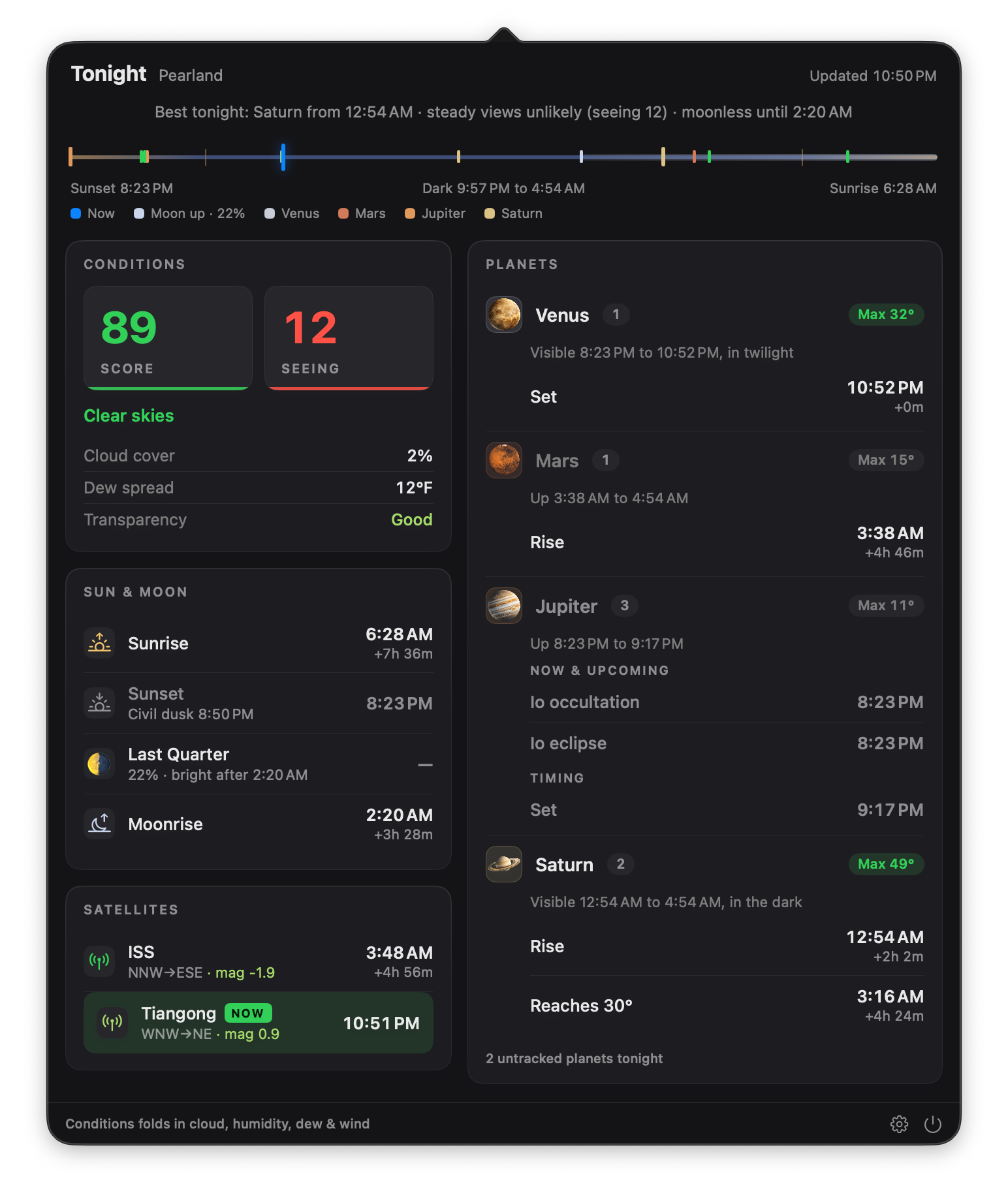
Transit is a new Mac-native menu bar app from Mac Observatory that answers one question: what's happening in tonight's sky, and do conditions favor seeing it? It watches for astronomical events like planetary oppositions, Jupiter's moon shadows, ISS passes, conjunctions, and lunar occultations, and it sends a macOS notification with enough lead time to actually get outside. No planetarium to launch, no menus to dig through. The sky comes to you.
Transit is available now on the Mac App Store, and I want to tell you why I built it.
This started as a Laminar feature
Transit began life as an add-on for Laminar, my planetary capture app. What I really wanted was for Laminar to tap you on the shoulder: there's a shadow transit on Jupiter tonight and the sky is clear, you might want to shoot this. Lead time is everything in planetary imaging. Knowing about an event after it happened is trivia. Knowing an hour before is a session.
But the deeper I got into feature exploration, the more obvious it became that this didn't fit inside a capture app. The event engine kept growing to cover Galilean moon events, Great Red Spot transits, conjunctions, satellite passes, and moon phase milestones, and none of it had anything to do with recording SER files. And then the second realization: this isn't just for imagers. A visual observer with a Dob and no camera wants exactly the same thing. So the feature became its own app, built for every Mac-using observer, whether there's a camera in your kit or not.
Lead time is the product
Every astronomy app can tell you what's up tonight, if you remember to ask. That's the problem. Planetarium apps are answer machines: superb when you have a question, silent when you don't. The events you miss aren't the ones you looked up. They're the ones you never knew to look for.
Transit inverts that. It runs quietly in your menu bar, computes tonight's events for your location, and uses the built-in macOS notification system to warn you ahead of time. You choose how much warning each event type gets: at the event, 15 minutes before, an hour before, or a full day before.
That hour option isn't arbitrary. If you image or observe through a telescope, you know the drill. Optics need time outside to acclimate to ambient temperature before they'll deliver steady views. A notification that arrives when the event starts is a notification you can't use. A notification an hour out means the scope is already on the patio, cooling down, by the time Io starts crossing Jupiter's limb.
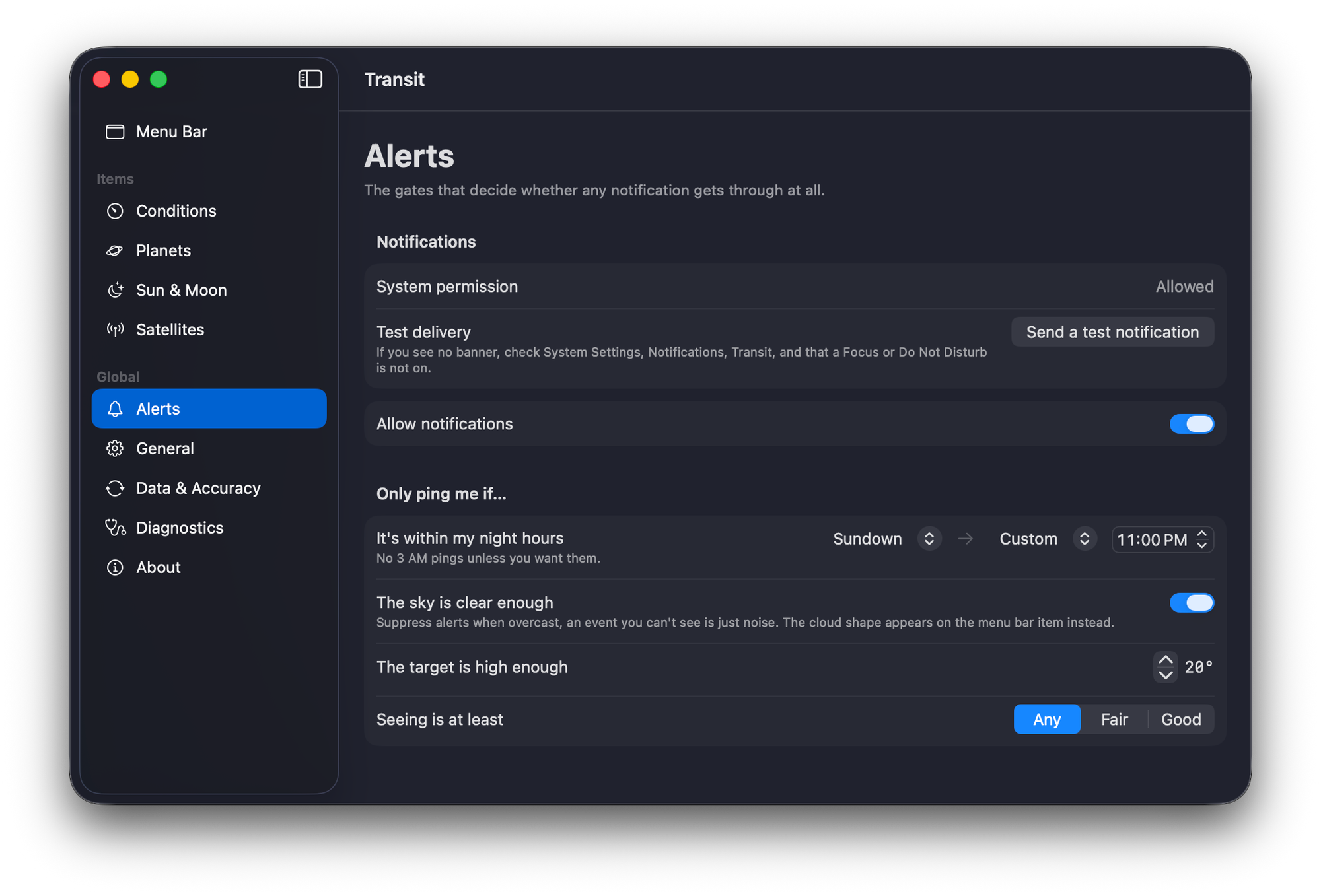
And Transit knows when not to bother you. Alerts are conditions-gated: if the sky is overcast, scheduled event alerts stay quiet. There's a night-hours window with both ends editable, so nothing pings you at 3 AM unless you've asked it to, and an altitude floor so you're not alerted to events happening below your tree line. The notifications themselves are written in plain language. You'll see "the Red Spot is coming into view," never "GRS CM transit 02:14 UT."
What's in 1.0
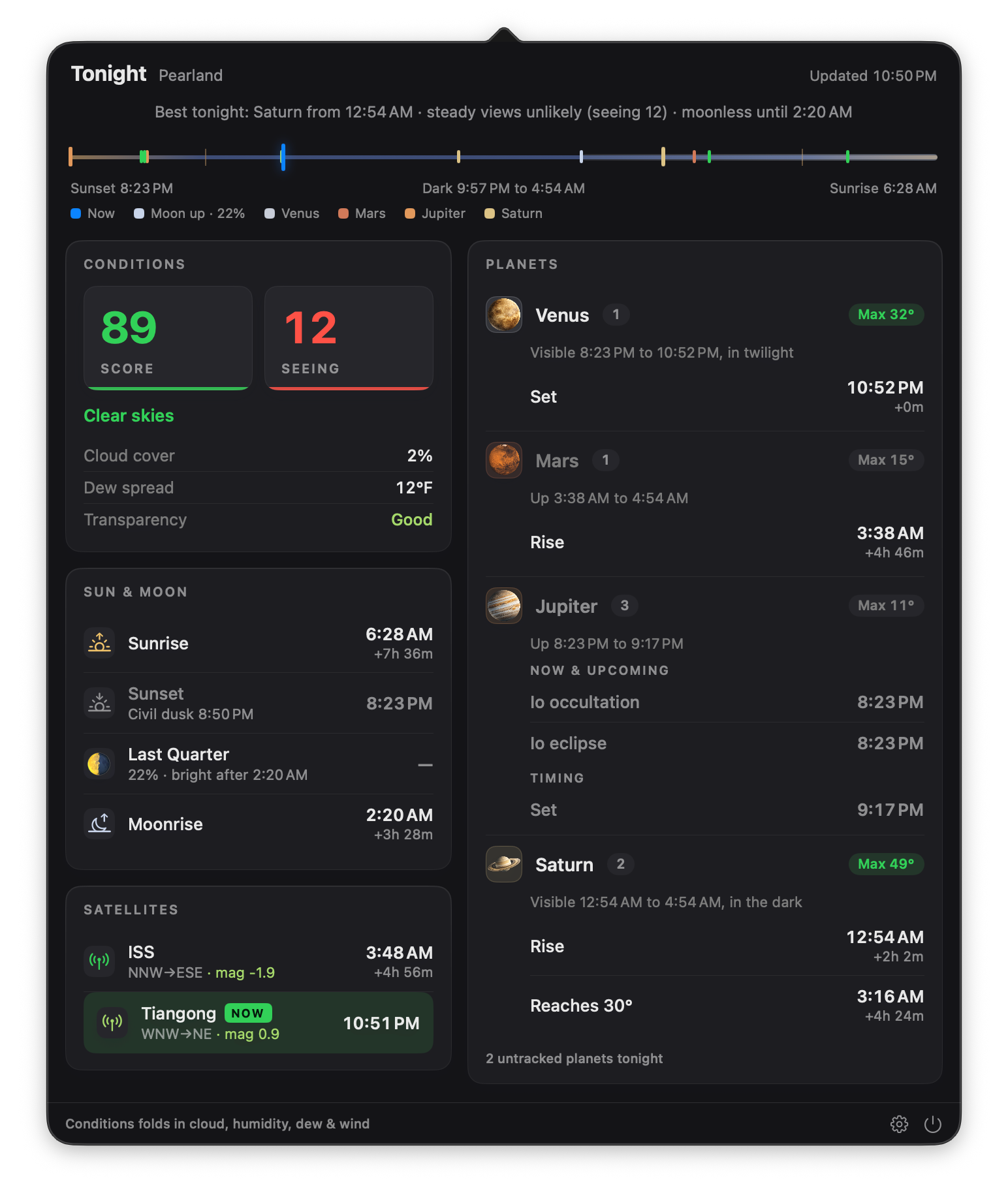
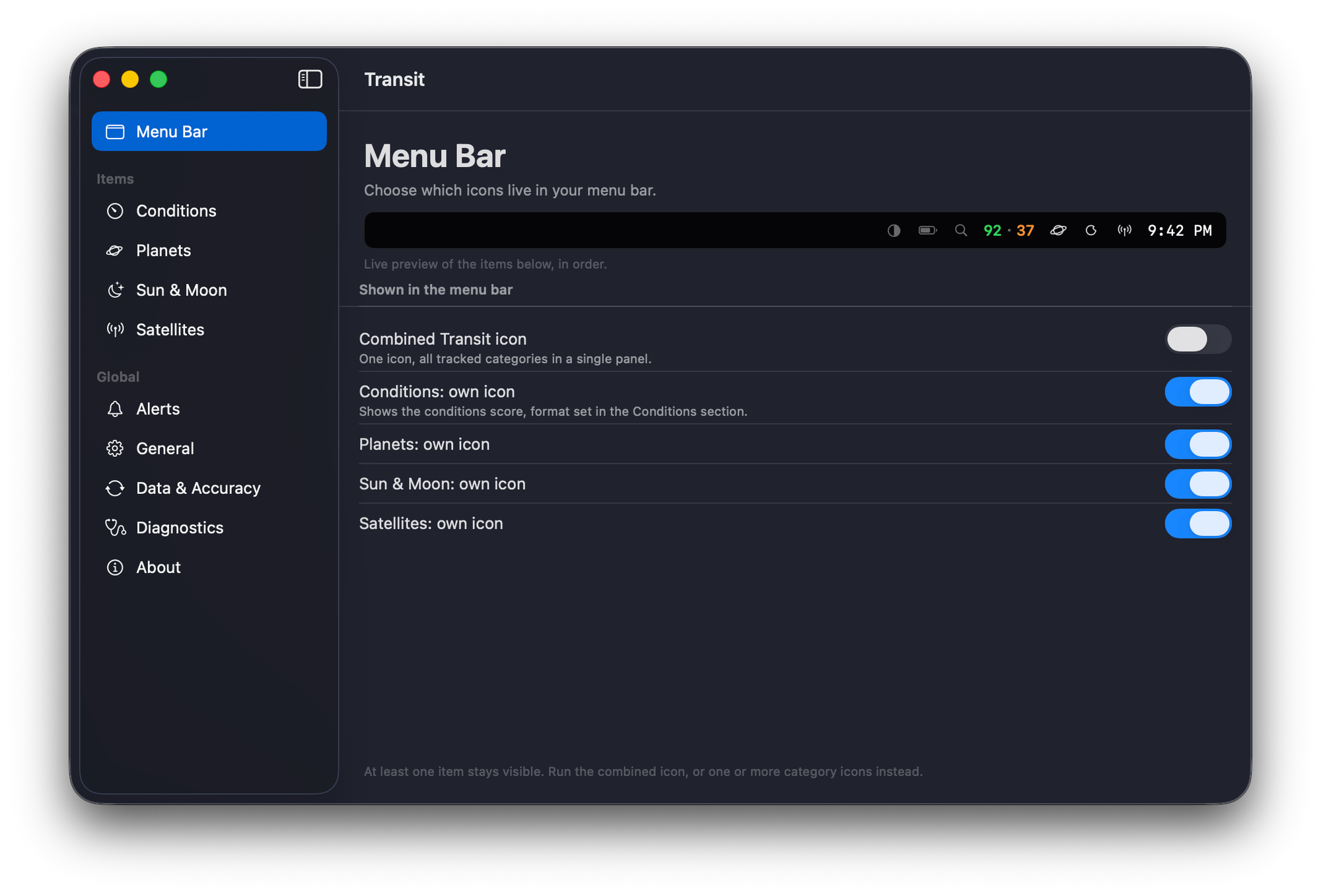
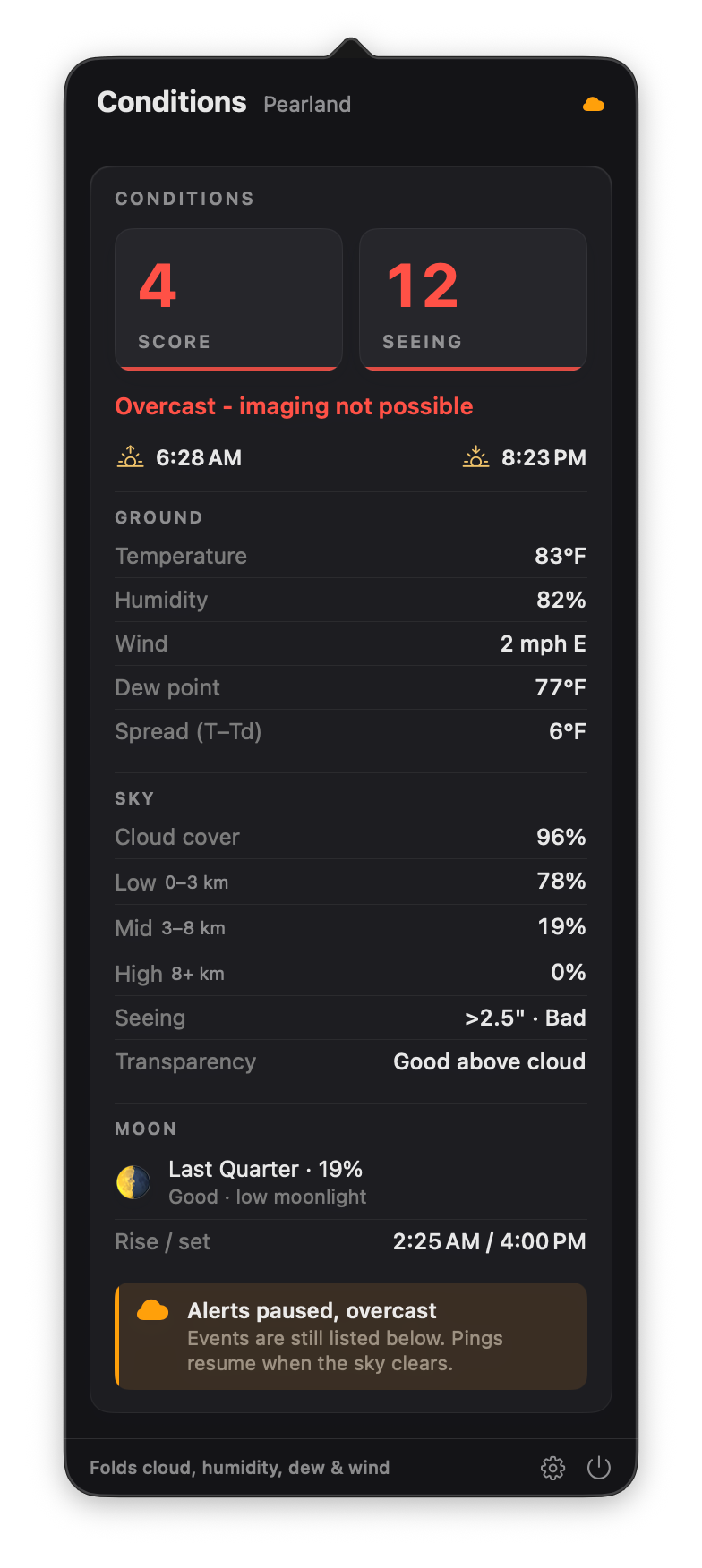
The panel leads with conditions, because "is tonight worth it?" is the first question. Transit synthesizes a conditions score from live weather data: cloud cover at three layers, humidity, dew point spread, and wind, alongside a separate seeing forecast, rendered as a plain verdict for the night. The score sits right in your menu bar if you want it there, and you can break the categories out into individual menu bar icons and panels if you'd rather see conditions, planets, and satellites each at a glance.
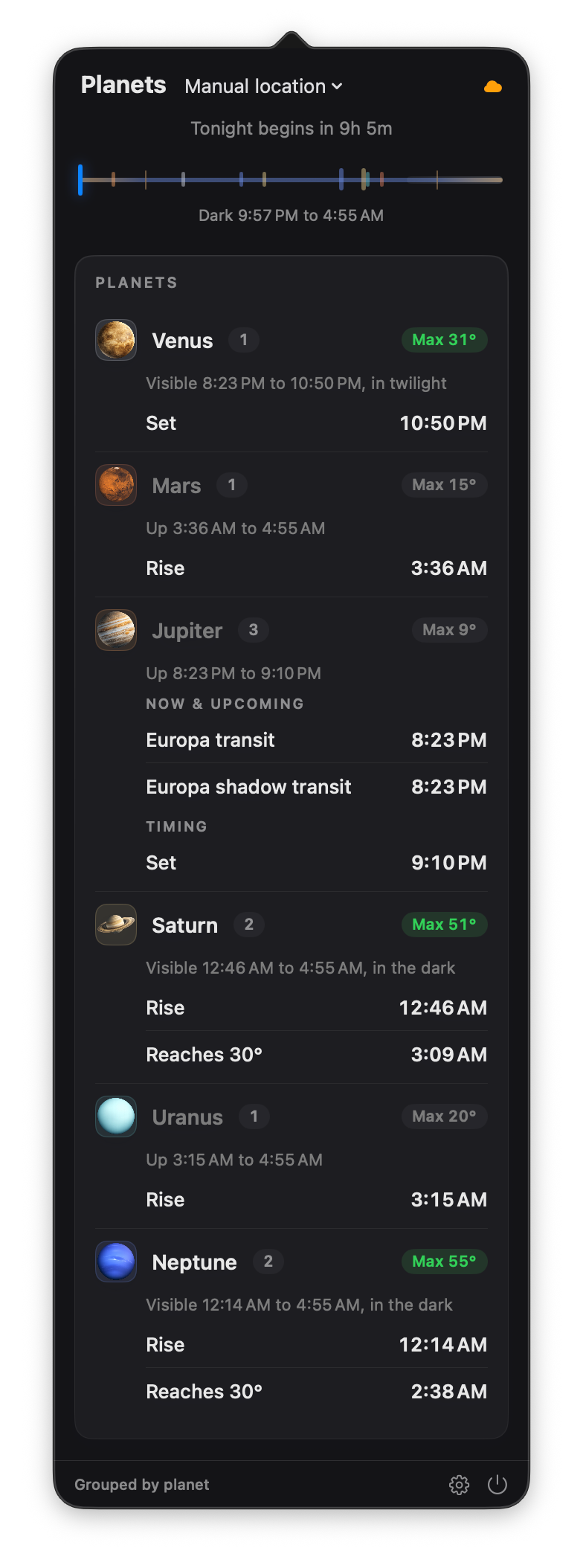
Below that, the events. Every planet gets rise, transit, and set times, current altitude, and its special events: oppositions, conjunctions, Galilean moon shadows and eclipses, Great Red Spot transits, lunar occultations. The Sun and Moon get their own card with phase milestones.
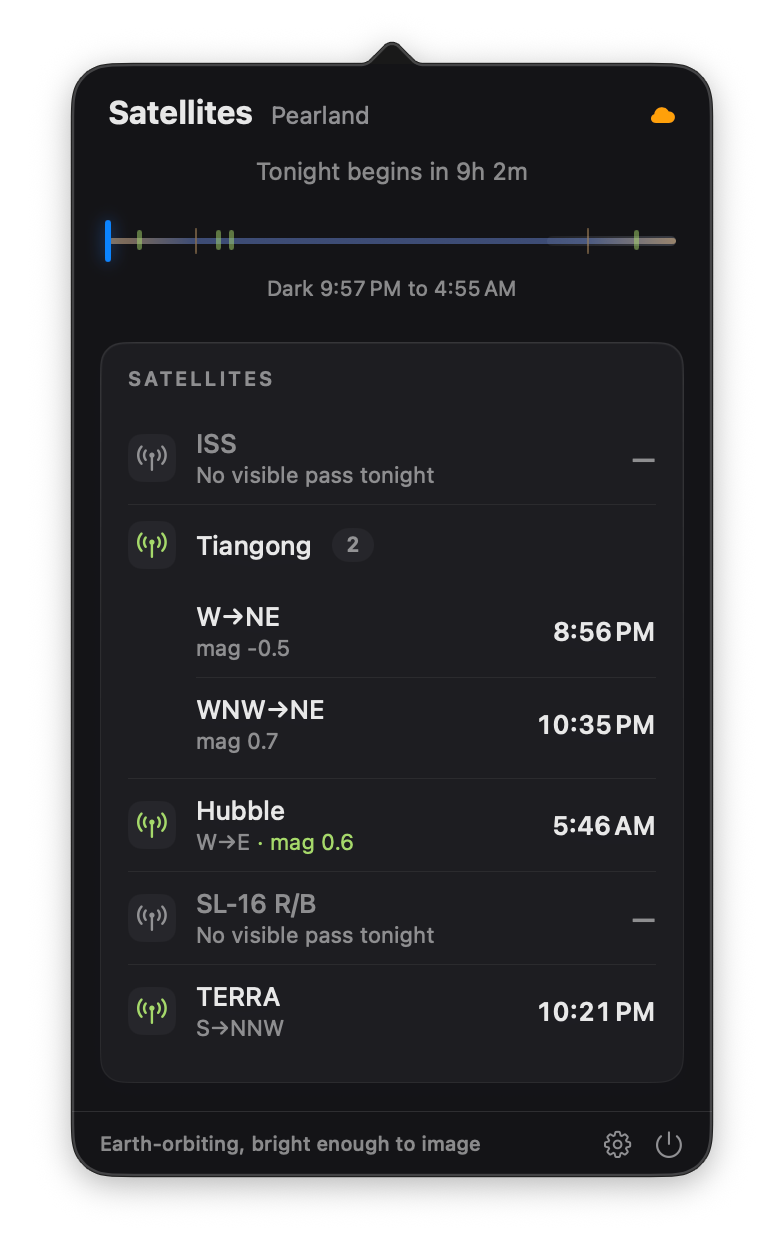
The Satellites section tracks visible passes for the ISS, Tiangong, and Hubble out of the box, and you can add any satellite from the CelesTrak catalog by NORAD number.
Two alerts work differently. They fire on state changes rather than schedules. "Conditions turn favorable" posts the moment the score crosses your threshold during night hours. "Good solar window" is the daytime version: the sky clears, and solar observers get a heads-up while the Sun is still up.
One more thing worth saying plainly: nearly everything is computed locally on your Mac. Rise and set times, altitudes, oppositions, Galilean events, occultations, all of it is calculated on-device. The app touches the network for exactly two things: weather forecasts and satellite orbital elements. No account. No tracking.
What's coming
Transit 1.0 is the foundation. In upcoming point releases I intend to add meteor shower notifications, a solar activity readout with daily active-region and flare-probability data direct from NOAA's Space Weather Prediction Center, aurora activity, and desktop widgets. The pattern stays the same throughout: things worth stepping outside for, delivered early enough to matter.
And the one I'm most excited about: Siri. When macOS 27 arrives with its new Siri AI, Transit will be ready for it as a headlining feature. Ask Siri "what can I image tonight?" and the answer comes from Transit. Your actual conditions, your actual sky, the app's real go/no-go verdict, not a generic weather readout. The whole premise of Transit is that the sky should come to you; having it answer out loud is the natural end of that thought.
If there's an event type you'd want Transit to watch for that I haven't mentioned, I genuinely want to hear it. Email me at support@macobservatory.com. The best feature requests so far have come from people describing the event they missed.
Siri support headlines the roadmap. When macOS 27 arrives, ask "what can I image tonight?" and get Transit's real verdict back. Also coming: meteor shower notifications, a daily solar activity readout with active regions and flare probabilities from NOAA's Space Weather Prediction Center, aurora activity alerts, and desktop widgets. Have an event type you'd want watched? Email support@macobservatory.com.
Get it
Transit is $9.99, one time. Not a subscription. You buy it, you own it. It requires macOS 15 or later and runs natively on Apple Silicon.
You can download Transit on the Mac App Store, read more on the Transit product page, or browse the full Mac astronomy software directory to see where it fits in the broader ecosystem. Clear skies. And this time, you'll know when they matter.