
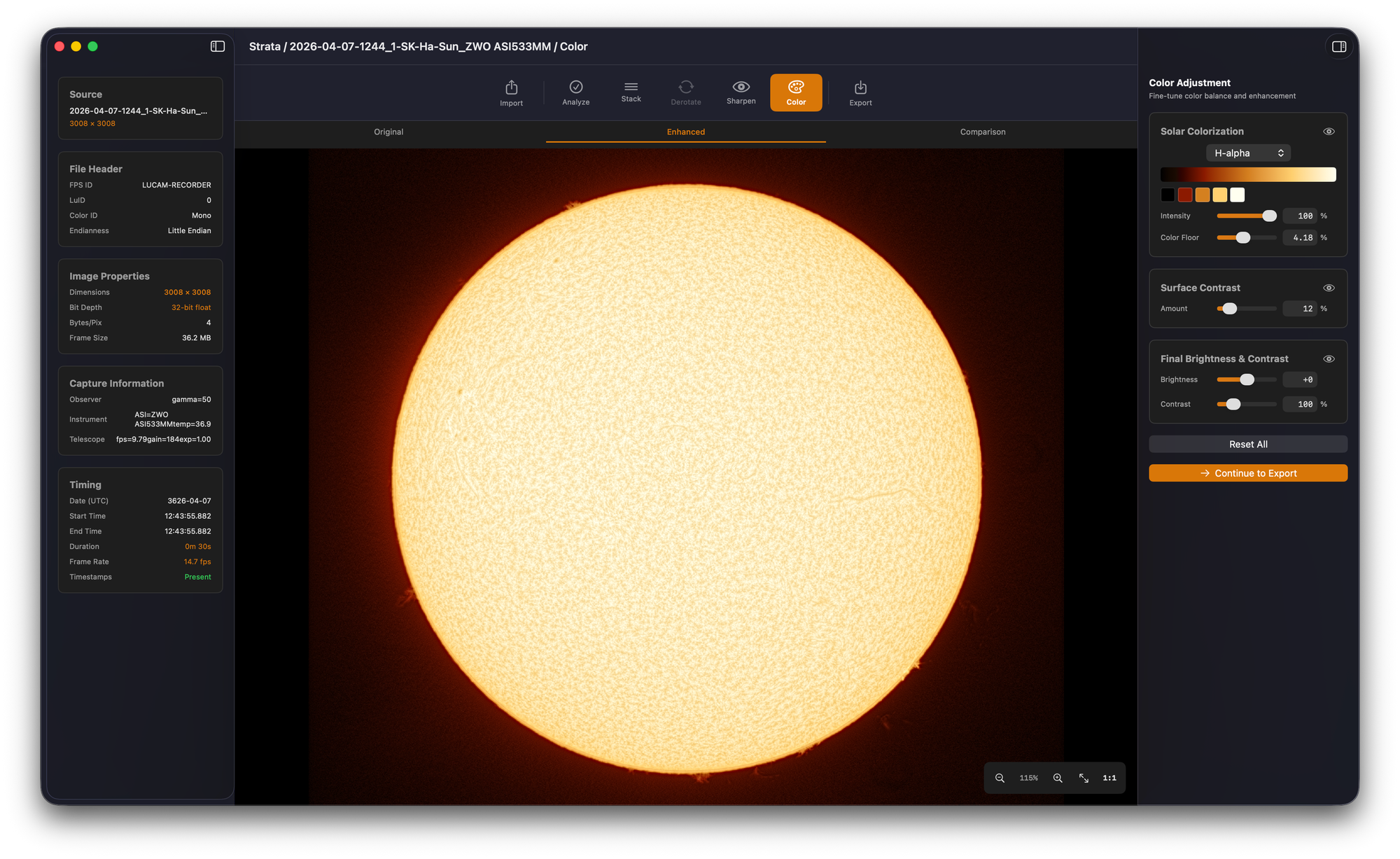
Build 14 of Strata, the Mac-native planetary and solar processor in the Mac Observatory Suite, is on TestFlight. The headline change is a complete rebuild of the solar processing controls, now labeled Solar Tone in the UI. The rest of the build is a reliability and cleanup pass: planetary safety nets that finally work under Deconvolution, Saturn-aware controls, stacks that fail honestly instead of producing bad output, and continuous progress reporting in Strata Warp.
Solar Tone: what I thought I needed, what I actually needed
When I first sat down to design Strata's solar processing, I had a mental model that turned out to be wrong. I assumed users would need manual disk masks to separate the bright solar disk from the empty sky, a Prominence Enhancement card to lift faint off-disc features, and a Color Floor to crush the dim background back down after enhancement lifted it.
I built all of those. They worked, mostly. But they also collected complaints: the Disk Mask was hard to auto-detect on partial disks, Prominence Enhancement and Color Floor had a narrow joint operating range, and the Color phase's prominence card sat awkwardly far from the Sharpen-phase mask that drove it. Beta testers, especially the solar imagers I rely on for honest feedback, kept finding ways to break the combination.
Once the underlying WOW Solar algorithm was finally working properly, I realized something simpler was possible. WOW Solar's whitening step lifts faint signal, which is exactly what we want for prominences. The problem was that it also lifted background noise. I had been treating that as a geometry problem, requiring a mask of the solar disk, when it was really a brightness problem. Signal lives above the noise floor. Noise lives below it. A luminance-derived attenuation, built directly into the whitening step, handles the tradeoff without any user-painted geometry.
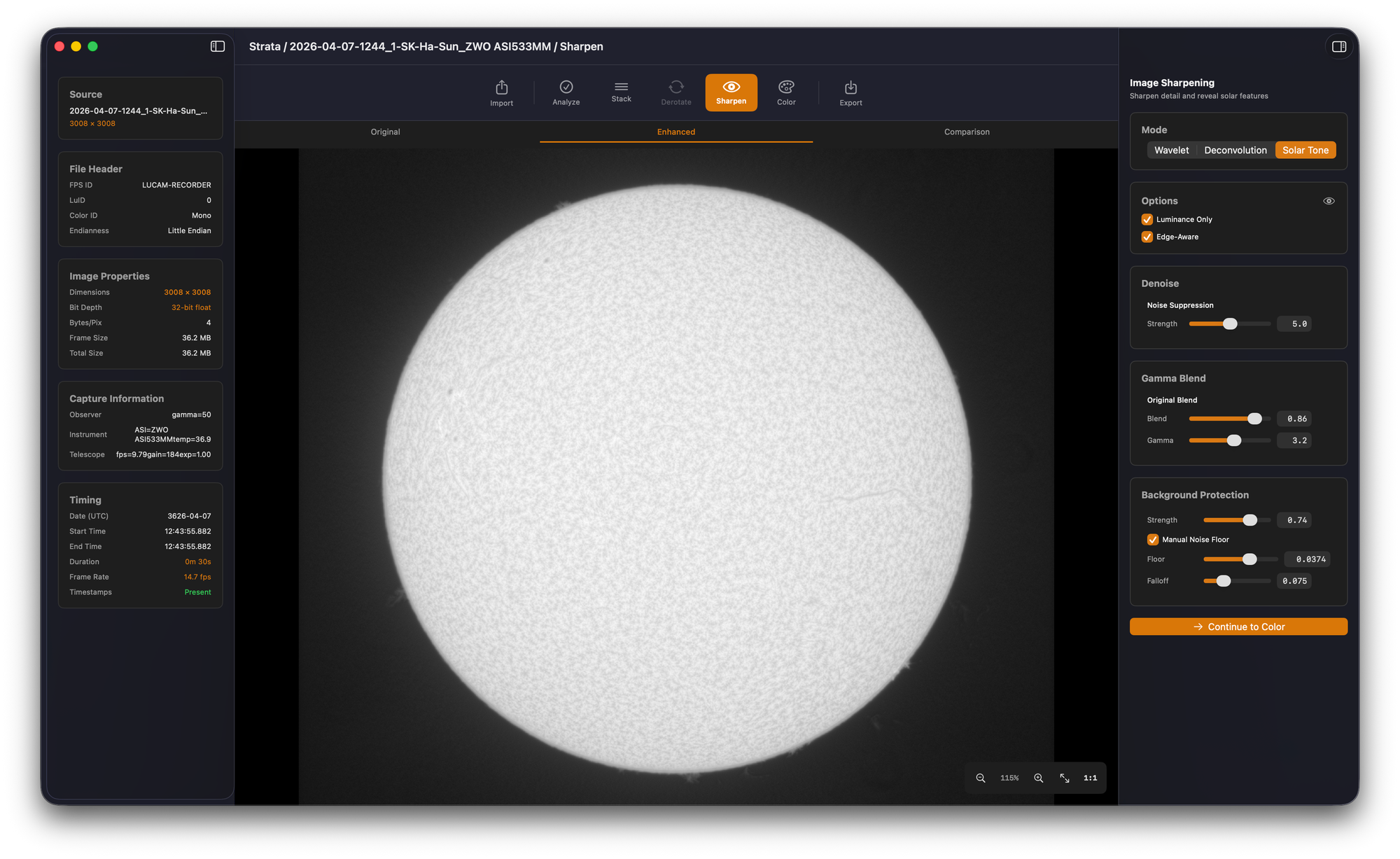
In Build 14, that's what Solar Tone is. The Sharpen phase is now additive: enable Wavelet (or Deconvolution) to bring out detail lost to seeing, then enable Solar Tone to lift faint features off the limb and equalize brightness across the entire disc. The processing order is fixed, Detail first then Solar Tone, so the tone-mapping pass operates on a sharpened image rather than a soft one. Inside the Solar Tone card, Background Protection takes three sliders: Strength, Noise Floor, and Falloff. The legacy Disk Mask is gone from the UI and from the underlying processor code. The Color phase's Prominence Enhancement card is gone too. Surface Contrast and prominence handling now run full-frame for solar.
The shorter version: I designed too much surface area before I understood the algorithm I was wrapping. The new controls reflect what the algorithm actually needs from the user, not what I thought the user would need to compensate for the algorithm.
Planetary and lunar fixes
Sky Attenuation and Limb Protection are safety nets for over-sharpening, not solutions to an inherent planetary problem. Sharpening works by enhancing edge contrast, and the largest edge in a planetary capture is the limb between the bright disc and the dark sky. Push a wavelet too hard and that edge exaggerates, leaving a dark halo just outside the planet. The right answer is to dial the sharpening back. These controls let you recover when you've already over-cooked an image. Before Build 14 they only worked under Wavelet and silently did nothing under Deconvolution. That's fixed, and Sky Attenuation now uses a visible Gaussian smoothing post-pass so the slider has observable effect on planetary captures.
Saturn gets a more specific fix. When Limb Protection is engaged, it applies a circular band around the planet limb. That works for Jupiter and Mars but cuts straight through Saturn's rings. Build 14 hides the option entirely when the imaging target is Saturn.
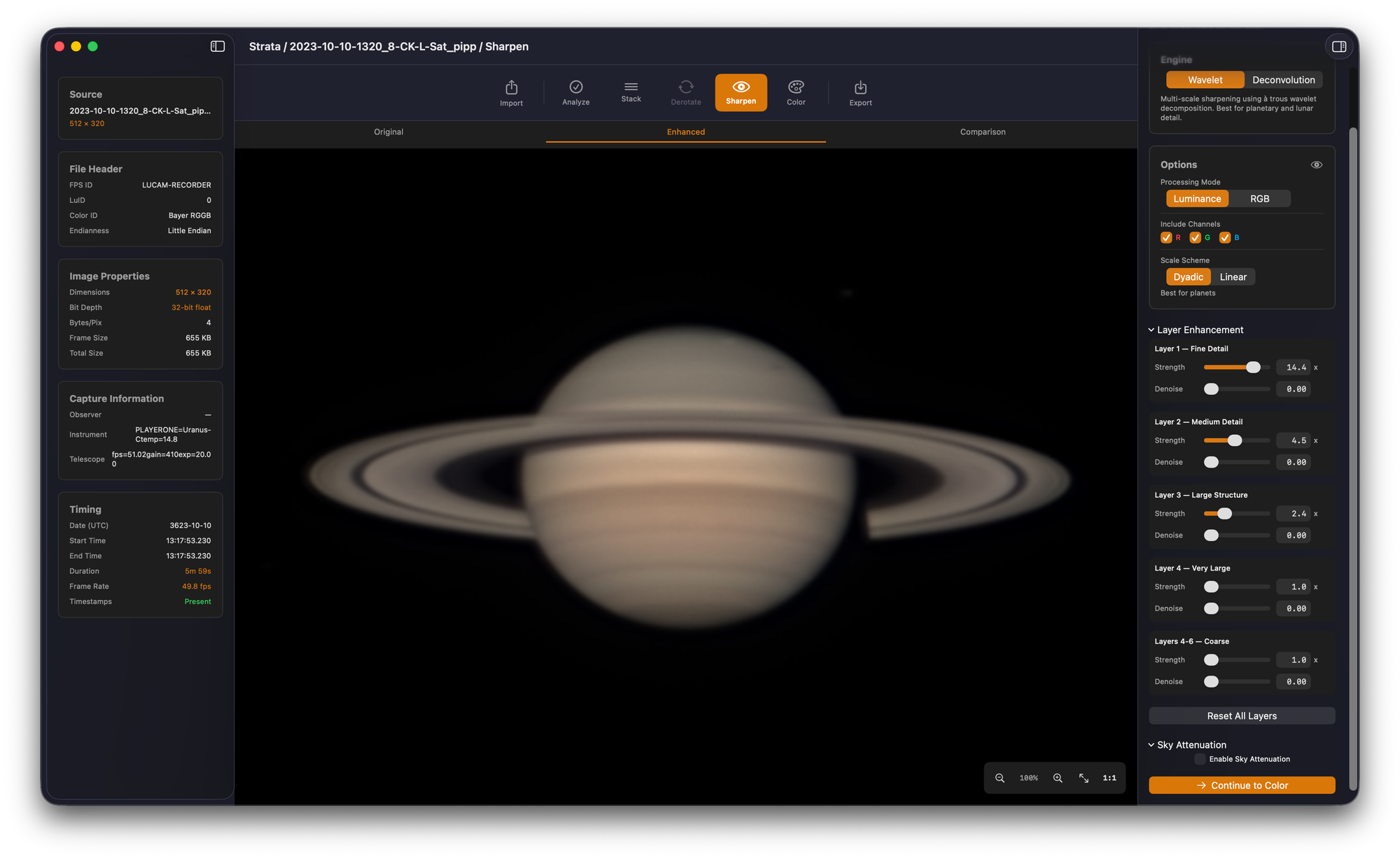
The Color phase also stops showing controls that a mono lunar capture can't use. Channel Alignment, Color Balance, Saturation/Vibrance, and Lunar Mineral Enhancement are hidden when the input is grayscale. Before Build 14 the controls were visible and disabled, which made the phase look like it offered adjustments that did nothing.
Stacks that fail honestly
Every stack-phase overlay, Reference, Stack Alignment, Stacking, and AP Grid, now supports Cancel and Escape. Cancelling tears down all background work cleanly and a subsequent Stack click starts fresh. That sounds small until you have a 30-minute capture queued up and realize you set the wrong frame range.
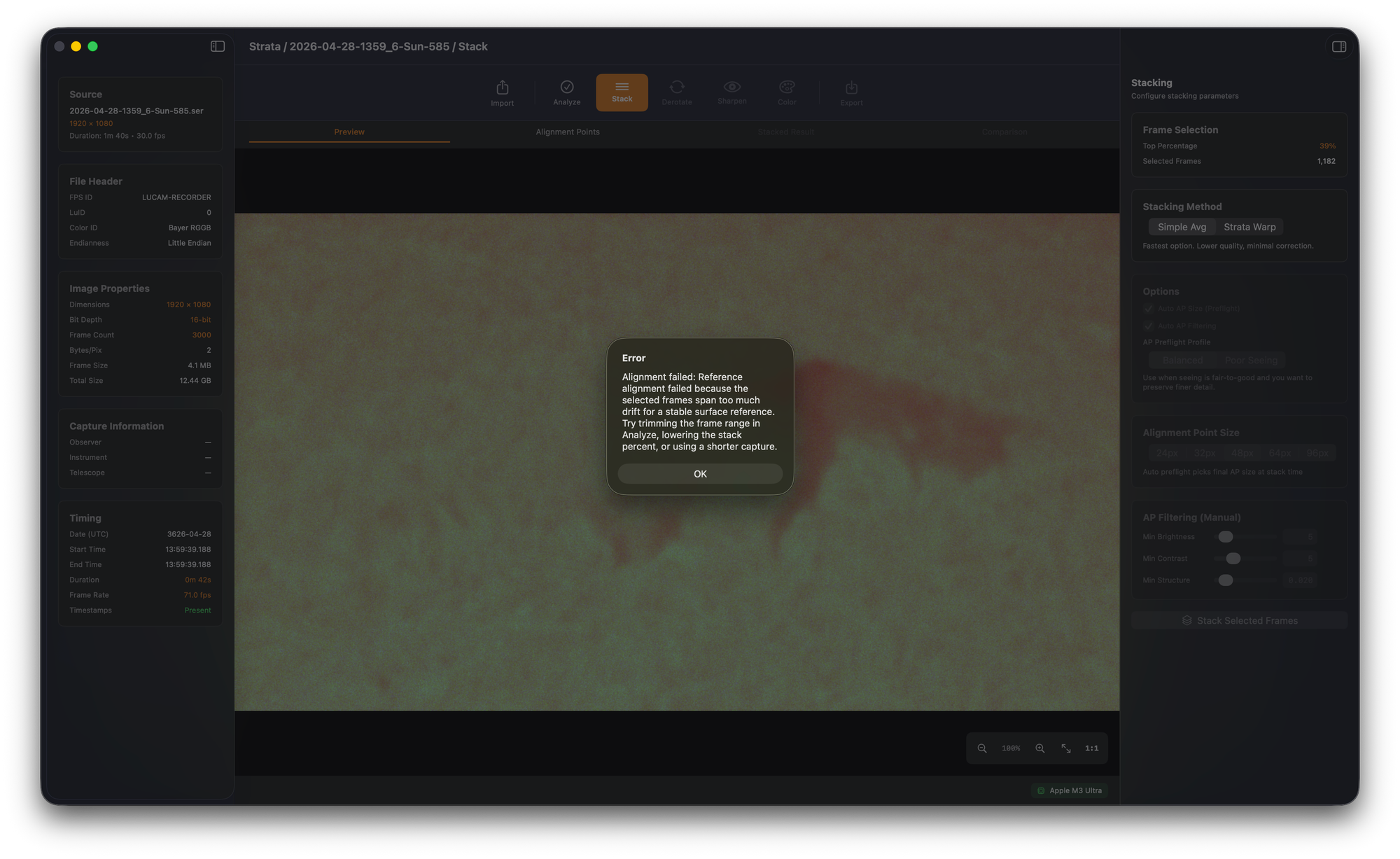
The bigger change is that catastrophic alignment now fails fast instead of publishing a bad stack. If zero frames align, or fewer than ten percent of twenty-plus frames align, Strata refuses to publish the result and tells you to trim the frame range or use a shorter capture. Strata Warp local-shift failures get an actionable error with median displacement, P90, and invalid fraction instead of the previous generic "all frames failed to read during stacking" message.
Strata Warp shows what it's doing, plus the smaller polish
Strata Warp now has continuous progress across reference prep, frame alignment, and patch stacking. The previously frozen-looking Phase 2 stage, which took about two minutes on a typical Jupiter session, now shows an "Aligning frames for Strata Warp" overlay that advances per-frame.
The rest of Build 14 is the kind of polish that beta testers kept flagging. About > Documentation opens the bundled Strata Help Book instead of a 404. Import hides Supported Formats once a source is loaded and adds Clear All to Recent Files. The AP grid regenerates correctly when you toggle Auto AP Size or AP Preflight Profile. Deconvolution Brightness/Contrast has been retired in favor of Final Brightness & Contrast in the Color phase, so there's one authoritative place to make final tonal adjustments. Phase navigation and the Sharpen and Export canvas tabs stay clickable while the image is zoomed.
Three walkthroughs to watch
A few beta testers have asked me how batch processing, derotation, and the new Solar Tone are meant to be used in practice. The help book covers all three, but some workflows are easier to understand by watching them than by reading them. I recorded short walkthroughs for each.
Process one representative capture end-to-end, save a full-pipeline profile from Export, then drop up to ten similar captures and let Strata run the lot unattended.
Combine multiple already-stacked Jupiter, Saturn, or Mars captures into a single deeper image. Includes the new Imaging Target picker and the time-span limits per planet.
The rebuilt Solar Tone in practice. How to combine Wavelet sharpening with Solar Tone for a complete solar pass, plus Background Protection tuning for H-alpha, Ca-K, and white light.
Still cooking for the next build
Build 14 is a real release, but it's not the end of the work in either of these directions.
Solar Tone performance on large files. A 3008 by 3008 mono H-alpha stack, which is only about 9 megapixels, takes long enough between slider moves that it's hard to tune Solar Tone interactively. The warm path is dominated by CPU-side post-GPU work, not the GPU kernel itself, so the fix is a focused performance pass on buffer handling and the preview path. It's queued for the next build.
Drift on large solar captures. Sun and Moon captures that span more drift than any single reference can cover, roughly anything beyond 200 to 300 pixels of total drift, still defeat the current alignment search. Build 14 fails fast with a clear message rather than producing a bad stack, which is the right behavior, but it's not the destination. Donald's drifting Sun captures are the test case I'm working against for the proper recovery path.
Still on the list
These are feature requests that have been logged. They're not promises. Strata is heading toward a v1.0 release, and getting there means being selective. The goal is to do the planetary and solar pipeline well, hand off a clean result, and let you finish in whatever post-processing tool you prefer. Strata isn't trying to be Photoshop, Affinity Photo, or Pixelmator Pro. There are excellent applications that do that work well already, and I have no desire to recreate them inside Strata.
What lands in v1.0 versus what gets reconsidered for v2.0 will come down to which requests feel essential to the core pipeline versus which feel like extensions of it. Some of these will be cut to get v1.0 out the door. The loudest gaps after launch will help shape v2.0.
- Mono RGB channel combination and FITS import. For planetary imagers running mono cameras with filter wheels. A design document exists. Feels essential to the pipeline rather than an extension of it.
- Levels and possibly a histogram in the Color phase. A clean, focused tonal control fits Strata's scope. Full curves don't. That's territory where Photoshop and the dedicated post-processing tools genuinely do the job better.
- Center and crop on stacked output. AutoStakkert-style auto-centering for planetary targets, skipped for solar and lunar surface targets. On the consideration list.
- Manual alignment point placement. Useful when the auto grid misses a specific surface feature you want tracked. On the watch list.
- Crop and ROI tool. For trimming loosely-framed captures down to the planet. Still being scoped.
- Watched folder batch processing. Sven Kohle's overnight solar use case. The pipeline foundation shipped earlier; unattended folder watching is explicitly held for v2.
- RegiStax-style cascading unsharp mask wavelets. I want to compare Strata's existing wavelet implementation against the cascading approach before deciding whether this is a real gap or just a familiarity difference.
- Sharpen inspector status on compact displays. Small UX fix, due for the next polish pass.
If you've sent feedback that isn't reflected above, it's almost certainly logged. The items that ship in any given build are the ones whose design is ready. The items that get re-prioritized for v2.0 will be the ones users keep flagging as they actually live with v1.0.