
Professional planetary stacking and sharpening for macOS. From SER capture to publication-ready image — in one app.
Requires macOS 14 or newer, Apple Silicon, and Metal GPU.
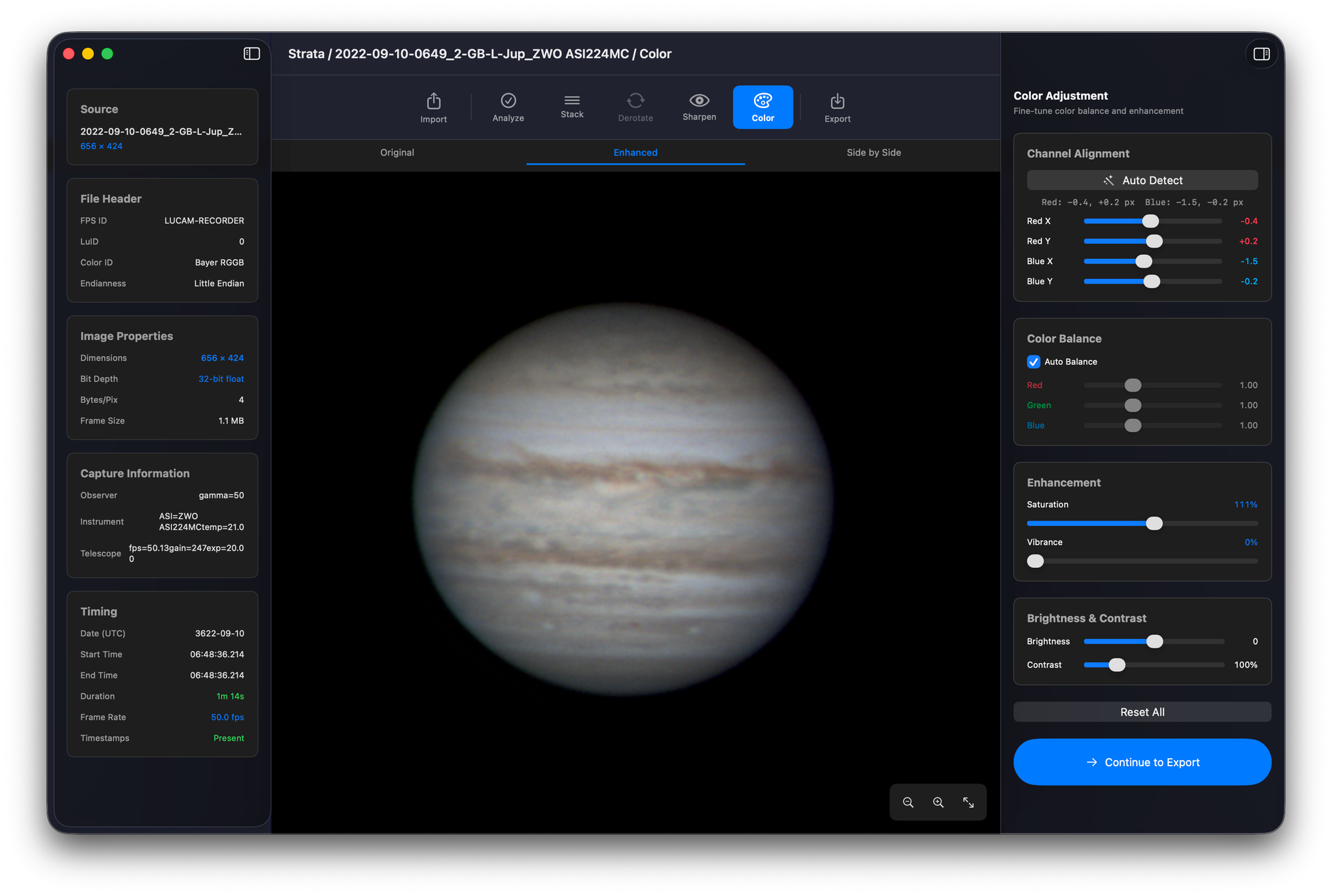
Planetary imaging on Mac shouldn't require a Windows partition.
For years, processing planetary images on the Mac meant bouncing between AutoStakkert for stacking, RegiStax for sharpening, and PIPP for pre-processing — all Windows-only, all running through emulators or a separate machine. Each tool saved to disk, each handoff lost context, and none of them could tap into Apple Silicon's GPU.
Strata replaces the entire chain. One native macOS app handles import, quality analysis, stacking, derotation, sharpening, color science, and export — all GPU-accelerated through Metal, all in a single window. No Wine, no Parallels, no folder diving between tools.
Guided Workflow
Seven phases. One window.
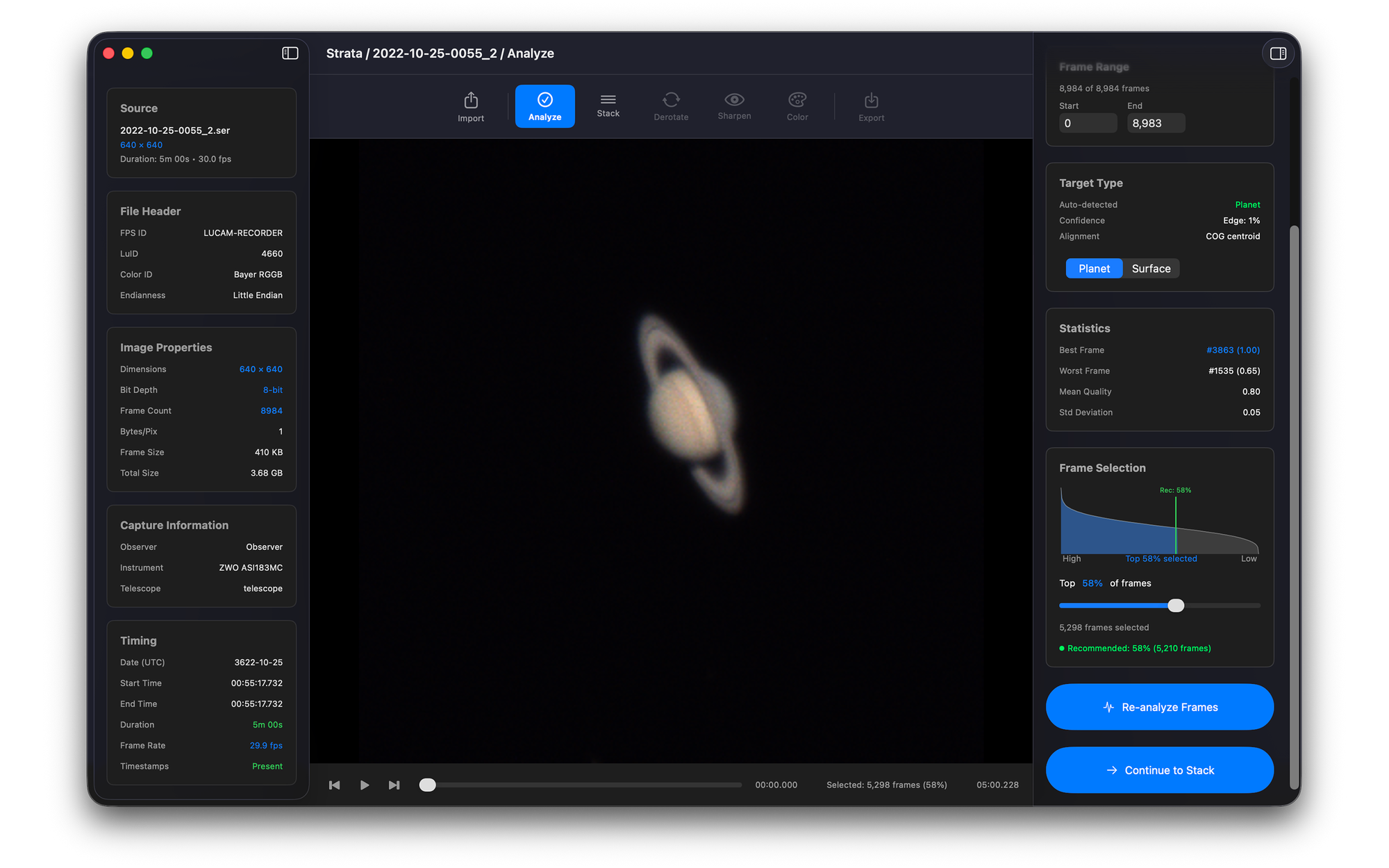
Strata guides you from raw capture to finished image through a logical pipeline — but lets you navigate freely or skip ahead at any point.
Navigate freely between phases — jump to any step with Cmd+1 through Cmd+7. Already have a stacked image? Drop a TIFF or PNG to skip straight to Sharpen.
Metal GPU Acceleration
Built for Apple Silicon from day one.
Every compute-heavy operation runs on the GPU through Metal. Unified memory means your frames never copy between CPU and GPU — zero bottleneck, maximum throughput.
1,500 fps
Quality Analysis
93×
Stacking vs CPU
~30ms
Wavelet Sharpening
26–93×
GPU Speedup Range
Benchmarks — Apple M1
| Operation | GPU (Metal) | CPU | Speedup |
|---|---|---|---|
| Quality Analysis (10,000 frames) | 1,500 fps | ~60 fps | 25× |
| Simple Average Stack (2,000 frames) | 0.4s | ~37s | 93× |
| Multi-Point Stack (2,000 frames) | 4.2s | ~189s | 45× |
| Wavelet Sharpen | ~30ms | ~800ms | 27× |
| WOW Solar | ~40ms | ~1.5s | 38× |
| Wiener Deconvolution | ~55ms | ~5s | ~90× |
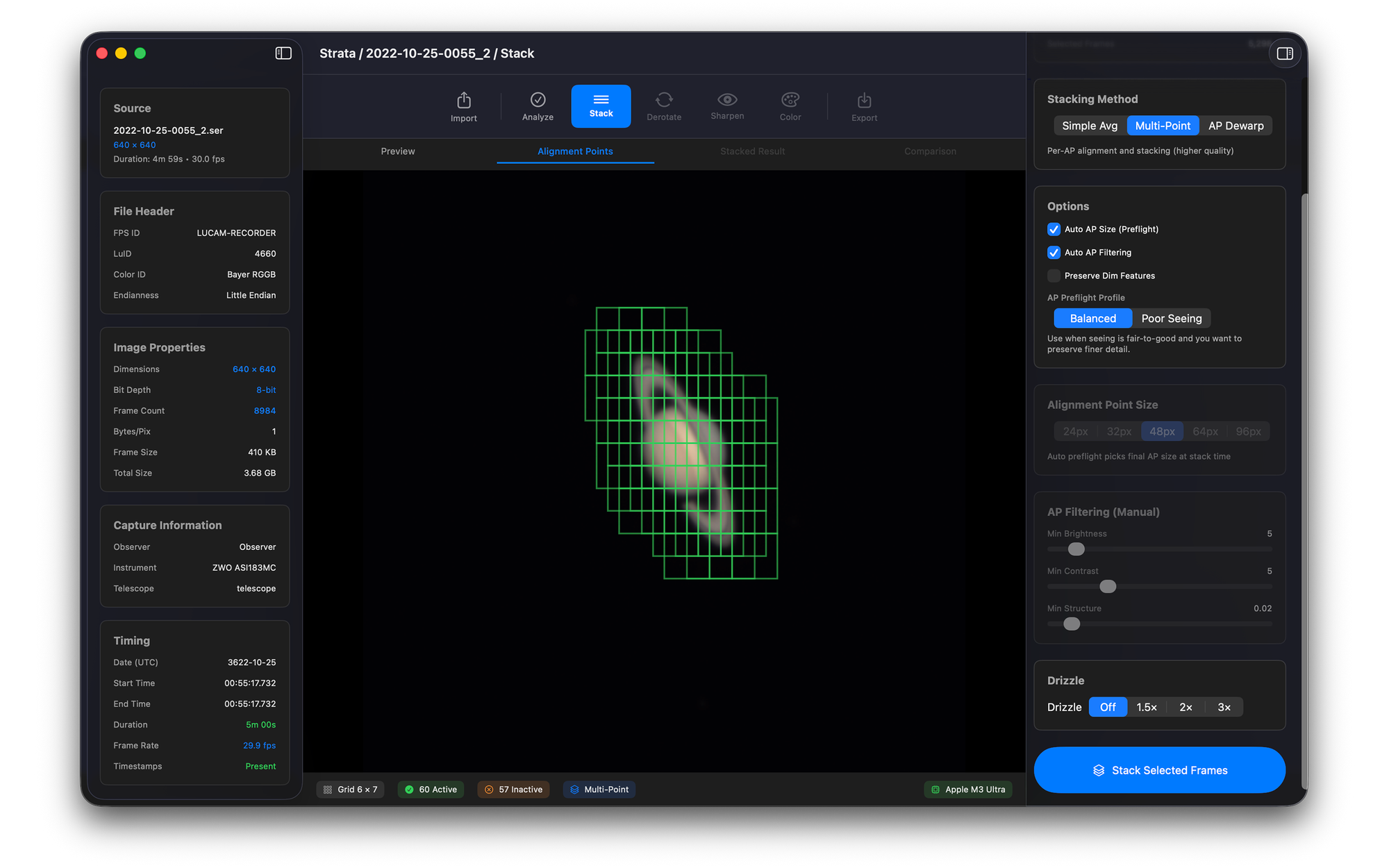
Stacking Engine
Three methods. One GPU pipeline.
Choose the right stacking method for your target and conditions. All three run entirely on the GPU.
Simple Average
Aligns and averages your best frames in one pass. Blazing fast for quick previews and initial assessment — the fastest path from capture to stacked result.
Multi-Point
NCC cross-correlation with sub-pixel registration across multiple alignment points. The best balance of quality and speed for final results.
AP-Dewarp
Alignment-point dewarping that independently aligns each region of the frame. Maximum detail with zero interpolation blur.
Drizzle Super-Resolution — All three stacking methods support optional 1.5×, 2×, or 3× drizzle upsampling, using sub-pixel offsets between frames to produce a higher-resolution result than any single frame.
Sharpening
Three engines. Real-time GPU preview.
Adjust sliders and see the result instantly. Every sharpening engine runs entirely on the GPU through Metal compute shaders.
Wavelet Sharpen
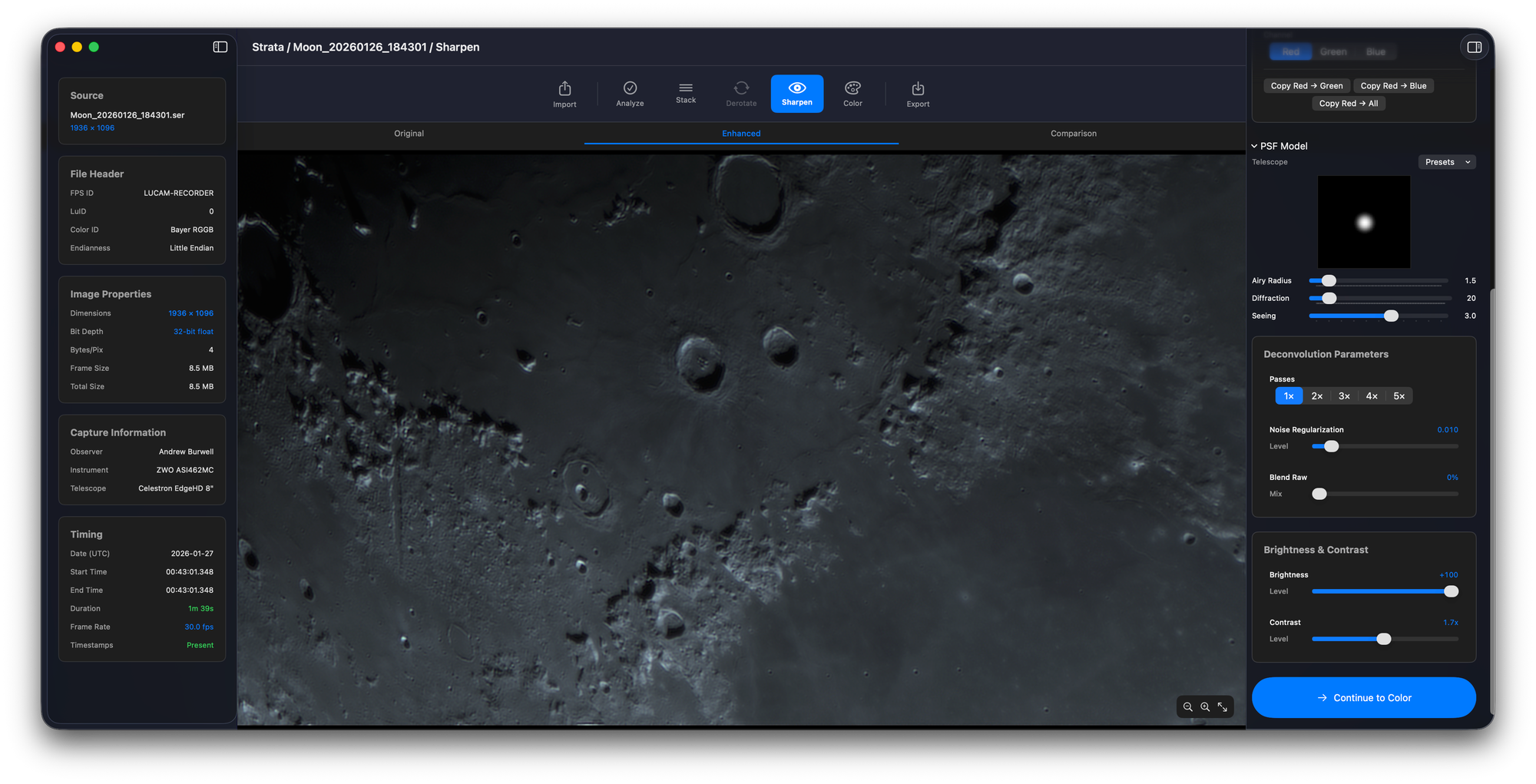
6-layer wavelet decomposition with per-layer sharpen and denoise controls. Process in luminance mode or per-channel R/G/B for independent color control.
Wiener Deconvolution
Physics-based deconvolution using a synthetic Airy disk PSF modeled from your aperture, focal length, and pixel size. Includes telescope presets and multi-pass support.
WOW Solar
Purpose-built for solar disk detail. Enhances granulation, sunspots, and surface texture without amplifying limb artifacts.
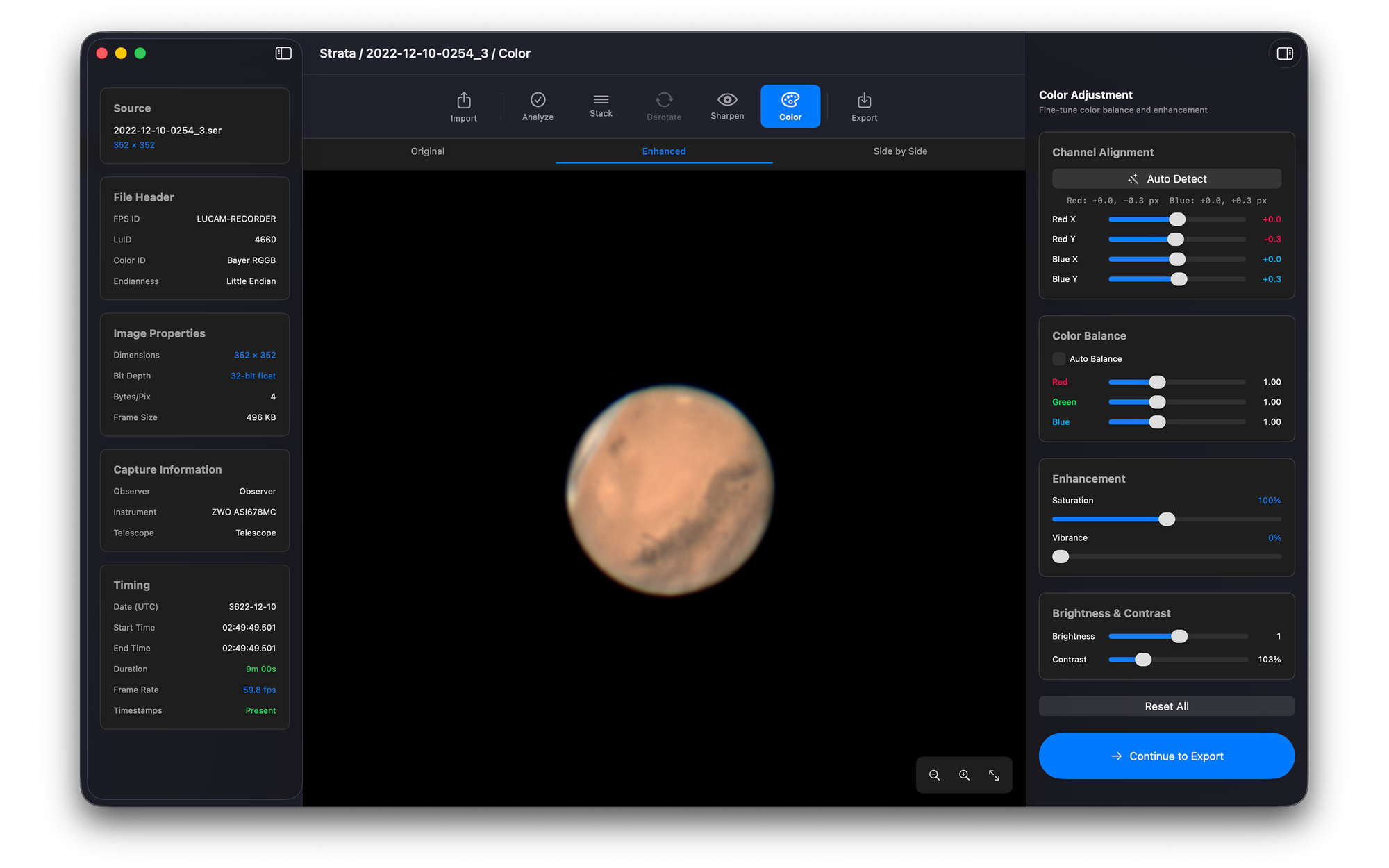
Color Science
From raw data to natural color.
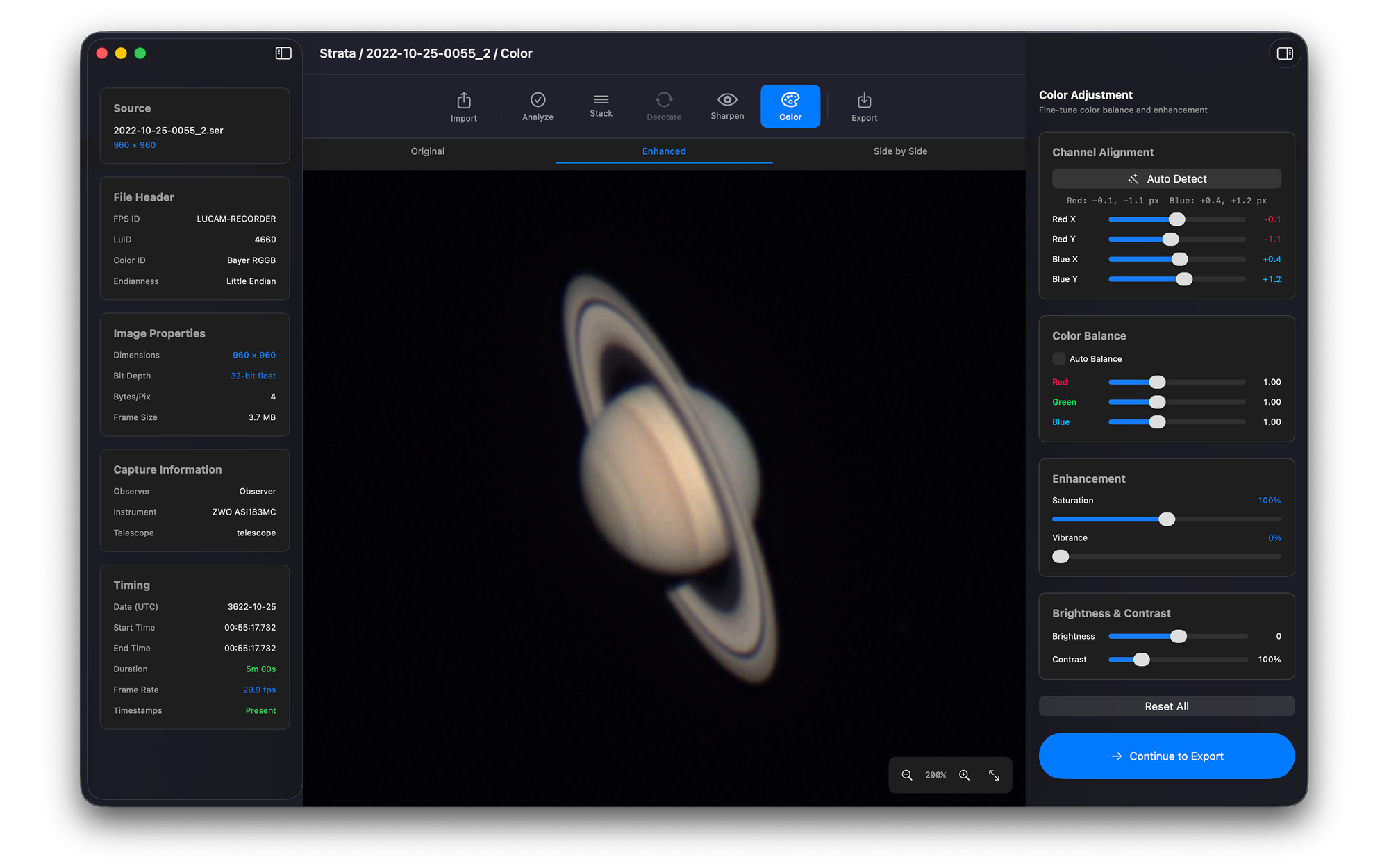
Software ADC
GPU-accelerated auto-detect aligns R/G/B channels via cross-correlation, then populates manual sliders for fine-tuning. Corrects atmospheric dispersion without a hardware ADC prism.
Auto Color Balance
One-click white balance that analyzes your stacked result and corrects color cast automatically. Fine-tune manually if needed.
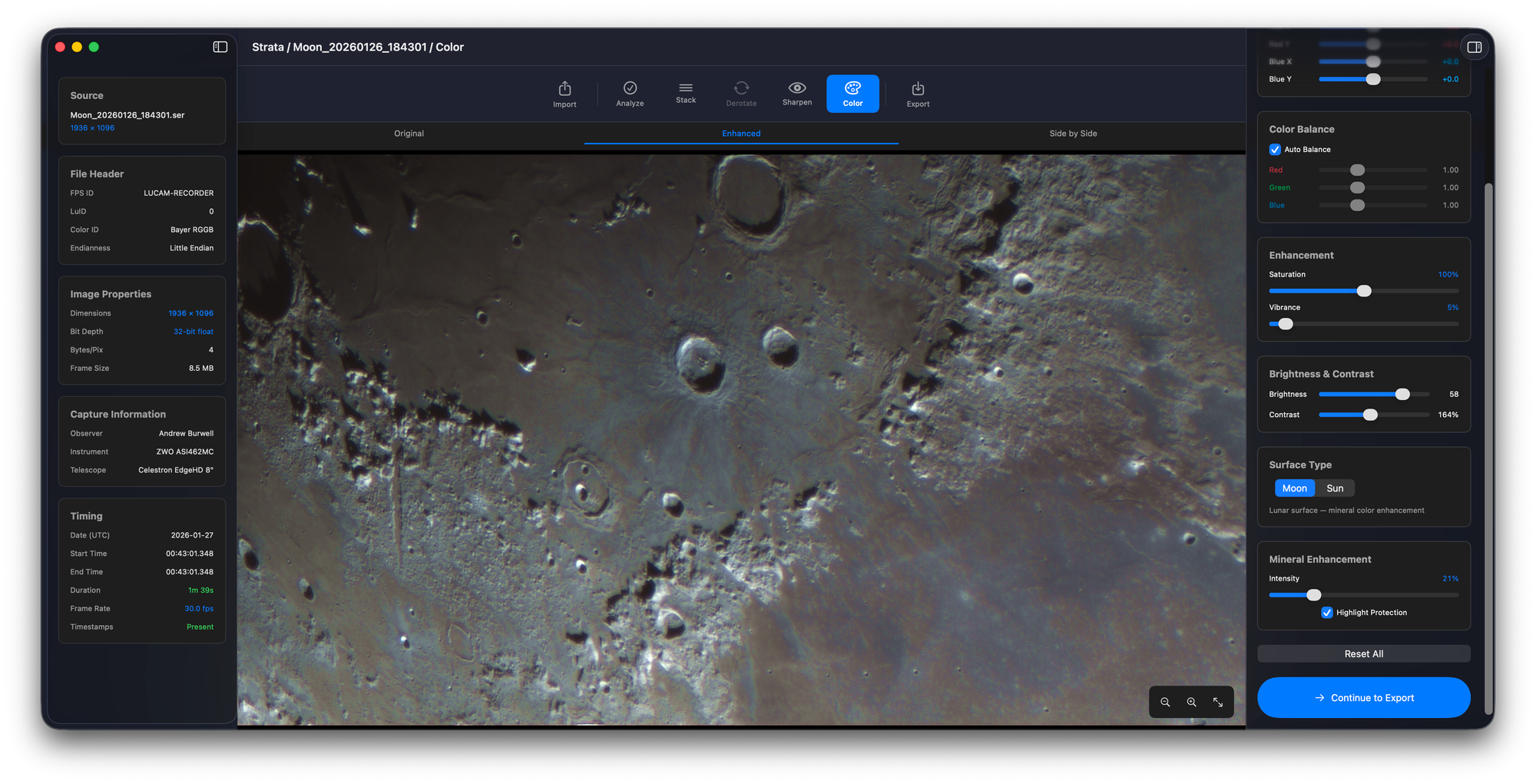
Mineral Moon
Lunar mineralogy enhancement that reveals subtle color differences in the lunar surface — titanium-rich blues, iron-rich oranges.
Solar Enhancement
Specialized solar curves that bring out surface detail in white-light, calcium, and hydrogen-alpha captures.
Additional Features
Everything else you need.
Quality Analysis
GPU-scored frame ranking at 1,500 fps. Automatically selects the sharpest frames for stacking.
Target Detection
Auto-locates the planetary disk in your frames for automatic cropping and alignment.
AP Grid Overlay
Visual alignment point grid over your stacked image. See exactly where multi-point and dewarp APs are placed.
Multi-Image Derotation
Corrects planetary rotation between separate captures for combining data across longer sessions.
Split Comparison
Before/after split view for sharpening. Drag the divider to compare your original stack with the sharpened result.
Color Adjustment
Saturation, brightness, gamma, and per-channel RGB curves for fine-tuning your final color output.
Processing Profiles
8 built-in target profiles with auto-detection from filename. Save custom profiles and apply your Jupiter settings to tonight's capture with one click.
Multi-File Sessions
Load multiple SER files into a single session for derotation and combined stacking across captures.
Zoom to 8x
Inspect your result at pixel level. Essential for evaluating sharpening artifacts and fine detail recovery.
Batch Processing
Point Strata at a folder of stacked images and run your sharpen, color, and export pipeline across all of them in one pass.
Compatibility
Input Formats
- SER
- TIFF (8/16-bit)
- PNG
Output Formats
- TIFF (8/16-bit)
- PNG
- FITS
- JPEG
Requirements
- macOS 14 Sonoma or later
- Apple Silicon (M1+)
- Metal GPU
Pricing
No subscriptions. Ever.
Buy once, own it forever. Free sharpening tier included.
Strata Sharpen
$0
Free forever
- ✓ TIFF / PNG import
- ✓ Wavelet Sharpen
- ✓ Wiener Deconvolution
- ✓ WOW Solar
- ✓ Real-time GPU preview
- ✓ Split comparison
- ✓ Color balance
- ✓ TIFF / PNG / JPEG export
Strata Full
$34.99
One-time purchase
Everything in Sharpen, plus:
- ✓ SER video import
- ✓ Quality analysis (1,500 fps)
- ✓ Simple Average stacking
- ✓ Multi-Point stacking
- ✓ AP-Dewarp stacking
- ✓ Drizzle super-resolution (1.5×/2×/3×)
- ✓ Per-channel R/G/B sharpening
- ✓ Multi-image derotation
- ✓ Processing profiles with auto-detection
- ✓ Batch folder processing
- ✓ Software ADC
- ✓ Mineral Moon enhancement
- ✓ Solar enhancement
- ✓ FITS export
Ready to process planets natively?
Strata is now in beta. Try it free on TestFlight — no account required.
Download on TestFlightOne Ecosystem
From photon to archive.
The Mac Observatory Suite covers the entire planetary imaging workflow. Capture in Laminar, stack and sharpen in Strata, catalog in Meridian.
Swift & SwiftUI · Apple Silicon Native · Metal GPU · No Subscriptions
Strata FAQ
What does Strata do?
Strata is a native macOS app for planetary image processing. It replaces the traditional Windows-only workflow of AutoStakkert (stacking) + RegiStax (sharpening) + PIPP (pre-processing) in a single, GPU-accelerated application. Import a SER capture file, analyze frame quality, stack the best frames, sharpen with wavelets or deconvolution, correct color, and export — all in one window, all on the GPU.
How does Strata compare to AutoStakkert?
AutoStakkert is an excellent Windows stacking tool that has served the planetary imaging community well for years. Strata offers a comparable stacking engine (including multi-point alignment) but runs natively on macOS with full GPU acceleration through Metal. Key differences: real-time preview of sharpening (no separate app needed), integrated quality analysis, derotation built in, and all processing happens on the GPU — stacking is up to 93x faster than CPU on Apple Silicon. No emulation, no Wine, no Parallels required.
Does Strata work with other capture tools besides Laminar?
Yes. Strata imports standard SER video files regardless of which application captured them. If you use FireCapture, SharpCap, ASIStudio, or any other capture tool that outputs SER files, Strata will process them. You can also import TIFF and PNG files directly if you have already stacked elsewhere and just want to use Strata's sharpening and color tools.
Can I just use the sharpening without the stacking features?
Absolutely — and it's free. Strata Sharpen ($0) lets you import TIFF or PNG images and use all three sharpening engines (Wavelet, Wiener Deconvolution, WOW Solar) with real-time GPU preview, split comparison, and color balance. If you stack in another tool and just need a native Mac sharpening solution, the free tier covers that entirely.
Does Strata work on Intel Macs?
No. Strata requires Apple Silicon (M1 or later) and macOS 14 Sonoma or later. The entire processing pipeline is built on Metal GPU compute shaders that are optimized for Apple Silicon's unified memory architecture.
What targets can I process with Strata?
All solar system targets: Jupiter, Saturn, Mars, Venus, Mercury, the Moon, and the Sun. The stacking engine handles any planetary disk or surface, and the sharpening engines include target-specific modes — WOW Solar for solar disk detail, Mineral Moon for lunar mineralogy enhancement.
What's the difference between the three stacking methods?
Simple Average uses a single alignment point and is extremely fast (93x GPU speedup). Multi-Point is the recommended method for final results with NCC cross-correlation and sub-pixel registration. AP-Dewarp achieves maximum detail by independently aligning each region with zero interpolation blur.
What is derotation and when do I need it?
Planets rotate. Jupiter completes a full rotation in just under 10 hours. If you capture multiple SER files over 20–30 minutes, the planet will have rotated enough that simply stacking all data together would blur surface detail. Derotation corrects for this mathematically, allowing you to combine stacks from separate captures without rotational smearing.
Does Strata work offline?
Yes, fully. All processing runs locally on your Mac's GPU. No cloud dependencies, no telemetry, no features gated behind an online check.
Do I need Laminar to use Strata?
No. Strata works with SER files from any capture application. You can also skip capture entirely by importing TIFF or PNG files directly into the sharpening phase. Laminar and Strata are designed to work well together, but neither requires the other.