
Deep-sky stacking software combines multiple long-exposure astrophotography frames, calibrated with darks, flats, and bias frames, into a single high-signal image by aligning star patterns and averaging out noise. On macOS, where Windows' standard DeepSkyStacker doesn't exist, Mac users now have options at every tier, from free open-source tools to professional-grade commercial applications, all running natively on Apple Silicon. Mac Observatory tracks the current compatibility status of every major stacking application in the Mac Astronomy Software directory.
If you've tried to stack astrophotography images on a Mac, you've hit the wall: DeepSkyStacker doesn't run on macOS, and every Windows tutorial assumes you're using software that simply doesn't exist in the Mac ecosystem. That gap, the DeepSkyStacker problem, has frustrated Mac astrophotographers for nearly two decades. But the Mac stacking landscape has caught up. Here's every option that works in 2026, with honest comparisons and the complete free-to-pro pathway.
Why DeepSkyStacker Doesn't Solve This on Mac
DeepSkyStacker, the free Windows-only stacking application, has been the standard entry point for deep-sky processing since 2006, handling calibration, registration, and stacking with minimal setup. Luc Coiffier created it in 2006 and open sourced it under a BSD 3-Clause license in 2018. A team including David Partridge, Tony Cook, and Mat Draper has maintained it since, and it is still actively developed, reaching version 6.2.2 in July 2026. Its absence on macOS has historically sent Mac users toward either commercial alternatives or complex open-source workflows. DeepSkyStacker is Windows-only software. No Mac version exists. Never has.
This creates the canonical Mac astrophotography beginner pain point. Every Windows tutorial references DSS. Mac users encounter this wall immediately when searching for stacking guidance. The "just use Windows" sentiment persists in forums: Cloudy Nights threads regularly suggest buying a $200 mini PC rather than wrestling with Mac workflows. But that advice is outdated. Mac-native options now exist at every experience level and budget tier.
What's Available on Mac Right Now
The Mac landscape now covers every tier. Free and open source: Siril and ASTAP handle the full calibration and stacking pipeline, while Flat White and SharpStacker offer deliberately simple Mac App Store alternatives for beginners. Commercial: Starry Sky Stacker for straightforward tracked frames, Astro Pixel Processor for a plug-and-play professional workflow, and PixInsight as the professional standard. Affinity covers light stacking inside a general photo editor and is now free. Web-based fallbacks exist for planetary imaging but not deep-sky work: Eise.app wraps PlanetarySystemStacker for high frame-rate planetary video, not long-exposure deep-sky frames.
The landscape breaks into three tiers: free tools requiring setup attention, commercial applications offering plug-and-play simplicity, and professional platforms demanding steep learning curves but delivering unmatched control. Each serves different workflows, budgets, and experience levels.
Free Stacking on Mac: Siril and What Else Exists
Siril is a free, open-source astronomical image processing application developed by the Siril team, available natively on macOS with Apple Silicon support, designed for deep-sky image calibration, registration, stacking, and post-processing. Version 1.4.4 was released on June 17, 2026, and the macOS packages were rebuilt later that month to require macOS Ventura 13 or later. Siril handles the full pipeline: load light frames, apply calibration frames (darks, flats, bias), register star patterns across frames, stack with outlier rejection, and stretch the final image. It supports FITS, SER, TIFF, and RAW formats.
Siril's strength is completeness. Where DeepSkyStacker stops at stacking, Siril continues through background extraction, color calibration, histogram stretching, and photometric color calibration. Scripting automation is available for batch processing multiple imaging sessions. The interface follows GIMP/Photoshop conventions: layers, tools, adjustable parameters. Community sentiment from Cloudy Nights and Reddit reflects this dual nature: "Pretty good," "great for stacking, background extraction, color calibration and stretching" balanced against "some trouble getting into a consistent workflow with it." The software is powerful but assumes familiarity with astronomical imaging concepts.
RAM requirements matter with Siril. The application loads full stacks into memory during processing. Minimum 8GB RAM handles modest frame counts (50 to 100 frames at 26MP from a mirrorless camera). Serious work benefits from 16GB or more, since a 200-frame stack of 26MP images consumes roughly 10 to 12GB during processing.
Affinity offers built-in astrophotography stacking inside a general-purpose photo editor, and its value proposition changed completely in late 2025. Canva merged Affinity Photo, Designer, and Publisher into a single app simply called Affinity and made it free, so what was previously $70 commercial software now costs nothing. You need a free Canva account to download and activate it, after which it works offline; the AI features require a paid Canva plan. The stacking features work, aligning star patterns, compositing frames, and reducing noise, but they lack the calibration frame support and precise star alignment algorithms that dedicated stacking software provides. Affinity handles casual DSLR and mirrorless workflows adequately, but serious deep-sky imaging benefits from dedicated tools like Siril.
Paid Mac Stackers: From Simple to Professional
Astro Pixel Processor is a commercial deep-sky processing suite from Aries Productions, available natively on macOS with full Apple Silicon optimization, handling the complete pipeline from calibration and registration through stacking, integration, and final processing with exceptional mosaic tools. The macOS installers are signed and notarized by Apple for both Intel and Apple Silicon hardware. A free 30-day trial license lets you evaluate the full feature set before purchasing.
APP represents the closest Mac equivalent to DeepSkyStacker's plug-and-play simplicity. Load your light frames, point to calibration frames, choose stacking settings, click integrate. The software handles star alignment, outlier rejection, and gradient removal automatically while exposing advanced options for experienced users. Community sentiment from Cloudy Nights validates this: "Will absolutely give you better results than DSS in a similar plug and play fashion," "very affordable," "handles all your needs from stacking through final image processing."
Apple Silicon optimization delivers measurable performance gains. APP runs approximately 2.5× faster on M-series Macs compared to Intel versions on comparable hardware. A 200-frame stack taking 12 minutes on an Intel Mac completes in under 5 minutes on an M3 Pro. For mosaic work (combining multiple panels into a single wide-field image), APP's tools are exceptional. The software handles panel alignment, gradient matching, and seamless blending better than any Mac alternative except PixInsight.
APP is priced in euros, with a perpetual owner license and an annual renter license as the two options. Check astropixelprocessor.com for current figures, since euro pricing moves against the dollar. For Mac users wanting professional results without PixInsight's learning curve, APP hits the sweet spot between Siril's free-but-complex and PixInsight's expensive-and-deep.
Starry Sky Stacker is a commercial Mac App Store application from Ralph Hill, who also develops Starry Landscape Stacker. It aligns tracked deep-sky images, assigns a quality estimate to each frame, lets you select frames on that estimate, and composites the rest into a final stack. At $24.99 it is the most accessible entry point for casual Mac astrophotographers, and a free trial is available on the developer's site if you want to test it first. The interface follows macOS conventions: drag frames into the application, adjust alignment settings, export the stacked result.
Limitations define Starry Sky Stacker's niche, though they are narrower than they are often described. It reads RAW from supported cameras, TIFF, and JPEG, so DSLR and mirrorless files go straight in without conversion, but FITS is not supported and neither are monochrome astronomy cameras shooting through filters. Calibration is partial rather than absent: dark frame subtraction and flat-field correction are both optional steps, with no bias handling. Alt-azimuth mounts are out, since the software expects equatorially tracked images where the stars do not rotate within the frame. Community sentiment reflects the tradeoff: "Greatly reduced the noise and improved the quality" from casual users, "very basic" from serious imagers. If you're shooting a DSLR or mirrorless on a star tracker and want simple, Mac-native stacking without learning Siril, Starry Sky Stacker delivers. If you're shooting with an astronomy camera outputting FITS files, you need different software.
PixInsight: The Gold Standard (If You're Ready)
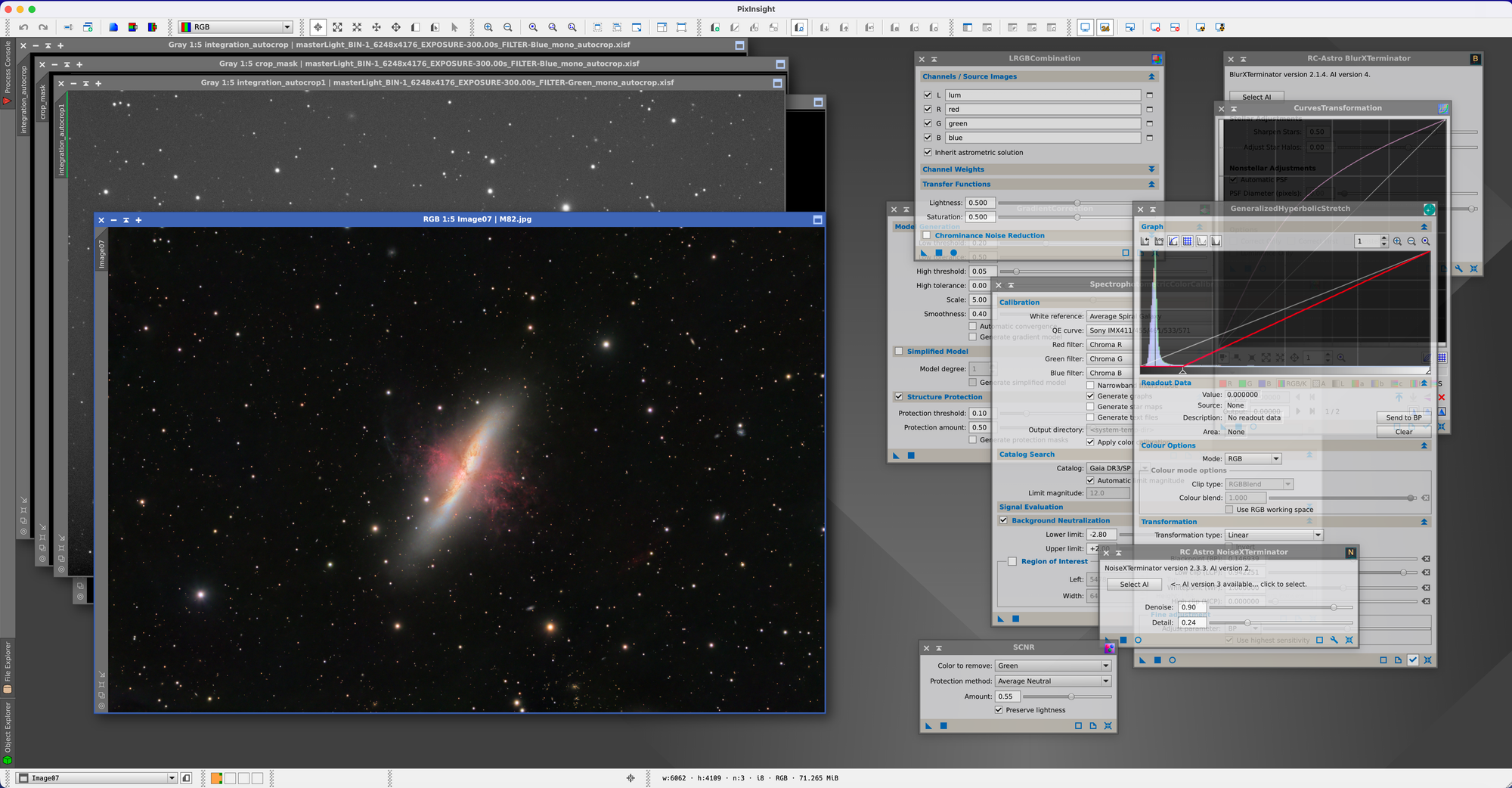
PixInsight is a professional astronomical image processing platform developed by Pleiades Astrophoto, offering unmatched depth in calibration, registration, stacking, and processing with a modular scripting architecture and advanced tools like deconvolution, drizzle integration, and non-linear stretching. It now runs natively on Apple Silicon. Pleiades released version 1.9.4 Lockhart on May 12, 2026, the first macOS ARM64 build, ending five and a half years of Rosetta 2 translation. An x64 build still ships for Intel Macs. Note that 1.9.4 requires macOS 15 Sequoia or macOS 26 Tahoe, and that its new V8 script engine replaced the old SpiderMonkey engine, so scripts written for the old engine do not run until their developers port them.
PixInsight is priced at 300 euros for a perpetual license, so the dollar figure moves with the exchange rate. The investment buys access to the most comprehensive astrophotography processing environment available on any platform. Community sentiment reflects the capability: "The best astrophotography software ever written," "heavily customizable and provides full control over the process." The learning curve is steep. PixInsight doesn't guide you through a workflow, it provides hundreds of tools (called processes) and expects you to understand when and how to apply them.
The WeightedBatchPreProcessing (WBPP) script automates the calibration, registration, and stacking workflow, bringing PixInsight closer to push-button operation. Even with WBPP, PixInsight demands understanding of concepts like sigma clipping rejection, local normalization, and image integration weighting. For beginners just starting deep-sky imaging, PixInsight is overkill. For intermediate imagers ready to extract every bit of signal from their data, PixInsight becomes the tool of choice.
Drizzle integration (combining multiple undersampled subframes into a higher-resolution final image) works seamlessly in PixInsight. Deconvolution sharpens star patterns and recovers detail lost to atmospheric seeing or tracking errors. Non-linear stretching tools (GeneralizedHyperbolicStretch, ArcsinhStretch) provide finer control than Siril's or APP's histogram stretch dialogs. These capabilities separate PixInsight from every other Mac stacking option.
Community Voice: What Mac Astrophotographers Recommend
Siril gets the most beginner recommendations despite setup friction. From Cloudy Nights: "I downloaded the Mac version of Siril and it seems pretty good. I downloaded some raw data to practice on and have been pretty happy with it." Another user notes: "With Siril and Affinity Photo on a Mac as a beginner you should be set for a long time. Siril is great for stacking, background extraction, color calibration and stretching."
APP earns praise for approaching DeepSkyStacker's simplicity on Windows. Multiple Cloudy Nights users recommend it: "AstroPixelProcessor works very well," "Another vote for AstroPixel Processor. It will handle all your needs from stacking through final image processing if you need. It is very affordable." The free trial matters, since users can evaluate whether APP's workflow matches their needs before purchasing.
PixInsight commands reverence mixed with intimidation. From Nature TTL: "To me, PixInsight is the best astrophotography software ever written. It works on MacOS, Windows, and Linux." Deep Sky Workflows adds: "PixInsight remains my tool of choice for processing images and does a great job of stacking. For advanced users, it is heavily customizable and provides full control over the process."
The "just use Windows" sentiment persists but weakens. From Cloudy Nights: "I tried to use Ekos on my Mac with a Linux mini pc on the scope. Lots of difficulties getting it to work, ended in failure. Sometimes, the path of least resistance is just to get a Windoze pc." Another user counters: "A capable mini pc costs $200. You would spend at least this much in Tylenol trying to get astro stuff working on a Mac." This reflects historical frustrations more than current reality: APP, Siril, and PixInsight all work reliably on modern macOS.
Decision Framework: Choose Your Path
The right Mac stacker depends on experience level, budget constraints, and format needs. Here's how to choose:
Open-source tools requiring setup attention but delivering professional results. Steep learning curve but no cost ceiling.
Commercial application with Apple Silicon optimization and exceptional mosaic tools. Free 30-day trial reduces purchase risk.
Industry-standard platform with unmatched depth in deconvolution, drizzle integration, and non-linear stretching. Steep learning curve.
Beginners on a budget: Start with Siril (free) or Starry Sky Stacker ($24.99). Siril requires setup attention but delivers professional results and teaches core concepts. Starry Sky Stacker offers immediate simplicity but limits growth, and you'll outgrow it once you acquire an astronomy camera or need full calibration and integration. If you're shooting DSLR/mirrorless on a star tracker and want the fastest path to a good image, Starry Sky Stacker works. If you're willing to invest setup time learning Siril, you won't need to switch tools later.
Intermediate users wanting simplicity: Astro Pixel Processor hits the sweet spot. The plug-and-play workflow approaches DeepSkyStacker's ease while delivering results approaching PixInsight quality. Apple Silicon optimization means fast processing. Excellent mosaic tools. Free 30-day trial available. APP works for serious imaging without demanding PixInsight's learning investment.
Advanced users needing full control: PixInsight becomes essential once you're shooting with premium equipment, pursuing mosaics, or want access to deconvolution and drizzle integration. The steep learning curve pays dividends. Community support through forums and YouTube tutorials (Light Vortex Astronomy, AstroTreasure) eases the learning process. If you're considering PixInsight, download the trial and work through tutorials before purchasing, since the investment only makes sense if you'll commit to learning the platform.
Acknowledge tradeoffs honestly:
- Siril: Free but requires setup attention, and the interface assumes familiarity with astronomical concepts
- ASTAP: Free, fast, and doubles as a plate solver, but the interface is utilitarian
- Flat White and SharpStacker: Free Mac App Store stackers built for simplicity, deliberately light on controls, good first steps before Siril
- APP: Paid but plug-and-play, excellent mosaic tools, Apple Silicon native, free 30-day trial reduces purchase risk
- PixInsight: Expensive and steep learning curve but unmatched depth, drizzle integration, deconvolution, professional-grade results, and native on Apple Silicon since May 2026
- Starry Sky Stacker: Very simple Mac-native experience but limited, with no FITS support and no alt-azimuth mounts, though it does read RAW directly and handle dark and flat correction
"I downloaded the Mac version of Siril and it seems pretty good. I downloaded some raw data to practice on and have been pretty happy with it."
— Cloudy Nights user
"Another vote for AstroPixel Processor. It will handle all your needs from stacking through final image processing if you need. It is very affordable."
— Cloudy Nights user
"To me, PixInsight is the best astrophotography software ever written. It works on MacOS, Windows, and Linux."
— Nature TTL
"A capable mini pc costs $200. You would spend at least this much in Tylenol trying to get astro stuff working on a Mac."
— Cloudy Nights user (outdated sentiment from 2018)
Choose based on specific workflow needs. If you're shooting mosaic panels, APP or PixInsight. If you're using an astronomy camera outputting FITS files, any option works: Siril, APP, or PixInsight. If you're using DSLR/mirrorless and want simple stacking only, Starry Sky Stacker. If budget is zero and you're willing to learn, Siril delivers professional results.
How to Set Up Siril on Apple Silicon
Download Siril from siril.org and install the macOS version. The application runs natively on Apple Silicon. First launch may require allowing the application in System Settings → Privacy & Security if macOS blocks unsigned software (Siril is open-source and may not be notarized depending on build).
Shoot RAW. DSLR and mirrorless cameras output RAW formats (NEF from Nikon, CR2 from Canon, ARW from Sony) that Siril reads natively without conversion. JPEG discards the dynamic range you need for stretching faint nebulosity, so there is nothing to gain by shooting it.
RAM recommendations matter with Siril. Minimum 8GB handles modest frame counts. 16GB or more benefits larger stacks, since a 200-frame stack of 26MP images consumes 10 to 12GB during processing. Close unnecessary applications before running Siril on 8GB Macs.
Scriptable workflows automate repetitive tasks. Siril's scripting language handles batch processing multiple imaging sessions. Community-contributed scripts exist for common workflows: OSC (one-shot color) preprocessing, monochrome narrowband processing, planetary RGB combination. Scripts live in Siril's installation directory under scripts/. Load and run scripts from the Scripts menu.
RAW, FITS, and TIFF: Which Format When
Format confusion is common early on. DSLR and mirrorless cameras capture RAW (NEF, CR2, ARW) or JPEG. Astronomy cameras capture FITS. Serious stacking software expects FITS or RAW input. Knowing when conversion is necessary, and when it is not, saves a lot of frustration.
RAW to TIFF conversion: Usually unnecessary. Siril, APP, and Starry Sky Stacker all read DSLR and mirrorless RAW directly, and PixInsight reads most RAW formats. Conversion mainly matters if your camera is not on Apple's supported RAW list, or if you're pre-processing in Affinity before stacking.
Why FITS? FITS (Flexible Image Transport System) is the astronomical imaging standard format. Preserves full bit depth (16-bit or 32-bit floating point), stores calibration metadata (exposure time, temperature, filter), supports multi-extension files (embedding calibration frames). Astronomy cameras output FITS natively. Serious processing tools read FITS.
When TIFF is fine: Starry Sky Stacker and Affinity don't need FITS metadata. They're aligning and averaging pixel values, not reading exposure time or sensor temperature. TIFF works for these tools, as does RAW straight from the camera.
Astronomy cameras simplify this: ZWO, QHY, and Player One cameras output FITS files directly. No conversion needed for any Mac stacking software. You load FITS lights, darks, flats, bias frames into Siril, APP, or PixInsight and stack. The format juggling problem primarily affects DSLR/mirrorless users shooting on tripods or star trackers.
Inspecting and Culling Your Subs Before You Stack
Stacking rewards good input. Before you load a night's frames, it pays to see what you actually captured and discard what will drag the result down: soft frames, clouds, wind shake, satellite trails, tilt. macOS has a strong set of native FITS tools for this step, and several of them make FITS behave like any other image format in Finder.
Common questions about deep-sky stacking on Mac from the astrophotography community.