
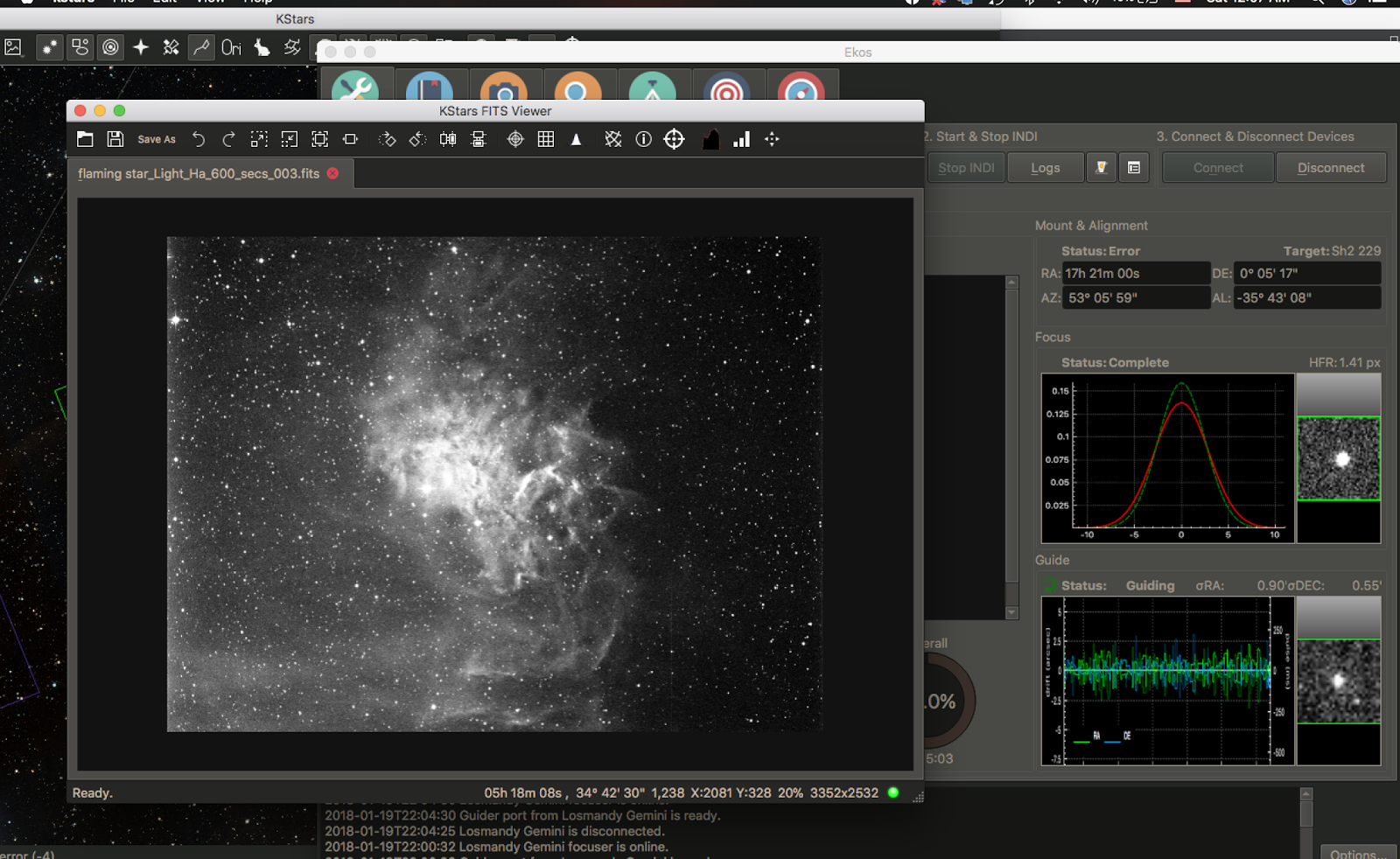
KStars and Ekos are free, capable and actively developed. On a Mac in 2026, the question is not whether the software is good. It is where you run it.
I ran KStars and Ekos for a while, and then I stopped. Not because it was bad software. On a good night it was superb. It would slew, plate solve, focus, guide and run a sequence unattended, doing everything it promised and doing it well.
Then an update would land, and the next clear night it would not start at all. Or it would start and something important would be dead: the guider, the capture module, a camera that had worked fine a week earlier. I would be standing outside with a working telescope and software that had quietly broken between sessions.
The unpredictability was the problem, not the difficulty. And because I did not understand the underlying mechanics well enough to know where the failure points were, a broken night usually stayed broken. I could not tell whether I was looking at an INDI problem, a driver problem, a build problem, or something macOS had changed underneath all of it. So I stopped.
What these things actually are
That is one person's experience, and plenty of people run Ekos happily every night. But if you are weighing whether to build your observatory around it on a Mac, there is a decision worth making before you invest the time, and it starts with untangling four names that get used interchangeably in forum threads.
INDI is the plumbing. Instrument-Neutral Distributed Interface, originally designed by Elwood C. Downey, is an open protocol for talking to astronomy hardware: mounts, cameras, focusers, filter wheels, domes, weather stations. It is the Linux and macOS answer to what ASCOM does on Windows. It runs as a server that owns the hardware, with clients connecting to it, which is why your equipment can sit at the telescope while you sit indoors. Jasem Mutlaq maintains it at indilib.org.
KStars is the application. A desktop planetarium from the KDE project, free and GPLv2, showing you the sky and letting you click on things.
Ekos is the part you actually care about if you image. It is a module inside KStars that runs the session: mount control, capture sequences, autofocus, plate solving, guiding, meridian flips. When people say they use KStars for imaging, they mean Ekos. It talks to your gear through INDI.
INDIGO is a separate framework built on INDI's ideas, developed by Peter Polakovic. Jasem himself describes it as not a fork, but another protocol that can be backward compatible with INDI. INDIGO A1 from CloudMakers is the Mac application built on it.
StellarMate is Ikarus Technologies' commercial packaging of the whole INDI and Ekos stack as a ready-to-run Linux system, also from Jasem Mutlaq. You buy an OS image, or hardware with it already installed, and skip the assembly.
- Origin: designed by Elwood C. Downey, now maintained by Jasem Mutlaq at indilib.org
- Licence: GPL, which keeps applications built on it off the Mac App Store
- Runs: KStars, Ekos and StellarMate
- Shape: a server owns the hardware, clients connect over TCP
- Talking to the other side: an INDI client can drive an INDIGO driver, but only across a reduced common set of properties
- Origin: built on INDI's ideas by Peter Polakovic. Jasem describes it as not a fork, but another protocol
- Licence: deliberately free of GPL code so it can ship commercially through app stores
- Runs: INDIGO A1 from CloudMakers
- Shape: layered, so drivers can be linked straight into an app or run distributed
- Talking to the other side: falls back to INDI protocol 1.7 to drive INDI hardware, but the full feature set needs INDIGO at both ends
The licence choice is the reason your install experiences differ so much. INDIGO's design rules start with using no GPL code, specifically so applications built on it can be sold through app stores. That is why INDIGO A1 arrives signed and notarised from the Mac App Store. KStars is GPLv2, so it arrives as a downloaded disk image instead, and every Gatekeeper warning that follows traces back to a licensing decision made years before anyone bought an M-series Mac.
Where KStars stands in mid-2026
The current release is 3.8.3, from 1 June 2026, available for Windows, Linux and macOS. Development is healthy. That release alone credits Christian Kemper, Andreas Ruthner, Toni Schriber, Hy Murveit, John Evans, Milhan Kim and Wolfgang Reissenberger, and it brought real work: artificial horizon filtering in the Mount Modeler, connection speed improvements, better guide streaming, improved rotator handling.
So this is not an abandoned project. It is actively built by people who care about it.
The Mac build is the problem, and it is a specific one. The official macOS build is Intel, running under Rosetta on Apple Silicon. In the comments on that 3.8.3 announcement, an M4 Mac Mini owner reports macOS now telling him that support is ending for Intel-based apps and that this version of KStars will not open in a future release of macOS, then asks whether an Apple Silicon version is planned.
That is the fact that should shape your decision. Not that KStars is buggy on a Mac, but that the way it currently reaches your Mac has an expiry date, and Apple set it.
There is a second, smaller issue that gets more attention than it deserves. Downloaded KStars builds often refuse to launch, reporting that the application is damaged and should be moved to the trash. That is Gatekeeper reacting to notarisation, not a corrupted download, and Jasem has posted the fix himself: run xattr -cr /Applications/kstars.app in Terminal. He notes it is a short-term measure and that Apple is tightening things. If you hit that error and concluded KStars was broken, it probably was not. One command usually clears it.
The pattern of Mac coming third is easy to document without exaggerating it. Version 3.8.0 shipped for Windows and Linux on 3 December 2025, with the macOS release expected a week later because of a build issue on KDE's CI infrastructure. When it did arrive, the download was mislabelled kstars-3.7.9.dmg.
Why there is no Apple Silicon build, and why that is fixable
It would be easy to read the Intel-only situation as KStars being unable to run on ARM. That is not it. KStars, Ekos and INDI run natively on ARM every single night, on hundreds of thousands of Raspberry Pis. The ARM code is not hypothetical. It is the most common deployment there is.
What is missing is a maintained Apple Silicon macOS build, and the obstacles are macOS packaging rather than processor architecture: assembling Qt6 and KDE Frameworks 6 for the platform, code signing, notarisation, and having continuous integration that can produce it repeatably. Rob Lancaster has effectively been that pipeline for about a decade, maintaining Craft-based Mac build scripts through successive macOS releases.
Which means an Apple Silicon KStars is not a technical impossibility waiting on a rewrite. It needs someone to own the macOS ARM build. Given that ARM builds already exist for Linux, that is a smaller ask than it looks, and worth saying plainly rather than treating the situation as terminal.
Whether it happens is another matter, and I would not plan an observatory around it happening.
The decision: where does the software run?
This is the fork, and framing it as KStars versus INDIGO A1 misses it. The real question is which machine executes your imaging session.
If the Mac itself runs the session, meaning a Mac Mini at the mount or a laptop beside the telescope, then Apple's Intel deprecation is your problem, and it points at INDIGO A1. It is native Apple Silicon, distributed through the App Store, and installs without Terminal or Gatekeeper workarounds. Free to download with a 14-day trial of everything, then three modules at $24.99 each: Imaging, Guiding, and Mount control. About $75 for all three, and if you already guide with PHD2 you can skip one. Its Apple Silicon record is not spotless either, to be fair: as of version 5.8 the legacy QHY driver still has to run under Rosetta.
If separate hardware runs the session, Apple's roadmap stops mattering entirely, because no Apple silicon is involved. StellarMate is the mature version of this: StellarMate OS for Raspberry Pi at $59, StellarMate X OS for Intel and AMD mini PCs at $59, or a bundle covering both at $100, with the StellarMate X Controller available as ready-made hardware. Version 2.0 added a graphical installer covering Pi, mini PC and Controller. You get actively developed Ekos, running natively, on a machine built for the job.
I want to be honest about that second option, though, because this site exists to show what a Mac can do. Screen sharing into a Linux box is a fine solution, and it works identically whether the screen belongs to a Mac or a PC. It is not really a Mac answer. It is a Linux answer you happen to look at from a Mac. That does not make it wrong, and for a permanent observatory it may well be the right call. It is just worth naming for what it is.
Building KStars from source on your Mac is the third path, and it is the one that has become hardest to justify. Rob Lancaster's scripts work, and people do succeed with them. But you are committing hours of compilation, and then recommitting after macOS updates, to reach a target Apple is actively deprecating, when $59 gets you the same software running natively on hardware that will not fight you.
If you enjoy the build for its own sake, that is a completely legitimate reason and I am not going to talk you out of it. As a route to imaging tonight, it is a poor trade.
Who should do what
You want to image on a Mac and be done with setup. INDIGO A1. Native, supported, and the trial means you can find out whether you like it before paying anything.
You want Ekos specifically, for the scheduler or the catalogues or because you already know it. StellarMate, on a Pi or a mini PC. Do not fight the Mac build.
You have a permanent observatory. Separate hardware at the scope regardless of which stack you choose. The architecture is better for it, and every INDI and INDIGO client is designed to work that way.
You are just starting. Neither of these. Your first months are about focus, tracking and exposure, not software architecture. Pick whatever gets you imaging fastest and revisit this when you have a reason to.
You already run KStars on an Intel Mac and it works. Nothing has broken yet. But Apple has told you what is coming, so use the time to decide where you land rather than waiting for the update that ends it.
What I would do
I left Ekos because I could not rely on it being there on a given night, and because when it wasn't, I had no way to work out why. Nothing about the current state of the Mac build changes that calculation, and Apple's deprecation makes it worse rather than better.
If I were choosing today for a Mac at the telescope, I would use INDIGO A1. If I wanted Ekos, I would buy StellarMate and stop pretending the Mac needed to be in the loop.
The part I would like to be wrong about is the build. The ARM code exists. Somebody could own that pipeline, and Mac users would get a first-class version of genuinely good free software. I would happily rewrite this article the day that happens.

Common questions about running KStars, Ekos and INDI on a Mac.
Does KStars run natively on Apple Silicon?+
Why does KStars say the application is damaged?+
xattr -cr /Applications/kstars.app in Terminal, which clears the quarantine flag.