
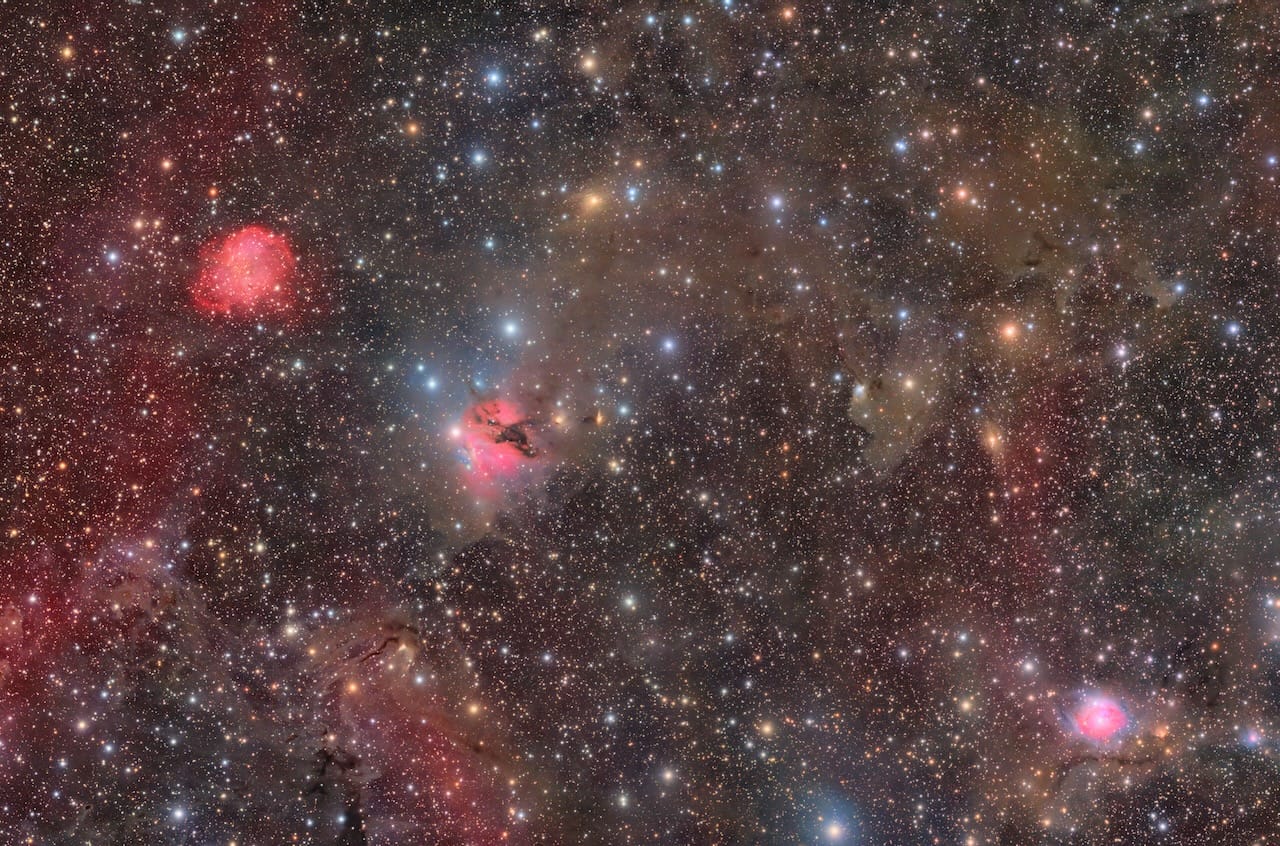
Free astrophotography practice data consists of pre-captured astronomical images — including light frames, dark frames, flat fields, and bias frames — shared by experienced astrophotographers to help beginners learn image stacking, calibration, and processing workflows on Mac or PC without owning telescope equipment, eliminating weather, dark skies, and field experience as barriers to learning processing skills. Mac users have full access to this ecosystem — Siril (free), PixInsight (€250), Affinity Photo ($75), and Photoshop all natively support FITS, TIFF, CR2, and NEF formats used in public datasets, with Siril running natively on Apple Silicon and PixInsight operating seamlessly under Rosetta 2.
You want to learn astrophotography processing — stacking, stretching, color balancing, noise reduction — but you don't yet own a telescope, your local skies are washed out by light pollution, or you're facing months of cloudy weather. PixInsight's 45-day trial might expire before you get a single clear night. You're reading tutorials and watching YouTube processing demonstrations, but without hands-on practice, the concepts don't stick. Software menus look different when you're actually clicking through them versus watching someone else do it.
The astrophotography community has solved this problem. Experienced imagers share complete datasets — raw frames plus calibration files — freely online. You download them, point your Mac processing software at the files, and learn the full workflow from calibration through final stretch. No telescope needed. No mount. No dark skies required. This article maps the major free sources, explains what formats work on macOS, shows which software to use, and walks you through getting started with your first practice session.
Why Practice Data Exists
Acquiring your own astrophotography data requires significant investment before you capture a single photon. You need a telescope, an equatorial mount with accurate polar alignment, a dedicated astronomy camera or DSLR, adapters to connect everything, and access to dark skies far from city lights. Then you need clear weather, which may not cooperate for weeks or months depending on your location. Your first imaging session involves troubleshooting focus, battling dew, learning your mount's tracking quirks, and discovering that your polar alignment was off by three degrees — all while the clock ticks toward dawn.
Meanwhile, you've downloaded processing software to prepare. PixInsight offers a 45-day trial, but that trial period doesn't pause when clouds roll in. Siril is free and doesn't expire, but you still need images to practice on. Without data to work with, you're stuck reading documentation without being able to test what you've learned. The software investment decision becomes harder when you can't actually use the tools to evaluate them.
Processing is a separate skill from acquisition, and it can be learned independently. Stacking algorithms don't care whether you captured the photons or downloaded them from someone else's telescope. Histogram stretching techniques work identically on practice data and your own captures. Learning to remove gradients, control noise, and balance color in a practice environment means your first real imaging session produces better results because you're not learning two difficult skills simultaneously.
The community culture around sharing practice data reflects experienced imagers remembering their own learning struggles. Posting a dataset costs the creator nothing beyond bandwidth, but provides enormous value to beginners who are months away from their first clear night with equipment in hand. Forum threads on Cloudy Nights, Stargazers Lounge, and Reddit consistently direct newcomers to these free resources.
"I've been waiting for clear skies for two months. Meanwhile I downloaded some practice data and learned Siril — now when I finally get out there I won't be starting from zero."
— Cloudy Nights user
"Processing Trevor's Horsehead dataset was the first time I actually understood what histogram stretching does. Watching videos didn't click until I had my hands on the sliders."
— r/astrophotography
"Practice data lets you fail without wasting a night of imaging. I overcooked three datasets before I figured out natural color balance — better to learn on someone else's captures than ruin your own."
— Stargazers Lounge
Practicing with shared astrophotography datasets allows beginners to compare their processing results with experienced imagers working from identical raw data, eliminating acquisition variables like tracking errors, focus drift, and light pollution — creating a controlled learning environment where processing technique is the only variable. When you process the same Horsehead Nebula dataset that hundreds of others have worked with, you can see how your stretch compares to theirs. You learn whether you're over-saturating colors, under-exposing stars, or introducing artifacts that others avoided.
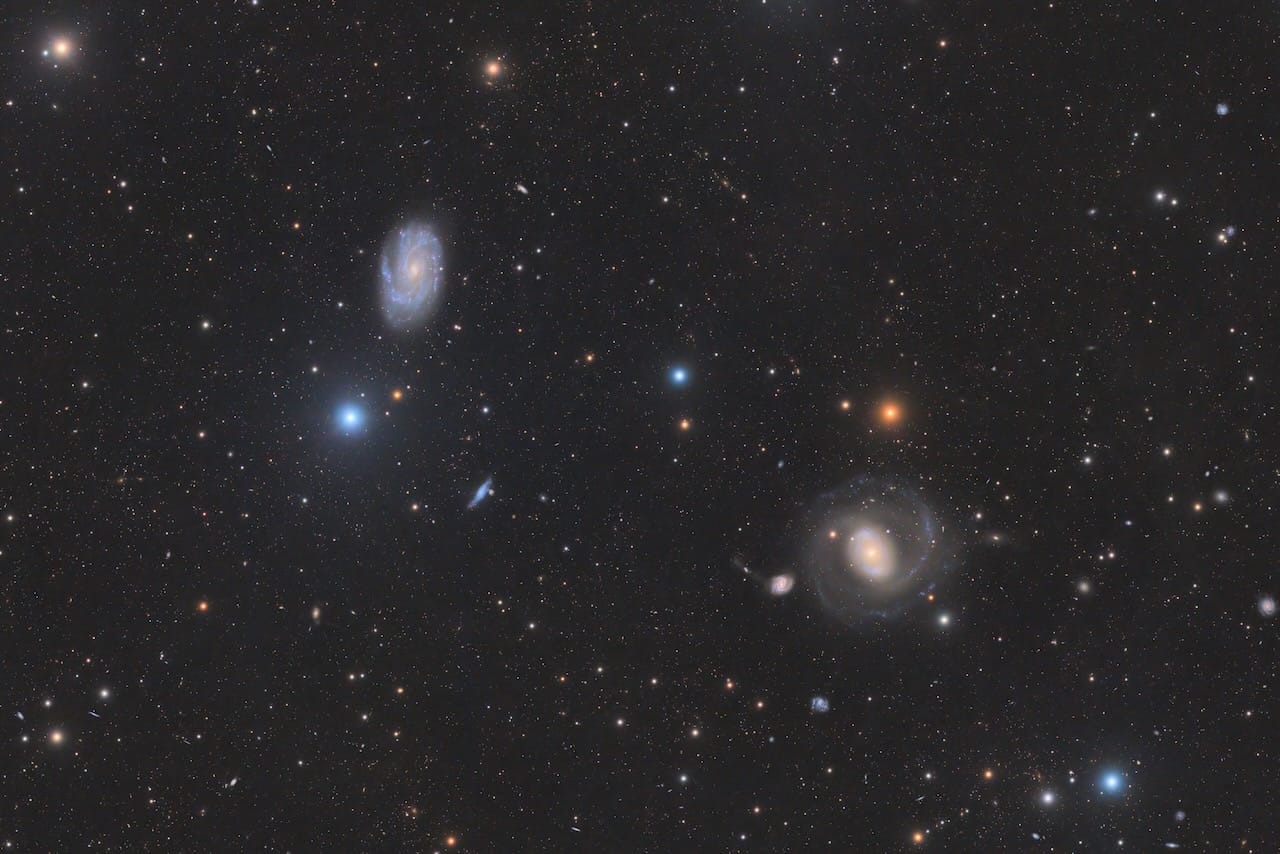
How Practice Data Works
A complete astrophotography practice dataset includes four frame types: light frames (the actual deep-sky object), dark frames (thermal noise calibration), flat fields (vignetting correction), and bias frames (readout noise removal) — processed together through calibration, registration, stacking, and stretching to produce a final image.
Light frames are the actual images of the deep-sky object — the Orion Nebula, the Andromeda Galaxy, whatever the telescope was pointed at. They contain both signal (the astronomical target) and noise (thermal interference from the sensor, readout electronics noise, light pollution gradients). A typical dataset includes 20 to 100 light frames, each exposed for several minutes.
Dark frames are calibration images shot with the lens cap on, capturing only the thermal noise pattern from your camera sensor with no incoming light. They're shot at the same exposure length and sensor temperature as your light frames. Subtracting dark frames from light frames removes the thermal noise pattern, leaving cleaner signal. Practice datasets usually include 10 to 30 dark frames.
Flat fields are images of an evenly illuminated surface — either a light panel placed over the telescope aperture or the twilight sky. They reveal the optical vignetting (darkening toward frame edges) and any dust spots on your sensor or optics. Dividing your light frames by the flat field corrects these issues. Datasets typically include 10 to 20 flats.
Bias frames are zero-second exposures capturing only the sensor's readout noise — the electronic interference pattern that occurs every time the sensor is read, regardless of exposure length. They're used during calibration to remove readout noise from both darks and flats. Datasets include 20 to 50 bias frames because they're quick to capture.
Practice data is distributed in two formats: complete calibration sets and pre-stacked TIFs. Complete sets include all four frame types as separate files — typically in FITS format (the astronomy standard) or DSLR raw files (CR2 for Canon, NEF for Nikon). You download the entire set, load it into stacking software, and process it from scratch through calibration, registration, stacking, and stretching. This teaches the full workflow you'll use with your own captures.
Pre-stacked TIFs skip the calibration and stacking phases — someone else has already combined the light frames into a single 16-bit TIFF file. You download one file, open it in processing software, and practice only the stretching and enhancement phase. This is easier for absolute beginners because you're learning one step at a time, but it doesn't teach you the calibration workflow that removes thermal noise and optical artifacts.
File naming conventions follow common patterns. Light frames might be named Light_001.fits, Light_002.fits, continuing sequentially. Dark frames use Dark_001.fits. Flats use Flat_001.fits. Bias frames use Bias_001.fits. Some datasets use descriptive names like M42_300s_001.fits indicating the object (M42 = Orion Nebula) and exposure length (300 seconds). Stacking software recognizes these patterns automatically.
Typical file sizes vary. A single FITS file from a 16-megapixel camera might be 30–50 MB. A complete calibration set with 50 light frames, 20 darks, 20 flats, and 30 bias frames totals 5–10 GB. DSLR raw files (CR2/NEF) are slightly smaller but still substantial. Pre-stacked TIFs are much smaller — a single 16-bit TIF might be 200–300 MB. Plan storage accordingly; an external USB drive or SSD makes sense for serious practice.
The workflow follows this sequence: calibration (subtract darks, divide by flats, subtract bias), registration (align all frames to correct for tracking drift), stacking (combine aligned frames into one image with better signal-to-noise), and processing (stretch the histogram to reveal faint detail, adjust color balance, reduce noise). Stacked TIFs start at the processing phase. Complete sets teach the entire chain.
What Software You'll Use on Mac
All common astrophotography file formats — FITS, TIFF, CR2, and NEF — are fully supported on macOS through Siril (free), PixInsight (€250), and Affinity Photo ($75), with Siril and PixInsight offering native FITS calibration and stacking workflows unavailable in general-purpose photo editors. You're not locked into Windows-only tools or forced to dual-boot. Mac users have legitimate, professional-grade options for learning astrophotography processing with practice data.
Siril is a free, open-source astronomical image processing application developed by the Siril team, available natively on macOS with Apple Silicon support, designed for deep-sky image calibration, registration, stacking, and post-processing. It handles the complete workflow from raw calibration frames through final stretched image. Siril runs natively on M-series Macs without Rosetta translation, meaning full GPU acceleration and low power consumption. The learning curve is steep — Siril uses a command-line interface alongside its graphical tools — but Nico Carver's YouTube tutorials provide comprehensive Mac-compatible guidance. The Mac Astronomy Software directory lists Siril with download links and version notes.
PixInsight is a professional astronomical image processing platform developed by Pleiades Astrophoto, available on macOS as an Intel binary running under Rosetta 2 on Apple Silicon, industry standard for advanced processing with non-linear stretching, deconvolution, and noise reduction tools. It costs €250 for a lifetime license with a 45-day free trial. PixInsight runs seamlessly under Rosetta 2 on M1/M2/M3 Macs with minimal performance penalty — stacking and processing speeds match or exceed Windows performance on equivalent hardware. The interface is complex and module-based, but the Masters of PixInsight training program provides structured courses with practice datasets. Read the complete PixInsight on the Mac: The Definitive Deep Dive for Mac-specific setup and performance details.
Affinity Photo is a consumer photo editing application by Serif with built-in astronomical image stacking capability, native Apple Silicon support, GPU acceleration, and one-time $75 license. It offers a friendlier learning curve than Siril or PixInsight with excellent stacking performance for light frames, but lacks the advanced calibration tools and non-linear stretching options that dedicated astronomy software provides. Affinity Photo works well for processing pre-stacked TIFs or simple light-frame-only stacks, but can't handle the full calibration workflow with darks, flats, and bias. It's a reasonable starting point for casual learners who already own the software, but serious astrophotographers outgrow it quickly.
Photoshop and Lightroom can open stacked TIFs for final stretching and color adjustment, but they don't handle FITS files natively and can't perform astronomical image stacking or calibration. They're end-of-workflow tools, not complete solutions.
Mac Observatory recommends starting with Siril (free) to learn the fundamental workflow — calibration, registration, stacking, and basic processing — then upgrading to PixInsight if you continue and hit Siril's limits in advanced noise reduction or deconvolution. This path costs nothing initially and provides a clear upgrade path when you're ready. The Getting Started with Astrophotography on the Mac guide covers the complete software decision tree with hardware pairing recommendations.
- Price: Free, open source
- Platform: macOS, Apple Silicon native
- Learning curve: Moderate — command-line interface alongside GUI
- Workflow: Complete — calibration, stacking, processing
- Best for: Beginners learning fundamentals without financial risk
- Limitations: Less advanced noise reduction and deconvolution than PixInsight
- Tutorials: Nico Carver's YouTube channel (Mac-compatible)
- Price: €250 lifetime license, 45-day free trial
- Platform: macOS via Rosetta 2 (seamless performance)
- Learning curve: Steep — module-based interface, professional tools
- Workflow: Industry standard — WBPP, advanced deconvolution, noise reduction
- Best for: Serious learners ready to invest in pro-level processing
- Limitations: Complex interface, expensive upfront cost
- Tutorials: Masters of PixInsight structured courses
Major Free Data Sources
Beginner-Friendly: Stacked TIFs Ready to Process
AstroBackyard is an astrophotography education site by Trevor Jones providing 7 free stacked TIF practice datasets (nebulae) from DeepSkyStacker and PixInsight, paired with community hashtag #yourastrophotoskills for result sharing. Trevor's datasets include the Horsehead Nebula, Orion Nebula, North America Nebula, and others — all pre-stacked into 16-bit TIF files ready for immediate processing. These are the easiest entry point for complete beginners because you skip calibration and stacking entirely, focusing only on histogram stretching and color balancing.
Each dataset comes with attribution notes and processing tips. Trevor encourages learners to share their results on social media using #yourastrophotoskills, creating a community gallery where you can compare your processing approach with hundreds of others working from identical source data. This feedback loop accelerates learning significantly — you see which techniques produce cleaner backgrounds, better star shapes, and more natural color. Download from Trevor's site at astrobackyard.com/free-astrophotography-data.
Deep Sky West provides stacked datasets with a strict attribution requirement — you must credit the source in any shared results. The datasets cover various nebulae and galaxies in pre-stacked format, similar to AstroBackyard's approach. This is good secondary material after you've worked through Trevor's datasets and want more targets to practice on. Visit deepskywest.com/practice-data.
Intermediate: Complete Calibration Sets
Jerry Lodriguss operates Astropix.com, an astronomy education site providing complete DSLR raw calibration sets (Canon CR2 files with full dark, flat, and bias frames) from an unmodified Canon 700D shot with an Astro-Tech AT65Q refractor at f/6.5. These datasets teach the full DSLR workflow — the most common entry point for amateur astrophotographers. You download a folder containing 20–40 light frames plus matching calibration frames, load them into Siril or PixInsight, and work through the complete calibration and stacking process.
Jerry's datasets are particularly valuable for Mac users learning Siril because they use the same Canon CR2 format that Siril handles natively. The exposure metadata is preserved, so Siril's automatic calibration scripts work without manual configuration. Objects include M42 (Orion Nebula), IC 434 (Horsehead), and others shot from suburban skies — realistic beginner conditions with light pollution gradients. Download from astropix.com.
Wei-Hao Wang maintains a comprehensive practice data archive shared via Google Drive, widely referenced in PixInsight and AstroPixelProcessor communities for multi-camera variety and complete calibration frame sets. The archive includes both DSLR data (Canon, Nikon) and dedicated astronomy camera data (CCD formats) with full darks, flats, and bias for each target. This is intermediate-to-advanced material because the datasets are larger and require more processing knowledge to work through, but they reward that effort with professional-quality source material.
Wei-Hao's archive is particularly useful for testing different processing approaches on the same object — you can download his M31 dataset, process it five different ways, and compare results to forum discussions where others have worked with the same frames. Access the archive through links shared on AstroBin and CloudyNights forums, or search "Wei-Hao Wang practice data" to find current Google Drive links.
Light Vortex Astronomy provides selected deep-space object datasets including both broadband RGB and narrowband data (H-alpha, OIII, SII), with monochrome captures separated into individual LRGB channels for full-color processing practice. This is advanced material for learners who have mastered basic RGB processing and want to explore narrowband workflows or LRGB channel combination. The datasets pair well with Light Vortex's PixInsight video tutorials, which walk through processing the same data step-by-step. Download from lightvortexastronomy.com.
Joey Troy shares practice data from modern dedicated astronomy cameras — ASI2600MM Pro (monochrome), ASI533MC Pro (one-shot color), and Nikon D5500 DSLR — all integrated with PixInsight's Weighted Batch Preprocessing (WBPP) script for streamlined calibration and stacking. Joey's datasets represent current equipment and workflows, making them particularly relevant for learners planning to purchase ZWO cameras or upgrade from DSLR to dedicated astro cameras. The FITS files come pre-organized for WBPP, teaching best practices for file structure and naming conventions. Download from joeytroy.com.
Bharrat.net offers "less-than-pristine" beginner datasets with intentional real-world problems like gradients, edge anomalies, and bloated stars — teaching new processors to handle the imperfect data they'll encounter from their own equipment rather than clean, idealized captures. This is honest, valuable practice. Processing perfect data creates unrealistic expectations; processing messy data with gradients and tracking errors teaches troubleshooting skills you'll actually need. These datasets bridge the gap between practice and reality. Find them at bharrat.net.
Advanced: Professional Observatory Archives
European Southern Observatory (ESO) Science Archive provides professional observatory data freely accessible online, including raw data from ESO instruments plus 4 million processed science files in FITS format with massive file sizes and professional-grade quality. This is expert-level material — a single raw science frame from ESO's Very Large Telescope might be 100 MB, and processing requires understanding of professional observatory calibration techniques that differ from amateur workflows.
ESO data is primarily valuable for advanced learners who want to work with professional-quality captures to study processing techniques at the highest level, or for educators preparing demonstrations. The archive interface is complex, requiring knowledge of astronomical coordinate systems and instrument specifications to locate relevant data. This is not a beginner resource, but it demonstrates that world-class astronomical data is freely available for anyone to process. Access at archive.eso.org.
Understanding File Formats and Compatibility
FITS (Flexible Image Transport System) is the astronomy-standard file format supporting 16-bit and 32-bit floating-point data, preserving the full dynamic range of sensor captures with embedded metadata about exposure settings, telescope configuration, and astronomical coordinates. FITS is natively supported by Siril, PixInsight, and dedicated astronomy software. It's the professional format — when someone says "raw astrophotography data," they usually mean FITS files. Siril and PixInsight both read and write FITS natively, making it the recommended format for complete workflow practice.
TIFF files (typically 16-bit RGB or monochrome) are opened by all software including Photoshop, making them the most universally compatible format for stacked images ready for final processing. Pre-stacked practice datasets are usually distributed as TIFF because anyone can open them, even in consumer photo editors. TIFF preserves high bit depth (16 bits per channel) but lacks the astronomical metadata that FITS includes. This doesn't matter for processing — the image data itself is identical — but it means you lose information about exposure length, sensor temperature, and filter type.
CR2 and NEF are Canon and Nikon DSLR raw formats containing unprocessed sensor data from camera captures. Siril and PixInsight can calibrate and stack CR2/NEF files directly, treating them like FITS for workflow purposes. Photoshop can open CR2/NEF files individually but cannot stack multiple frames or perform astronomical calibration. DSLR raw practice datasets teach the workflow most beginner astrophotographers use before upgrading to dedicated astronomy cameras — making Jerry Lodriguss's CR2 sets particularly valuable for realistic learning.
XISF is PixInsight's native file format (eXtensible Image Serialization Format), optimized for astronomical data with embedded metadata, compression, and fast read/write speeds. It's not universally supported — Siril can't open XISF files natively — but PixInsight can convert XISF to FITS or TIFF for sharing. You'll encounter XISF in PixInsight-specific practice datasets, but most public archives use FITS or TIFF for broader compatibility.
SER is a planetary video format used for lucky imaging — capturing thousands of short-exposure frames for planetary surface detail. It's worth mentioning briefly because planetary processing follows different workflows than deep-sky processing, and SER files require different software (Laminar and Strata on Mac). This article focuses on deep-sky practice data; planetary practice data is harder to find publicly but follows the same principle of learning processing before acquisition.
Mac compatibility is complete: FITS, TIFF, CR2, and NEF all work natively on macOS through Siril, PixInsight, and Affinity Photo. You don't need virtual machines, Windows partitions, or Wine wrappers to process practice data. Siril runs natively on Apple Silicon with full Metal GPU acceleration. PixInsight runs under Rosetta 2 with negligible performance penalty. The Mac Astronomy Software directory at macobservatory.com/mac-astronomy-software tracks compatibility status for every processing application.
Storage needs scale with ambition. A single pre-stacked TIF (200–300 MB) fits easily on any Mac's internal drive. A complete calibration set (5–10 GB) benefits from external storage, especially if you plan to practice with multiple datasets. Serious learners who download Wei-Hao Wang's entire archive or multiple Jerry Lodriguss datasets should budget 50–100 GB. An external USB SSD provides fast read speeds for stacking workflows and easy organization — one drive becomes your practice data library. Samsung T7 portable SSD offers good value for astronomical data storage.
Community Wisdom: Learning Through Comparison
AstroBackyard's #yourastrophotoskills hashtag demonstrates the value of processing shared datasets — hundreds of learners post their results from Trevor's practice data, creating a visual record of different processing approaches applied to identical source material. You see beginner attempts with overblown highlights, intermediate efforts with cleaner backgrounds but muddy color, and expert results with subtle gradients and natural-looking stars. This comparison calibrates your expectations and shows concrete examples of what improving processing skill looks like.
Cloudy Nights and Stargazers Lounge forums host dedicated "process this" threads where experienced imagers post datasets specifically for community practice, often with follow-up discussions comparing results and explaining technique differences. One thread might have 20 different processed versions of the same M42 dataset, each with comments from the processor explaining their workflow choices. This is learning that goes beyond watching tutorials — you're seeing the diversity of valid approaches and understanding that there's rarely one "correct" way to process an image.
Following video tutorials with the same dataset creates step-by-step learning that's significantly more effective than watching someone process unfamiliar data. Nico Carver's Siril tutorials use specific example datasets; when you download those same files and follow along, you can match your results against his exactly. If your histogram doesn't look like his after step three, you know you've made a mistake — rewind the video and try again. This immediate feedback loop accelerates learning dramatically.
Beginners often overstretch or oversaturate practice data because clean datasets allow more aggressive processing than real captures with light pollution and tracking errors. You might stretch a histogram until subtle nebula structure becomes garish, vivid red — visually dramatic but unrealistic. Seeing others' more restrained approaches shows you what "natural-looking but enhanced" actually means. This recalibration happens faster with practice data than with your own captures because you can see 50 versions of the same image and pattern-match which processing style looks professional.
"I share my practice data because I remember being stuck waiting for clear skies with new software I couldn't test. If my captures help someone learn faster, that's worth the upload time."
— Joey Troy
"Comparing results from the same dataset shows you that there's no single 'correct' way to process an image. Five experts will produce five different looking results — all valid, all beautiful in different ways."
— Light Vortex Astronomy
"Practice data teaches you processing technique in isolation. When you finally get your own captures, you're not troubleshooting software AND equipment problems at the same time."
— Masters of PixInsight instructor
The warning that clean practice data creates unrealistic expectations is worth taking seriously. Trevor's stacked TIFs are beautifully flat with excellent star shapes because they came from premium equipment under dark skies with accurate tracking. Your first real capture from suburban skies with a budget mount will have gradients, elongated stars from periodic error, and bloated star cores from focus drift. Processing that messy data requires additional skills — gradient removal, star shape correction, selective masking — that practice data might not teach you. Bharrat.net's intentionally imperfect datasets help bridge this gap, but there's no substitute for eventually processing your own difficult captures.
Getting Started: Your First Practice Workflow
Step 1: Choose your software. Download Siril first — it's free, native on Apple Silicon, and handles the complete workflow from raw calibration through final processing. Visit the Mac Astronomy Software directory at macobservatory.com/mac-astronomy-software, find Siril in the Deep-Sky Processing category, and follow the download link to siril.org. Install it. Open it once to verify it runs. You're ready.
Step 2: Download a beginner dataset. Start with AstroBackyard's Orion Nebula stacked TIF — it's the most forgiving target with bright nebulosity and clear structure. Visit astrobackyard.com/free-astrophotography-data, download Orion_Nebula.tif (or similar filename), save it to a dedicated practice folder on your Mac. One file, 200–300 MB, quick download.
Step 3: Follow a Mac tutorial. Nico Carver's "Siril Tutorial for Beginners" series on YouTube covers Mac-specific workflows with screen recordings from macOS. Search YouTube for "Nico Carver Siril Mac" or visit his channel directly. His tutorials work on both Intel and Apple Silicon Macs — Siril's interface is identical. Watch the introduction video first to understand Siril's window layout, then follow the "Processing a Stacked Image" tutorial with your Orion TIF loaded.
Step 4: Process the image. Open Siril, load the TIF file, apply a basic histogram stretch using Siril's autostretch feature, adjust color balance if needed, apply light noise reduction, save the result. Don't aim for perfection — aim for completion. Your first result will probably have crushed shadows or blown highlights. That's expected. Save it anyway.
Step 5: Compare your result. Search #yourastrophotoskills on Instagram or Twitter, filter for Orion Nebula posts, compare your processed image with others. Note what they did differently — background darkness, star color, nebula contrast. Don't be discouraged if theirs look better; focus on identifying specific technique differences you can try next time.
Step 6: Iterate. Download Jerry Lodriguss's M42 calibration set next — complete with darks, flats, and bias frames. Load it into Siril, work through the full calibration workflow using Siril's preprocessing script. This teaches you the complete chain: calibration removes thermal noise and vignetting, registration aligns frames, stacking combines them, processing reveals detail. Watch Nico's calibration tutorial first if you get stuck.
Step 7: Apply to your own data. When skies finally clear and you capture your first deep-sky target with real equipment, you'll already know the processing workflow. Calibration, registration, stacking, stretching — the steps are identical. The skills transfer directly. You're not learning software and troubleshooting tracking issues simultaneously; you're applying known processing techniques to new data.
Start with AstroBackyard's Orion TIF. Learn histogram stretching and color balance in Siril or Affinity Photo. No calibration complexity — just processing fundamentals.
Download Jerry Lodriguss's M42 calibration set. Learn complete workflow from raw calibration frames through final stretch in Siril. Follow Nico Carver's tutorials.
PixInsight 45-day trial with Wei-Hao Wang's archive or Joey Troy's ASI datasets. Learn WBPP, advanced noise reduction, deconvolution. Upgrade to license when ready.

The complete beginner path costs zero dollars if you use Siril with free practice data. PixInsight's 45-day trial gives you professional tools for free during your learning phase, but you'll eventually need to purchase the €250 license if you continue. Affinity Photo ($75) splits the difference — affordable, capable, but limited for advanced work. Mac Observatory recommends the Siril-first path for most learners: start free, master fundamentals, upgrade to PixInsight later if you outgrow Siril's capabilities. Read the Getting Started with Astrophotography on the Mac guide for complete software decision trees and hardware pairing recommendations.
External resources worth bookmarking: Nico Carver's YouTube channel for Siril tutorials, Masters of PixInsight (mastersofpixinsight.com) for structured PixInsight training, Cloudy Nights' Beginning Deep Sky Imaging forum for community troubleshooting. Join the conversation — processing gets less intimidating when you're learning alongside others working through the same confusion.
Common questions about free astrophotography practice data from the Mac Observatory community.
Can I use practice data on a Mac or do I need Windows?+
Should I start with stacked TIFs or complete calibration sets?+
Is Siril or PixInsight better for learning with practice data?+
How much storage space do I need for practice data?+
Practice data eliminates the acquisition barrier that prevents many people from learning astrophotography processing. You don't need $5,000 in telescope equipment, dark skies an hour from home, or perfectly clear weather. You need a Mac, free software, a downloaded dataset, and three hours on a cloudy Saturday afternoon. The processing skills you build during that session transfer directly to your own captures when you eventually acquire equipment — or they inform your equipment purchasing decisions by showing you what processing capabilities matter most for your goals.
Start with Trevor Jones's Orion Nebula TIF and Siril. Process it. Compare your result with others. Download Jerry Lodriguss's M42 calibration set. Work through the full workflow. Post your results in forums and ask for feedback. Iterate. When you're ready, the Mac Astronomy Software directory lists every processing tool worth considering, and the Mac Observatory Suite apps (Laminar, Strata, Meridian) handle planetary and archival workflows when you expand beyond deep-sky processing.
The data is free. The software options are proven. The community is helpful. There's no reason to wait for equipment or weather to start learning. Download something tonight and stretch your first histogram by Monday.