Capture
 Laminar
Catch the steady seconds.
Planetary, lunar and solar capture with live frame quality. Runs filter wheels, focusers and LRGB sequences, and records straight to disk without dropping a frame.
Software, hardware and workflows for imaging the night sky with a Mac, from an astrophotographer who does it every clear night.
Made here by an astrophotographer who uses them every clear night. Transit tells you when the planets, Moon and Sun are worth imaging, Laminar captures them, and Strata stacks them into one sharp image. Meridian keeps your whole imaging archive: it's built around deep sky, and it handles planetary sessions too.
Capture
LaminarCatch the steady seconds.
Planetary, lunar and solar capture with live frame quality. Runs filter wheels, focusers and LRGB sequences, and records straight to disk without dropping a frame.
Stack & process
 Strata
Thousands of frames. One sharp planet.
Grades every capture and shows you the best of the night. Strata Warp alignment, drizzle, wavelets and deconvolution, batched across a whole season.
Look up
 Transit
Know when to look up: an hourly weather score for the night ahead, planets, the Moon, eclipses and satellite passes, in your menu bar.
Archive
 Meridian
Every night you've imaged, in one place. Identifies every target from 41,731 objects in 19 catalogs, and knows what still fits tonight.
All four apps in one bundle: Laminar, Strata, and Meridian at a discount, with Transit free.

Find where last night's guiding went wrong: the guide chart, calibration and periodic error, a library of every night your rig has recorded, and 25 observations that say what to check next.
Two free calculators that work like Mac apps in your browser, best run full screen. Enter your telescope and camera once and both tools use them. Every number updates as you type, and a copied link brings back your exact setup.
Deep dives into the software, hardware, and techniques that make astrophotography work on the Mac.

Skyshot solves a 60-megapixel final in about half a second on my Mac, with no account or internet connection, and Annotations label every cataloged object in the result.
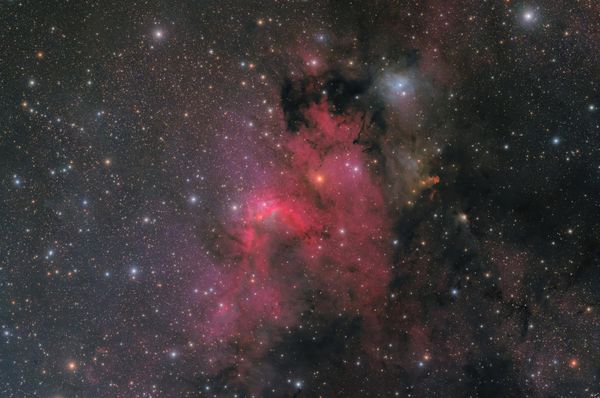
Over 12 hours of integration on Sh2-155, the Cave Nebula in Cepheus, and a short story about a people who will not name a thing in the sky until they have looked at it twice.
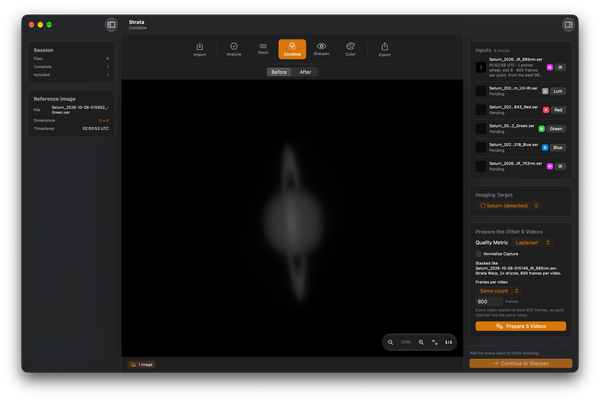
Strata 2.0 replaces Derotate with Combine, which turns a mono filter set into one RGB or LRGB image, and adds Correct Telescope Blur, which deconvolves with your own telescope's PSF.
Mac-compatible astronomy & astrophotography apps
Hands-on equipment evaluations & first lights
Step-by-step guides for technique & processing
Software releases & ecosystem updates
Astrophotography images with acquisition details
Personal stories from behind the eyepiece