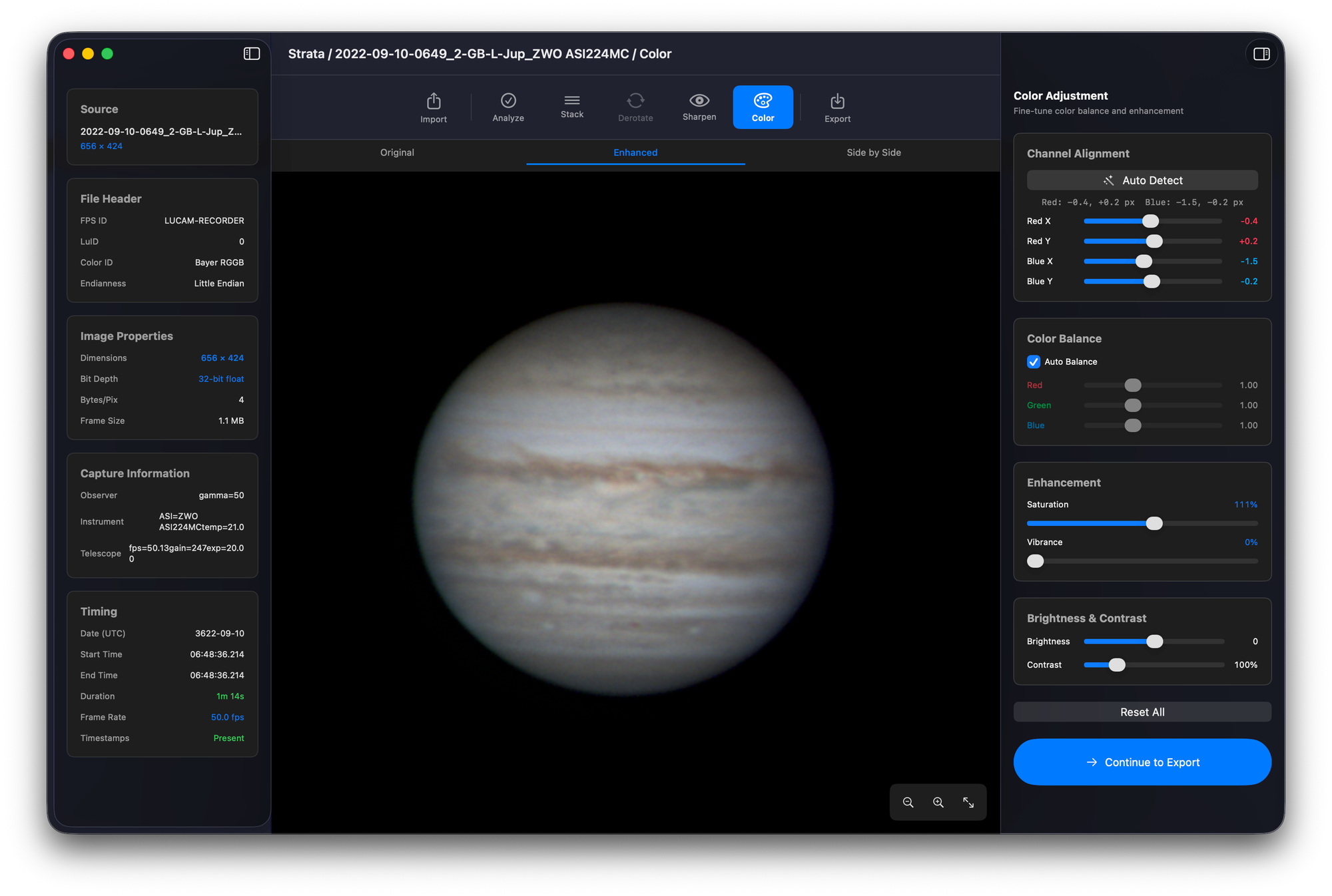
Strata is a native macOS application for planetary image stacking and sharpening, built on Swift, SwiftUI, and Metal — and it's now available as a free public beta on TestFlight. It replaces the traditional Windows-only chain of AutoStakkert, RegiStax, and PIPP with a single GPU-accelerated app that handles the entire planetary processing pipeline from SER import through final export, entirely on Apple Silicon.
If you've been running Parallels or Wine just to stack your planetary captures, that era is over.
Why I built Strata
I'll be honest — Strata is the most complex application I've built, and it took me the longest to get right. I went through three complete start-overs before arriving at the current implementation. The first two attempts taught me what didn't work. The third attempt — built from scratch on Metal compute shaders with a proper alignment pipeline — is what you're looking at today.
The reason I kept starting over is the same reason every Mac planetary imager knows: this problem is genuinely hard. AutoStakkert has had years of refinement on Windows for a reason. Multi-point alignment with sub-pixel registration across thousands of frames, running fast enough that you don't lose your mind waiting — that's not a trivial engineering challenge. Doing it on the GPU through Metal, with zero-copy unified memory on Apple Silicon, is what finally made the performance viable.
The problem Strata solves
For years, processing planetary images on the Mac meant one of three things: run Windows in Parallels to access AutoStakkert + RegiStax, wrestle with Planetary System Stacker's Python dependencies, or accept limited results from tools that don't offer multi-point alignment. Each of those paths has real friction.
"I just run Windows under Parallels on my Mac so I can use Registax, FireCapture and Autostakkert. They all work great and there are really no Mac equivalents that work nearly as well."
— Cloudy Nights user
"I managed to get Siril to process it after some help finding out how to convert AVI to SER. I also used PSS, which apparently does much the same as Registax and Autostakkert."
— Cloudy Nights user
"Lynkeos does not offer point alignment of parts of the planet to overcome seeing effects — it only does global alignment. So while it can stack and process an image, it will not get you fantastic results."
— Mac Observatory
AutoStakkert is a fantastic stacking tool, but it only handles stacking — you need RegiStax for sharpening and PIPP for pre-processing. That's three separate Windows-only applications, each saving to disk, each losing context between handoffs. PSS is cross-platform and does good work, but it's a Python application — no GPU acceleration, no native Mac interface, and dependency management that can break between macOS updates. Planet Stacker X from Rain City Astro is a welcome native option, but it offers a simpler feature set without drizzle, derotation, per-channel sharpening, or physics-based deconvolution.
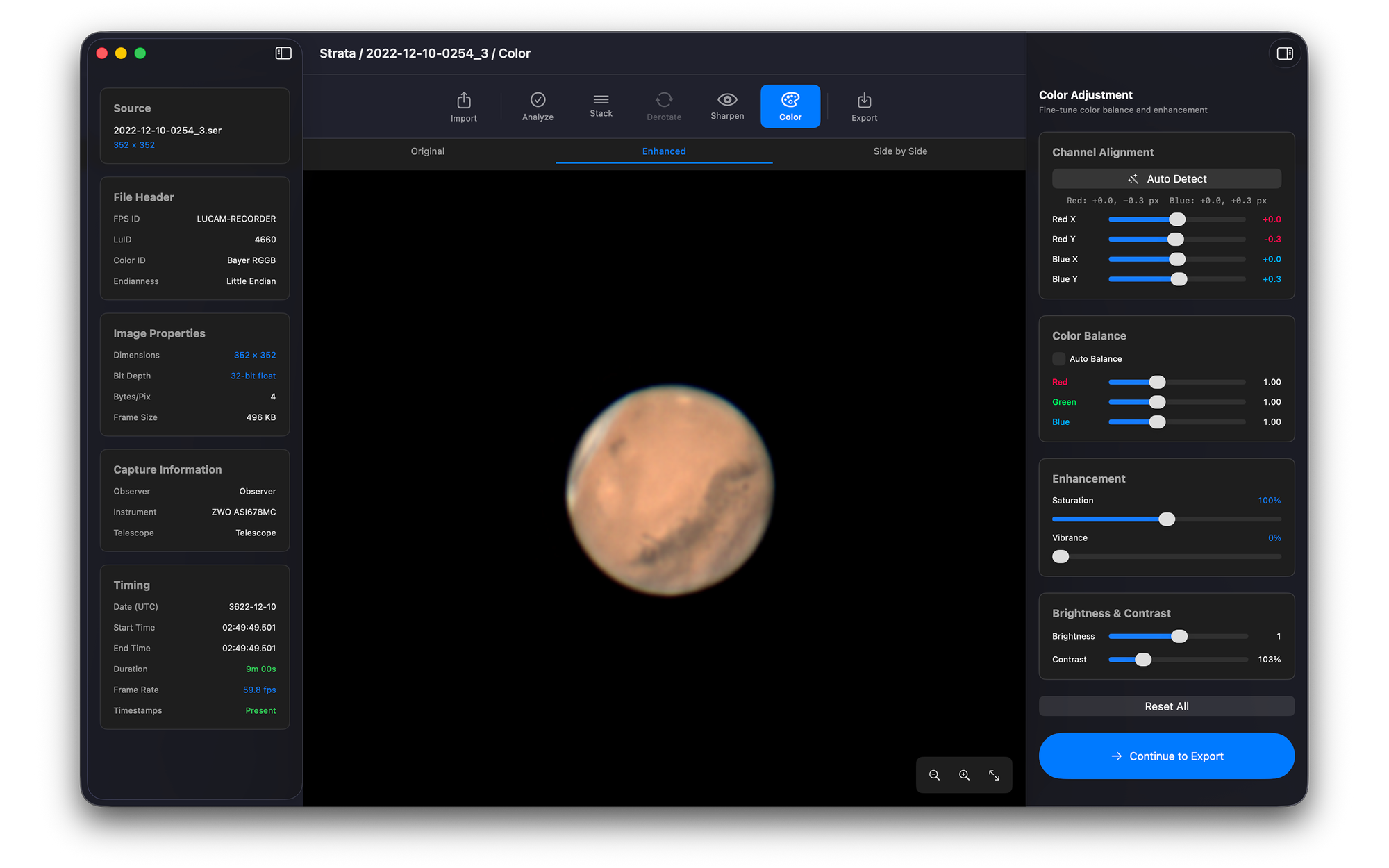
Strata replaces the entire chain. One native macOS app handles import, quality analysis, stacking, derotation, sharpening, color science, and export — all GPU-accelerated through Metal, all in a single window.
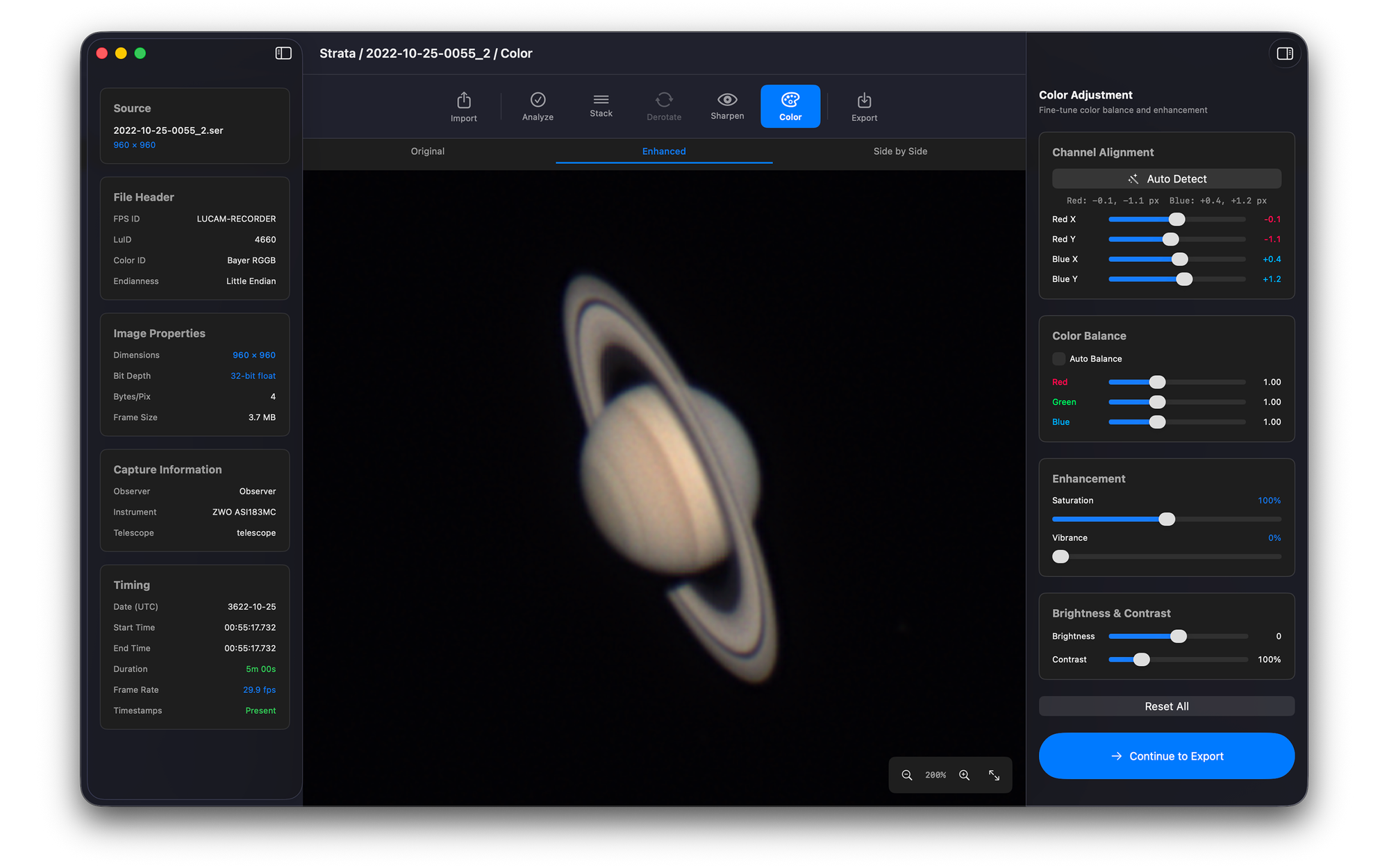
Seven phases, one window
Strata walks you through a guided seven-phase pipeline, but lets you navigate freely or skip ahead at any point. Cmd+1 through Cmd+7 jumps directly to any phase.
Import — Drag and drop SER files (v2/v3, 8-bit/16-bit, Bayer/RGB). Load multiple files into a single session for derotation. Already have a stacked image? Drop a TIFF or PNG and skip straight to Sharpen.
Analyze — GPU-accelerated frame quality scoring at 1,500 fps using Laplacian and Sobel metrics. An interactive quality histogram lets you set the threshold for which frames make it to stacking. On an Apple M1, analyzing 10,000 frames takes about 7 seconds.
Stack — Three stacking methods, all running on the GPU. Simple Average aligns and averages in one fast pass (93× speedup over CPU). Multi-Point uses NCC cross-correlation with sub-pixel registration across a grid of alignment points — the best balance of quality and speed. AP-Dewarp independently aligns each region of the frame for maximum detail with zero interpolation blur. All three methods support optional Drizzle super-resolution at 1.5×, 2×, or 3× — using sub-pixel offsets between frames to produce a higher-resolution result than any single frame.
Derotate — Jupiter completes a full rotation in just under 10 hours. If you capture multiple SER files over 20–30 minutes, the planet will have rotated enough that simply combining stacks would blur surface detail. Strata's derotation phase corrects for this using optical flow registration with consecutive pair chaining — robust even when frames have significant rotation between them.
Sharpen — Three GPU-accelerated engines, all with real-time preview. Wavelet Sharpen runs a 6-layer decomposition with per-layer gain and denoise controls in ~30ms. Wiener Deconvolution uses a synthetic Airy disk PSF modeled from your aperture, focal length, and pixel size — with telescope presets and multi-pass support. WOW Solar is purpose-built for solar disk detail. All three engines support per-channel R/G/B mode for independent sharpening of each color channel — particularly useful for taming noisy blue channels on planetary captures.
Color — Software ADC with GPU-accelerated auto-detect aligns R/G/B channels via cross-correlation, then populates manual sliders for fine-tuning. Auto color balance, saturation, brightness, gamma, and Mineral Moon enhancement for lunar mineralogy.
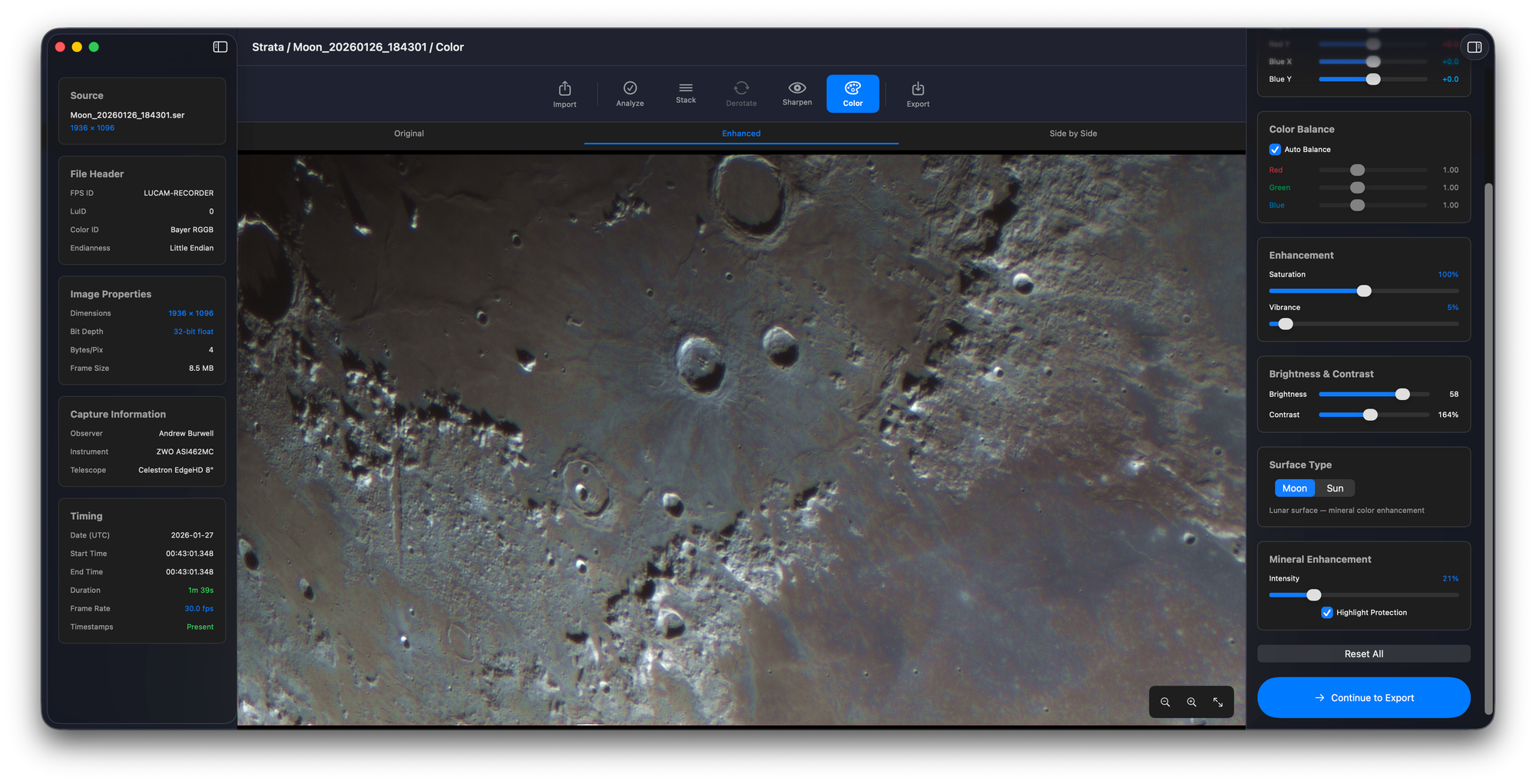
Export — TIFF (8/16-bit), PNG, JPEG, and FITS with embedded processing metadata. Configurable filename templates.
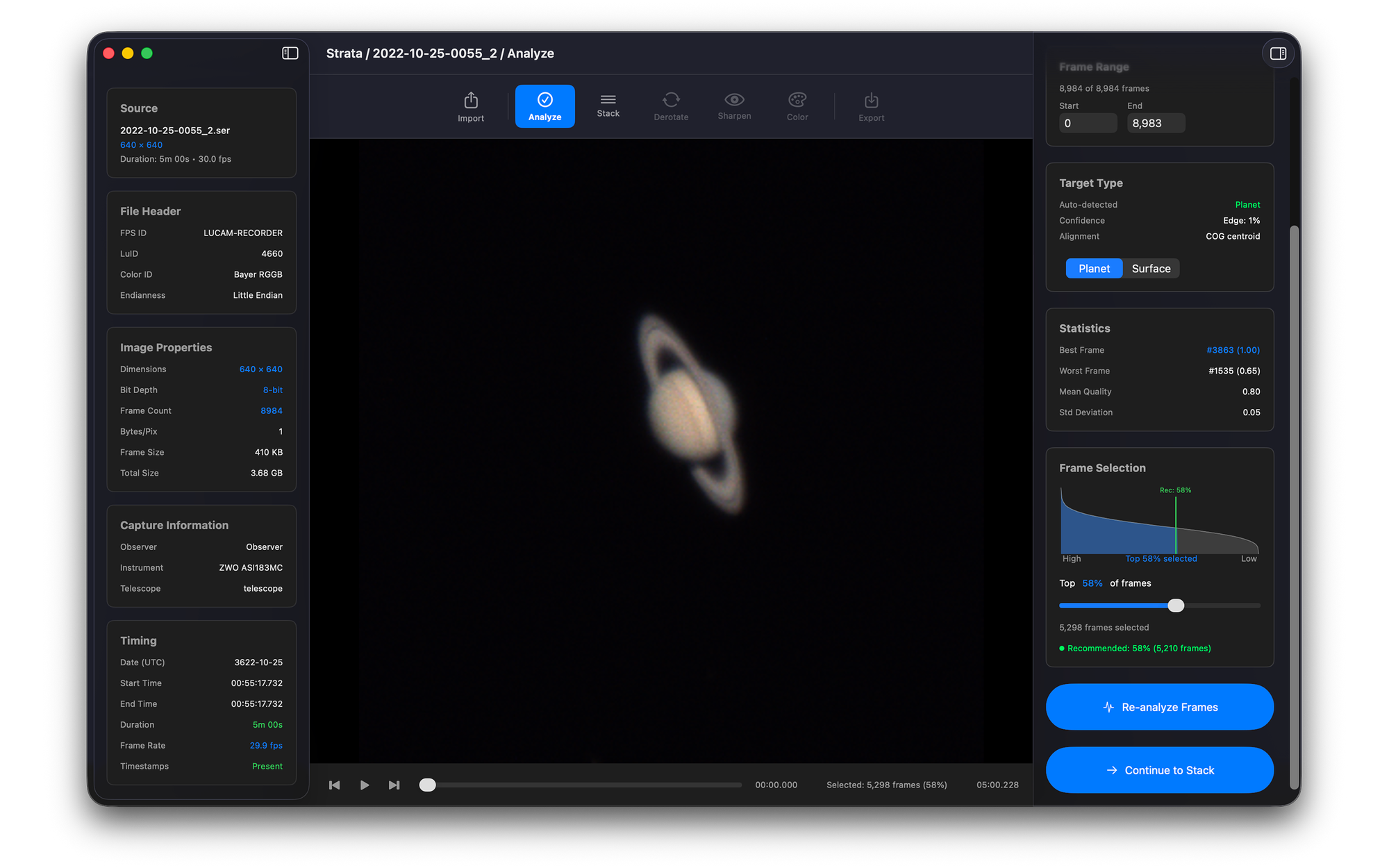
Processing profiles and batch processing
Strata ships with 8 built-in processing profiles — Jupiter, Saturn, Mars, Venus, Mercury, Moon, Sun, and a general Unspecified profile. When you load a SER file, Strata auto-detects the target from the filename (it recognizes FireCapture and SharpCap naming conventions) and applies the matching profile. Save your own custom profiles and apply them with one click.
For sessions where you've stacked multiple targets or multiple nights of data, batch processing lets you point Strata at a folder of stacked TIFF or PNG images and run the full sharpen + color + export pipeline across all of them in one pass.
Where Strata fits in the landscape
I want to be straightforward about the competitive landscape, because Mac planetary imagers have more options than they did even a year ago.
AutoStakkert + RegiStax remains the gold standard workflow on Windows. If you're already running Parallels and you're happy with that setup, there's no urgency to switch. But if you'd rather stay native, Strata offers a comparable stacking pipeline with integrated sharpening — no emulation, no three-app chain.
Planetary System Stacker is an excellent open-source tool and the closest AutoStakkert equivalent on Mac. It produces great results. The tradeoffs: it's a Python application without GPU acceleration, and dependency management on macOS can be fragile. If you're comfortable with Python and don't mind the setup, PSS is a solid free option.
Planet Stacker X from Rain City Astro is free, native, and well-designed. It's the right choice if you want simple, fast planetary stacking with wavelet sharpening and don't need drizzle, derotation, per-channel processing, or deconvolution. I've covered it in depth — it's a welcome addition to the Mac ecosystem.
Strata's differentiators are depth and integration: three stacking methods with drizzle, three sharpening engines including physics-based deconvolution, per-channel R/G/B control, multi-image derotation, processing profiles, batch processing, and software ADC — all in one window, all GPU-accelerated.
Pairs with Laminar — but works with anything
Strata is part of the Mac Observatory Suite alongside Laminar (planetary capture) and Meridian (deep sky archive). Capture in Laminar, process in Strata. But Strata works with SER files from any capture application — FireCapture, SharpCap, ASIStudio, oaCapture, or anything else that outputs standard SER video.
Join the beta
Strata is free during the beta testing phase — both the Sharpen tier and the Full Suite are unlocked. I'm looking for feedback on real-world data from real imaging sessions. If you encounter issues, I'd appreciate it if you enable debug logging in Settings — it helps me trace exactly what happened.
If you encounter issues during the beta, enable Debug Logging in Strata's Settings menu before reproducing the problem. The log captures the exact processing state and helps diagnose issues quickly. Send feedback and logs to support@macobservatory.com.
One thing I haven't been able to test with is solar data. I don't have a solar scope, and the WOW Solar sharpening engine needs real-world validation. If you have solar SER captures you'd be willing to share, send a Dropbox or Google Drive link to support@macobservatory.com — I'd really appreciate it.
Download Strata on TestFlight →
Requirements: macOS 14 Sonoma or later, Apple Silicon (M1+), Metal GPU.
For the full feature breakdown, pricing details, and FAQ, visit the Strata product page.
Common questions about Strata from the Mac astrophotography community.
Is there a native Mac alternative to AutoStakkert?+
How does Strata compare to Planet Stacker X?+
Is Strata free?+
Does Strata work with FireCapture and SharpCap SER files?+
Does Strata support drizzle?+
Can I just sharpen without stacking?+
Do I need Laminar to use Strata?+