
Strata for solar imaging
Solar stacking and processing for Mac: hydrogen-alpha, calcium K and white light
Gray in. Glorious out.
Hydrogen-alpha, calcium K or white light. Strata keeps the sharpest frames, aligns the whole surface, brings out the chromosphere and adds color. Then it does it again for every capture of the day, while you get on with yours.
Import
It knows which Sun you shot.
Hydrogen-alpha, calcium K and white light each need their own treatment. Strata figures out which one you captured and sets itself up to match.
- Three kinds of Sun. Sun H-alpha, Sun Ca-K and Sun White Light each bring their own frame scoring, sharpening and color.
- Straight from Laminar. A Laminar capture arrives with its target, filter and wavelength. You'll see H-alpha · 656.3 nm right on import.
- Clear about its guesses. A Sun capture with no wavelength is treated as hydrogen-alpha and marked "assumed." Change it anytime.
- Bad files, flagged early. If Laminar marked a capture unfinished or damaged, Strata tells you before you spend time on it. The SER Utility can write a repaired copy.
Opens SER files (8 or 16-bit, mono or color), ZWO ASIAIR and ASICap RAW8 AVI files, and stills in TIFF, PNG, JPEG or FITS. Stills go straight to Sharpen.
- Target
- Sun · H-alpha
- Wavelength
- H-alpha · 656.3 nm
- Camera
- Player One Apollo-M MINI
- Frames
- 7,046 written, 0 dropped
All of this came from the capture record Laminar saved with the file.
An illustration of Strata's import details, using camera and frame counts from a real Laminar solar capture, 30 August 2026.
Grade
Only the steady seconds.
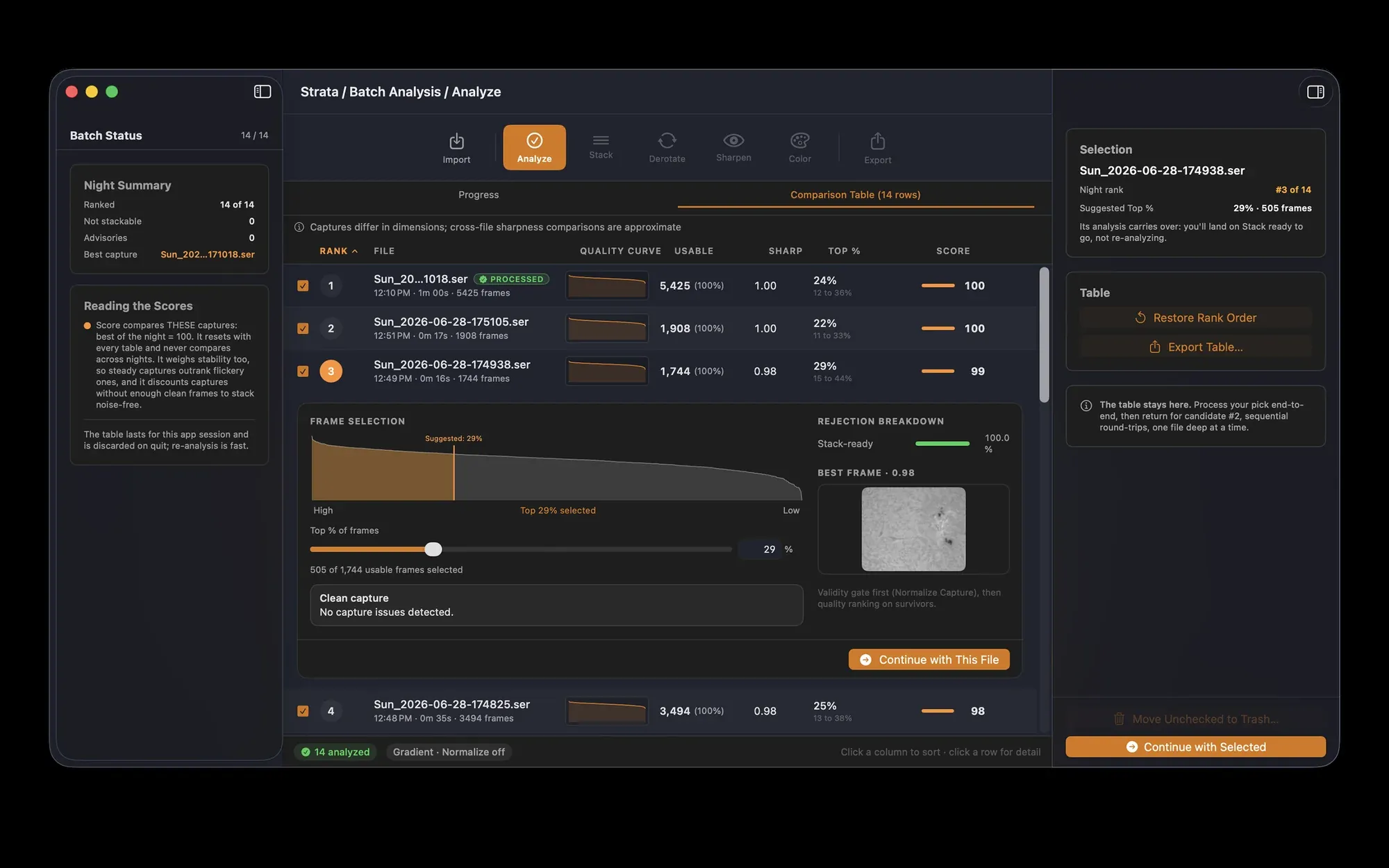
Strata scores every frame on the solar surface itself, with a measure tuned for solar texture. Then it sets aside the frames that would drag the stack down.
- Normalize Capture. Drops frames by clear rules, and shows you how many and why.
- A passing cloud is forgiven. Slow changes in brightness get corrected, so thin cloud doesn't cost you frames.
- Flicker-free time-lapses. Keep the same number of frames from every clip, and the noise stays even from one stacked frame to the next.
- A heads-up on long runs. If the Sun drifts too far during a long capture, Strata suggests trimming the end.
Normalize Capture
- Incomplete discPart of the disc ran off the frame.
- Disc off-centerThe disc wandered too far from its usual spot.
- Brightness outlierFar brighter or darker than the frames around it.
- OverexposedToo much of the disc clipped to white.
- Surface anchor lostStrata lost the surface it was aligning on.
- Outside the common areaThe frame slid away from the area every frame shares.
- Drift outlierJumped much further than the frames around it.
Strata's solar rejection reasons, summarized.
Stack
Every ripple, realigned.
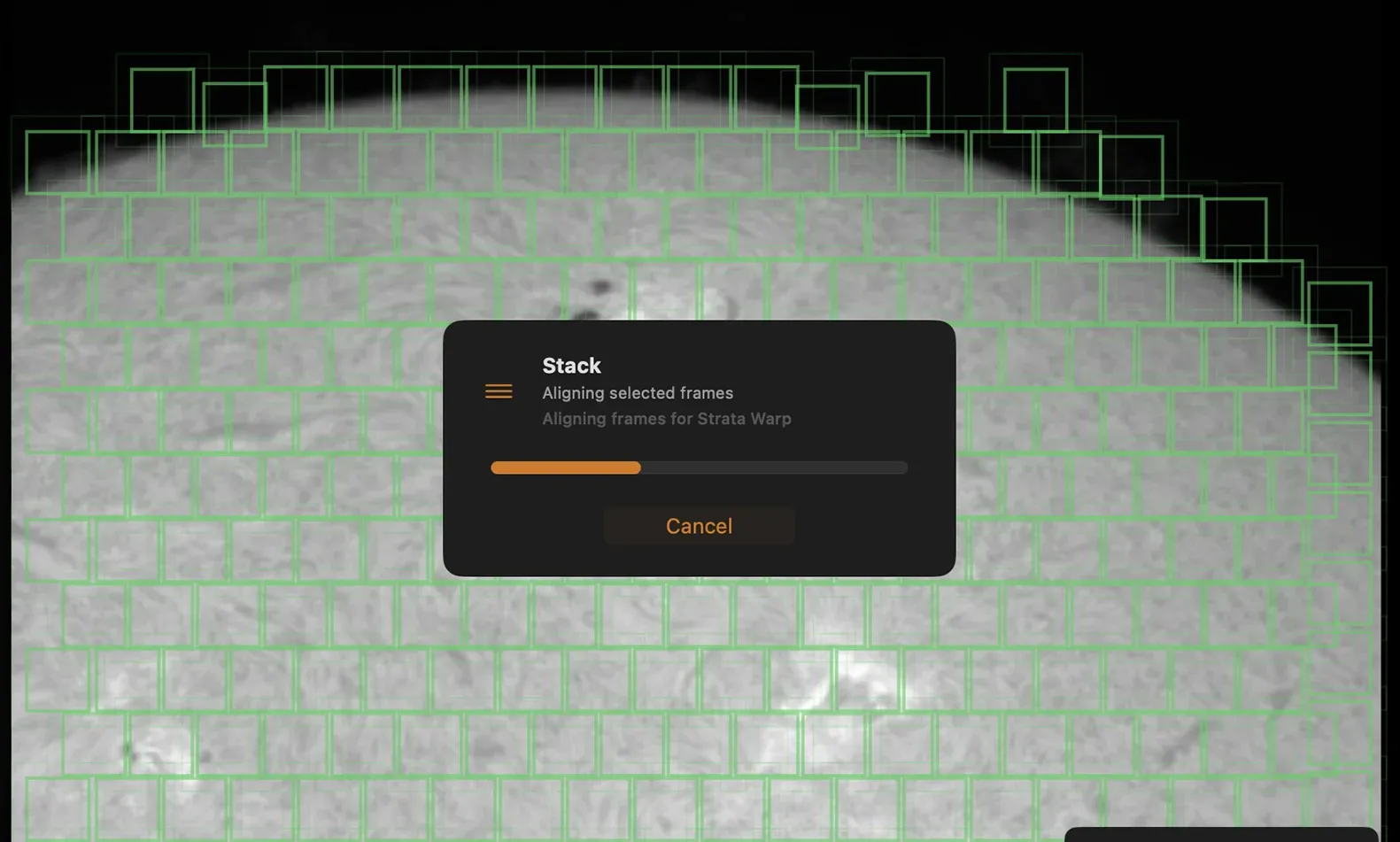
The air doesn't move the Sun as one piece. Every patch of the surface shifts its own way, in every frame. Strata covers the whole field with alignment points and lines up each one before a single frame is added.
- Strata Warp, made for surfaces. Every alignment point's shift blends into one smooth correction per frame. No seams. No patchwork.
- Strata Warp+. Picks the sharpest frames for each patch on its own. It takes longer, and pays off when the seeing varies across the field.
- No forced matches. A patch with nothing to align on is skipped and reported, never guessed.
- Full disc, locked on. Whole-disc captures align on the disc itself, whether or not you normalize first.
Drizzle to the limit of the optics
When your image is undersampled, drizzle at 1.5, 2 or 3 times recovers detail finer than a single pixel. On a Lunt 60 at 2.2 arcseconds per pixel, it reached the telescope's diffraction limit. Add your equipment, and Strata tells you whether you're sampling well at the capture's wavelength.
Alignment point size, chosen for you
Sized automatically, with Balanced and Poor Seeing profiles for tougher days.
Time for Warp+
On a day of calcium K, Warp+ took 2.5 times as long per file as Strata Warp. With 1.5x drizzle, 3.8 times.
Solar Tone
Bring the chromosphere forward.
Straight from the stack, a hydrogen-alpha or calcium K Sun looks soft and flat. Solar Tone brings it to life. Built on Wavelets Optimized Whitening (Auchère and colleagues, 2022), it balances detail at every scale, so faint filaments, plage and fibrils rise off the disc.
- Edge-Aware. Tames the bright halo sharpening likes to draw around the limb.
- Background Protection. Keeps the sky dark and the faint prominences safe, automatically or by hand.
- Denoise and tone. Built-in noise control, plus Original Blend and gamma to dial in just how far you go.
- Stack the tools. Run Wavelet or Deconvolution first, then Solar Tone. The panel shows the order.
Solar Tone is designed for hydrogen-alpha and calcium K. For white light, use Strata's wavelets, deconvolution and Surface Contrast.
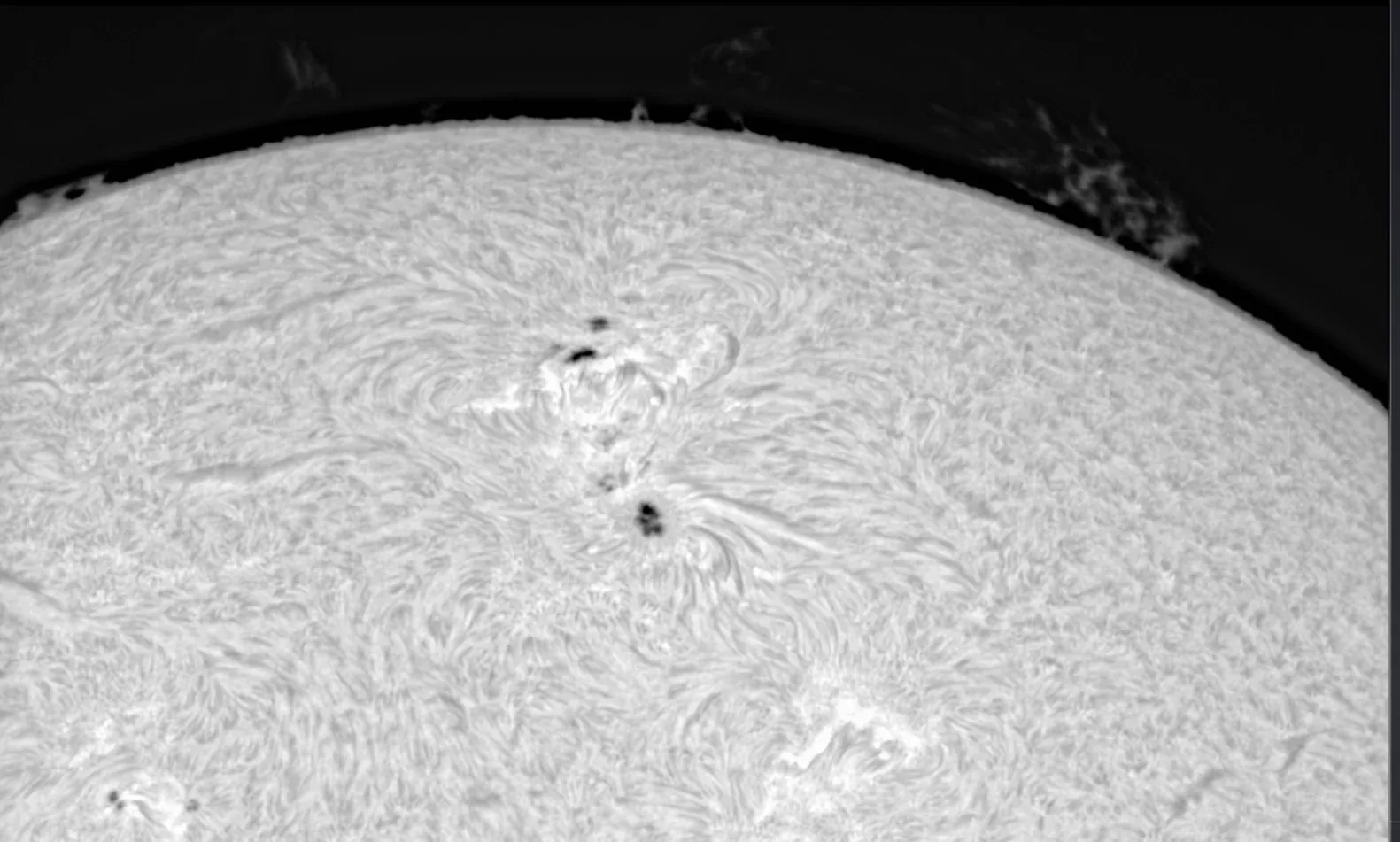
Wavelet
Six layers, finest to broadest, with multiple passes and a linear preset for the Sun.
Deconvolution
Undoes your optics' blur, calculated from your telescope, camera and filter.
Solar Tone
Wavelets Optimized Whitening, for hydrogen-alpha and calcium K.
Micro Contrast
A final pass for the very finest detail.
Solar Colorization
Gray is just the beginning.
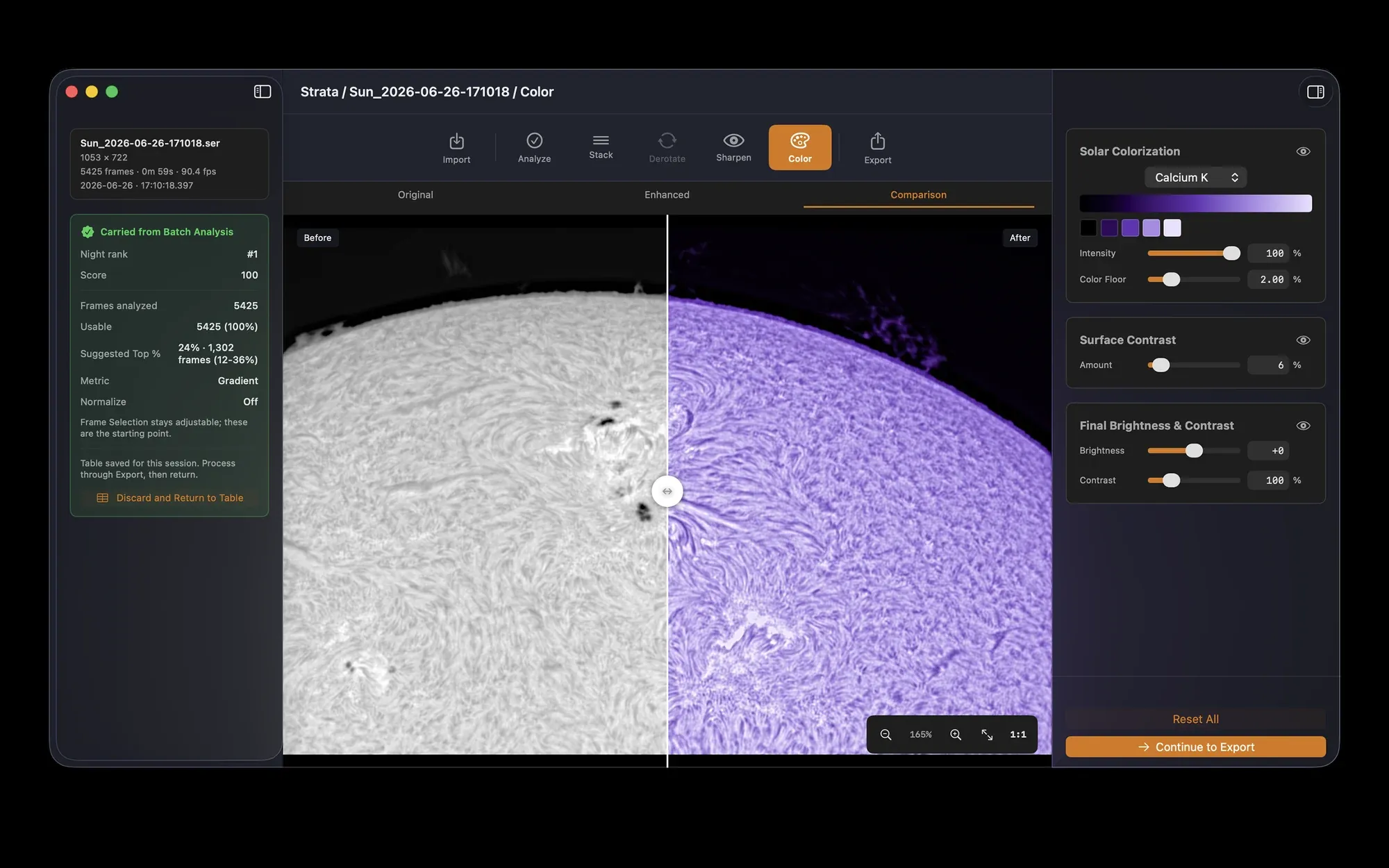
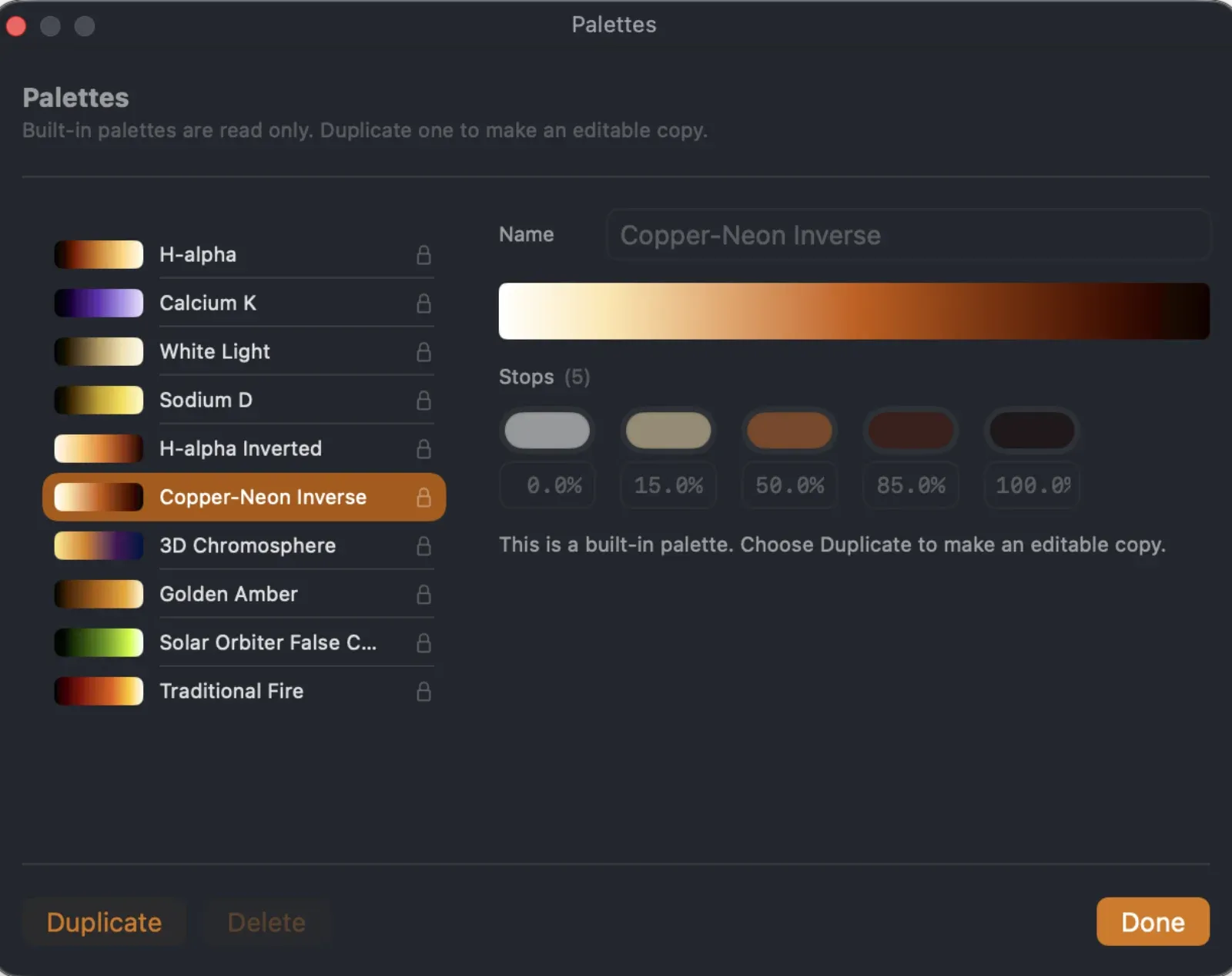
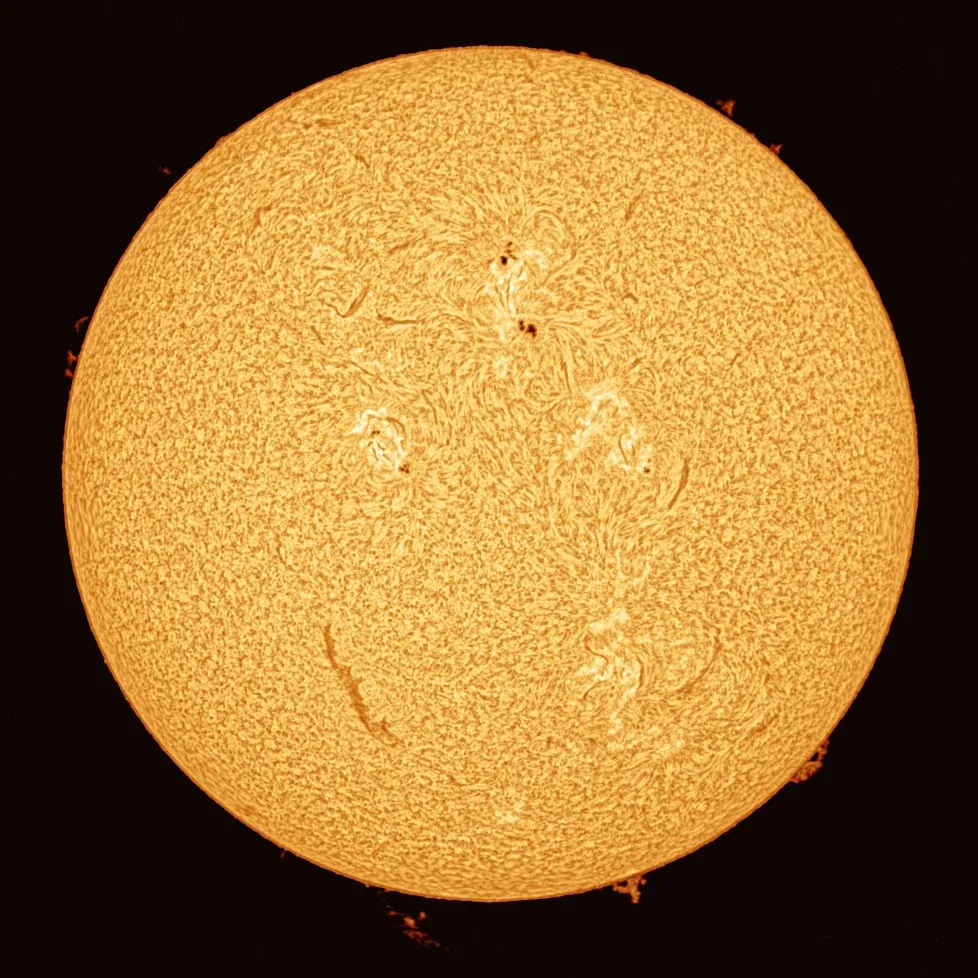
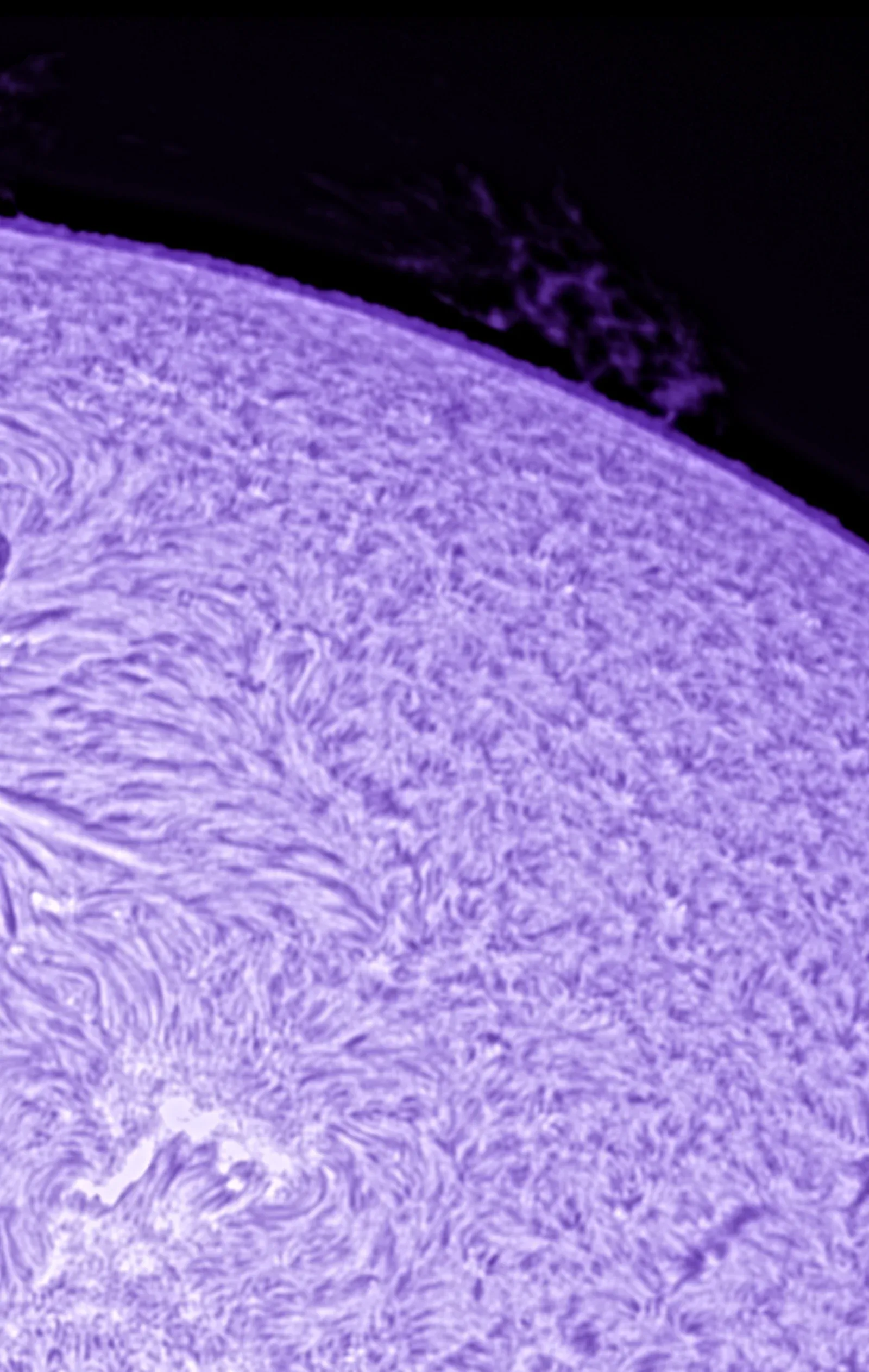
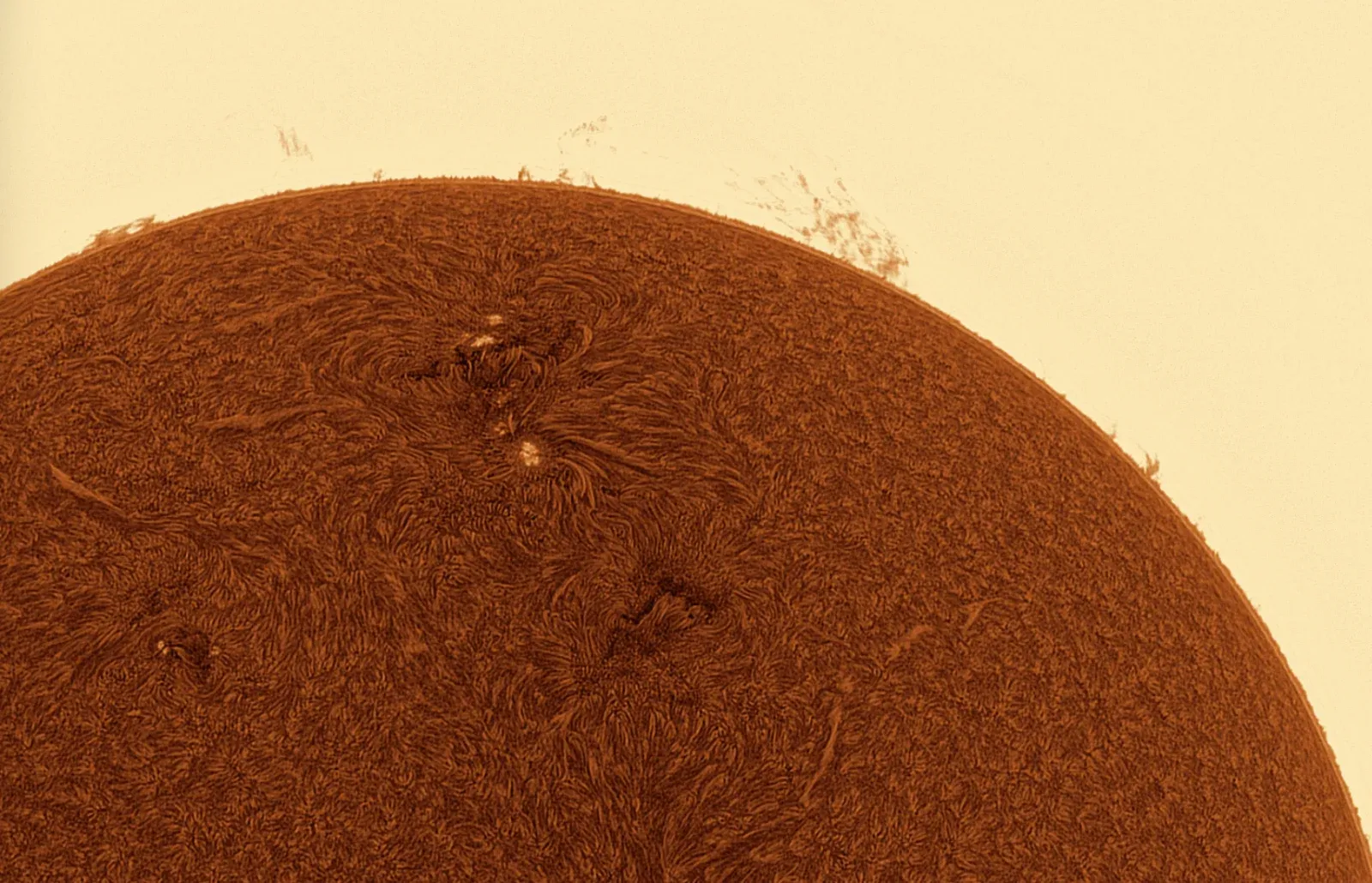
Solar cameras see in black and white. Strata turns every shade of gray into color, with palettes made for each wavelength. Classic hydrogen-alpha gold. Calcium K violet. Inverted looks and false color. Try them all on a real Solar Tone result.
Recolored live in your browser with the color stops from Strata's built-in palettes, at full Intensity. In the app, you can also set a Color Floor and background tint. Image: the Solar Tone result above.
Or mix your own.
Duplicate any built-in palette and make it yours. Use two to eight color stops and put each one exactly where you want. Your palette sits right beside the presets from then on. Intensity fades the color over the gray. Color Floor sets where color begins.
Then Surface Contrast sharpens the local contrast in granulation, sunspots, plage and filaments, with levels close at hand.
Batch
A whole day of Sun. Done by dinner.
Get one capture just right and save it as a processing profile. Strata replays every step, from grading to color, across a whole folder. It reads each video once, and loads the next while it works on this one.
“I am so impressed. Real time DAS processing with max Warp-Speed, GPU could do even more with faster disks. This is fantastic.”
Sven Kohle records calcium K all day, every day. His run used a Mac Studio with Apple's 2022 M1 Ultra and a direct-attached drive array, on Strata 1.2.1. Reading from disk took about 4.2 of the 4 hours 59 minutes. Read the whole story
Pause and resume
Stop a long batch for the night. Pick up right where you left off.
Stacked stills too
Process Image Folder runs Sharpen and Color on images you've already stacked.
Ready for a time-lapse
One profile and a fixed frame count, and every frame of a solar time-lapse matches the last.
Export
Ready to share. Ready to study.
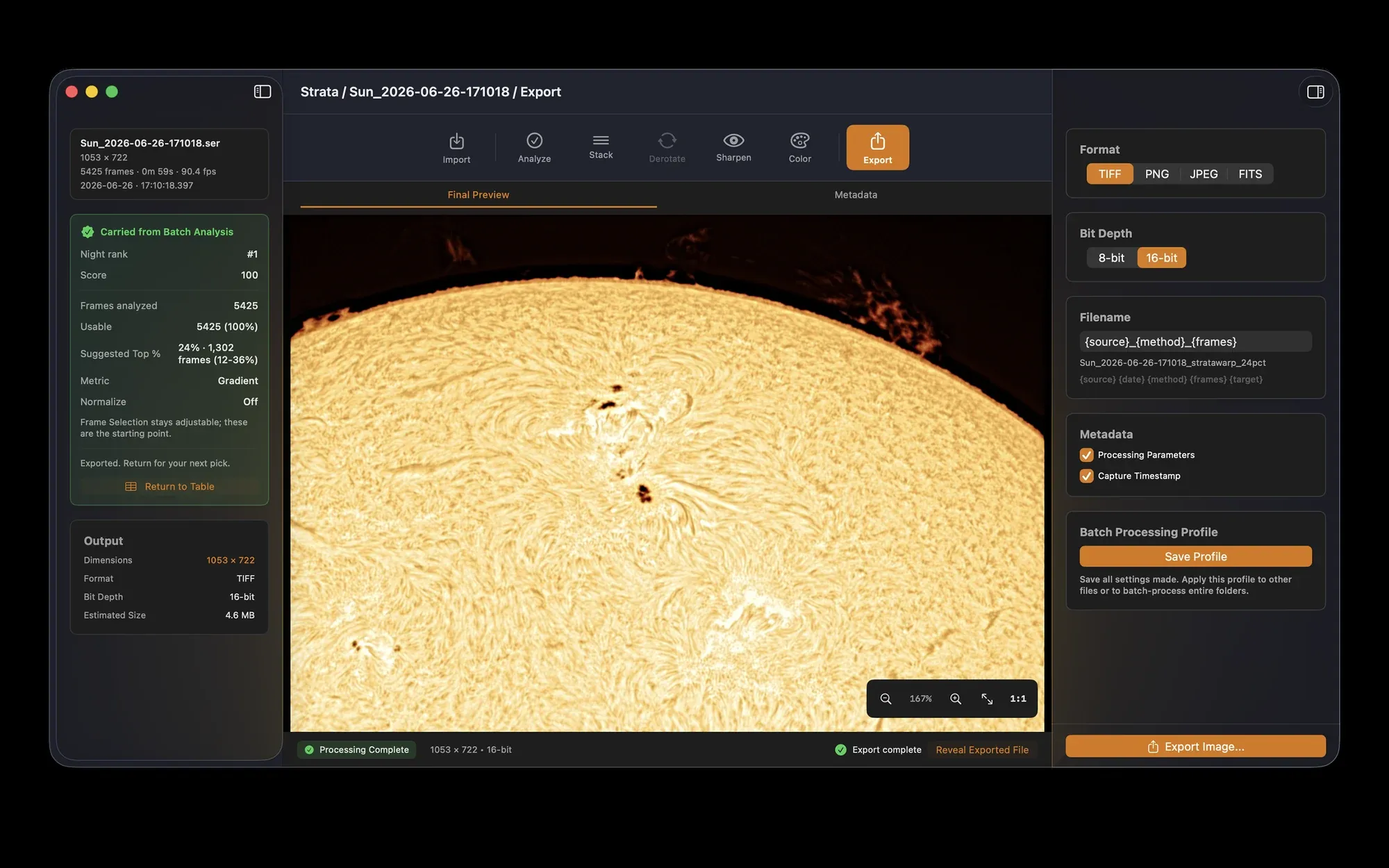
- 16-bit TIFF, PNG, JPEG or FITS. Full depth for more editing, or a JPEG to share right away.
- Names that sort themselves. Filename templates with tokens like sun-h-alpha keep a day of frames in order.
- The recipe travels along. Processing settings are saved inside every exported file.
Strata exports still images. To make a time-lapse video, bring the frames into your animation or video app.
Capture with Laminar
Great stacks start in Laminar.
Laminar records the Sun at hundreds of frames a second, with surface tracking, live flats, solar Auto Focus and time-lapse sequences. Every capture arrives in Strata with its record attached. Strata happily stacks SER files from any other capture app too.
The details
And all the little things.
One window, every step
Import, Analyze, Stack, Sharpen, Color and Export, all in one window. Every setting saves to a profile you can replay.
Only what the Sun needs
Planetary tools like channel alignment and derotation step aside when you're working on the Sun.
Rescue a broken capture
The SER Utility diagnoses a damaged file and saves a repaired copy.
Quick Look for SER
Press Space on a capture in the Finder to preview a frame and its details.
Apple Silicon and Intel
Runs on the GPU with Metal, on any Mac with macOS 14.6 or later.
Any SER source
Works with captures from Laminar, FireCapture, SharpCap or any app that records SER.
Your best Sun yet.
$34.99One-time purchase on the Mac App Store. No subscription, no in-app purchases. The same app stacks the Moon and the planets.
Questions and answers.
Which solar captures does Strata handle?
Hydrogen-alpha, calcium K and white light, full disc or close-up, from SER files (8 or 16-bit), ZWO ASIAIR and ASICap RAW8 AVI files, or stills in TIFF, PNG, JPEG or FITS.
Do I need Laminar?
No. Strata stacks SER files from any capture app. With Laminar, it also reads the capture record, so it knows the target, filter and wavelength from the start.
What is Solar Tone?
Strata's take on Wavelets Optimized Whitening, published by Auchère and colleagues in 2022. It balances detail across scales so the faint chromosphere stands out. Edge-Aware keeps limb halos in check, and Background Protection looks after the prominences. It's designed for hydrogen-alpha and calcium K.
Does Strata do flat-field calibration?
No. Apply flats at capture, live in Laminar or your capture software, or calibrate your files before stacking.
Can Strata make a time-lapse video?
Strata processes every clip of a time-lapse identically and exports the frames as images. Turn them into a video in your animation or video app.
Does it process spectroheliograph (Sol'Ex) scans?
No. Build the solar image in spectroheliograph software such as JSol'Ex or INTI, then bring it into Strata as a still for sharpening and color.
Does it build mosaics?
Not yet. Strata stacks each capture on its own.
How do I get the classic inverted look?
Pick H-alpha Inverted or Copper-Neon Inverse at full Intensity. The palette runs in reverse, so dark filaments glow and the bright disc turns a deep red-brown.
Will it run on my Mac?
Strata runs on Apple Silicon and Intel Macs with macOS 14.6 or later. A day of 1,999 solar videos took under five hours on an M1 Ultra Mac Studio.
Is it a separate app from the planetary Strata?
No, it's the same app. One $34.99 purchase stacks the Sun, the Moon and the planets. It's also part of the $99 Mac Observatory Field Kit, with Laminar, Meridian and Transit.