
Tutorials
Step-by-step guides for astrophotography techniques, equipment setup, and image processing workflows on the Mac. Whether you're learning to take calibration frames, remove light pollution in Astro Pixel Processor, set up a Raspberry Pi for remote imaging, or polar align your mount, these tutorials walk you through the process with practical, tested instructions.
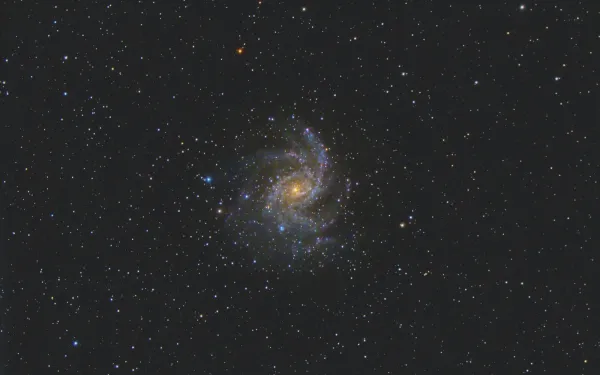
Using Astro Pixel Processor to calibrate and integrate multiple imaging sessions
The beautiful thing about astrophotography is that the effects of imaging are additive. You can essentially shoot the same object, night after night, even with
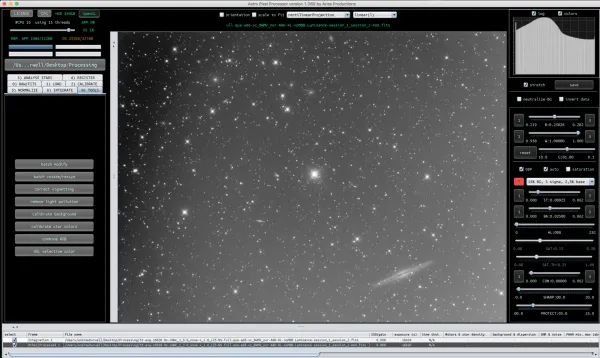
Removing light pollution with Astro Pixel Processor
The above screenshot is what my Luminance data looks like after a few nights of imaging the same object. In this particular image I was

How to take easy flats using an inexpensive light source.
Here’s my setup at 5:30 am this morning. Taking good flats is key. I had been using the dawn sky to shoot flats

Tutorial for Astro Pixel Processor to calibrate and process a bi-color astronomy image of the Veil Nebula
To get started, you'll need to have taken a full set of light images to process. In addition you will need darks, flats,
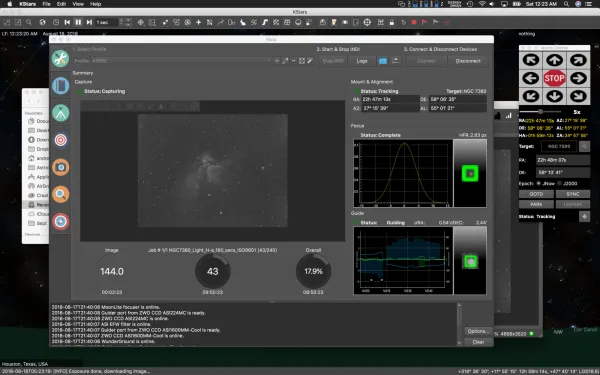
Using the EKOS sequencer to capture the Wizard Nebula (NGC7380) on the Mac
This will be a general walkthrough of a typical capture session with my AstroTechAT6RC setup. This should be a good walkthrough for someone not familiar